1
If the instrument were to detect a problem, the display would show a continuous error
message. For a list of these error messages, see the Troubleshooting chapter. After the
instrument completes this diagnostic routine, the following screen should be displayed
(with no cell connected).
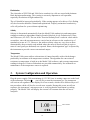
0.00
µS
udr °C
3.1
Configure the 3100
Before operating the 3100, or whenever you change cells, you must configure the 3100 to
match the cell used. You must enter the manufacturer’s stated (or your manually calculated)
cell constant (K) as shown below (Cell Constant).
The default configuration is as follows:
•
•
3.2
Cell constant of K = 1
Temperature compensation corrected to 25°C using a coefficient of 1.91%/°C.
Cell Constant
Follow these steps to change the cell constant:
1. With the instrument on, press and release the [DOWN ARROW] and [MODE] keys at
the same time. The CAL symbol will appear at the bottom left of the display and the
large portion of the display will show 1.91% (or a value set previously using Setup).
2. Press and release the [MODE] key. The large portion of the display will show 25.0C (or
a value set previously using Setup).
3. Press and release the [MODE] key again. The large portion of the display will show
1.00 (or a value set previously using Setup).
4. Use the [UP ARROW] or [DOWN ARROW] key to change the value to the desired new
cell constant.
5. Press the [ENTER] key. The word “SAVE” will flash across the display for a second to
indicate that your change has been accepted. The 3100 will return to normal operation
mode.
7