1
User’s Guide Mathcad 14.0 February 2007 Copyright © 2007 Parametric Technology Corporation. All Rights Reserved. User and training documentation from Parametric Technology Corporation and its subsidiary companies (collectively “PTC”) is subject to the copyright laws of the United States and other countries and is provided under a license agreement that restricts copying, disclosure, and use of such documentation. PTC hereby grants to the licensed user the right to make copies in printed form of this documentation if provided on software media, but only for internal/personal use and in accordance with the license agreement under which the applicable software is licensed. Any copy made shall include the PTC copyright notice and any other proprietary notice provided by PTC. This documentation may not be disclosed, transferred, modified, or reduced to any form, including electronic media, or transmitted or made publicly available by any means without the prior written consent of PTC and no authorization is granted to make copies for such purposes. Information described herein is furnished for general information only, is subject to change without notice, and should not be construed as a warranty or commitment by PTC. PTC assumes no responsibility or liability for any errors or inaccuracies that may appear in this document. The software described in this document is provided under written license agreement, contains valuable trade secrets and proprietary information, and is protected by the copyright laws of the United States and other countries. It may not be copied or distributed in any form or medium, disclosed to third parties, or used in any manner not provided for in the software licenses agreement except with written prior approval from PTC. UNAUTHORIZED USE OF SOFTWARE OR ITS DOCUMENTATION CAN RESULT IN CIVIL DAMAGES AND CRIMINAL PROSECUTION. Important Copyright, Trademark, Patent, and Licensing Information On the Reference Documents page at http://www.ptc.com/appserver/cs/doc/refdoc.jsp, select Legal for the product and PTC Copyright for the document type. Alternatively, click Help > About on your product's main menu. UNITED STATES GOVERNMENT RESTRICTED RIGHTS LEGEND This document and the software described herein are Commercial Computer Documentation and Software, pursuant to FAR 12.212(a)-(b) (OCT'95) or DFARS 227.7202-1(a) and 227.7202-3(a) (JUN'95), and are provided to the US Government under a limited commercial license only. For procurements predating the above clauses, use, duplication, or disclosure by the Government is subject to the restrictions set forth in subparagraph (c)(1)(ii) of the Rights in Technical Data and Computer Software Clause at DFARS 252.227 7013 (OCT'88) or Commercial Computer Software-Restricted Rights at FAR 52.227 19(c)(1)-(2) (JUN'87), as applicable. 00002007 Parametric Technology Corporation, 140 Kendrick Street, Needham, MA 02494 USA Contents About This Guide 1 Other Documentation Other Resources Technical Support 1 1 1 1: Welcome to Mathcad 3 What Is Mathcad? Highlights of the Mathcad 14 Release System Requirements Installation 2: Getting Started with Mathcad The Mathcad Workspace Regions A Simple Calculation Definitions and Variables Graphs Saving, Printing, and Exiting 3: Online Resources 3 4 6 7 9 9 11 11 12 14 15 17 Mathcad Resources User Forums Other Resources 17 21 23 4: Working with Math 25 Inserting Math Building Expressions Editing Expressions Math Styles 25 27 31 35 5: Range Variables and Arrays 39 Creating Arrays Iterative Calculations Accessing Array Elements Displaying Arrays Working with Arrays 6: Working with Text Inserting Text Text and Paragraph Properties Text Styles Equations in Text Text Tools 7: Mathcad Worksheets Worksheets and Templates Rearranging Your Worksheet Layout Safeguarding an Area of the Worksheet Worksheet References 39 40 43 45 47 51 51 53 55 57 58 61 61 63 67 69 71 iii Hyperlinks Distributing Your Worksheets 8: Calculating in Mathcad Defining and Evaluating Variables Defining and Evaluating Functions Units and Dimensions Working with Results Controlling Calculation Error Messages 9: Solving 79 79 88 90 93 98 100 103 Solving and Optimization Functions 103 10: Inserting Graphics and Other Objects 109 Overview Inserting Pictures Inserting Objects Inserting Objects Computationally Linked to Your Worksheet 11: 2D Plots Overview of 2D Plotting Graphing Functions and Expressions Plotting Vectors of Data Formatting a 2D Plot Modifying a 2D Plot’s Perspective Animations 12: 3D Plots Overview of 3D Plotting Creating 3D Plots of Functions Creating 3D Plots of Data Formatting a 3D Plot 13: Symbolic Calculation Overview of Symbolic Math Live Symbolic Evaluation Using the Symbolics Menu Examples of Symbolic Calculation Index iv 72 74 109 109 112 114 117 117 119 122 125 127 129 131 131 132 134 139 143 143 144 149 149 157 About This Guide The Mathcad User’s Guide introduces you to Mathcad and what is unique about working in its environment. Its audience is new users and those who have used Mathcad occasionally in the past. More depth is provided in the documentation listed below. Other Documentation In addition to this guide, the following documentation may be helpful. You can find these resources in the Mathcad Resources window under the Help menu: • Tutorials include introductory Primers and more extended tutorials. • QuickSheets are sample Mathcad worksheets that you can revise for your own use. • Online Help provides more extensive details on features and functions. Other Resources We provide other resources for learning about Mathcad: • Mathcad User Forums where current users will answer many questions at: http://www.ptc.com/go/mathsoft/collab/ • E-books you can download from the Mathcad section of the PTC Web site. • Updates to the documentation are available from the References Document section of the PTC Web site. Technical Support Contact PTC Technical Support if you encounter problems using the software. Contact information for PTC Technical Support is available on the PTC Customer Support Site: http://www.ptc.com/support/ You must have a Service Contract Number (SCN) to receive technical support. If you do not have an SCN, contact PTC using the instructions found in the PTC Customer Service Guide under “Technical Support”: http://www.ptc.com/support/cs_guide/ Comments We welcome your suggestions and comments on our documentation. You can submit your feedback to: [email protected] 1 Chapter 1 Welcome to Mathcad What Is Mathcad? Highlights of the Mathcad 14 Release System Requirements Installation What Is Mathcad? Mathcad is the industry standard technical calculation tool for engineers worldwide. Mathcad delivers all the solving capabilities, functionality, and robustness needed for calculation, data manipulation, and engineering design work. Calculation standardization and reuse through Mathcad ensures standards compliance. By combining calculations, graphs, text, and images in one document, Mathcad enables knowledge capture and publication that aid management of large projects. Mathcad allows you to document your calculations in the language of mathematics, because Mathcad combines a powerful computational engine, accessed through conventional math notation, with a full-featured word processor and graphing tools. You can type equations as you’re used to seeing them on paper. Simply type in your equations, then see them display with an instant result, along with as much text as you want to accompany the math. Mathcad makes it easy to communicate the rationale and assumptions behind your calculations enabling design quality assurance. You can use Mathcad equations to solve both symbolical and numerical equations. You can place text anywhere on the worksheet and add two- and three-dimensional graphs to the page. You can even illustrate your work with images taken from another application. Mathcad takes full advantage of Microsoft’s OLE 2 object linking and embedding standard to work with other applications, supporting drag and drop and inplace activation as both client and server. Mathcad lets you easily mix and convert between unit systems, catching unit mistakes by checking your worksheets for dimensional consistency. You can work in your preferred unit system or switch to another system for a particular set of equations. Mathcad’s powerful programming and scripting capabilities are not introduced in this introductory User’s Guide. Visit online Help, the Programming tutorial, and the Developer’s Reference to learn how to program in Mathcad. You can also download Inside Mathcad: Programming from http://www.ptc.com/go/mathsoft/ mathcad_download/. Mathcad provides online Tutorials; QuickSheets of working examples of Mathcad functions and applications; and Reference Tables with math, science, and engineering formulas. These live worksheets are found under the Help menu or from the Resources 3 4 / Chapter 1 Welcome to Mathcad toolbar. Online Help includes the Author’s Reference and Developer’s Reference for more advanced usage. Mathcad simplifies and streamlines documentation, critical to communicating and to meeting business and quality assurance standards. By combining equations, text, and graphics in a single worksheet, Mathcad makes it easy to keep track of the most complex calculations. By saving your worksheets in XML format, you can reuse the information in other text-based systems or search and report on worksheets without needing to reopen them in Mathcad. Highlights of the Mathcad 14 Release Mathcad 14 features a number of improvements and added capabilities designed to increase your productivity. For more in-depth details and live examples see New Features under Tutorials in the Help menu. Internationalization of Mathcad • Languages: Mathcad and its documentation is now available in nine languages including English, French, German, Italian, Japanese, Korean, Simplified Chinese, Spanish, and Traditional Chinese. Mathcad includes fifteen languages and dialects for its spell check choices under the Preferences dialog. • Unicode: Mathcad now provides support for Unicode character sets across the application. You can now enter non-ASCII characters such as special mathematical symbols and characters from Asian, Greek, Hebrew, Cyrillic and other languages into variables, plot titles, trace labels. You can also enter these character into dialogs such as the Search dialog. All discipline-correct notation can be entered in any area of a worksheet. • Unicode support for Asian operating systems: Consistency of editing on Asian systems has vastly improved. • Fidelity of display: The trueness of the display now works for any operating system for easy worldwide use and worksheet sharing across systems. Usability Features • New visual worksheet comparison: You can now compare revisions of worksheets or two different XMCD worksheets. The tool will show math and text elements that have been added, deleted, or changed with different colored highlights. It will even display differing results due to tolerance settings or algorithms between versions of Mathcad. • 2D graph enhancements: The Result Format tab has been added to the 2D graph Format dialog so that you can provide greater precision on your axes and grids for 2D graphs. • New negative radii support in polar plots: Negative radii are now allowed and considered as phase shifts in angles. • File size reduction: Images can be stored as JPEGs and stored with a lower quality, reducing the size of the Mathcad file. This option is available as a new tab in the Properties dialog under the File menu. Highlights of the Mathcad 14 Release / 5 • Search and replace: You can now search and replace for text and math elements in collapsed areas. New and Improved Functions • ODE solvers: Mathcad 14 adds three new functions for solving ordinary differential equations. Adams is designed to solve non-stiff systems. BDF uses backward differentiation formulas for solving stiff systems. AdamsBDF, a hybrid solver, dynamically detects whether a system is stiff or not and calls Adams or BDF accordingly. Radau now has three optional arguments. • odesolve’s default solver has changed from Fixed to Adams/BDF, providing more accurate results. • Radau now had three new optional arguments. • Statespace: A new statespace function allows you to describe linear, first-order ordinary differential equations in matrix format. • New Jacob function: A new Jacobian function, Jacob, computes the Jacobian of a vector function of multiple parameters producing a matrix of expressions. • Bessel functions: New derivative Airy and scaled derivative Airy functions, DAi, DBi, DAI.sc, and DBi.sc are faster and more precise than taking the first derivatives of Airy functions. Math Enhancements • Definition and evaluation in the same statement: Expressions such as x := 1cm + 2ft = 0.934m can be evaluated on the same line and bind to the result. • New Gradient operator: A new gradient operator on the Calculus toolbar takes partial derivatives over a function of multiple parameters and packs them into a vector. • Improvements to explicit calculation: Math expressions and equations can be presented in a more standards-compliant manner. New Symbolics • More detailed results: Keyword solve and other symbolic operators now return more detailed results. New modifiers such as fully and all give complete solutions. • New symbolic keywords: The new keywords combine, rewrite, confrac, numer, and denom extend Mathcad’s symbolic capabilities. Read the New Features section of the online Tutorials to see live demonstrations of their capabilities. • New symbolic functions: Numer, Denom, IsInteger, IsPrime, and IsRational return information about an expression or number that can be used in other functions. • New modifiers: Nine new modifiers are added in Mathcad 14. All, degree, domain, exp, fully, ln, using, raw, and sincos allow you to modify various keywords. The New Features section in the online Tutorials provides live examples and Help provides a chart of which keywords work with which modifiers. 6 / Chapter 1 Welcome to Mathcad • Vectorization: You can now apply vectorized functions or operators to a vector and evaluate it symbolically. Previous you could only do so numerically. PTC integration • 24/7 worldwide technical support for Enterprise accounts: PTC provides 24 hour technical support, seven days a week through its Web site in all nine languages. • New Pro/Engineer integration: You can use a Mathcad file to define the analysis or drive a Pro/Engineer model. • Activation no longer required: All versions of Mathcad are now licensed. Single users no longer have Activation licensing, but must request a license file from PTC to complete installation of Mathcad. Users with Internet access can complete the licensing process during installation. Volume license users must upgrade to FLEXnet 10.8. More information can be found in the Customer Service Guide on the PTC Web site at http://www.ptc.com/support/cs_guide/. System Requirements To run Mathcad 14, the following are recommended or required: Hardware • Pentium-compatible 32-bit (x86) or 64-bit (x86-64, EM64T) processor, 400 MHz or higher; 700+ MHz recommended. • 256 MB of RAM; 512 MB or more recommended. • 550 MB of hard disk space (250 MB for Mathcad, 100 MB for prerequisites, 200 MB temporary space during installation). • CD-ROM or DVD drive (for CD installation only). • SVGA or higher graphics card and monitor. • Keyboard and mouse or compatible pointing device. Software • Windows 2000 SP4 or Windows XP SP2 or later. The following requirements are available on the Mathcad CD: • Microsoft .NET Framework® 2.0. • MSXML 4.0 SP2 or later. • Microsoft Data Access Components (MDAC) 2.6 or later. • Internet Explorer version 6.0. (IE does not need to be your default browser.) • Adobe Acrobat Reader 7.0. Installation / 7 Installation Instructions in this section apply to all editions of Mathcad 14. Enterprise users should check with their network administrators for installation and licensing information. Note The Setup Wizard requires Internet access to license the single-user edition of Mathcad. Users without Internet access must license their copy of Mathcad manually by following the instructions provided during licensing. To Install Mathcad 1. Insert the Mathcad CD into your CD-ROM drive. If the installation program does not start automatically, you can start it by choosing Run from the Start menu and typing D:\SETUP (where “D:” is your CD-ROM drive). 2. Click the “Mathcad 14” button on the main installation page. 3. When prompted, enter: • your name. • your organization name. • your product code, located on the back of the CD envelope. 4. Follow the remaining on-screen instructions. 5. Once installation has finished, the Setup Wizard licenses Mathcad. • Enterprise users are prompted to specify their FLEXnet license server or license file. • Users of the single-user edition are prompted for their PTC user account information to obtain a license file. Users without a PTC account can create one at this time. Note For Mathcad 14, online Help and the Resources (Tutorial, QuickSheets, and Reference Tables) are installed in separate processes that create individual entries in the Add/Remove Programs control panel. Uninstalling Mathcad does not automatically uninstall Help and the Resources so you need to uninstall them manually. To install other items from the Mathcad CD, such as Internet Explorer or Acrobat Reader, click the Other Software button on the main installation page. Chapter 2 Getting Started with Mathcad The Mathcad Workspace Regions A Simple Calculation Definitions and Variables Graphs Saving, Printing, and Exiting The Mathcad Workspace When you start Mathcad, you see a window like that shown in Figure 2-1. Figure 2-1: Mathcad with various toolbars displayed. 9 10 / Chapter 2 Getting Started with Mathcad Each button in the Math toolbar opens another toolbar of operators or symbols. You can insert many operators, Greek letters, and plots by clicking these buttons. Button Toolbar Calculator: Arithmetic operators. Graph: Two- and three-dimensional plot types and graph tools. Matrix: Matrix and vector operators. Evaluation: Equal signs for evaluation and definition. Calculus: Derivatives, integrals, limits, and iterated sums and products. Boolean: Comparative and logical operators for Boolean expression. Programming: Programming constructs. Greek: Greek letters. Symbolic: Symbolic keywords and modifiers. The Standard toolbar provides quick access to many menu commands. The Formatting toolbar contains scrolling lists and buttons to specify font characteristics for both equations and text. Tip To learn what a button on any toolbar does, hover the mouse over the button until a tooltip appears with a brief description. You can choose to show or hide each toolbar from the View menu. To detach and drag a toolbar around your window, place your cursor on the edge of the toolbar. Then hold down the mouse button and drag. You can also click on the blue title bar and drag. Tip You can customize the Standard and Formatting toolbars. To add and remove buttons, right- click on the toolbar and choose Customize from the menu. Regions / 11 Working with Worksheets When you start Mathcad, you open a Mathcad worksheet. You can have as many worksheets open as your available system resources allow. If you are working with a longer worksheet, use Go to Page from the Edit menu to move quickly through the worksheet. Regions Mathcad lets you enter equations, text, and plots anywhere in the worksheet. Each equation, piece of text, or other element is a region. A Mathcad worksheet is a collection of such regions. To start a new region in Mathcad: 1. Click anywhere in a blank area of the worksheet. You see a small crosshair. Anything you type appears at the crosshair. 2. If the region you want to create is a math region, just start typing anywhere you put the crosshair. By default Mathcad understands what you type as mathematics. See “A Simple Calculation” below for an example. 3. To create a text region, choose Text Region from the Insert menu or simply press [“] and then start typing. See Chapter 6, “Working with Text,” for a complete description. Tip To add a border around a region or regions, select the region(s), then right-click and choose Properties from the menu. Click on the Display tab and check the box next to “Show Border.” A Simple Calculation Although Mathcad can perform sophisticated mathematics, you can easily use it as a simple calculator. To try your first calculation, follow these steps: 1. Click in the worksheet. You see a small crosshair. 2. Type 15-8/104.5=. When you type the equal sign or click on the Calculator toolbar, Mathcad computes the result. This calculation demonstrates the way Mathcad works: • Mathcad sizes fraction bars, brackets, and other symbols to display equations the same way you might see them in a book. • Mathcad understands which operation to perform first. Mathcad knew to perform the division before the subtraction and displayed the equation accordingly. • As soon as you type the equal sign, Mathcad returns the result. Mathcad processes each equation as you enter it. • As you type each operator (in this case, - and /), Mathcad shows a small black rectangle called a placeholder. Placeholders hold spaces open for numbers or 12 / Chapter 2 Getting Started with Mathcad expressions not yet typed. If you click at the end of an equation, you see a placeholder for units and unit conversions. Once an equation is on the screen, you can edit it by clicking in it and typing new letters, numbers, or operators. You can enter many operators and Greek letters by using the math toolbars. Chapter 4, “Working with Math,” explains how to edit Mathcad equations. Definitions and Variables Mathcad’s power and versatility quickly become apparent once you begin to use variables and functions. By defining variables and functions, you can link equations together and use intermediate results in further calculations. Defining Variables These steps show you how to define a variable: 1. Type the variable name. 2. Type the colon key [:] or click symbol. on the Calculator toolbar to insert the definition 3. Type the value to be assigned to the variable. The value can be a single number or a more complicated combination of numbers and previously defined variables. If you make a mistake, click on the equation and press [Space] until the entire expression is between the two blue editing lines. Then delete it by choosing Cut from the Edit menu ([Ctrl] X). Or use Mathcad’s Undo [Ctrl] Z command from the Edit menu to step back through the equation. Variables in Mathcad worksheets are defined from top to bottom and left to right on a page. Once you have defined a variable like t, you can compute with it anywhere below and to the right of the definition. Now enter another definition: 1. Press [Enter]. This moves the crosshair below the first definition. 2. To define acc as –9.8, type: acc:–9.8. Calculating Results Now that the variables acc and t are defined, you can use them in other expressions: 1. Click the mouse below the two definitions. 2. Type acc/2[Space]*t^2. 3. Press the equal sign [=]. Definitions and Variables / 13 This equation calculates the distance traveled by a falling body in time t with acceleration acc. When you press the equal sign [=], Mathcad returns the result. Mathcad updates results as soon as you make changes. For example, if you click on the 10 on your screen and change it to another number, Mathcad changes the result as soon as you press [Enter] or click outside of the equation. Defining a Function To add a function definition to your worksheet: 1. First define the function d(t) by typing d(t): 2. Complete the definition by typing this expression: 1600+acc/2[Space]*t^2[Enter] The definition you just typed defines a function. The function name is d, and the argument of the function is t. You can use this function to evaluate the expression for different values of t. To do so, simply replace t with an appropriate number. For example: To evaluate the function at a particular value, such as 3.5, type d(3.5)=. Mathcad returns the correct value as shown. Formatting a Result You can set the display format for any number that Mathcad calculates and displays. In the example above, the result is in exponential notation. Here’s how to change the result so it is displayed differently: 1. Click in the result. 2. Choose Result from the Format menu to open the Result Format dialog box. These dialog settings affect how results are displayed, including the number of decimal places, the use of exponential notation and trailing zeros, and so on. 14 / Chapter 2 Getting Started with Mathcad 3. The default format scheme is “General” with “Exponential Threshold” set to 3. Only numbers greater than or equal to 103 are displayed in exponential notation. Click the arrows to the right of the 3 to increase the Exponential Threshold to 6. 4. After you click “OK,” the number changes to reflect the new result format. (See “Formatting Results” on page 93.) Note When you format a result, only the display of the result is affected. Mathcad maintains full precision internally (up to 17 digits). Graphs Mathcad provides a variety of two-dimensional X-Y and polar graphs plus threedimensional contour, scatter, and surface plots. This section describes how to create a simple two-dimensional graph showing the points calculated in the previous section. First delete the value of t in your worksheet. Since you have defined t as a single number, you can not use it as a range of numbers in a graph. You can define t as a range of values. Creating a Basic Graph To create an X-Y plot: 1. Click in a blank area of your worksheet. 2. Choose Graph > X-Y Plot from the Insert menu or click on the Graph toolbar. Or type [@]. Mathcad inserts a blank X-Y plot. 3. Fill in the x-axis placeholder (bottom center) with t, and the y-axis placeholder (left center) with d(t). These placeholders can contain a function, an expression, or a variable name. 4. Click outside the plot or press [Enter]. Mathcad automatically chooses axis limits for you. To specify the axis limits yourself, click in the plot and type over the numbers in the placeholders at the ends of the axes. Mathcad also creates the plot over a default range. For detailed information on graphs, ranges, and expressions in plots, see Chapter 11, “2D Plots.” Formatting a Graph The default characteristics of a Mathcad graph are numbered linear axes, no grid lines, and points connected with solid lines. You can change these characteristics by formatting the graph. To format the graph you just created: 1. Double-click the graph to bring up the Formatting dialog box. To learn more about these settings, see Chapter 11, “2D Plots.” 2. Click the Traces tab. 3. Double-click “trace 1” in the table cell under “Legend Label.” Type a name for the trace, for example, Displacement. Saving, Printing, and Exiting / 15 4. Click the table cell in the “Line” column and choose a dotted line. Choose a line weight of 3 from the next column, and the color blue in the “Color” column. 5. Uncheck the “Hide Legend” check box, and select the “Bottom-left” position for the legend. 6. Click “OK.” 7. Mathcad shows the graph as a dotted line. Note that the sample line under the d(t) now reflects the new formatting, as does the legend. 8. Click outside the graph to deselect it. Saving, Printing, and Exiting After you’ve created a worksheet, the next step is to save or print it. Saving a Worksheet To save a worksheet: 1. Choose Save from the File menu, [Ctrl] S. If the file has never been saved before, the Save As dialog box appears. 2. Type the name of the file in the text box provided. To save to another folder, locate the folder using the Save As dialog box. By default Mathcad saves the file in a native Mathcad format — Mathcad XML (.XMCD) or compressed Mathcad XML (XMCDZ). You also have the option of saving in other formats — HTML, RTF for Microsoft Word, or XMCT as templates for new Mathcad worksheets, or in previous Mathcad versions including MCD. To save as HTML, you can also choose Save as Web Page under the File menu. Note If you save a Mathcad file as HTML or RTF, you can not reopen the file back into Mathcad. Printing To print, choose Print from the File menu or click on the Standard toolbar. To preview the printed page, choose Print Preview from the File menu or click the Standard toolbar. on Exiting Mathcad To quit Mathcad, choose Exit from the File menu. If you have moved any toolbars, Mathcad remembers their locations for the next time you open the application. Chapter 3 Online Resources Mathcad Resources User Forums Other Resources Mathcad Resources Help Menu Resources • Tutorials includes Getting Started Primers, Migration Guide, and Features InDepth. • QuickSheets are live examples that you can manipulate to see how to use Mathcad functions, graphs, and programming features. • Reference Tables provide you with physical constant tables, chemical and physical data, and mathematical formulas in Mathcad format. • Mathcad Help contains complete help on every feature and function in Mathcad with links to live Mathcad examples. • The Author’s Reference covers creating E-books in Mathcad and exporting Mathcad files in RTF for Microsoft Word, HTML for distribution to non-Mathcad audiences. • The Developer’s Reference describes using and developing custom Scriptable Object components and Custom Controls. The Developer’s Reference guides advanced users through Mathcad’s Object Model, allowing access to Mathcad functionality from another application or OLE container. It also explains how to create your own functions in Mathcad in the form of DLLs. Resources Window and E-books If you learn best from examples, want information you can put to work immediately in your Mathcad worksheets, or wish to access any page on the Web from within Mathcad, open the Resources toolbar or open Tutorials, QuickSheets, or Reference Tables from the Help menu. The Resources window and Mathcad E-books appear as custom windows with their own menus and toolbar, as shown in Figure 3-1. Note A number of Mathcad E-books and articles, which you can download and use, are available in the Resources section on http://www.ptc.com/go/mathsoft/mathcad/. E-books install to a Handbook folder within the Mathcad program folder. Once you have restarted Mathcad, they will be listed under E-books in the Help menu, or you can browse to find unlisted E-books (HBK). If you create your own E-books, you may have to create a Handbook folder. 17 18 / Chapter 3 Online Resources Figure 3-1: E-book window and toolbar. Finding Information in an E-book As in other hypertext systems, you move around a Mathcad E-book simply by clicking on icons or underlined text. You can also use the buttons on the toolbar at the top of the E-book and Resources window to navigate within the E-book: Button Function Links to the home page or welcome page for the E-book. Opens a toolbar for entering a Web address. Backtracks to the document last viewed or reverses backtrack. Goes backward or forward one section. Displays a list of documents most recently viewed. Searches the E-book. Copies selected regions. Saves current section of the E-book. Prints current section of the E-book. Displays Help for the current function, dialog, or command. Mathcad Resources / 19 E-book Search In addition to using hypertext links to find topics in an E-book, you can search for topics or phrases. To do so: 1. Click to open the Search Book dialog box. 2. Type a word or phrase in the “Search for” text box. Select a word or phrase and click “Search” to see a list of topics containing that entry and the number of times it occurs in each topic. 3. Choose a topic and click “Go To.” Mathcad opens the section containing the entry. Click “Next” or “Previous” to see other occurrences of the entry. Annotating an E-book A Mathcad E-book is made up of fully interactive Mathcad worksheets. You can freely edit any math region in an E-book to see the effects of changing a parameter or modifying an equation. You can also enter text, math, or graphics as annotations in any section of your E-book. Saving Annotations Changes you make to an E-book are temporary: your edits disappear when you close the E-book. To save your edits, first check Annotate Book on the Book menu, then choose to save changes to the current section, save all changes, or restore the original E-book section. Copying Information from an E-book There are two ways to copy information from an E-book into your Mathcad worksheet: • You can select text or equations, then copy and paste them into your worksheet. • You can drag regions from the E-book window into your worksheet. Select the regions, click and hold down the mouse button over one of the regions while you drag the group into your worksheet, then release the mouse button. 20 / Chapter 3 Online Resources Web Browsing You can also use the Resources window to browse to any location on the Web and open Web pages, in addition to Mathcad worksheets and E-books posted on the Web. Mathcad Web Resources contains hundreds of useful worksheets and E-books. Note When the Resources window is in Web-browsing mode, Mathcad is using a Web-browsing OLE control provided by Microsoft Internet Explorer. To browse to any Web page from within the Resources window: 1. Click on the Resources toolbar. An additional toolbar with an “Address” box appears below the Resources toolbar. 2. In the “Address” box type a Uniform Resource Locator (URL) for a document on the Web. To visit the Mathsoft Web Resources, for example, type http://www.ptc.com/go/mathsoft/mathcad_resources/ and press [Enter]. If you do not have a supported version of Microsoft Internet Explorer installed, you must launch a Web browser. The remaining buttons on the Web toolbar have the following functions: Button Function Bookmark submenu: add or edit bookmarks or open a bookmarked page. Reload the current page. Interrupt the current file transfer. Note When you are in Web-browsing mode and right-click on the Resources window, Mathcad displays a menu with commands appropriate for viewing Web pages. Many of the buttons on the Resources toolbar remain active when you are in Web-browsing mode, so that you can copy, save, or print material you locate on the Web, or backtrack to pages you previously viewed. When you click , you return to the Home page for the Resources window or E-book. Help Mathcad provides several ways to get support on product features through an extensive online Help system. To see Mathcad’s online Help at any time, choose Mathcad Help from the Help menu, click on the Standard toolbar, or press [F1]. To run Help, you must have Internet Explorer 5.5 or higher installed. However, IE does not need to be set as your default browser. To know what Mathcad menu commands do, hover over the command and read the status bar at the bottom of your window. For toolbar buttons, hold the pointer over the button momentarily to see a tool tip. User Forums / 21 You can also get more detailed help on menu commands, toolbars, built-in functions and operators, and error messages. To do so: 1. Click an error message, a built-in function or variable, or an operator. 2. Press [F1] to bring up the relevant Help screen. To get help on menu commands, dialogs, or on any of the toolbar buttons: 1. Press [Shift] [F1]. Mathcad changes the pointer into a question mark. 2. Click a command from a menu. Mathcad opens the relevant Help screen. 3. Click any toolbar button. Mathcad displays the operator’s name and a keyboard shortcut in the status bar. To resume editing, press [Esc]. The pointer turns back into an arrow. User Forums The Mathcad User Forums allow you to contribute Mathcad or other files and post messages, and to download files and read messages contributed by other Mathcad users. You can search the User Forums for messages containing a key word or phrase, be notified of new messages in specific forums, and view messages posted since your last visit. The User Forums combine some of the best features of an online news group with the convenience of sharing Mathcad worksheets. Logging in To open the User Forums, choose User Forums from the Help menu, or you can open an Internet browser and go directly to the User Forums: http://www.ptc.com/go/mathsoft/collab/. The User Forums login screen appears in a browser window. The first time you come to the login screen of the User Forums, click “New User.” This brings you to a form for entering required and optional information. Note PTC does not use this information for any purposes other than for your participation in the User Forums. Click “Create” when you are finished filling out the form. Check your email for a message with your login name and password. Go back to the User Forums, enter your login name and password given in the email message and click “Log In” to open the main page of the User Forums. (See Figure 3-2.) A list of forums and messages appears on the left side of the screen. Tip After logging in, you may want to change your password. To do so, click “More” on the toolbar at the top of the window, then go to “Edit User Profile.” Note PTC maintains the User Forums as a free service to all in the Mathcad community. Read the Agreement posted in the top level of the User Forums for important information and disclaimers. 22 / Chapter 3 Online Resources Figure 3-2: Opening the User Forums from the Resources window. Communicating with Other Mathcad Users Reading Messages When you enter the User Forums, you will see how many messages are new and how many are addressed to your attention. Messages that you have not yet read are shown in italics. You may also see a “new” icon next to these messages. Posting Messages After you enter the User Forums, you can post a new message or reply to existing messages. To do so: 1. Choose “Post” from the toolbar to post a new message. To reply to a message, click Reply at the top of the message. 2. Click on the boxes below the title to preview your message, spell check a message, or attach a file. 3. Type your text in the message field. 4. Click “Post” after you finish typing. Depending on the options you selected, the User Forums either posts your message immediately or allows you to preview it. 5. If you chose Attach File, a new page appears. Specify the file type and browse to the file then click “Upload Now.” To delete a message that you posted, click on it to open it and click “Delete” in the small toolbar just above the message. Other Resources / 23 Searching You can search the User Forums for messages containing specific words or phrases, messages within a certain date range, or those posted by a specific user. Changing Your User Information You may want to change your login name and password or hide your email address. To update this information or change the User Forums defaults: 1. Click “More” on the top toolbar. 2. Choose “Edit Your Profile” and fill out the changed information. Other Features To create an address book, mark messages as read, view certain messages, or request automatic email announcements when specific forums have new messages, choose More from the toolbar. Other Resources Web Resources Mathcad Web Resources, accessible at http://www.ptc.com/go/mathsoft/mathcad_resources/, contain user-contributed worksheets, past issues of the Mathcad Advisor Newsletter, E-books, descriptions of printed books about Mathcad, Web sites, and graphics and animations created in Mathcad. Files are categorized as application files, education files, graphics, and animations. You can choose a listing by discipline from Mathcad files, or you can search for files by keyword, author, or title. If you wish to contribute files to the resources, please email: [email protected]. Release Notes Release notes are available through the Resources Window. They contain the latest information on Mathcad, updates to the documentation, and troubleshooting instructions. The most up-to-date Release notes are posted on the technical support site at: http://www.ptc.com/go/mathsoft/support/kb/. Technical Support The Technical Support Knowledge Base contains frequently asked questions, sample files, and support resources. These are posted on the Web at: http://www.ptc.com/go/mathsoft/support/kb/. Mathcad Downloads on the PTC Web Site Registered users can download updates, Mathcad modules, E-books and other useful tools from the http://www.ptc.com/go/mathsoft/mathcad_download site. Look for Inside Mathcad: Programming for a tutorial on programming in Mathcad and Inside Mathcad: Solving, our latest E-book. Chapter 4 Working with Math Inserting Math Building Expressions Editing Expressions Math Styles Inserting Math You can place math expressions anywhere you want in a Mathcad worksheet. 1. Click to place the crosshair. 2. Type numbers, letters, and math operators, or insert them by clicking buttons on Mathcad’s math toolbars, to create a math region. Mathcad by default understands anything you type at the crosshair cursor as math. If you want to create a text region instead, see Chapter 6, “Working with Text.” You can also type math expressions in any math placeholder that appears. Numbers and Complex Numbers A single number in Mathcad is called a scalar. To enter groups of numbers in arrays, see “Inserting an Operator” on page 26. Types of Numbers Anything beginning with a digit is interpreted as a number by Mathcad. As a general rule, you enter numbers by simply typing the digits from the keyboard, using a period as the decimal point. Note When you enter numbers greater than 999, do not use either a comma or a period to separate digits into groups of three. Simply type the digits one after another. For example, to enter ten thousand, type 10000. Imaginary and Complex Numbers To enter an imaginary number, follow it with i or j, as in 1i or 2.5j. Note You cannot use i or j alone to represent the imaginary unit. You must always type 1i or 1j. Otherwise, Mathcad thinks you are referring to a variable named either i or j. When the cursor is outside an equation that contains 1i or 1j, however, Mathcad hides the 1. Mathcad normally displays imaginary numbers followed by i. To have Mathcad display imaginary numbers with j, choose Result from the Format menu, click on the Display Options tab, and set “Imaginary value” to “j(J).” See “Formatting Results” on page 93 for a full description. 25 26 / Chapter 4 Working with Math Mathcad accepts complex numbers of the form a + bi (or a + bj), where a and b are ordinary numbers. Exponential Notation To enter very large or very small numbers in exponential notation, just multiply a number by a power of 10. For example, to represent the number 3 ⋅ 10 8 , type 3*10^8. Greek Letters There are two ways to enter a Greek letter: • Click the letter on the Greek toolbar. Click Toolbars > Greek from the View menu. on the Math toolbar or choose • Type the Roman equivalent of the Greek symbol and then press [Ctrl] G. For example, to enter φ, press f [Ctrl] G. Note Although many uppercase Greek letters look like ordinary capital letters, they are not the same. Mathcad distinguishes between Greek and Roman letters, even if they appear the same. Tip The Greek letter π can also be typed by pressing [Ctrl] [Shift] P. Inserting an Operator Operators are symbols like “+” and “−” that link variables and numbers together to form expressions. The variables and numbers linked together by operators are called operands. For example, in an expression like: ax + y the operands for the “+” are x and y. You can use standard keystrokes like [*] and [+] to insert operators or insert operators from the math toolbars. For example, you can insert a derivative operator by clicking on the Calculus toolbar or by typing [?]. Choose Toolbars from the View menu to open the math toolbars. Online Help contains a complete listing of operators, their keystrokes, and descriptions. Tip You can find the keyboard shortcut for an operator by hovering the mouse pointer over a button in a math toolbar and reading the tooltip. When you insert a Mathcad operator into a blank space, a mathematical symbol with empty placeholders appears. You must enter a valid math expression in each placeholder of an operator in order to calculate a result. Here is a simple example: 1. Click in a blank space and click on the Calculator toolbar or simply type [+]. The addition operator with two placeholders appears. 2. Enter 2 in the first placeholder. Building Expressions / 27 3. Click in the second placeholder or press [Tab] to move the blue editing lines, and enter 6. 4. Press [=] or click on the Calculator toolbar to get the result. Building Expressions You can create many mathematical expressions by simply typing. For example, you type these characters: 3/4+5^2= to get the result at the right. Mathcad’s equation editor is designed to work within the structure of a mathematical expression so that expressions are not so much typed as built. Mathcad assembles the parts that make up an expression using the rules of precedence plus some additional rules to simplify entering denominators, exponents, and expressions in radicals. For example, when you type [/] or click on the Calculator toolbar to create a fraction, Mathcad stays in the denominator until you press [Space] to select the entire expression. Typing in Names and Numbers When you type in names or numbers, Mathcad behaves very much like a standard word processor. As you type, you see the characters you type appear behind a vertical editing line. The left and right arrow keys move this blue insertion line to the left or to the right a character at a time. There are, however, two important differences: • As it moves to the right, the blue insertion line leaves behind a blue underline, the horizontal editing line. • Unless the equation you’ve clicked in has an operator in it already, pressing [Space] turns the math region into a text region. It is not possible to turn a text region back into a math region. Controlling the Editing Lines Click in an expression: • To move the blue insertion line from one side of the expression to the other, press [Insert]. • Use the left and right arrow keys to move the vertical editing line one character at a time. If your expression contains built-up fractions, you can also use the up and down arrow keys. • Press [Space] to select larger parts of the expression. Each time you press [Space], the editing lines enclose more and more of the expression, until they enclose the entire expression. Pressing [Space] one more time brings the editing lines back to where they started. Tip You can drag-select parts of an expression to work on them. The selected part is highlighted with a dark background. Whatever you type next overwrites the highlighted part. 28 / Chapter 4 Working with Math The following example walks you through a short cycle of using [Space]: 1. The two editing lines hold just the single variable “d.” 2. Pressing [Space] makes the editing lines grow to hold the entire denominator. 3. Pressing [Space] again makes the editing lines grow so that they now hold the entire expression. 4. At this point, the editing lines can’t become any longer. Pressing [Space] brings the editing lines back to the starting point of the cycle. Notice there never was an intermediate step in which the editing lines held just the numerator. Nor was there ever a step in which the editing lines held just the a or just the b in the numerator. The sequence of steps the editing lines go through as you press [Space] depends on where you start. The arrow keys move the editing lines through the expression in the indicated direction. Keep in mind that the idea of “up” and “down” or “left” and “right” may not always be obvious, particularly when the expression becomes very complicated or if it involves summations, integrals, and other advanced operators. Typing in Operators The key to working with operators is learning to specify what variable or expression is to become an operand. There are two ways to do so: • You can type the operator first, then fill in the placeholders with operands, or • You can use the editing lines to specify what variable or expression you want to select. The first method is like building a skeleton and filling in the details later. This method may be easier to use for very complicated expressions, or when you have operators like summation that require many operands but don’t have a natural typing order. The second method is more like straight typing, so it can be much faster when expressions are simple. You may find yourself switching back and forth between these two methods as the need arises. Here’s how to create the expression ax + y using the first method: 1. Press [^] to create the exponent operator or click on the Calculator toolbar. You see two placeholders. The editing lines “hold” the exponent placeholder. 2. Click in the lower placeholder and type a. 3. Click in the upper placeholder and type [+]. Building Expressions / 29 4. Click in the remaining placeholders and type x and y. To use the editing lines to create the expression ax + y proceed as follows: 1. Type a. The editing lines hold the a indicating that a becomes the first operand of the next operator you type. 2. Press [^] to create the exponent operator. a becomes the first operand of the exponent. The editing lines now hold another placeholder. 3. Type x+y in this placeholder. Note that you can type the expression the same way you’d say it out loud. However, even this simple example contains an ambiguity. When you say “a to the x plus y” there’s no way to tell if you mean ax + y or ax+ y. Although you can always resolve ambiguities by using parentheses, doing so can quickly become cumbersome. A better way is to use the editing lines to specify the operands. The following example illustrates this specification by describing how to create the expression ax+ y instead of ax + y. 1. Enter a^x as you did in the previous example. Note how the editing lines hold the x between them. If you were to type [+] at this point, the x would become the first operand of the plus. 2. Press [Space]. The editing lines now hold the entire expression ax. 3. Now type [+]. Whatever was held between the editing lines now becomes the first operand of the [+]. 4. In the remaining placeholder, type y. Multiplication When writing, expressions like ax or a(x + y) are easily understood to mean “a times x” and “a times the quantity x plus y,” respectively. This cannot be done with Mathcad variables for the simple reason that when you type ax, Mathcad has no way of knowing whether you mean “a times x” or “the variable named ax.” Similarly, when you type a(x+y), Mathcad cannot tell if you mean “a times the quantity x plus y” or whether you mean “the function a applied to the argument x + y.” To avoid ambiguity in math expressions, we recommend that you always press [*] to explicitly indicate multiplication, as shown below: 1. Type a followed by [*]. Mathcad inserts a small dot after the “a” to indicate multiplication. 2. In the placeholder, type the second factor, x. 30 / Chapter 4 Working with Math Note In the special case when you type a numerical constant followed immediately by a variable name, such as 4x, Mathcad interprets the expression to mean the constant multiplied by the variable: 4 ⋅ x . Mathcad displays a space and a dot between the constant and the variable to indicate that the multiplication is implied, enabling you to closely approximate the notation in books. However, Mathcad reserves certain letters, such as “i” for the imaginary unit and “o” for octal, as suffixes for numbers, and in these cases does not attempt to multiply the number by a variable name but rather treats the expression as a single number with a suffix. Tip You can change the display of the multiplication operator to an x, a thin space, or a large dot. To do so, right-click on the multiplication operator and choose View Multiplication As. Or to change all the multiplication operators in a worksheet and the display of other operators, choose Worksheet Options from the Tools menu, click on the Display tab, and choose from the selections next to “Multiplication.” An Annotated Example An equation is really two-dimensional, with a structure more like a tree with branches than like a line of text. As a result, Mathcad has to use a two-dimensional editing cursor. That’s why there are two editing lines: a vertical line and a horizontal line. Suppose, for example, that you want to type the slightly more complicated expression x – 3 ⋅ a2 --------------------------------------–4+ y+1+π Watch what happens to the editing lines in the following steps: 1. Type x-3*a^2. Since the editing lines contain just the “2,” only the “2” becomes the numerator if you press the [/]. 2. Press [Space] three times to enclose the entire expression so that the whole expression becomes the numerator. 3. Now press [/] to create a division bar. Note that the numerator is whatever was enclosed between the editing lines when you pressed [/]. 4. Now type -4+ and click on the Calculator toolbar. Then type y+1 under the radical to complete the denominator. 5. Press [Space] twice to make the editing lines hold the radical. 6. Press [+]. Since the editing lines hold the entire radical, the entire radical becomes the first operand when you press [+]. 7. Click on the Calculator toolbar or press [Ctrl] [Shift] P. Editing Expressions / 31 Editing Expressions Changing a Name or Number To edit a name or number: 1. Click on it. The blue insertion line appears. 2. Move the blue insertion line by pressing the left and right arrow keys. 3. If you type a character, it appears just to the left of the blue insertion line. Pressing [Backspace] removes the character to the left. Pressing [Delete] removes the character to the right. Inserting an Operator The easiest place to insert an operator is between two characters in a name or two numbers in a constant. To insert a plus sign between two characters: 1. Place the editing lines where you want the plus sign to be. 2. Press the [+] key, or click on the Calculator toolbar. Note Mathcad inserts spaces automatically around operators when needed. If you press [Space] in a math region, Mathcad assumes you meant to type text rather than math and converts your math region into a text region or moves the blue editing lines to enclose more of an expression. When you insert a division sign, Mathcad moves everything that comes after the division sign into the denominator. To insert a division sign: 1. Click in the expression. 2. Press the [/] key or click the expression. on the Calculator toolbar. Mathcad reformats Some operators require only one operand, such as the square root, absolute value, and complex conjugate operators. To insert one of these, place the blue insertion line on either side of the operand and press the keystroke or button from a math toolbar. For example, to turn x into x : 1. Click next to the x, either preceding or following the character. 2. Press [\] to insert the square root operator or click toolbar. Applying an Operator to an Expression If you want to apply an operator to an entire expression: • Surround the expression in parentheses, or • Use the editing lines to specify the expression. on the Calculator 32 / Chapter 4 Working with Math Although the first method may be more intuitive, it is slower since you need to type a pair of parentheses. See “Inserting Parentheses” on page 33. The editing lines consist of a horizontal blue underline and a vertical blue insertion line that moves left to right along the blue underline. To make an operator apply to an expression, select the expression by placing it between the two editing lines. The following examples show how typing *c results in different changes depending on what you select first. • The two editing lines hold only the numerator. Any operator you type applies only to the numerator. • Typing *c applies the operation to the numerator only. • The editing lines hold the entire fraction. Any operator you type applies to the entire fraction. • *c applies to the whole fraction. • The editing lines hold the entire fraction. • Typing *c puts the c before the fraction because the blue insertion line was on the left side. Deleting an Operator To delete an operator that connects two variable names or constants: 1. Click after the operator. 2. Press [Backspace], or if the blue insertion line was before the operator, press [Delete]. You can then insert a new operator just by typing it in. Fractions behave the same way. Since we naturally say “a over b,” putting the editing lines “after” the division bar means putting them just before the b. Here’s an example: 1. Place the vertical editing lines after the division bar. 2. Press [Backspace]. Editing Expressions / 33 To delete an operator having only one operand (for example, x , x or x! ): 1. Position the editing lines just after the operator. 2. Press [Backspace]. For certain operators, it may not be clear where to put the editing lines. For example, it is not clear when looking at x or x what “before” and “after” mean. Mathcad resolves this ambiguity by using the spoken form of the expression. For example, since you read x as “x conjugate,” the bar is treated as being after the x. Replacing an Operator To replace an operator after deleting it, simply type the new operator. To replace an operator between two expressions: 1. Position the editing lines just after the operator. 2. Press [Backspace]. An operator placeholder appears. 3. Type the new operator. Inserting a Minus Sign The minus sign that means “negation” uses the same keystroke as the one that means “subtract.” To determine which one to insert, Mathcad looks at where the blue insertion line is. If it’s on the left, Mathcad inserts the “negation” minus sign. If it’s on the right, Mathcad inserts the “subtract” minus sign. To move the blue insertion line from one side of the blue underline to the other, use [Insert]. The following example shows how to insert a minus sign in front of “sin(a).” 1. Click on the sin(a). If necessary, press [Space] to select the entire expression. 2. Press [Insert] to move the vertical editing line all the way to the left. 3. Type [-] or click on the Calculator toolbar to insert a minus sign. Inserting Parentheses Mathcad places parentheses automatically to maintain the order of operations. You may want to place parentheses to clarify an expression or to change the overall structure of the expression. You can either insert a pair of parentheses all at once or insert one parenthesis at a time. We recommend you insert a pair since this avoids the possibility of unmatched parentheses. 34 / Chapter 4 Working with Math To enclose an expression with a pair of parentheses: 1. Click on the expression and press [Space] one or more times to place it between the editing lines. 2. Type the single-quote key [‘], or click on the Calculator toolbar. The expression is now enclosed by parentheses. It is sometimes necessary to insert parentheses one at a time using the [(] and [)] keys. For example, to change a – b + c to a – (b + c): 1. Click just to the left of the b. Make sure the blue insertion line is on the left as shown. Press [Insert] if necessary to move it over. 2. Type [(] and click to the right of the c. Make sure the blue insertion line is to the right as shown. Press [Insert] if necessary to move it over. 3. Type [)]. Deleting Parentheses Whenever you delete one parenthesis, Mathcad deletes the matched parenthesis. This prevents you from inadvertently creating an expression having unmatched parentheses. To delete a matched pair of parentheses: 1. Move the editing lines to one side of the “(”. 2. Press [Backspace] or [Delete]. Moving Parts of an Expression The menu commands Cut, Copy, and Paste from the Edit menu are useful for editing complicated expressions. Copy and Paste can be used to move parts or all of an expression from one place to another. Suppose you want to build the expression: cos ( wt + x ) + sin ( wt + x ) 1. Drag-select the argument to the cosine function. 2. Select Copy from the Edit menu, or right-click on the highlighted argument and select Copy. 3. Click on the placeholder for the sin function. 4. Select Paste from the Edit menu, or right-click on the placeholder and select Paste. Math Styles / 35 Tip You can drag and drop expressions, or even entire math regions, into placeholders in other expressions or into any blank space. If you’re trying to drop the expression into a placeholder, be sure to position the pointer carefully over the placeholder. Deleting Parts of an Expression If you want to remove part of an expression and replace it with what is currently on the Clipboard, do not use Cut because doing so puts the removed part on the Clipboard. To delete part of an expression without placing it on the Clipboard: 1. Drag-select the part of the expression (in this case, the numerator) so that it is highlighted in reverse video. 2. Press [Delete] or [Backspace]. This removes the numerator and leaves behind a placeholder. To recover the deleted part press [Ctrl] Z to Undo. Note If you select an expression with the editing lines instead of drag-selecting as shown above, you must press [Backspace] or [Delete] twice to remove it. Math Styles You can use math styles to assign particular fonts, font sizes, font styles and effects, and colors to your math expressions. Mathcad has predefined math styles that govern the default appearance of all the math in your worksheet, but you can define and apply additional styles. Mathcad’s predefined math styles are: • Variables: for all variables, letters, and operators in math regions. • Constants: for all numbers in math regions. • Math Text Font: for title and axes labels in graphs. Editing Math Styles To change Mathcad’s default style for all variables: 1. Click on a variable name in your worksheet. 2. Choose Equation from the Format menu. The style name “Variables” is selected. 3. Click “Modify” to change the font associated with the “Variables” style. You see a dialog box for changing fonts. 4. Any changes you make in the dialog box apply to all variables in your worksheet. 36 / Chapter 4 Working with Math If you change the Variables style, you may also want to change the style used for numbers so that the two match. 1. Click on a number. 2. Choose Equation from the Format menu to see the Equation Format dialog box and select the style name “Constants.” 3. Follow the procedure given above for modifying the Variables style. You can also use the Formatting toolbar to change the font, font size, or font style associated with a math style. For example, click on a variable, then click on the appropriate Formatting toolbar button to make variables bold, italic, or underlined or to specify the font or point size in the drop-down lists. Note Changing font characteristics, particularly font sizes, may cause regions to overlap. You can separate overlapping regions by choosing Separate Regions from the Format menu. To change the default color of all equations in your worksheet: 1. Choose Equation from the Format menu. 2. Select a color in the “Default Equation Color” drop-down list. Applying Math Styles The “Variables” and “Constants” styles govern the default appearance of all math in your worksheet. These two style names cannot be changed. You may, however, create and apply additional math styles. To see what math style is currently assigned to a name or number, simply click on the name or number and look at the style window on the Formatting toolbar. Alternatively, click the name or number and choose Equation from the Format menu. The math style appears in the drop-down list in the Equation Format dialog box. You can apply a variety of math styles to: • individual variable names in an expression, or • individual numbers in a math expression (but not in computed results, which always display in the “Constants” style). For example, you may want to show vectors in a bold, underlined font: 1. Choose Equation from the Format menu. Math Styles / 37 2. Click the down arrow beside the name of the current math styles to see a drop-down list of available math styles. 3. Click on a math style name like “User 1” to select it. The name “User 1” should now appear in the “New Style Name” text box. Click in this text box and change the name to “Vectors.” 4. Click “Modify” to change this style to a bold, underlined font. Now you have a math style called “Vectors” with the desired appearance. Now rather than individually changing the font, font size, and font style for names of vectors, you can simply change the math style for all vectors. Note All names, whether function names or variable names, are style sensitive. This means that x and x refer to different variables, and f(x) and f(x) refer to different functions. In deciding whether two variable names are the same, Mathcad actually checks math styles rather than fonts. To avoid using distinct variables that look identical, don’t create a math style with exactly the same font, size, and other characteristics as another math style. Saving Math Styles You can reuse math style information by saving a worksheet as a template. Choose Save As from the File menu and select “Mathcad XML Template (*.XMCT)” as the file type in the Save As dialog box. To apply math style information to another worksheet, open your template from the File menu and copy the contents of the worksheet to the template. See “Worksheets and Templates” on page 61. Chapter 5 Range Variables and Arrays Creating Arrays Iterative Calculations Accessing Array Elements Displaying Arrays Working with Arrays Creating Arrays This section describes creating and working with arrays of numbers and math expressions. Vectors and Matrices In Mathcad a column of numbers is a vector and a rectangular array of numbers is called a matrix. The general term for a vector or matrix is an array. The term vector refers to a column vector. A column vector is simply a matrix with one column. You can also create a row vector by creating a matrix with one row and many columns. You may wish to distinguish between the names of matrices, vectors, and scalars (single numbers) by font. Names of vectors could be set in bold while setting scalars in italic. See “Math Styles” on page 35. Insert Matrix Command To insert a vector or matrix: 1. Click in either a blank space or on a math placeholder. 2. Choose Matrix from the Insert menu, or click on the Matrix toolbar to open the Insert Matrix dialog box. 3. Enter the number of elements for “Rows” and “Columns.” For example, to create a threeelement vector, enter 3 and 1. 4. An array with blank placeholders appears in your worksheet. Next, fill in the array elements. You can enter any math expression into the placeholders of an array. Simply click in a placeholder and type a number or expression. Use the [Tab] key to move from placeholder to placeholder. 39 40 / Chapter 5 Range Variables and Arrays Note Arrays created using the Matrix command on the Insert menu are limited to 600 elements. Use subscripted expressions, data import functions, or Data Tables to create larger arrays. The effective array size limit depends on the memory available on your computer, but is usually at least 1 million elements. For more information see online Help. Changing the Size of a Vector or Matrix You can change the size of a matrix by inserting and deleting rows and columns: 1. Click on one of the matrix elements to place it between the editing lines. Mathcad begins inserting or deleting with this element. 2. Choose Matrix from the Insert menu. Type the number of rows and/or columns you want to insert or delete. Then press either “Insert” or “Delete.” For example, to delete the column that holds the selected element in this example, you type 1 in the box next to “Columns,” 0 in the box next to “Rows,” and press “Delete.” Iterative Calculations Mathcad can do repeated or iterative calculations as easily as individual calculations by using a special variable called a range variable. Range variables take on a range of values, such as all the integers from 0 to 10. Whenever a range variable appears in a Mathcad equation, Mathcad calculates the equation not just once, but once for each value of the range variable. Creating a Range Variable To compute equations for a range of values, first create a range variable. In the problem below, for example, you can compute results for a range of values of t from 10 to 20 in steps of 1. To do so: 1. First, type t:10. Click on the 10 in the equation t:=10. 2. Type,11. The next number in the range is 11, and the step size is 1. 3. Type [;] for the range variable operator or click on the Matrix toolbar, and then type the last number, 20. The last number in the range is 20. Mathcad shows the range variable operator as a pair of dots. Iterative Calculations / 41 4. Now click outside the equation for t. Mathcad begins to compute with t defined as a range variable. Since t now takes on eleven different values, there must be eleven different results, which are displayed in an output table as shown. You can use one or more range variables to fill up the elements of an array. If you use two range variables in an equation, for example, Mathcad runs through each value of each range variable. This is useful for defining matrices. For example, to define a 5 × 5 matrix whose i,jth element is i + j, enter the equations shown in Figure 5-1. Enter the subscript operator by clicking [[] key. on the Matrix toolbar or by pressing the The xi,j equation is evaluated for each value of each range variable, for a total of 25 evaluations. The result is the matrix shown at the bottom of Figure 5-1, with 5 rows and 5 columns. The element in the ith row and jth column of this matrix is i + j. Figure 5-1: Defining a matrix using range variables. Note When used to define an array element, an array subscript can only take on integer values. For more details on range variables, see “Range Variables” on page 84. Entering a Matrix as a Data Table You can use a data table to get the convenience of a spreadsheet-like interface for entering data: 1. Click in a blank spot in your worksheet and choose Data > Table from the Insert menu. 42 / Chapter 5 Range Variables and Arrays 2. Enter the name of the Mathcad variable to which the data will be assigned in the placeholder. 3. Click in the data table and enter numbers into the cells. Each row must have the same number of columns. If you do not enter a number into a cell, Mathcad inserts 0. Figure 5-2 shows two data tables. Notice that when you create a data table, you’re actually assigning elements to an array that has the name of the variable you assigned. Figure 5-2: Using data tables to create arrays of data. When you click the table, you can edit the values in it using the scroll bars. To resize the table, move the cursor to one of the handles along the sides of the region so that the cursor changes to a double-headed arrow. Press and hold down the mouse button and drag the cursor to change the table’s dimensions. Note A data table can be used to import from a data source or another application containing data. Right-click on the top-left corner and choose Import from the menu. The imported data can be edited in Mathcad as described above. Tip You can copy data from a data table as follows: first select the data, then right-click on the data table and choose Copy from the menu. You can paste a single number into the table by rightclicking a cell and choosing Paste from the menu. Choosing Paste Table from the menu overwrites the entire table. Accessing Array Elements / 43 Accessing Array Elements You can access all the elements of an array simply by using its variable name, or you can access the elements individually or in groups. Subscripts You access individual elements of a vector or matrix by using the subscript operator. Insert the subscript operator by clicking on the Matrix toolbar or by typing [[]. To access an element of a vector, enter one number in the subscript. To access a matrix element, enter two numbers separated by a comma. To refer to the ith element of a vector, type v[i. In general, to refer to the element in the ith row, jth column of matrix M, type M[i,j. Figure 5-3 shows examples of how to define individual matrix elements and how to view them. Figure 5-3: Defining and viewing matrix elements. Since the array ORIGIN is zero, there is a zeroth row and a first row, but no second row. Note When you define vector or matrix elements, you may leave gaps in the vector or matrix. For example, if v is undefined and you define v3 as 10, then v0, v1, and v2 are all undefined. Mathcad fills these gaps with zeros until you enter specific values for them, as shown in Figure 5-3. Be careful of inadvertently creating very large vectors and matrices by defining individual elements. You can use this kind of subscript notation in Mathcad to perform parallel calculations on the elements of an array. See “Performing Calculations in Parallel” on page 47. Tip If you want to define or access a group of array elements at once, you can use a range variable in a subscript. 44 / Chapter 5 Range Variables and Arrays Accessing Rows and Columns Although you can use a range variable to access all the elements in a row or column of an array, Mathcad provides a column operator for quickly accessing all the elements in a column. Click on the Matrix toolbar for the column operator. Figure 5-4 shows how to extract the third column of the matrix M. Figure 5-4: Extracting a column from a matrix. Note ORIGIN is 0. Thus, the superscript 2 refers to the third column of the matrix M. To extract a single row from a matrix, transpose the matrix using the transpose operator (click on the Matrix toolbar) and then extract a column using the column operator. This is shown on the bottom of Figure 5-4. Changing the Array Origin When you use subscripts to refer to array elements, Mathcad assumes the array begins at the current value of the built-in variable ORIGIN. By default, ORIGIN is 0, but you can change its value. See “Built-in Variables” on page 81 for details. Figure 5-5 shows a worksheet with the ORIGIN set to 1. If you try to refer to the zeroth element of an array in this case, Mathcad displays an error message. Figure 5-5: Arrays beginning at element one instead of at element zero. Since the ORIGIN is set to 1, there is no longer a zeroth row or column in either the matrix or the vector. Displaying Arrays / 45 Displaying Arrays Mathcad automatically displays matrices and vectors having more than nine rows or columns as output tables rather than as matrices or vectors. Smaller arrays are displayed by default in traditional matrix notation. Figure 5-6 shows an example. Figure 5-6: The top results display as a matrix while the bottom results display as an output table. Note An output table displays a portion of an array. To the left of each row and at the top of each column, there is a number indicating the index of the row or column. Right-click on the output table and select Properties from the menu to control whether row and column numbers appear and to choose the font. If your results extend beyond the table, you can scroll through the table using scroll bars. To resize an output table: 1. Click the output table. Handles appear along the sides of the table. 2. Move the mouse pointer to one of these handles so that it changes to a doubleheaded arrow. 3. Press and hold down the mouse button and drag the table in the direction you want the dimensions to change. Tip You can change the alignment of the table with respect to the expression on the left-hand side of the equal sign. Right-click on the table, then choose one of the Alignment options from the menu. Changing the Display of Arrays — Table versus Matrix You can prevent Mathcad from displaying large matrices as output tables. You can also change matrices to output tables. To do so: 1. Click on the output table or matrix. 2. Choose Result from the Format menu. 3. Click on the Display Options tab. 4. Choose Matrix or Table in the “Matrix display style” drop-down box. 46 / Chapter 5 Range Variables and Arrays To display all the results in your worksheet as matrices or as tables regardless of their size, click “Set as Default” in the Result Format dialog box rather than “OK.” Note Mathcad cannot display extremely large arrays in matrix form. You should display a large array as an output table. Changing the Format of Displayed Elements To format the numbers in the array, just click on the displayed array and choose Result from the Format menu, then modify the settings. When you click “OK,” Mathcad applies the selected format to all the numbers in the table, vector, or matrix. It is not possible to format the numbers individually. Copying and Pasting Arrays You can copy an array of numbers directly from a tabular application, such as Excel, or an ASCII file that contains rows and columns, into a Mathcad array. All data characteristics, including text, numerics, complex numbers, or empty cells are preserved. Once you’ve performed computations or manipulations on the data, you can paste or export the resulting array of numbers back to its source or into another application. To copy just one number from a result array, click the number and choose Copy from the Edit menu. Copying multiple numbers from a vector or matrix result differs depending on whether the array is displayed as a matrix or as an output table. To copy a result array displayed as a matrix: 1. Drag-select the array to the right of the equal sign to place the entire array between the editing lines. 2. Choose Copy from the Edit menu. 3. You may only paste an array into a math placeholder or into a blank space in Mathcad. 4. You can also paste the array into another application. To copy some or all of the numbers from a data table: 1. Click on the first number you want to copy. 2. Drag the mouse over the other values you want to copy while holding down the mouse button. 3. Right-click the selected values, then choose Copy Selection from the menu. To copy all the values in a row or column, click on the column or row number shown to the left of the row or at the top of the column. Then choose Copy from the Edit menu. After you have copied one or more numbers from an output table, you can paste them into another part of your worksheet, a blank Data Table, or into another application. Figure 5-7 shows an example of a new matrix created by copying and pasting numbers from an output table. Working with Arrays / 47 Figure 5-7: Copying and pasting results from an output table. Column numbers run across the top row, while row numbers run down the left edge. The highlighted numbers are selected to be copied. Type y:, then paste the copied results from the output table. Tip When you display an array as an output table, you can export data directly from the table. Right- click on the output table, choose Export from the menu, and enter the name of the file, the format, and the columns and rows to export. Working with Arrays There are many operators and functions designed for use with vectors and matrices; see “Matrix Toolbar and Operators” and “Vector and Matrix Functions” in online Help. This section highlights the vectorize operator, which permits efficient parallel calculations on the elements of arrays. You can also display the values of an array graphically or export them to a data file or another application. Performing Calculations in Parallel Any calculation Mathcad can perform with single values, it can also perform with vectors or matrices of values. There are two ways to do this: • Iterate over each element using range variables. See “Iterative Calculations” on page 40. • Use the vectorize operator to perform the same operation on each element of a vector or matrix individually. 48 / Chapter 5 Range Variables and Arrays Mathematical notation often shows repeated operations with subscripts. For example, to define a matrix P by multiplying corresponding elements of the matrices M and N, you write: P i, j = M i, j ⋅ N i, j Note that this is not matrix multiplication, but multiplication element by element. It is possible to perform this operation in Mathcad using subscripts, but it is faster to perform the same operation with a vectorized equation. The notation is also more compact. To apply the vectorize operator to an expression like M ⋅ N : 1. Select the expression by clicking inside it and pressing [Space] until the right-hand side is surrounded by the editing lines. 2. Click on the Matrix toolbar to apply the vectorize operator. Mathcad puts an arrow over the top of the selected expression. For example, suppose you want to apply the quadratic formula to three vectors containing coefficients a, b, and c. Figure 5-8 shows how to use the vectorize operator. The vectorize operator, appearing as an arrow above the quadratic formula in Figure 5-8, is essential in this calculation. Without it, Mathcad would interpret a ⋅ c as a vector dot product and also flag the square root of a vector as illegal. But with the vectorize operator, both a ⋅ c and the square root are performed element by element. Figure 5-8: Quadratic formula with vectors and the vectorize operator. First set up the three coefficients. Then compute a root. The result should be zero. Note While vectorization is faster than element-by-element operations for those operations which require it, it will be slower than natively vectorized operations. Many operations are already performed on an element-by-element basis, such as the addition of two arrays. For such operations, adding an unnecessary vectorization operator will give the same result, but much more slowly. Working with Arrays / 49 Graphical Display of Arrays In addition to looking at the actual numbers making up an array, you can also see a graphical representation of those same numbers. There are several ways to do this: • For an arbitrary array, you can use the various three-dimensional plot types discussed in Chapter 12, “3D Plots.” • For an array of integers between 0 and 255, you can look at a grayscale image by choosing Picture from the Insert menu and entering the array’s name in the placeholder. • For three arrays of integers between 0 and 255 representing the red, green, and blue components of an image, choose Picture from the Insert menu and enter the arrays’ names, separated by commas, in the placeholder. See Chapter 10, “Inserting Graphics and Other Objects,” for more on viewing a matrix (or three matrices, in the case of a color image) in the picture operator. Chapter 6 Working with Text Inserting Text Text and Paragraph Properties Text Styles Equations in Text Text Tools Inserting Text This section describes how to add text to your worksheets. Mathcad ignores text when it performs calculations, but you can insert working math equations into text regions as described in “Equations in Text” on page 57. Creating a Text Region To create a text region, follow these steps. First, click wherever you want the text region to begin. Then: 1. Choose Text Region from the Insert menu or press the double-quote ["] key. You can also just start typing and once you type a space Mathcad begins a text region. The crosshair changes into a text cursor and a text box appears. 2. Now begin typing. Mathcad displays the text and surrounds it with a text box. As you type, the text cursor moves and the text box grows. 3. When you finish typing, click outside the text region. The text box disappears. Note You cannot leave a text region simply by pressing [Enter]. You must click outside the region, press [Ctrl] [Shift] [Enter], or repeatedly press one of the arrow keys until the cursor leaves the region. To insert text into an existing text region: • Click anywhere in a text region. A text box now surrounds your text. Anything you type gets inserted at the text cursor. To delete text from an existing text region, click in the text region and: • Press [Backspace] or [Delete] just as you would in any other word processor. To overtype text: 1. Place the text cursor to the left of the first character you want to overtype. 2. Press [Insert] to begin typing in overtype mode. To return to the default insert mode, press [Insert] again. 51 52 / Chapter 6 Working with Text You can also overtype text by first selecting it (see “Selecting Text” below). Whatever you type next replaces your selection. Tip To break a line or start a new line in a text region, press [Enter]. Mathcad inserts a hard return and moves the text cursor down to the next line. Press [Shift] [Enter] to start a new line in the same paragraph. When you rewrap the text by changing the width of the text region, Mathcad maintains line breaks at these spots in the text. We recommend adjusting the width of the text box rather than using returns to shorten a text region. Selecting Text To select text within a text region: 1. Click in the text region. 2. Drag across the text holding the mouse button down. Mathcad highlights the selected text, including any full lines between the first and last characters you selected. Online Help You can also select text using arrow keys and multiple clicks of the mouse button. For more information, refer to the topic “Selecting text” in online Help. Once you select text, you can delete it, copy it, cut it, check the spelling, or change its font, size, style, or color. To select and move an entire text region or group of regions, follow the same steps that you would use with math regions, described in “Regions” on page 11. Greek Letters in Text To type a Greek letter in a text region, either: • Click on the appropriate letter on the Greek toolbar. To see this toolbar, click on the Math toolbar, or choose Toolbars > Greek from the View menu, or • Type the Roman equivalent of the Greek symbol and then press [Ctrl] G. For example, to enter φ, press f [Ctrl] G. Tip Typing [Ctrl] G after a letter in a math region also converts it to its Greek equivalent. In addition, [Ctrl] G converts a non-alphabetic character to its Symbol font equivalent. For example, typing [@] [Ctrl] G in a text region produces the “≅” character. Changing the Width of a Text Region When you start typing in a text region, the region grows as you type, wrapping only when you reach the right margin or page boundary. (Choose Page Setup from the File menu to set the location of the right margin.) To set a width for your whole text region and have lines wrap to stay within that width as you type: 1. Type normally until the first line reaches the width you want. Text and Paragraph Properties / 53 2. Type a space and press [Ctrl] [Enter]. All other lines break to stay within this width. When you add to or edit the text, Mathcad rewraps the text according to the width set by [Ctrl] [Enter]. To change the width of an existing text region, do the following: 1. Click anywhere in the text region. A selection box encloses the text region. 2. Move the pointer to the middle of the right edge of the text region until it hovers over the “handle” on the selection rectangle. The pointer changes to a doubleheaded arrow. You can now change the size of the text region the same way you change the size of any window — by dragging the mouse. Tip You can specify that a text region or regions occupy the full page width by selecting them and choosing Properties from the Format menu. Click the Text tab and check “Occupy Page Width.” As you enter more lines of text into a full-width text region, any regions that are below are automatically pushed down in the worksheet. Text and Paragraph Properties This section describes how to change various font properties and the alignment and indentation of paragraphs within a text region. Changing Text Properties To change the font, size, style, position, or color of a portion of the text within a text region, first select the text. Then choose Text from the Format menu to open the Text Format dialog box or right-click and choose Font from the menu. Many of the options of the Text Format dialog box are also available via the buttons and drop-down lists on the Formatting toolbar: 54 / Chapter 6 Working with Text When you first insert text, its properties are determined by the style called “Normal.” See “Text Styles” on page 55 to find out how to create and modify text styles. Any properties that you change for selected text override the style for that paragraph. Tip If you place the text cursor in text and then change the text properties, any new text you type at that text cursor inherits the new properties. You can change the following properties of selected text: • Font • Font style such as bold and italic • Font size • Effects such as subscripts and superscripts • Color Font sizes are in points. Remember that if you enlarge the font size, the text region you’re in may grow and overlap nearby regions. Choose Separate Regions from the Format menu if necessary. Tip You can specify that a text region or regions automatically push down following regions as they grow longer by choosing Properties from the Format menu. Click the “Text” tab and select “Push Regions Down As You Type.” Tip As a shortcut for creating subscripts and superscripts in text, use the “Subscript” and “Superscript” buttons on the Formatting toolbar. These buttons work in both math and text regions. The subscript button in a math region produces an array subscript, not a literal subscript. Changing Paragraph Properties A paragraph in a text region is any stream of characters followed by a hard return, which you create when you type [Enter]. You can assign distinct properties to each paragraph, including alignment, indenting for either the first or all lines in the paragraph, tab stops, and bullets or numbering. You can also select multiple paragraphs or text regions to apply settings to more than one paragraph at a time. When you type [Shift] [Enter], Mathcad inserts a new line within the current paragraph; it does not create a new paragraph. To change the properties for a paragraph: 1. Select the paragraph by clicking in it, by drag-selecting it, or by tripleclicking it. 2. Choose Paragraph from the Format menu, or right-click and choose Paragraph from the menu, to open the Paragraph Format dialog box. Text Styles / 55 You can change the following paragraph properties: Indent To indent every line in the paragraph the same amount, enter numbers in the “Left” and “Right” text boxes. To indent the first line of the paragraph a different amount than the rest of the lines, select “First Line” or “Hanging” from the “Special” drop-down list and enter a value below. You can also set indents using the text ruler. Click in a paragraph and choose Ruler from the View menu. Move the top or bottom markers in the ruler to set a different indent for the first line or move both markers to indent all the lines in the paragraph. Bullets and Numbered Lists To begin the paragraph with a bullet, select “Bullets” from the “Bullets” drop-down list. Select “Numbers” from the drop-down list to have Mathcad number successive paragraphs in the region automatically. Or click or on the Formatting toolbar. Alignment To align the paragraph at either the left or right edge of the text region or to center the text within the text region, use the three alignment buttons in the Paragraph Format dialog box. Or click one of the three alignment buttons on the Formatting toolbar: , or , . Tab Stops To specify tabs, click the “Tabs” button in the Paragraph Format dialog box to open the Tabs dialog box. Enter numbers into the “Tab stop position” text box. Click “Set” for each tab stop, then click “OK.” You can also set tab stops using the text ruler. Click in a paragraph and choose Ruler from the View menu. Click in the ruler where you want a tab stop to be. A tab stop symbol appears. To remove a tab stop, click on the tab stop symbol, hold the mouse button down, and drag the symbol away from the ruler. Tip To change the measurement system used in the Paragraph Format dialog box or in the text ruler, choose Ruler from the View menu to show the text ruler. Then right-click the ruler and choose Inches, Centimeters, Points, or Picas from the menu. Text Styles Text styles give you an easy way to create a consistent appearance in your worksheets. Rather than individually setting specific text and paragraph properties for each paragraph, you can apply an available text style. Every worksheet has a default “Normal” text style with a particular choice of text and paragraph properties. You can modify existing text styles, create new ones of your own, and delete ones you no longer need. 56 / Chapter 6 Working with Text Applying a Text Style to a Paragraph in a Text Region When you create a text region in your worksheet, the region is tagged by default with the “Normal” style. You can, however, apply a different style to each paragraph: 1. Click in the paragraph. 2. Choose Style from the Format menu or right-click on the paragraph and choose Style from the menu to see a list of the available text styles. Available text styles depend on the template used. 3. Select a text style and click “Apply.” Your paragraph acquires the text and paragraph properties associated with that style. Tip You can apply a text style to a text paragraph simply by clicking in the paragraph and choosing a style from the left-most drop-down list in the Formatting toolbar. To apply a text style to an entire text region, first select all the text in the region. Modifying an Existing Text Style You can change the definition of a text style by modifying it: 1. Choose Style from the Format menu to open the Text Styles dialog box listing available text styles. 2. Select the text style you want to modify and click “Modify.” 3. The Define Style dialog box displays the definitions of that text style. 4. Click “Font” to modify text formats such as the font, font size, font styling, special effects, and color. Click “Paragraph” to modify the indenting, alignment and other paragraph properties. Any text regions previously created with the text style in that worksheet are modified accordingly. Creating and Deleting Text Styles You can create new text styles or delete ones you no longer use; any text style changes are saved with your worksheet. You can base a new text style on an existing text style, such that it inherits text or paragraph properties. For example, you may want to base a new “Subheading” style on an existing “Heading” style, but choose a smaller font size. keeping other properties the same. Equations in Text / 57 Creating a Text Style To create a new text style: 1. Choose Style from the Format menu to open the Text Styles dialog box. 2. Click “New” to open the Define Style dialog box. 3. Enter a name for the new style in the “Name” text box. If you want to base the new style on one of the existing styles, select a style from the “Based on” drop-down list. 4. Click the “Font” button to make choices for text formats for the new style. Click the “Paragraph” button to choose paragraph formats for the new style. Your new style now appears in the Text Styles dialog box and you can apply it to any text region. When you save the worksheet, the new text style is saved with it. To use the new text style in future worksheets, save your worksheet as a template as described in Chapter 7, “Mathcad Worksheets.” You may also copy the text style into another worksheet simply by copying and pasting a styled region into the new worksheet. Note If you base a new text style on an existing text style, any changes you later make to the original text style are reflected in the new text style as well. Deleting a Text Style To delete a text style: 1. Choose Style from the Format menu to open the Text Styles dialog box. 2. Select a text style from the list and click “Delete.” Any text regions whose text and paragraph properties were defined by that text style continue to display the properties of the style. Equations in Text This section describes how to insert equations into your text regions. Equations inserted into text have the same properties as those in the rest of your worksheet. Inserting an Equation into Text You can place an equation into text either by creating a new equation inside a text region or by pasting an existing equation into a text region. To add a new equation into text: 1. Click to start the equation. 2. Choose Math Region from the Insert menu or press [Ctrl] [Shift] A to insert a math placeholder. 3. Type in the equation. 58 / Chapter 6 Working with Text 4. When you’ve finished typing, click on any text to return to the text region. Mathcad adjusts the line spacing in the text region to accommodate the embedded math region. You can also paste an existing equation into a text region or right-click to start an equation. Text Tools Mathcad’s text tools are similar to those in word processors. Find and Replace Mathcad’s Find and Replace commands on the Edit menu are capable of working in both text and math regions. By default, however, Mathcad finds and replaces text in text regions only. Searching for Text To find a sequence of characters: 1. Choose Find from the Edit menu to open the Find dialog. 2. You can specify whether Mathcad should search in only text or only math regions or search in both. Online Help The Help topic “Finding and Replacing” details the characters you can find in math and text regions. Many special characters, including Greek characters, punctuation, and spaces, can be located only in text or only in math. Text Tools / 59 Replacing Characters To find and replace text: 1. Choose Replace from the Edit menu to bring up the Replace dialog box. 2. You can specify whether Mathcad should search and replace in only text or only math regions or in both. Spell-Checking Mathcad can search the text for misspelled words and suggest replacements. You can also add commonly used words to your personal dictionary. Note Mathcad only spell-checks text regions. You can spell-check over a range of selected text or spell-check an entire worksheet: 1. Choose Spelling from the Tools menu or click on the Standard toolbar. 2. When Mathcad finds a misspelled word, it opens the Check Spelling dialog box. The misspelled word is shown along with suggested replacements. If Mathcad does not have a suggestion, it shows only the misspelled word. After the Check Spelling dialog box appears: • Click “Change” to change the word to the suggested replacement or to another word that you can select from the list of possible replacements. • Type a new word into the “Change to,” then click “Change.” • Click “Ignore” or “Add” to leave the word as is. If you click “Ignore,” Mathcad leaves the word alone, continues spell-checking, and ignores all other occurrences of the word. If you click “Add,” the word is added to your personal dictionary. 60 / Chapter 6 Working with Text Foreign Language Spell-Check Dictionaries You can load any of eleven different language dictionaries from the Language tab of the Preferences dialog under the Tools menu. Under the “Spell Check Dialect” on the same tab, you can choose three different English dialects, two Portuguese dialects, and two German dialects. Chapter 7 Mathcad Worksheets Worksheets and Templates Rearranging Your Worksheet Layout Safeguarding an Area of the Worksheet Worksheet References Hyperlinks Distributing Your Worksheets Worksheets and Templates As you use Mathcad you create a worksheet file. Mathcad uses XMCD as the file extension for worksheets. When you create a new worksheet in Mathcad, you can start with Mathcad’s default choices, or you can use a template that contains customized formats. Mathcad comes with a variety of predefined templates. You can extend this set by saving any of your Mathcad worksheets as a new template. Creating a New Worksheet When you first open Mathcad or click on the Standard toolbar, you see an empty worksheet based on the worksheet template (Normal.xmct). You can enter and format equations, graphs, text, and images in the worksheet, as well as modify worksheet attributes such as numerical format, headers and footers, and text and math styles. To create a new worksheet based on a template: 1. Choose New from the File menu. Mathcad displays a list of available worksheet templates. 2. Choose a template other than “Blank Worksheet.” By default Mathcad displays worksheet templates saved in the Template folder within the Mathcad program folder. Click “Browse” to find a template in another folder. 61 62 / Chapter 7 Mathcad Worksheets Opening a Worksheet Open an existing worksheet by choosing Open from the File menu [Ctrl] O, then browse to your files. You can also type a path directly into the File Name box, including URLs. Saving Your Worksheet To save a worksheet, choose either Save or Save As from the File menu and enter a file name with an XMCD file extension or one of the other extensions described below. The XMCD files are in XML format so the content and data can be read by other applications. You can compress the worksheets by saving as XMCDZ (compressed XML format). Both formats can be opened directly in Mathcad. You can save a worksheet in Hypertext Markup Language (HTML), so that the file can be viewed through a Web browser, or in rich-text format (RTF), so that it can be opened by most word processors. You can also transform the XML format to HTML or other representations using XMLT language. Saving Your Worksheet in an Earlier Format Worksheets created in an earlier version of Mathcad open in the current version, but files in the current version of Mathcad can not be opened in earlier versions. Mathcad 14 allows you to save a worksheet as Mathcad 11, 12 or 13. In general, regions or features that don’t work in an earlier version appear as bitmaps. Creating a New Mathcad Template When you create a worksheet based on a template, all of the formatting information and any text, math, and image regions from the template are copied to the new worksheet. Templates allow you to maintain consistency across multiple worksheets. A template specifies: • Definitions of all math styles (Chapter 4). • Definitions of all text styles (Chapter 6). • Margins for printing (see “Layout” on page 67). • Numerical result formats and values for Mathcad’s built-in variables (Chapter 8). • Names of Mathcad’s basic units and the default unit system (Chapter 8). • The default calculation mode (Chapter 8). • Ruler visibility and measurement system (see “Aligning Regions” on page 65). • Regions you’d like created by default in new worksheets (for example, a collapsed area with extra unit definitions and calculations you use across worksheets). • File properties including title, author, description and keywords. • Graphic elements such as company logos and headings. To create a new template: 1. Create a new worksheet and set the above values manually or use the Mathcad default values. 2. Add the equations, text, and graphics you want to appear in all new files. Rearranging Your Worksheet / 63 Then save this worksheet as a template. To do so: 1. Choose Save As from the File menu. 2. Browse to the Template folder within the Mathcad program folder. 3. In the “Save as type” drop-down list, select “Mathcad XML Template (*.XMCT).” 4. Type a name in the “File name” box. Your template is added to the list of templates that appears when you choose New from the File menu. If you do not save your template to the Template folder, you can browse to find it. Modifying a Template To modify an existing template: 1. Choose Open from the File menu. 2. In the “Files of type” drop-down list, select “Mathcad Templates.” 3. Type the name of the template in the “File name” box or browse to locate it. Worksheet templates are saved by default in the Template folder. You may now edit the template just like any Mathcad worksheet. Tip To modify the default template for a blank worksheet, modify the template file Normal.xmct. You may want to save the original Normal.xmct elsewhere in case you need to retrieve it. Note When you modify a template, your changes affect only new files created from the modified template. The changes do not affect any worksheets created with the template before the template was modified. Rearranging Your Worksheet This section describes how to rearrange math, images, and text in your worksheets. Note You can get an overall view of how your worksheet looks by choosing Zoom from the View menu or by clicking on the Standard toolbar and choosing a magnification. Or you can use the File > Print Preview command. Selecting Regions To select a single region for editing, simply click it to see a selection rectangle around the region. To select a single region for moving, drag-select it. To select multiple regions: 1. Press and hold down the mouse. 2. Without letting go of the mouse, move it to enclose everything you want inside the selection rectangle. 3. Release the mouse to see dashed rectangles around the selected regions. 64 / Chapter 7 Mathcad Worksheets Tip You can select or deselect a single region or disconnected regions anywhere in the worksheet by holding down the [Ctrl] key while clicking on each region. Also, if you click one region and [Shift]-click another, you can select both regions and all regions in between. Region Properties The Region Properties dialog box allows you to perform different actions depending on the type of region you’ve selected: • Highlight the region. • Display a border around the region. • Automatically move everything down in the worksheet below a text region when the region expands. • Disable or enable evaluation of a math region. • Turn protection on or off for the region. You can change the properties for a region or multiple regions by selecting the regions and either choosing Properties from the Format menu or by right-clicking on one of the regions and choosing Properties from the menu. Note When you select multiple regions, you may only change the properties common to the regions selected. If you select both math and text regions, you cannot change text-only or math-only options. Moving and Copying Regions Once regions are selected, you can move or copy them. Moving Regions You can move regions by dragging them with the mouse, nudging them with the arrow keys, or by using Cut and Paste. To drag regions with the mouse: 1. Select the regions. 2. Place the pointer on any selected region so that the pointer turns into a small hand. 3. Press and hold down the mouse. 4. Move the mouse. The rectangular outlines of the selected regions follow the cursor. To move the regions into another worksheet, drag the rectangular outlines into the destination worksheet, then release the mouse button. Nudging Regions with Arrow Keys You can use the arrow keys on your keyboard to nudge selected regions in different directions. Press an arrow key once to move the region(s) one grid space. Holding down the arrow key moves the region until the arrow is released. Note You can layer one region on top of another. To move a particular region to the top or bottom, right-click on it and choose Bring to Front or Send to Back from the menu. Rearranging Your Worksheet / 65 Tip If regions you want to copy are coming from a locked area (see “Safeguarding an Area of the Worksheet” on page 69) or an E-book, you can copy them simply by dragging them with the mouse into your worksheet. Deleting Regions To delete one or more regions: 1. Select the regions. 2. Choose Cut from the Edit menu or press [Ctrl] X. Choosing Cut removes the selected regions from your worksheet so that you can paste them elsewhere. If you don’t want to paste or save the regions, choose Delete from the Edit menu or press [Ctrl] D instead. Aligning Regions Once you’ve inserted regions into your worksheet, you can align them vertically or horizontally using menu commands, nudging with the arrow keys, or by using the worksheet ruler. Using Menu Commands To align regions horizontally or vertically: 1. Select the regions. 2. Choose Align Regions > Across (to align horizontally) or Align Regions > Down (to align vertically) from the Format menu. Or click toolbar. and on the Standard When you align the regions down, Mathcad moves the regions so that their left edges are aligned vertically. Aligning regions across moves the regions so that their anchor points are aligned horizontally. Note Aligning regions may inadvertently cause regions to overlap. Mathcad warns you when this will occur. See “Separating Regions” on page 66. Using the Worksheet Ruler Choose Ruler from the View menu to open the worksheet ruler at the top of the window. If your cursor is in a text region, the ruler settings apply to that region only, otherwise they apply to the whole worksheet. You can use alignment guidelines on the ruler to align regions at particular measurements. To set alignment guidelines on the ruler: 1. Click on the ruler for each position where you want an alignment guideline. A tab stop symbol appears. 2. Right-click on a tab stop symbol and choose Show Guideline from the menu. Green guidelines run down the worksheet so that you can align regions vertically. You can also set tabs and guidelines by selecting Tabs from the Format menu. Type the location, then check the “Show Guidelines” check box. You must be viewing the Ruler for guidelines to show up. 66 / Chapter 7 Mathcad Worksheets Note The tab stops you insert on the ruler specify where the cursor moves when you press the [TAB] key. To remove a tab stop, click on its symbol and drag it off the ruler. To move a guideline, click on the tab stop on the ruler and drag it. To remove an alignment guideline, right-click on it and uncheck Show Guideline. To automatically place the next region you create on a guideline, press the [TAB] key in a blank part of the worksheet. The red crosshair moves to the next tab or guideline. Tip You can change the measurement system used in the ruler by right-clicking on the ruler and choosing Inches, Centimeters, Points, or Picas from the menu. To change the ruler measurement for all documents, make this change to the template, Normal.xmct. Inserting or Deleting Blank Space You can easily insert extra space into your worksheet: 1. Click in a blank spot and press [Enter] repeatedly. To delete extra space from your worksheet: 1. Click in the space you want to delete. Make sure the cursor looks like a red crosshair and that there are no regions to the right or left of the cursor. 2. Press [Delete] to remove blank space below your cursor or [Backspace] to remove blank space above your cursor. You can not delete any excess space if any region extends into the space you are trying to delete. Tip To quickly insert or delete a specific number of blank text lines from your worksheet, right-click in a blank part of the worksheet, choose Insert Lines or Delete Lines from the menu, and enter the number of lines in the dialog box. The dialog box default shows you the maximum number of lines you can delete. Separating Regions As you move and edit regions in a Mathcad worksheet, they sometimes overlap one another. Overlapping regions don’t interfere with each other’s calculations, but they may make your worksheet hard to read. A good way to determine whether regions overlap is to choose Regions from the View menu. Mathcad displays blank space in gray and leaves the regions in your default background color. To return to the default view, choose Regions from the View menu again. Layout / 67 To separate all overlapping regions, choose Separate Regions from the Format menu. Wherever regions overlap, this command moves the regions in such a way as to avoid overlaps. Note Be careful with the Separate Regions command since moving regions may change the order of calculation. You can also drag regions individually, add lines by pressing [Enter], or cut and paste the regions so they don’t overlap. Highlighting Regions You can make certain regions stand out by highlighting them with a colored background: 1. Click in a region or select multiple regions. 2. Choose Properties from the Format menu. 3. Click the Display tab. 4. Check “Highlight Region.” Click “Choose Color” to choose a highlight color other than the default choice. Mathcad colors the background of the region. Changing the Worksheet Background Color To change the color of the background of your entire worksheet: 1. Choose Color from the Format menu. 2. Choose Background to see the colors you may choose from. Layout Before printing a worksheet, you may want to adjust the margins, paper options, page breaks, and headers and footers. Setting Margins, Paper Size, Source, and Orientation Mathcad worksheets have user-specifiable margins at the left, right, top, and bottom of the worksheet. To set these margins, choose Page Setup from the File menu. Use the four text boxes in the lower right of the Page Setup dialog to specify the distances from the margin to the corresponding edge of the actual sheet of paper. You can also use Page Setup settings to change the size, source, or orientation of the paper. See “Printing” on page 74 for more about printing your Mathcad worksheets. 68 / Chapter 7 Mathcad Worksheets Tip To use the margin and other page setup settings from the current worksheet in new worksheets, save the worksheet as a template as described in “Creating a New Mathcad Template” on page 62. Page Breaks Mathcad provides two kinds of page breaks: • Soft page breaks. Mathcad uses your default printer settings and your top and bottom margins to insert these page breaks automatically. You can see these dotted horizontal lines as you scroll down in your worksheet. You cannot add or remove soft page breaks. • Hard page breaks. You can insert a hard page break by placing the cursor and choosing Page Break from the Insert menu. Hard page breaks display as solid horizontal lines in your worksheets. To move or delete a hard page break: 1. Drag-select the hard page break as you would select any other region in your Mathcad worksheet. A dashed selection box appears around the page break. 2. Choose Delete from the Edit menu or press the [Delete] key. 3. To move the page break, just drag it to a new position, or delete and reenter. Tip Any region that overlaps a soft or hard page break prints by default in pieces on successive pages. To separate a region from a hard page break, choose Separate Regions from the Format menu. However, this command does not separate regions from overlapping soft page breaks. Choose Repaginate Now from the Format menu to force Mathcad to move soft page breaks above any region that would print in pieces on successive pages. Headers and Footers To add or modify headers or footers choose Header and Footer from the View menu. Safeguarding an Area of the Worksheet / 69 To add or edit a header or footer: 1. Click the Header or Footer tab. To create a different header or footer for the first page of your worksheet, check the “Different header and footer on first page” option and click the Header–Page 1 or Footer–Page 1 tabs, which appear. 2. Type the header or footer information into the text boxes. Text you type into the Left, Center, and Right text boxes appears in these positions on the page. Click “Format” in the Tools group to change the header or footer font, font style, size, or alignment. Click “Use full width for each section” if you want text in any of the boxes to extend beyond the width of that third of the worksheet. 3. Click the buttons in the Tools group to automatically insert items such as the file name, page number, current date, or time. To insert an image, click “Image” in the Tools group and browse to locate a bitmap (BMP) file. Tip Mathcad by default begins numbering at page 1. You can set a different starting page number in the Options group in the Header and Footer dialog box. Safeguarding an Area of the Worksheet You can protect an area of your worksheet by locking it — you can still edit content in an area even though nobody else can. Any math regions inside a locked or collapsed area continue to affect other equations in the document. For example, if you define a function inside a locked area, you can still use that function anywhere below and to the right of its definition. You cannot, however, change the function’s definition unless you unlock the area first. Inserting an Area To insert a lockable area into your worksheet: 1. Choose Area from the Insert menu. Mathcad inserts the boundaries of the area into the worksheet. 2. Select either of these boundary lines just as you’d select any region: by dragging the mouse across the line or by clicking the line itself. 3. Drag the boundary line to increase or decrease the area or select both lines to move the entire area. You can have any number of lockable areas in your worksheet. The only restriction is that you cannot have one lockable area inside another. Tip To name an area in your worksheet, click on an area boundary, choose Properties from the Format menu, and enter a name on the Area tab. The Area tab also lets you modify other display attributes of an area, such as whether a border or icon appears. Locking and Collapsing an Area Lock an area to preserve what’s inside of it. 70 / Chapter 7 Mathcad Worksheets To lock an area: 1. Click in the area. 2. Choose Area > Lock from the Format menu. 3. Enter a password if desired in the Lock Area dialog box. Type any combination of letters, numbers, and other characters. 4. Check “Collapse area” to hide the locked regions from view. Check “Show lock timestamp” to display the lock date and time above and below the locked area. 5. To hide the collapsed area, right-click on it and choose Properties, then the Area tab. Uncheck all boxes to completely hide the area. If you drag over a hidden area, you will see two dashed lines indicating its position. The area is now locked and by default shows padlocks on the boundaries and a timestamp. When you lock a region, you can choose to allow other users to expand and collapse it even though it remains locked. Right-clicking on an area to open the Area tab in the Properties dialog allows the area to be collapsed and expanded even when it is locked. Note If you forget the password for an area you will find yourself permanently locked out. Keep in mind that the password is case sensitive. To collapse an area without locking it first: 1. Click in the area. 2. Choose Area > Collapse from the Format menu. A collapsed area appears by default as a single line in your worksheet. Unlocking and Expanding an Area If you want to make changes to a region inside a locked area, you have to unlock it. If the area is collapsed, you must also expand it. To unlock a locked area: 1. Click in the area. 2. Choose Area > Unlock from the Format menu. 3. You will be prompted for a password if it is required. To expand a collapsed area: 1. Double-click the collapsed boundary line. Worksheet References / 71 Note When you lock an area without a password, anyone can unlock it by simply choosing Area > Unlock from the Format menu. Deleting an Area Delete an area just as you would any other region: 1. Make sure the area is unlocked. You cannot delete a locked area. 2. Select either of the two boundary lines of the area by dragging the mouse across it. 3. Choose Cut from the Edit menu or press [Delete]. Copying and Pasting Locked Areas Mathcad allows locked areas to be copied and pasted into new documents. The pasted area remains locked, with the same password and timestamp information, but can be transferred into any new Mathcad worksheet. To do so, first click on an area boundary to select it, then copy and paste as you would for any region. Worksheet Protection When distributing a worksheet, you may wish to restrict user access to most regions. Rather than locking an area, you may opt instead to protect your worksheet. Mathcad provides three levels of worksheet protection, allowing you to prevent users from changing only certain regions or all regions in the worksheet. Online Help For more information see “Protecting Your Worksheets” in online Help or “Hiding Content and Protecting Your Worksheets” in the Tutorials. Worksheet References Sometimes you want to use formulas and calculations from one Mathcad worksheet inside another. Mathcad allows you to reference one worksheet from another — that is, to access the computations in a worksheet without opening it. When you insert a reference to a worksheet, you cannot see the formulas of the referenced worksheet, but the current worksheet behaves as if you could. To insert a reference to a worksheet: 1. Click the mouse in a blank part of your worksheet. The cursor should look like a crosshair. 2. Choose Reference from the Insert menu. 72 / Chapter 7 Mathcad Worksheets 3. Click “Browse” to locate and select a worksheet. You can also enter an Internet address (URL) to insert a reference to a Mathcad file that is located on the Web. To indicate that a reference has been inserted, Mathcad pastes a small icon plus the path to the referenced worksheet. All definitions in the referenced worksheet are available below or to the right of the icon. If you double-click the icon, Mathcad opens the referenced worksheet in its own window for editing. You can move or delete the icon just as you would any other Mathcad region. Note By default, the location of the referenced file is stored in the worksheet as an absolute system path or URL. To keep the location of the referenced file relative to the Mathcad worksheet containing the reference, click “Use relative path for reference” in the Insert Reference dialog box. The reference remains valid even if you move the files as long as you keep the relative folder structure intact. To use a relative path, you must first save the file containing the reference. To update a worksheet containing a reference, first make the change on the referenced worksheet and save the source file. Next return to the referencing worksheet, then click on the reference and press the [F9] key (Calculate). You can change the referenced file by right-clicking on the reference, choosing Properties, and choosing a new file on the Reference tab. Hyperlinks You can create a hyperlink from any Mathcad region, such as a text region or image, to other regions in the same worksheet or other Mathcad worksheets, or even to other types of files. Hyperlinks allow you to connect groups of worksheets or simply crossreference related areas of a worksheet or worksheets. Creating Hyperlinks to a Mathcad File Mathcad can follow a hyperlink to any worksheet, whether it is stored on your local system or the Internet. To create a hyperlink from one worksheet to another, first specify the hyperlink by selecting a piece of text or clicking an image. Tip The arrow cursor changes to a hand cursor when you hover over any hyperlink. When you select text, Mathcad underlines the text to show a hyperlink. Next specify the target worksheet: 1. Choose Hyperlink from the Insert menu. Mathcad opens the Insert Hyperlink dialog box. Hyperlinks / 73 2. Click “Browse” to locate and select the target worksheet. You can also enter an Internet address (URL). 3. Check “Use relative path for hyperlink” to store the location of the target worksheet relative to the Mathcad worksheet containing the hyperlink. You can move these files as long as you preserve their relative folder structure. Note In order for “Use relative path for hyperlink” to be available, you must first save the worksheet in which you are inserting the hyperlink. 4. Check “Display as popup document” if you want the target worksheet to open in a small popup window. 5. Enter a message to appear on the status line at the bottom of the window when the mouse hovers over the hyperlink. To edit a hyperlink, click the hyperlinked item and choose Hyperlink from the Insert menu. Make any changes you wish in the Edit Hyperlink dialog box. To remove a hyperlink, click the hyperlink and choose Hyperlink from the Insert menu. Click “Remove Link” in the dialog box. Creating Hyperlinks from Region to Region Before you can link to a specific region in a worksheet, you must mark the region with a region tag. A tag can be words, numbers, or spaces, but not symbols. To create a region tag: 1. Right-click on the region and select Properties. 2. In the Properties dialog box, under the Display tab, type a tag in the Tag textbox. Note You can not include a period in the tag name such as Section1.3 — you must write Section1-3. To create a hyperlink to a region that has been tagged: 1. Click a region or select words in your worksheet and choose Hyperlink from the Insert menu. 2. Click “Browse” to locate and select the target worksheet or enter an Internet address (URL). You do not have to enter the name of the target worksheet if you are creating a hyperlink to a region within the same worksheet. 74 / Chapter 7 Mathcad Worksheets At the end of the worksheet path type “#” followed by the region tag. The complete path for your target region will look like this: C:\filename#region tag. If you are in the same file, the path to another region will look like this: #region tag. Note that you must include the #. Note You cannot use the popup window option when you link from region to region within or between Mathcad worksheets. Creating Hyperlinks to Other Files You can create a hyperlink not only from one Mathcad worksheet to another, but also from a Mathcad worksheet to any other file type. Use this feature to create E-books or compound documents that can contain spreadsheets, animation files, even Web pages. Note Double-clicking a hyperlink to another file type launches either the application that created the file or an application associated with a file of that type in the Windows Registry. However, only Mathcad files can be made into popup windows. Distributing Your Worksheets Mathcad worksheets can be distributed in a variety of media including the Internet, through email, in print format, and, of course, as individual Mathcad documents or as a Mathcad E-book. You can also print Mathcad worksheets to PDF files if you have the appropriate applications. Printing To print a Mathcad worksheet, choose Print from the File menu. The Print dialog box lets you control whether to print the entire worksheet, selected pages, or selected regions. The particular dialog box you see depends on the printer you’ve selected. Printing Wide Worksheets Mathcad worksheets can be wider than a sheet of paper, since you can scroll as far to the right as you like in a Mathcad worksheet and place equations, text, and graphics wherever you like. As you scroll horizontally, however, you see gray vertical lines appearing to indicate the right margins of successive “pages” corresponding to the settings for your printer. The sections of the worksheet separated by the gray vertical lines print on separate sheets of paper, yet the page number at the bottom of the Mathcad window does not change as you scroll to the right. Distributing Your Worksheets / 75 You can think of the worksheet as being divided into vertical strips. Mathcad begins printing at the top of each strip and continues until it reaches the last region in this strip. It prints successive strips left to right. Note that certain layouts will produce one or more blank pages. Tip You can control whether a wide worksheet is printed in its entirety or in a single page width. To do so, choose Page Setup from the File menu to open the Page Setup dialog box. To prevent printing anything to the right of the right margin, check “Print single page width.” Tip You can customize the display of some operators including the :=, the bold equals, the derivative operator, and the multiplication operator. Before you print, choose Worksheet Options from the Tools menu and click on the Display tab to change the appearance of these operators for people unfamiliar with Mathcad notation. Print Preview To check your worksheet’s layout before printing, choose Print Preview from the File menu or click on the Standard toolbar. The Mathcad window shows the current section of your worksheet in miniature, as it will appear when printed, with a strip of buttons across the top of the window: Tip You can use the “Zoom In” and “Zoom Out” buttons to magnify the worksheet or you can magnify the worksheet by moving the cursor onto the page so that the cursor changes to a magnifying glass then click the mouse. Click again to magnify your worksheet even more. Once you’re at the maximum magnification, clicking on the page de-magnifies it. You cannot edit the current page or change its format in the Print Preview screen. To edit the page or change its format, return to the normal view by clicking “Close.” 76 / Chapter 7 Mathcad Worksheets Creating PDF Files You can save documents in Adobe’s Portable Document Format (PDF). Once a PDF printer driver is installed, choose Print and select the PDF driver from your list of printers. Then choose “Print to File” in the Print dialog box to create a PDF file that can be distributed as is or further manipulated in Acrobat Distiller. Creating E-books As described in Chapter 3, “Online Resources,” an E-book is a hyperlinked collection of Mathcad worksheets. When you open an E-book in Mathcad, it opens in its own window. An E-book has a table of contents, an index, a browse order, and search features accessible through buttons on the toolbar in the E-book window. The worksheets in an E-book are live, so a reader can experiment directly within the book. Online Help For details about each step of creating a Mathcad E-book, see the online Author’s Reference under the Help menu. It includes tips and techniques for turning a collection of worksheets into a navigable book. After you have created an E-book, others can open it in Mathcad and navigate through it using the toolbar buttons of the E-book window. For more information on E-books and the navigation tools, refer to Chapter 3, “Online Resources.” Creating Web Pages and Sites Mathcad worksheets can be output as HTML files for viewing in a Web browser. There are a variety of options for specifying how worksheet regions are represented in HTML files. All Mathcad text regions are output as standard HTML, but you must choose the format in which you would like equations, graphs, and other types of regions to be stored on a Web page. Choose Save as Web Page from the File menu to save a file in HTML format. Once you have chosen a file name and location to store your file, click Save, and a dialog presents you with a set of options for saving your file: Options for Web Page Output Choose a format for image export, either JPEG or PNG. PNG is a lossless format and may result in clearer images for graphs and drawings, while JPEG format may create Distributing Your Worksheets / 77 smaller files or be more compatible with older browser versions. All graphs, embedded images, tables, and equations are displayed as images in the output HTML document. Fixed or Relative Positioning and Templates Choose whether a document uses relative or fixed layout when exported to HTML. When Save Layout As is set to Relative, regions are stored as an HTML table that attempts to retain the relative horizontal and vertical placement of your regions. This arrangement makes it possible to edit the Web page outside of Mathcad to include additional HTML content — navigation links, images, and so on. This attribute must be selected to use HTML templates. When the Relative button is selected, you can browse for an HTML template file. Templates are used to wrap HTML content exported from a Mathcad file. You can use them to add headers, footers, navigation links, and images, creating a uniform layout for many files that facilitate large Web site production. Template files must be saved with MLT extensions and use the same structure as the HTMLtemplate.mlt sample file that appears in your Template folder within the Mathcad program folder. Note that MLT templates are output templates. If you choose the Fixed option, each Mathcad region image or block of text is precisely positioned on a Web page, mimicking the original Mathcad document as closely as possible, but making it difficult to add new items to the page outside of Mathcad. For further instructions and tips on publishing Web sites with Mathcad, see the online Author’s Reference under the Help menu in Mathcad. Finally, you can choose a new title for your page, then open the page immediately in your default Web browser. You can also save Mathcad documents in HTML by choosing Save As from the File menu and selecting “HTML File (*.htm)” from the “Save as type” drop-down list. You will not see the special properties dialog shown above. Options for HTML can be set by choosing Preferences from the Tools menu, and modifying choices on the “HTML Options” tab. Note When you save a Mathcad worksheet in HTML format, an HTM file is created plus a folder with the name “[filename]_images” that contains all the associated image files. When copying files to your server, don’t forget to include the associated image folder. Saving Your Worksheet to Microsoft Word To save a worksheet so you can distribute it in Microsoft Word: 1. Scroll to the bottom of your worksheet to update all calculated results or choose Calculate > Calculate Worksheet from the Tools menu or press [Ctrl] [F9]. 2. Choose Save As from the File menu. 3. In the Save As dialog box, choose “Rich Text Format File (.rtf)” from the “Save as type” drop-down list. 4. Enter a file name and then click “Save.” When you open an .RTF file with Microsoft Word, you can edit the text. However, you are no longer able to edit math regions and graphs, which have become pictures. The 78 / Chapter 7 Mathcad Worksheets regions do not appear in their correct position across the page unless you choose Print Layout from Word’s View menu. Tip Any regions that are to the right of the right margin in Mathcad are not visible in Microsoft Word. For optimal conversion to Word, you should set your margins in Mathcad to the same defaults as Word (1.25” on left and right, and 1” top and bottom) or start with the Mathcad template, “Microsoft Word,” from File > New. Dragging and dropping a region or regions from Mathcad to Microsoft Word inserts a Mathcad object into Word. See “Inserting Objects” on page 112. You can also simply select text in a Mathcad text region, copy the text in Mathcad, then Paste into Microsoft Word to move your text to Word. Mailing If you use a Microsoft’s Mail API (MAPI)-compatible email application, you can create email messages from within Mathcad. Clicking File > Send launches an email message with a copy of the active Mathcad worksheet as an attachment. Tip The settings in your mail system determine how Mathcad worksheets are attached to or encoded in the mail message. Chapter 8 Calculating in Mathcad Defining and Evaluating Variables Defining and Evaluating Functions Units and Dimensions Working with Results Controlling Calculation Error Messages Defining and Evaluating Variables Variables allow you to define values to be used to evaluate expressions and solve equations. Defining a Variable A variable definition defines the value of a variable everywhere below and to the right of the definition. To define a variable: 1. Type the variable name. 2. Press the colon [:] key, or click on the Calculator toolbar. The definition symbol (:=) appears with a blank placeholder to the right. 3. Type an expression to complete the definition. This expression can include numbers and any previously defined variables and functions. The left-hand side of a “:=” can contain any of the following: • A simple variable name like x. • A subscripted variable name like vi. • A matrix whose elements are either of the above. For example, x . This technique y1 allows you to define several variables at once: each element on the right-hand side is assigned simultaneously to the corresponding element on the left-hand side. • A function name with an argument list of simple variable names. For example, f(x, y, z). Names are described further in the next section. • A superscripted (column) matrix name like M 〈 1〉 . 79 80 / Chapter 8 Calculating in Mathcad Names A name in Mathcad is simply a sequence of characters you type referring to a variable or function used in computations. Built-in Names Mathcad’s built-in names include built-in variables and built-in functions. • Some predefined or built-in variables either have a conventional value, like π (3.14159…) or e (2.71828…), or are used as system variables to control how Mathcad performs calculations. (See “Built-in Variables” on page 81.) • In addition to these predefined variables, Mathcad treats the names of all built-in units as predefined variables. For example, Mathcad recognizes the name “A” as the ampere, “m” as the meter, “s” as the second, and so on. Choose Unit from the Insert menu or click on the Standard toolbar to see Mathcad’s predefined units. (See “Units and Dimensions” on page 90.) • Choose Function from the Insert menu or click see Mathcad’s built-in functions. on the Standard toolbar to User-defined Variable and Function Names Names in Mathcad can contain any of the following characters: • Uppercase and lowercase letters. • The digits 0 through 9, although they cannot start a name. • The underscore [_]. • The prime symbol [']. Note that this is not the same as an apostrophe. You can press [Ctrl] [F7] to insert it. • The percent symbol [%]. • Greek letters. To insert a Greek letter, click a button on the Greek toolbar or type the equivalent Roman letter and press [Ctrl] G. (See “Greek Letters” on page 26.) • The infinity symbol [∞]. Insert it by clicking typing [Ctrl] [Shift] Z. • The following are examples of valid names: alpha on the Calculus toolbar or by b xyz700 A1_B2_C3_D4%%% F1' a%%x Note Mathcad distinguishes between uppercase and lowercase letters. For example, diam is a different variable from DIAM. Mathcad also distinguishes between names in different fonts, as discussed in “Math Styles” on page 35. Thus, Diam is also a different variable from Diam. Online Help See “Variable and Function Names” in online Help for restrictions and other details for names in Mathcad. Defining and Evaluating Variables / 81 Literal Subscripts If you include a period in a variable name, Mathcad displays whatever follows the period as a subscript. You can use these literal subscripts to create variables with names like velinit and uair. To create a literal subscript: 1. Type the text that appears before the subscript. 2. Type a period [.] followed by text that is to become the subscript. Tip Do not confuse literal subscripts with array subscripts, which you generate with the left bracket key [[] or by clicking on the Matrix toolbar. They appear similar, but behave quite differently in computations. A literal subscript is simply a cosmetic part of a variable name. An array subscript represents a reference to an array element. When you click on a name with a literal subscript, a period [.] displays in front of the subscript. See Chapter 5, “Range Variables and Arrays.” Built-in Variables Some built-in variables have conventional values, like π and e, and some are system variables that control how Mathcad works. Note Mathcad treats the names of all built-in units as predefined variables. See “Units and Dimensions” on page 90. Although Mathcad’s predefined variables already have values when you start Mathcad, you can still redefine them. For example, if you want to use a variable called e with a value other than the one Mathcad provides, enter a new definition, like e := 2. The variable e takes on the new value everywhere in the worksheet below and to the right of the new definition. Or create a global definition for the variable as described in “Global Definitions” on page 83. Note Mathcad’s predefined variables are defined for all fonts, sizes, and styles. This means that if you redefine e as described above, you can still use e, for example, as the base for natural logarithms. 82 / Chapter 8 Calculating in Mathcad You can modify some of Mathcad’s built-in variables without having to explicitly define them in your worksheet. To do so, choose Worksheet Options from the Tools menu, and click the Built-In Variables tab. You can enter new values for any of these variables. Then choose Calculate > Worksheet from the Tools menu to ensure that all existing equations use the new values. The numbers in brackets to the right of the variable names represent the default values for those variables. Evaluating Expressions Numerically To evaluate an expression numerically: 1. Type an expression containing any valid combination of numbers, variables, and functions. Any variables or functions should be defined earlier in the worksheet. 2. Press the “=” key or click on the Calculator toolbar. Mathcad computes the value of the expression and shows it after the equal sign. Tip Whenever you evaluate an expression, Mathcad shows a final placeholder at the end of the equation. This placeholder is for unit conversions, as explained in “Working with Results” on page 93. As soon as you click outside the region, Mathcad hides the placeholder. Figure 8-1 shows some results calculated from preceding variable definitions. How Mathcad Scans a Worksheet Mathcad scans a worksheet from left to right and top to bottom. This means that a variable or function definition involving a “:=” affects everything below and to the right of it. Defining and Evaluating Variables / 83 Figure 8-1: Calculations for motion at constant speed based on simple variable definitions. To see the placement of regions more clearly in your worksheet, choose Regions from the View menu. Mathcad displays blank space in gray and leaves regions in your background color. Figure 8-2 shows examples of how placement of equations in a worksheet affects the evaluation of results. In the first evaluation, both x and y are highlighted (Mathcad shows them in red on screen) to indicate that they are undefined. This is because the definitions for x and y lie below where they are used. Because Mathcad scans from top to bottom, it doesn’t know the values of x and y when it gets to the first equation. The second evaluation, on the other hand, is below the definitions of x and y. By the time Mathcad gets to this equation, it has already assigned values to both x and y. Figure 8-2: Mathcad evaluates equations from top to bottom in a worksheet. You must define variables above the place where you use them. Note You can define a variable more than once in the same worksheet. Mathcad simply uses the first definition for all expressions until the variable is redefined, then uses the new definition. Global Definitions Global definitions work exactly like local definitions except that they are evaluated before any local definitions. If you define a variable or function with a global definition, that variable or function is available to all local definitions in your worksheet, regardless of whether the local definition appears above or below the global definition. 84 / Chapter 8 Calculating in Mathcad To create a global definition, follow these steps: 1. Type a variable name or function. 2. Press [~] (tilde), or click on the Evaluation toolbar. 3. Type an expression. The expression can involve numbers or other globally defined variables and functions. You can use global definitions for functions, subscripted variables, and anything else that normally uses the definition symbol “:=.” Note A global definition of a variable can be overridden by a local definition of the same variable name with the definition symbol “:=.” Figure 8-3 shows the results of a global definition for the variable R which appears at the bottom of the figure. Figure 8-3: Using the global definition symbol. The first set of definitions are used to solve for P. Since R is defined globally at the bottom of the worksheet, its definition applies everywhere in the worksheet. When the local definitions for V and T are changed, there is a new result for P. Tip It is good practice to allow only one definition for each global variable. Defining a variable with two different global definitions or with one global and one local definition may make your worksheet difficult to revise or understand in the future. Range Variables Iterative processes in Mathcad worksheets depend on range variables. For a description of more advanced iterative operations made possible by the programming operators in Mathcad, go to the Programming section of online Help. Using Range Variables To define a range variable see “Creating a Range Variable” on page 40. To define a range variable that changes in steps other than 1, see the section “Types of Ranges” on page 85. Once you define a range variable, it takes on its complete range of values every time you use it. Defining and Evaluating Variables / 85 You cannot define a variable in terms of a range variable. For example, if after having defined j as shown in Figure 8-4 you now define i := j + 1, Mathcad assumes you are trying to set a scalar variable equal to a range variable and marks the equation with an appropriate error message. One application of range variables is to fill up the elements of a vector or matrix. You can define vector elements by using a range variable as a subscript. For example, to define xj for each value of j: Type x[j [Shift]; j [Shift]6 2[Space]+1. Figure 8-4 shows the vector of values computed by this equation. Since j is a range variable, the entire equation is evaluated once for each value of j. This defines xj for each value of j from 0 to 15. Figure 8-4: Using a range variable to define the values of a vector. Tip Mathcad takes longer to compute equations with ranged expressions since there may be many computations for each equation. While Mathcad is computing, the mouse pointer changes its appearance. See “Interrupting Calculations” on page 99. Types of Ranges The definition of j in the previous section, ranging from 0 to 15, is an example of the simplest type of range definition. But Mathcad permits range variables with values ranging from any number to any other number, using any constant increment or decrement. 86 / Chapter 8 Calculating in Mathcad To define a range variable with a step size other than 1, type an equation of the form: k:1,1.1;2 It appears in your worksheet window as: In this range definition: • The variable k is the name of the range variable itself. • The number 1 is the first value taken by the range variable k. • The number 1.1 is the second value in the range. Note that this is not the step size. The step size in this example is 0.1, the difference between 1.1 and 1. If you omit the comma and the 1.1, Mathcad assumes a step size of one in whatever direction (up or down) is appropriate. • The number 2 is the last value in the range. In this example, the range values are constantly increasing. If instead you had defined k := 10 .. 1, then k would count down from 10 to 1. If the third number in the range definition is not an even number of increments from the starting value, the range does not go beyond it. For example, if you define k := 10,20 .. 65 then k takes values 10, 20, 30, . . ., 60. Note You can use arbitrary scalar expressions in range definitions. However, these values must always be real numbers. Built-in Functions Mathcad provides a large set of built-in functions. To insert a function: 1. Click in a blank area of your worksheet or on a placeholder. 2. Choose Function from the Insert menu or click open the Insert Function dialog box. on the Standard toolbar to 3. Choose a Function Category or click “All” to see all functions sorted alphabetically. 4. Double-click the name of the function you want to insert from the right-hand list or click “Insert.” The function and placeholders for its arguments are inserted into the worksheet. 5. Fill in the placeholders. Defining and Evaluating Variables / 87 To apply a function to an expression you have already entered, select the expression and follow the steps given above. See Chapter 4, “Working with Math.” You can also type the name of a built-in function directly into a math placeholder or in a math region. Tip Although built-in function names are not font sensitive, they are case sensitive. If you do not use the Insert Function dialog box to insert a function name, you must enter the name of a built-in function in a math region exactly as it appears in the Insert Function dialog. Note Brackets, [ ], around an argument indicate that the argument is optional. Assistance for Using Built-in Functions Mathcad offers several sources of assistance for using built-in functions: • The Insert Function dialog box gives you a convenient way to look up a function by category, to see the arguments required, and to see a brief function description. Click “?” in the Insert Function dialog box to open the Help topic associated with a selected function. • Online Help (also available by clicking on the Standard toolbar) provides details on the syntax, arguments, algorithms, and behavior of all of Mathcad’s builtin functions, operators, and keywords. • QuickSheets under the Help menu include working examples of many functions. Applying a Function to an Expression To turn an expression into the argument of a function: 1. Click in the expression and press [Space] until the entire expression, w ⋅ t – k ⋅ z , is held between the editing lines. 2. Type the single-quote key [‘] or click on the Calculator toolbar to enclose the selected expression by parentheses. 3. Press [Space] so that the editing lines hold the parentheses. 4. If necessary, press the [Insert] key so that the vertical editing line switches to the left side. 5. Now type the name of the function. If the function is a builtin function, you can choose Function from the Insert menu or click on the Standard toolbar and double-click the name of the function. 88 / Chapter 8 Calculating in Mathcad Defining and Evaluating Functions You define a function in much the same way as you define a variable. The name goes on the left, followed by a definition symbol, then an expression on the right. The main difference is that the name includes an argument list. The example below shows how to define a function called dist(x, y) that returns the distance between the point (x, y) and the origin. To make a function definition: 1. Type the function name. 2. Type a left parenthesis followed by one or more names separated by commas. Complete this argument list by typing a right parenthesis. Note It makes no difference whether or not the names in the argument list have been defined or used elsewhere in the worksheet. What is important is that these arguments must be names. They cannot be more complicated expressions. 3. Press [:] or click on the Calculator toolbar to enter the definition symbol (:=). 4. Type an expression to define the function. The expression can contain a name or any previously defined functions and variables. Once you have defined a function, you can use it anywhere below and to the right of the definition. When you evaluate an expression containing a function, as shown in Figure 8-5, Mathcad: 1. evaluates the arguments you place between the parentheses, 2. replaces the dummy arguments in the function definition with the actual arguments you place between the parentheses, 3. performs the computation specified by the function definition, 4. returns the result as the value of the function. Figure 8-5: A user-defined function. First define the points. Next define the function to compute distances to the origin. Then insert arguments. Defining and Evaluating Functions / 89 Note As shown in Figure 8-5, if you type only the name of a function without its arguments, Mathcad returns the type signature of the function. In this case, the function takes two arguments of the same units (see “Units and Dimensions” on page 90) and returns a result with the units of the arguments. Any unit is allowed here, hence the term “any.” The arguments of a user-defined function can represent scalars, vectors, or matrices. For example, you could define the distance function as dist ( v ) := v 02 + v 12 . This is an example of a function that accepts a vector as an argument and returns a scalar result. See Chapter 5, “Range Variables and Arrays” for more information. Note User-defined function names are font and case sensitive. The function f(x) is different from the function f(x) and SIN(x) is different from sin(x). Mathcad’s built-in functions, however, are defined for all fonts (except the Symbol font), sizes, and styles. This means that sin(x), sin(x), and sin(x) all refer to the same function. Variables in User-Defined Functions When you define a function, you don’t have to define any of the names in the argument list since you are telling Mathcad what to do with the arguments, not what they are. When you define a function, Mathcad doesn’t even have to know the types of the arguments — whether the arguments are scalars, vectors, matrices, and so on. It is only when Mathcad evaluates a function that it needs to know the argument types. However, if in defining a function you use a variable name that is not in the argument list, you must define that variable name above the function definition. The value of that variable at the time you make the function definition then becomes a permanent part of the function. See the example in Figure 8-6. Figure 8-6: The value of a user function depends on its arguments. The value of f depends on its argument, but not on the value of a. Since a is not an argument of f, the value of f depends on the value of a only at the point where f is defined. If you want a function to depend on the value of a variable, you must include that variable as an argument. If not, Mathcad just uses that variable’s fixed value at the point in the worksheet where the function is defined. 90 / Chapter 8 Calculating in Mathcad Recursive Function Definitions Mathcad supports recursive function definitions — you may define the value of a function in terms of a previous value of the function. As shown in Figure 8-7, recursive functions are useful for defining arbitrary periodic functions, as well as implementing numerical functions like the factorial function. Note that a recursive function definition should always have at least two parts: • An initial condition that prevents the recursion from going forever. • A definition of the function in terms of some previous value(s) of the function. A simple recursive function definition. Using recursion to define a periodic sawtooth wave. Figure 8-7: Mathcad allows recursive function definitions. Note If you do not specify an initial condition that stops the recursion, Mathcad generates a “stack overflow” error message when you try to evaluate the function. Online Help The programming operators in Mathcad also support recursion. See Recursion in Help. Units and Dimensions One of Mathcad’s strengths is units and unit conversion. Units are used just like builtin variables. To assign units to a number or expression, just multiply it by the name of the unit. Mathcad recognizes most units by their common abbreviations. By default Mathcad uses the SI unit system (the International System of Units) in the results of any calculation, but you may use any supported units you wish in creating your expressions. You can change the default system of units to MKS, CGS, U.S. or None under the Unit Units and Dimensions / 91 Systems tab of Worksheet Options in the Tools menu. See “Displaying Units of Results” on page 95 for how to set a unit system for results. For example, type expressions like the following: mass:75*kg acc:100*m/s^2 acc_g:9.8*m/s^2 F:mass*(acc + acc_g) Figure 8-8 shows how these equations appear in a worksheet. Figure 8-8: Equations using units. Mathcad treats the multiplication as implied when you type an expression like mass:75kg. Tip If you define a variable that consists of a number followed immediately by a unit name, you can omit the multiplication symbol; Mathcad inserts a very small space and treats the multiplication as implied. See the definition of mass at the bottom of Figure 8-8. To insert a unit: 1. Click in the empty placeholder and choose Unit from the Insert menu or click on the Standard toolbar. Mathcad opens the Insert Unit dialog box. 92 / Chapter 8 Calculating in Mathcad 2. The bottom list shows built-in units, along with their Mathcad names, corresponding to the physical quantity selected in the top list. To see all available built-in units select “Dimensionless” in the top list. 3. Double-click the unit you want to insert or click the unit you want and then click “Insert.” Mathcad inserts the unit into the empty placeholder. Note Mathcad performs some dimensional analysis by trying to match the dimensions of your selected result with one of the common physical quantities in the top list. If it finds a match, all the builtin units corresponding to the highlighted physical quantity appear in the bottom list. If nothing matches, Mathcad simply lists all available built-in units on the bottom. Dimensional Checking Whenever you enter an expression involving units, Mathcad checks it for dimensional consistency. If you add or subtract values with incompatible units or violate other principles of dimensional analysis, Mathcad displays an appropriate error message. For example, suppose you had defined acc as 100 ⋅ m ⁄ s instead of 100 ⋅ m ⁄ s 2 as shown at right. Since acc is in units of velocity and g is in units of acceleration, it is inappropriate to add them together. When you attempt to do so, Mathcad displays an error message that specifies how the dimensions mismatch. Other unit errors are usually caused by one of the following: • An incorrect unit conversion. • A variable with the wrong units. • Units in exponents or subscripts (for example v 3 ⋅ acre or 2 3 ⋅ ft ). • Units as arguments to inappropriate functions (for example, sin ( 2 ⋅ s ) ). Defining Your Own Units You may want to define your own units or use your own abbreviation for a unit. Define your own units in terms of existing units in exactly the same way you define a variable in terms of an existing variable. Figure 8-9 shows how to define new units as well as how to redefine existing units. Note Since units behave just like variables, you may run into unexpected conflicts. For example, if you define the variable m in your worksheet, you cannot use the built-in unit m for meters anywhere below that definition. However, Mathcad automatically displays the unit m in any results involving meters. Mathcad will warn you if you redefine a built-in unit by underlining the redefinition with a wavy, green line. Working with Results / 93 Figure 8-9: Defining your own units. Top half: Defining new units for a worksheet. Bottom half: Results from the redefined units. Note Fahrenheit and Celsius temperature units, as well as decibels and other scalings, are not multiplicative. These scaling functions are defined in Mathcad and can be used in the units placeholder or in the Postfix Operator on the left-hand side of an expression to create conventional unit notation. The functions have defined inverses so can also be used in the unit placeholder. See the QuickSheet “Custom Operators” within Mathcad Techniques and “Temperature Units and User-Defined Default Units” within the New Features section of the Mathcad Tutorials for samples of temperature scale calculations. Working with Results Formatting Results The way that Mathcad displays answers is called the result format. You can set the result format for a single calculated result or for an entire worksheet. Setting the Format of a Single Result Numerically calculated results are formatted in a worksheet according to the worksheet default result format. To modify the format for a single result: 1. Click anywhere in the equation. 2. Choose Result from the Format menu or double-click the result to open the Result Format dialog box. 3. Change the desired settings. See online Help for more details on the various settings in the dialog box. To display a result with six decimal places, increase “Number of decimal places” from 3 to 6. 94 / Chapter 8 Calculating in Mathcad To redisplay a result using the worksheet default result format settings, delete the equal sign and press [=] again. Note When the format of a result is changed, only the appearance of the result changes in the worksheet. Mathcad continues to maintain full precision up to 17 decimal places internally for that result. Use the round function if you wish Mathcad to calculate with fewer decimal places. If you copy a result, Mathcad copies the number only to displayed precision. Setting Worksheet Default Format To change the default display of numerical results: 1. Click in a blank part of your worksheet. 2. Choose Result from the Format menu. 3. Change the desired settings in the Result Format dialog box. Mathcad changes the display of all results whose formats have not been explicitly specified. You can also change the worksheet default by clicking on a particular result, choosing Result from the Format menu, changing the settings in the Result Format dialog box, and clicking “Set as Default.” Tip Changing the worksheet default result format affects only the current worksheet. To use your default result formats in new worksheets, save your worksheet as a template as described in Chapter 7, “Mathcad Worksheets.” The Result Format Dialog Box Online Help Complete descriptions of options available under the Result Format dialog box can be found in “Formatting Numerical Results” and the pages for each tab in Help. The Number Format page lets you control the number of decimal places, trailing zeros, exponential threshold, scientific or engineering notation, or display of your results as fractions or mixed numbers. The Display Options page lets you control whether arrays are displayed as tables or matrices, whether nested arrays are expanded, and whether i or j is used to indicate imaginary numbers. You can also specify another radix such as Binary or Octal. The Unit Display page gives you options to format units (as fractions) or simplify the units to derived units. The Tolerance page allows you to specify when to hide a real or imaginary part of a result and how small a number has to be for it to display as zero. Figure 8-10 shows some examples of formatting options. Working with Results / 95 Definitions General format, Exponential threshold = 15, Number of decimal places = 2 Decimal format, Number of decimal places = 4 Decimal format, Number of decimal places = 5 Show trailing zeros Scientific format Engineering format Engineering format, Show exponents as E ± 000 Figure 8-10: Several ways to format the same number. Displaying Units of Results By default, Mathcad displays results in the fundamental units of the current unit system. Tip Check “Simplify units when possible” in the Result Format dialog box to see units in a result expressed in terms of derived units rather than in base units. Check “Format units” to see units in a result displayed as a built-up fraction containing terms with positive exponents only, rather than as a product of units with positive and negative exponents. You can have Mathcad redisplay a particular result in terms of any of Mathcad’s builtin units. To do so: 1. Click in the result. You’ll see an empty placeholder to its right. This is the units placeholder. 2. Click the units placeholder then choose Unit from the Insert menu or click the Standard toolbar to open the Insert Unit dialog box. on 3. Double-click the unit in which you want to display the result. You can also type a unit’s name directly into the units placeholder. Unit Systems Mathcad uses SI as the default unit system. When you use the equal sign to display a result having units, Mathcad automatically displays the units in the result in terms of base or derived SI units. You can display results in units of any of the other built-in unit systems in Mathcad (CGS, U.S., or MKS) or not use a unit system at all. To do so, choose Worksheet Options from the Tools menu and click the Unit System tab. Select the default unit system for display of results. The SI and US base electrical unit (ampere) differs from the base electrical unit in MKS (coulomb), and in CGS (statcoulomb). 96 / Chapter 8 Calculating in Mathcad The following table summarizes the base units available in Mathcad: Unit System Base Units SI m, kg, s, A, K, cd, and mole MKS m, kg, sec, coul, K, cd, and mole CGS cm, gm, sec, statcoul, K, cd, and mole U.S. ft, lb, sec, A, K, cd, and mole None Displays results in terms of fundamental dimensions of length, mass, time, charge, and absolute temperature. All built-in units are disabled. The standard SI unit names — such as A for ampere, L for liter, s for second, and S for siemens — are generally available in all unit systems, except where there are conflicts with system definitions (CGS). The Insert Unit dialog provides a complete listing of units available for the unit system you have chosen. Mathcad includes most units common to scientific and engineering practice. When conventional unit prefixes such as m- for milli-, n- for nano-, and so on, are not understood by Mathcad, you can easily define custom units such as ns as described in “Defining Your Own Units” on page 92. Tip For examples of units with prefixes not already built into Mathcad, see the Units section of the Tutorials under the Help menu. If you click “None” in the Unit System tab of the Worksheet Options dialog box, Mathcad doesn’t understand any built-in units and displays answers in terms of the fundamental dimensions of length, mass, time, charge, and temperature. However, even if you are working in one of Mathcad’s built-in unit systems, you can always choose to see results displayed in fundamental dimension names rather than the base units of the unit system. To do so: 1. Choose Worksheet Options from the Tools menu. 2. Click the Dimensions tab. 3. Check “Display dimensions” and click “OK.” Unit Conversions There are two ways to convert from one set of units to another: • Use the Insert Unit dialog box, or • Type units directly into the units placeholder. To convert units using the Insert Unit dialog box: 1. Click the unit you want to replace. 2. Choose Unit from the Insert menu or click on the Standard toolbar. 3. Double-click the unit you want displayed. Figure 8-11 shows F displayed both in terms of fundamental SI units and in terms of several combinations of units. Working with Results / 97 When you enter an inappropriate unit in the units placeholder, Mathcad inserts a combination of base units that generate the correct units for the displayed result. For example, in the last equation in Figure 8-11, kW ⋅ s is not a unit of force. Mathcad therefore inserts m-1 to cancel the extra length dimension. Default display using fundamental SI units. Click on result to see the “units placeholder.” Type desired unit in the units placeholder. You can type combinations of units in the units placeholder. Since kW s is not a force unit, Mathcad inserts an extra m-1 to make the units come out right. Figure 8-11: A calculated result displayed with different units. Mathcad divides the value displayed by the units in the units placeholder when using multiplicative units. This ensures that the complete displayed result — the number times the expression you entered — is a correct value for the equation. In the case of scaling units, the inverse scaling function is applied to the result. Note Conversions involving an offset or nonlinear transformation, such as gauge pressure converted to absolute pressure or degrees Kelvin to Fahrenheit, can only be performed by themselves with Mathcad’s unit-placeholder conversion mechanism. Unlike multiplicative units, you cannot combine these functions with other units in the placeholder. You can enter any variable, constant, or expression in a units placeholder. Mathcad then redisplays the result in terms of the value in the units placeholder. For example, you can use the units placeholder to display a result as a multiple of π or in engineering notation (as a multiple of 103, 106, and so on). Tip You can also use the units placeholder for dimensionless units like degrees and radians. Mathcad treats the unit rad as a constant equal to 1, so if you have a number or an expression in radians, you can type deg into the units placeholder to convert the result from radians to degrees. Copying and Pasting Numerical Results You can copy a numerical result and paste it in your worksheet or into another application. To copy more than one number see “Copying and Pasting Arrays” on page 46. 98 / Chapter 8 Calculating in Mathcad Note The Copy command copies the numerical result only to the precision displayed. To copy the result in greater precision, double-click it and increase “Displayed Precision” on the Result Format dialog box. Controlling Calculation Mathcad starts in automatic mode so that all results are updated automatically. The word “Auto” appears in the message line at the bottom of the window. You can disable automatic mode by unchecking Calculate > Automatic Calculation from the Tools menu. The word “Auto” changes to “Calc F9” in the status line. You are now in manual mode. Tip The calculation mode — either manual or automatic — is a property saved in your worksheet and template (XMCT) files. Whenever Mathcad needs time to complete computations, the mouse pointer changes its appearance and the word “WAIT” appears on the message line. This can occur when you enter or calculate an equation, when you scroll, during printing, or when you enlarge a window to reveal additional equations. In all these cases, Mathcad evaluates pending calculations from earlier changes. Each expression being evaluated is surrounded by a green rectangle. This highlighting makes it easy to follow the progress of a calculation. Calculating in Manual Mode In manual mode, Mathcad does not compute equations or display results until you specifically request recalculation. Therefore, you don’t have to wait for Mathcad to calculate as you enter equations or scroll around a worksheet. Mathcad keeps track of pending computations while you’re in manual mode. As soon as you make a change that requires computation, the word “Calc” appears on the status line to remind you that the results you see in the window are not up-to-date, and that you must recalculate them to ensure accuracy. Update the screen by choosing Calculate Now from the Tools menu, clicking on the Standard toolbar, or pressing [F9]. Mathcad performs necessary computations to update all results visible in the worksheet window. When you scroll down to see more of the worksheet, the word “Calc” reappears on the message line to indicate that you must recalculate to see up-to-date results. To force Mathcad to recalculate all equations in the worksheet, choose Calculate Worksheet from the Tools menu or press [Ctrl] [F9]. Controlling Calculation / 99 Interrupting Calculations To interrupt a computation in progress: 1. Press [Esc]. The dialog box shown at right appears. 2. Click “OK” to stop the calculation or “Cancel” to resume calculation. If you click “OK,” the equation that was being processed when you pressed [Esc] is marked with an error message (see “Error Messages” on page 100) indicating that calculation has been interrupted. To resume an interrupted calculation, first click in the equation with the error message, then press [F9] or click on the Standard toolbar. Tip If you find that you frequently interrupt calculations to avoid having to wait for Mathcad to recalculate as you edit your worksheet, you should switch to manual mode. Disabling Equations You can disable a single equation so that it no longer calculates. Disabling an equation does not affect Mathcad’s equation editing, formatting, and display capabilities. To disable calculation for a single equation in your worksheet: 1. Click on the equation. 2. Choose Properties from the Format menu and click the Calculation tab. 3. Under “Calculation Options” check “Disable Evaluation.” 4. Mathcad shows a small rectangle after the equation to indicate that it is disabled. Tip An easy shortcut for disabling evaluation is to right-click on an equation and select Disable Evaluation from the menu. To re-enable calculation for a disabled equation: 1. Click on the equation. 2. Choose Properties from the Format menu and click the Calculation tab. 3. Remove the check from “Disable Evaluation.” 100 / Chapter 8 Calculating in Mathcad Error Messages If Mathcad encounters an error when evaluating an expression, it marks the expression with an error message and highlights the offending name or operator in red. An error message is visible only when you click on the associated expression, as shown to the right. Mathcad cannot process an expression containing an error. If the expression is a definition, the variable or function remains undefined. Any expressions that reference that variable become undefined as well. Online Help Click on an error message and press [F1] for an explanation of the message. Finding the Source of an Error When an expression depends upon one or more existing definitions, an error you receive in your expression may actually originate in one of those definitions. For example, in the figure above, the error appears on the third region, f(0). However, f(x) is based on the definition of g(x). When x is zero, g(x) is the first region that exhibits the error. You can try to find the source of an error by examining your worksheet, or you can trace the error back through your worksheet. To find the source of an error: 1. Right-click on the region showing the error and choose Trace Error from the menu or click on the region and choose Trace Error from the Tools menu. 2. Use the buttons in the Trace Error dialog box to navigate through the regions associated with the region showing the error. For example, click “Previous” to step back to the previous dependent region. 3. Or click “First” to jump to the region causing the error. Error Messages / 101 Fixing Errors Once you have determined which expression caused the error, edit that expression to fix the error or change the variable definitions that led to the error. Mathcad first recomputes the edited expression and then recomputes any expressions affected by the fixed expression. Note When you define a function, Mathcad does not try to evaluate it until you subsequently use it in the worksheet, although it does compile and unit-balance it. If there is an error, the use of the function is marked in error, even though the real problem may lie in the definition of the function itself, possibly much earlier in the worksheet. Evaluating the function name and looking at its type signature may help debug the problem. Chapter 9 Solving Mathcad supports many functions for solving a single equation in one unknown through large systems of linear, nonlinear, and differential equations, with multiple unknowns. The techniques described here generate numeric solutions. Chapter 13, “Symbolic Calculation,” describes a variety of techniques for solving equations symbolically. Solving and Optimization Functions Finding Roots Finding a Single Root The root function solves a single equation in a single unknown, given a guess value for the unknown. Or, you can give root a range [a,b] in which the solution lies and no guess is required. The function returns the value of the unknown variable that makes the equation equal zero and lies in the specified range, by making successive estimates of the variable and calculating the value of the equation. The guess value you supply for x becomes the starting point for successive approximations to the root value. If you wish to find a complex-valued root, start with a complex guess. When the magnitude of f(x) evaluated at the proposed root is less than the value of the tolerance parameter, TOL, Mathcad returns a result. Plotting the function is a good way to determine how many roots there are, where they are, and what initial guesses are likely to find them. Tip As described in “Built-in Variables” on page 81, you can change the value of the tolerance, and hence the accuracy of the solution found by root, by including definitions for TOL in your worksheet. You can also change the tolerance by using the Built-in Variables tab when you choose Worksheet Options from the Tools menu. Figure 9-1: Finding roots with root and polyroots. 103 104 / Chapter 9 Solving Note When you specify the optional arguments a and b for the root function, Mathcad only finds a root for the function f if f(a) is positive and f(b) is negative or vice versa. (See Figure 9-1.) If, after many approximations, Mathcad still cannot find an acceptable answer, it marks the root function with an error message indicating its inability to converge to a result. To find the cause of the error, try plotting the expression. A plot helps to determine whether or not the expression crosses the x-axis and if so, approximately where. In general, the closer your initial guess is to where the expression crosses the x-axis, the more quickly the root function converges on an acceptable result. Online Help For more details and issues on finding roots see “Finding Roots” in online Help. The root function can solve only one equation in one unknown. To solve several equations simultaneously, use Find or Minerr described in “Solve Block Functions” on page 105. Finding All Roots To find the roots of a polynomial or an expression having the form: vn x n + … + v2 x 2 + v1 x + v0 you can use polyroots rather than root. polyroots does not require a guess value and returns all roots at once, whether real or complex. You must type the coefficients of the polynomial into a separate vector as in Figure 9-1. Note root and polyroots can solve only one equation in one unknown and always return numerical answers. To solve an equation symbolically or to find an exact numerical answer in terms of elementary functions, use the solve keyword or choose Variable > Solve from the Symbolics menu. See Chapter 13, “Symbolic Calculation.” Linear/Nonlinear System Solving and Optimization Mathcad includes many other numerical solving functions. Solving a Linear System of Equations Use the lsolve function to solve a linear system of equations whose coefficients are arranged in a matrix M. The argument M for lsolve must be a matrix that is neither singular nor nearly singular. An alternative to lsolve is to solve a linear system by using matrix inversion. Solve Blocks The general form for using system solving functions in Mathcad is within the body of a solve block. There are four steps to creating a solve block: 1. Provide an initial guess for each of the unknowns. Mathcad solves equations by making iterative calculations. The initial guesses give Mathcad a place to start searching for solutions. If you expect your solutions to be complex, provide complex guess values. Solving and Optimization Functions / 105 2. Type the word Given in a separate math region below the guess definitions, in order to set up a system of constraint equations. Be sure you don’t type Given in a text region. 3. Now enter the constraints (equalities and inequalities) in any order below the word Given. Make sure you use the Boolean equal symbol ( on the Boolean toolbar or press [Ctrl] [=]) for any equality. You can separate the left and right sides of an inequality with any of the symbols <, >, ≤, and ≥. 4. Enter any equation that involves one of the functions Find, Maximize, Minimize, or Minerr below the constraints. Tip Solve blocks cannot be nested inside each other — each solve block can have only one Given and one Find (or Maximize, Minimize, or Minerr). You can, however, define a function like f(x) := Find(x) at the end of one solve block and refer to this function in another solve block. Solve Block Functions Figure 9-2 shows a solve block with several kinds of constraints and ending with a call to the Find function. There are two unknowns. As a result, the Find function takes two arguments, x and y, and returns a vector with two elements. Guess Values Results Check Figure 9-2: A solve block with both equalities and inequalities. The equations for a circle and line are entered, then the inequality constraints are set. Find looks for the points of intersection, which are checked back in the original equations. See the QuickSheet “Solve Blocks with Inequality Constraints.” Note Unlike most Mathcad functions, the solving functions Find, Maximize, Minerr, and Minimize can be entered in math regions with either an initial lowercase or an initial capital letter. Solve blocks can be used to solve parametric systems. In Figure 9-3, the solution is cast in terms of several parameters in the solve block besides the unknown variable. Solve blocks can also take matrices as unknowns and solve matrix equations. (See Figure 9-4 and Figure 9-5.) 106 / Chapter 9 Solving Same problem, solved for a vector of answers... Figure 9-3: Solving an equation parametrically. Two methods for computing a matrix square root (nonunique) Using eigenanalysis: Using a solve block: initial guess Figure 9-4: A solve block for computing the square root of a matrix. Note You can improve the solve block result in Figure 9-4, and those of many other sensitive problems, by decreasing the CTOL variable. Solving and Optimization Functions / 107 State matrices: Figure 9-5: A solve block for computing the solution of a matrix equation using the Riccati Equation from control theory. Note Mathcad solve blocks can solve linear and nonlinear systems of up to 400 variables. The Solving and Optimization Extension Pack solves linear systems up to 1000 variables, nonlinear systems up to 250 variables, and quadratic systems up to 1000 variables. The table below lists the constraints that can appear in a solve block between the keyword Given and the functions Find, Maximize, Minerr, and Minimize. x and y represent real-valued expressions, and z and w represent arbitrary expressions. Constraints are often scalar expressions but can also be vector or array expressions. Condition Boolean Toolbar Constraint w = z Equal x<y Less than x>y Greater than x≤y Less than or equal to x≥y Greater than or equal to ¬x Not x∧y And x∨y Or x⊕y Xor (Exclusive Or) Mathcad does not allow the following between Given and Find in a solve block: • Constraints with “≠.” • Range variables or expressions involving range variables of any kind. • Assignment statements (statements like x:=1). You can include compound statements such as 1 ≤ x ≤ 3. Note Mathcad returns only one solution for a solve block. There may, however, be multiple solutions to a set of equations. To find a different solution, try different guess values or enter an additional inequality constraint that the current solution does not satisfy. 108 / Chapter 9 Solving Tolerances for Solving Mathcad’s numerical solvers make use of two tolerance parameters in calculating solutions in solve blocks: • Convergence tolerance. The solvers calculate successive estimates of the values of the solutions and return values when the two most recent estimates differ by less than the value of the built-in variable TOL. A smaller value of TOL often results in a more accurate solution, but the solution may take longer to calculate. • Constraint tolerance. This parameter, the built-in variable CTOL, controls how closely a constraint must be met for a solution to be acceptable. For example, if the constraint tolerance were 0.0001, a constraint such as x < 2 would be considered satisfied if, in fact, the value of x satisfied x < 2.0001. Procedures for modifying the values of these tolerances are described in “Built-in Variables” on page 81. Online Help For more information on solving issues see “Find,” “Minerr” and “Solver Problems” in online Help. Solving Algorithms and AutoSelect When you solve an equation, by default Mathcad uses an AutoSelect procedure to choose an appropriate solving algorithm. The available solving methods are: • Linear. Applies a linear programming algorithm to the problem. Guess values for the unknowns are not required. • Nonlinear. Applies either a conjugate gradient, Levenberg-Marquardt, or quasiNewton solving routine to the problem. Guess values for all unknowns must precede the solve block. Choose Nonlinear > Advanced Options from the menu to control settings for the conjugate gradient and quasi-Newton solvers. To override Mathcad’s default choice of solving algorithm: 1. Create and evaluate a solve block, allowing Mathcad to AutoSelect an algorithm. 2. Right-click on the name of the function that terminates the solve block and remove the check from AutoSelect on the menu. 3. Check another solving method on the menu. Mathcad recalculates the solution using the method you selected. Note When solving overdetermined systems, such as regression problems, the Levenberg-Marquardt method performs best if given a vector of residual values set to zero, rather than a single sumof-squared errors objective function. Chapter 10 Inserting Graphics and Other Objects Overview Inserting Pictures Inserting Objects Inserting Objects Computationally Linked to Your Worksheet Overview To illustrate your Mathcad calculations visually, you can add: • 2D and 3D graphs • Pictures based on values in a matrix, pasted from another application, or based on an image file • Objects created by another application (.AVI files, .DOC files, .MDI files, and so on.) • Graphics computationally linked to your calculations Inserting Pictures This section describes techniques for creating and formatting pictures in your worksheet. Creating Pictures from Matrices You can view any single matrix as a grayscale picture by creating a picture region: 1. Click in a blank space. 2. Choose Picture from the Insert menu or click on the Matrix toolbar. 3. Type the name of a matrix in the placeholder at the bottom of the picture region. Mathcad creates a 256-shade grayscale representation of the data in the matrix with each matrix element corresponding to a pixel in the picture. Note Mathcad’s picture region assumes a 256-color model with the value 0 represented as black and 255 as white. Numbers outside the range 0–255 are reduced modulo 256, and any noninteger value is treated as if its decimal part has been removed. To create a color picture in Mathcad, you must define three matrices of the same size that describe either: • The red, green, and blue (RGB) components, • The hue, saturation, and value (Smith’s HSV color model) components, or 109 110 / Chapter 10 Inserting Graphics and Other Objects • The hue, lightness, and saturation (Otswald’s HLS color model) components of each pixel in the picture. To view any three same-size matrices as a color picture: 1. Click in a blank space and choose Picture from the Insert menu. 2. Type the names of the three matrices, separated by commas, in the placeholder at the bottom of the picture region. By default, Mathcad creates a 3-layer, 256-color, or RGB, representation of the data in the matrices. This setting can be changed, however, through the Properties dialog box and the Picture toolbar. See “Modifying a Picture” on page 111. Online Help Since the matrices used in picture rendering may be quite large, this technique of creating a picture is most useful when you import graphics files using File Access Functions described in online Help. For example, you can use the READBMP function to read an external graphics file into a matrix, then view it as a picture. Creating a Picture by Reference to an Image File Mathcad can create a picture directly from a number of image file formats, including BMP, JPEG, GIF, TGA, and PCX. First, click in a blank space, then: 1. Choose Picture from the Insert menu or click on the Matrix toolbar. 2. Create a string in the placeholder by typing the double-quote key [“] then the name of an image file in the current folder or the full path to an image file. 3. Click outside the picture region. The bitmap appears. Each time you open or recalculate the worksheet, the image file is read into the picture region. Note If you modify the source image file, you must recalculate your worksheet to see the modified image. If you move the source image file, Mathcad can no longer find the picture. Inserting Pictures / 111 Modifying a Picture You can modify the orientation, view (zoom and pan factors), brightness, contrast, and grayscale mapping of a picture in Mathcad using the Picture toolbar. To do so: 1. Click on the picture so you see hash marks around the picture’s border, as shown at the right. 2. The Picture toolbar will pop up. Hover over each tool briefly to see its tooltip. 3. If you resize the picture by dragging on the border, you must right-click on it, then pick Zoom > Zoom to Window to make it fit the resized border Online Help See “Working with a Picture” in online Help for more details. Importing a Picture from Another Application You can copy an image from another application and paste it into Mathcad. Note If you use the Paste command on the Edit menu or use drag-and-drop from another application, you are pasting a linked OLE object into your Mathcad worksheet, (See “Inserting Objects” on page 112.) When you double-click a linked OLE object, you activate the application that created the object and are able to edit the object directly in your Mathcad worksheet. You can use the Paste Special command on the Edit menu to paste an image as a noneditable metafile or bitmap. A metafile can be resized in Mathcad without loss of resolution, whereas a bitmap is usually viewed best only at its original size. A deviceindependent bitmap, or DIB, is stored in a bitmap format that is portable to other operating systems. Mathcad stores the color depth — the number of colors in the image — at the time you paste it into a worksheet. You can safely resave any worksheets that contain color images on systems with different color displays. Tip When you import images, the image information is stored as part of the Mathcad worksheet, increasing the file size. You may be able to reduce the size of the file by saving it as XMCDZ (compressed XML) format. Formatting a Image Resizing an Image To resize an image region: 1. Click inside the image region to select it. 2. Move the mouse pointer to one of the handles along the edge of region so that the pointer changes to a double-headed arrow. 3. Press and hold down the left mouse button while dragging the mouse in the direction you want the image region to be stretched. 112 / Chapter 10 Inserting Graphics and Other Objects Tip When you change the size of the image region, the image inside may be distorted. To preserve the aspect ratio of the original image, drag diagonally on the handle in the lower right corner. Choose Properties from the Format menu to open the Properties dialog box to restore an image to its original size or place a border around it. Inserting Objects OLE (Object Linking and Embedding) technology in Microsoft Windows makes it possible to insert static pictures of objects into Mathcad (or Mathcad objects into other applications), so that they can be fully edited in their originating applications. An object can be either embedded in or linked to a Mathcad worksheet. An object that is linked must exist in an external saved file. An object that you embed may be created at the time of insertion or come from an existing file. When you edit a linked object, any changes you make to the object also update the original file. When you edit an embedded object, any changes you make to the object affect it only in the Mathcad worksheet. The original object in the source application is unchanged. Inserting an Object into a Worksheet You insert an object into Mathcad, which is an OLE 2-compatible application, by using the Object command from the Insert menu, by copying and pasting, or by dragging and dropping. You can edit objects in a Mathcad worksheet simply by double-clicking them, causing in-place activation of the originating application in most cases. Tip Use the same methods to insert a Mathcad object into another application and edit it inside that application as you do to insert objects into a Mathcad worksheet. Double-click the Mathcad object to edit it. If the application supports in-place activation, the menus and toolbars change to Mathcad’s. Insert Object Command To insert a new or existing file: 1. Click in a blank space in your worksheet. 2. Choose Object from the Insert menu to bring up the Insert Object dialog box. Inserting Objects / 113 To create a new object: 1. Select an application from the “Object Type” list, which shows applications you have installed. 2. The source application opens so that you can create the object. When you exit the source application, the object you created becomes embedded in your Mathcad worksheet. To insert an existing file: 1. Click “Create from File” in the Insert Object dialog box. 2. Type the path to the object file or click “Browse” to locate it. 3. Check “Link” to insert a linked object. Otherwise, the object is embedded. Pasting an Object into a Worksheet You can copy an object from a source application and paste it directly into Mathcad. This method is particularly useful when you don’t want to insert an entire file. To insert an embedded or linked object into a worksheet by copying: 1. Open the source application containing the object and copy it. 2. Click in the Mathcad worksheet and choose Paste or Paste Special from Mathcad’s Edit menu. If you choose Paste, the object is pasted in your Mathcad worksheet as one of the following: • A matrix, if you are pasting numeric data into an empty math placeholder. • A text region, if you are pasting text. • A bitmap or picture (metafile), if the source application generates graphics. • An embedded object, if the source application supports OLE. If you choose Paste Special, you have the option of pasting the object in one of several formats: an embedded or linked OLE object, a picture (metafile), or a bitmap. 114 / Chapter 10 Inserting Graphics and Other Objects Dragging and Dropping an Object into a Worksheet You can also drag an OLE object into a Mathcad worksheet directly from another application. However, this method of copying does not allow you to create a link to the object. Editing an Embedded Object Double-click an embedded object in a Mathcad worksheet, so that the menus and toolbars change to those of the source application and a hatched border surrounds the object. You can use in-place activation to edit objects created by applications such as Excel and Word inside Mathcad. If the source application does not support in-place activation inside Mathcad or the object is linked, the behavior is different. In the case of an embedded object, a copy of the object is placed into a window from the other application or the object is inserted as an icon. If the object is linked, the source application opens the file containing the object. Editing a Link If you’ve inserted a linked object into a Mathcad worksheet, you can update the link, eliminate it, or change the source file to which the object is linked. To do so, choose Links from the Edit menu. Online Help See the online Help topic “Links dialog box” for information on each option in the dialog box. Inserting Objects Computationally Linked to Your Worksheet If you want to insert an object that is computationally linked to your Mathcad worksheet, you can insert a component. A component is a specialized OLE object that can receive data from Mathcad and return data to Mathcad, linking the object dynamically. The SmartSketch component, for example, allows you to insert SmartSketch drawings whose dimensions are computationally linked to your Mathcad calculations. An example using the SmartSketch component is shown in Figure 10-1. In addition to the SmartSketch component, Mathcad includes several components for exchanging data with Excel and MATLAB. Online Help For information on using components to import and export data, as well as dynamically connecting Mathcad and other applications, see “Accessing External Files and Applications” in online Help. Inserting Objects Computationally Linked to Your Worksheet / 115 Figure 10-1: The SmartSketch component inserted into a Mathcad worksheet. Chapter 11 2D Plots Overview of 2D Plotting Graphing Functions and Expressions Plotting Vectors of Data Formatting a 2D Plot Modifying a 2D Plot’s Perspective Animations Overview of 2D Plotting To visually represent a function or expression of a single variable or vectors of data in Mathcad, you can create either a Cartesian X-Y plot or a polar plot. A typical polar plot shows angular values, θ, versus radial values, r. Figure 11-1 shows several examples of 2D plots. X-Y plot of a function X-Y plot of data vectors Polar plot Parametric plot Figure 11-1: Examples of 2D plots. 117 118 / Chapter 11 2D Plots Creating an X-Y Plot To create an X-Y plot: 1. Choose Graph > X-Y Plot from the Insert menu, click on the Graph toolbar, or type [@]. Mathcad inserts a blank X-Y plot. 2. Fill in both the x-axis placeholder (bottom center) and the y-axis placeholder (left center) with a function, expression, or variable. 3. Click outside the plot or press [Enter]. Mathcad automatically chooses axis limits. To specify the axis limits, click in the plot and type over the numbers in the placeholders at the ends of the axes. See “Formatting a 2D Plot” on page 125 for how to modify these defaults. Resizing a Graph To resize a plot, click in the plot to select it. Then move the cursor to a handle along the edge of the plot until the cursor changes to a double-headed arrow. Hold the mouse button down and drag the mouse in the direction that you want the plot’s dimension to change. Note Mathcad does not graph complex points. To plot the real or imaginary part of a point or expression, use the Re and Im functions to extract the real and imaginary parts, respectively. Note If some points in a function or expression are valid and others are not, Mathcad plots only the valid ones. If the points are not contiguous, Mathcad does not connect them with a line. You may therefore see a blank plot if none of the points are contiguous. To see the points, format the trace to have symbols. See “Formatting a 2D Plot” on page 125. Creating a Polar Plot To create a polar plot: 1. Choose Graph > Polar Plot from the Insert menu or click on the Graph toolbar. 2. Fill in both the angular-axis placeholder (bottom center) and the radial-axis placeholder (left center) with a function, expression, or variable. 3. Click outside the plot or press [Enter]. Mathcad creates the plot over a default range using default limits. Graphing Functions and Expressions / 119 Graphing Functions and Expressions 2D QuickPlots A 2D QuickPlot is a plot created from an expression or function that represents the ycoordinates of the plot. Mathcad automatically creates a plot over a default domain for the independent variable, from –10 to 10 for an X-Y plot and 0° to 360° for a polar plot. To create an X-Y QuickPlot of a single expression or function: 1. Type the expression or function of a single variable you want to plot. Click in the expression. 2. Choose Graph > X-Y Plot from the Insert menu. 3. Click outside the graph or press [Enter]. To change the default domain for the independent variable in a 2D QuickPlot, change the axis limits on the plot. Defining an Independent Variable You can set your own range by defining the independent variable as a range variable before creating the plot: 1. Define a range variable. See “Range Variables” on page 84. 2. Enter the expression or function you want to plot using that variable. Click in the expression. 3. Choose Graph > X-Y Plot from the Insert menu. 4. Type the name of the variable into the xaxis placeholder. 5. Click outside the graph or press [Enter]. Mathcad plots one point for every value of the range variable, and unless you specify otherwise, connects each pair of points with a straight line. To smooth out the curve, make the step size of the range variable smaller. 120 / Chapter 11 2D Plots Plotting Multiple 2D Curves You can graph several traces on the same X-Y or polar plot. A graph can show several y-axis (or radial) expressions against the same x-axis (or angular) expression. See Figure 11-3. Or it can match up several y-axis (or radial) expressions with the corresponding number of x-axis (or angular) expressions. See Figure 11-2. To create a QuickPlot containing more than one trace: 1. Enter the expressions or functions of a single variable you want to plot, separated by commas. 2. Click in the expressions, then choose Graph > X-Y Plot from the Insert menu. 3. Click outside the graph or press [Enter]. In a QuickPlot with multiple traces, you need not use the same independent variable in every y-axis (or radial-axis) expression. Mathcad provides the appropriate corresponding variable in the x-axis (or angular-axis) placeholder. To create a graph containing several independent curves: 1. Choose Graph > X-Y Plot from the Insert menu. 2. Enter two or more expressions separated by commas in the y-axis placeholder. 3. Enter the same number of expressions separated by commas in the x-axis placeholder. If you specify more than one independent variable, Mathcad matches up the expressions in pairs — the first x-axis expression with first y-axis expression, the second with the second, and so on. It then draws a trace for each pair. Figure 11-2 shows an example. Figure 11-2: Graph with multiple expressions on both axes. Graphing Functions and Expressions / 121 Figure 11-3: Graph with multiple y-axis expressions. Note All traces on a graph share the same axis limits. For each axis, all expressions and limits on that axis must have compatible units. Creating a Parametric Plot A parametric plot is one in which a function or expression is plotted against another function or expression with the same independent variable. You can create either an X-Y or polar parametric plot. To create an X-Y parametric plot: 1. Choose Graph > X-Y Plot from the Insert menu. 2. In both the x-axis and y-axis placeholders, enter a function or expression. 3. Press [Enter]. Mathcad produces a QuickPlot over a default range for the independent variable. Figure 11-1 shows an example of a parametric plot. If you don’t want Mathcad to use a default range for the plot, define the independent variable as a range variable before creating the plot. Mathcad plots one point for each value of the independent variable and connects each pair of points with a straight line. Figure 11-4 shows two functions of θ plotted against each other. The range variable θ was previously defined. See “Range Variables” on page 84. 122 / Chapter 11 2D Plots Figure 11-4: Graphing one function against another. For the X-Y plot, the independent variable, θ, is defined as a range variable. For the polar plot, Mathcad chooses a range for the independent variable, a. Plotting Vectors of Data You can plot a vector of data with either an X-Y or a polar plot. You need to use the vector subscript to specify which elements to plot. Some graphs of data vectors are shown in Figure 11-5. Plotting a Single Vector of Data To create an X-Y plot of a single vector of data: 1. Define a range variable, such as i, that references the subscript of each element of the vector you want to plot. For example, for a vector with 10 elements, your subscript range variable is i := 0 .. 9. 2. Choose Graph > X-Y Plot from the Insert menu. 3. Enter i in the bottom placeholder and the vector name with the subscript (yi for example) in the placeholder on the left. Type [[] to create the subscript. Note Subscripts must be integers greater than or equal to ORIGIN, meaning that the x-axis or angular variable used in the graphs in Figure 11-5 can run through whole number values only. If you want to plot fractional or negative values on the x-axis, plot a function or plot one vector against another, as described in the next section. Tip If you have a handful of data points, you can use a data table to create a vector as shown in the second graph in Figure 11-5 or Figure 11-7. See “Entering a Matrix as a Data Table” on page 41. Plotting Vectors of Data / 123 Figure 11-5: Graphing a vector. Plotting One Data Vector Against Another To plot all the elements of one data vector against all the elements in another, enter the names of the vectors in the axis placeholders: 1. Define the vectors x and y. 2. Choose Graph > X-Y Plot from the Insert menu. 3. Enter y in the y-axis placeholder and x in the x-axis placeholder. (See Figure 11-6.) Figure 11-6: Graphing two vectors. Note If the vectors being plotted are not the same length, Mathcad plots the number of elements in the shorter vector. 124 / Chapter 11 2D Plots If you want to plot only certain vector elements, define a range variable and use it as a subscript on the vector names. In the example above, to plot the fifth through tenth elements of x and y against each other: 1. Define a range variable, such as k, going from 4 to 9 in increments of 1. (Note that the first elements of the vectors x and y are x0 and y0 by default.) 2. Enter yk and xk in the axis placeholders. Note If you have a set of data values to plot, create a vector by reading in data from a data file, by pasting in the data, or by typing data directly into a data table. See Chapter 5, “Range Variables and Arrays.” See Figure 11-7 for an example showing the use of a data table. Figure 11-7: Plotting vectors from a data table. Assign column 0 to vector x. Assign column 1 to vector y. Use [Ctrl] 6 to create the superscript. Formatting a 2D Plot / 125 Formatting a 2D Plot You can override Mathcad’s default settings for axes and traces, add titles and labels, and control other settings for a graph. 1. Double-click the graph to open the graph formatting dialog box. 2. Use the Axes tab to determine the appearance of the axes, grid lines, and markers. Use the Traces tab to set the color, type, symbols, and width of the traces. Use the Labels tab to insert labels on the axes (X-Y plots only) and specify a title for your plot. The Number Format tab allows you to format the displayed precision of the numbers on the axes. Use the Defaults tab to specify the default appearance of your graphs. 3. Click “Apply” to see the effect of your changes without closing the dialog box. Tip If you double-click an axis on a graph, a formatting dialog box for that axis alone appears. Online Help Click Help in the bottom of the dialog box for details on particular formatting options. Setting Axis Limits 2D graphs by default are set with Auto scale on. You can use the Axes page of the graph formatting dialog box to turn Auto scale off: • With Auto scale on, each axis limit is set to the first major tick mark beyond the end of the data, so that every point being plotted is displayed. • With Autoscale off, the axis limits are set exactly at the data limits. Specifying Other Limits To override Mathcad’s automatic limits by entering limits directly on the graph: 1. Click the graph to select it. You will see a number by each axis limit, enclosed in corner symbols, as illustrated in the selected plot in Figure 11-8. 2. Click on each number and type a number to replace it. 126 / Chapter 11 2D Plots 3. When you click outside the graph, Mathcad redraws it with the new axis limits. Figure 11-8: In the graph on the left, Mathcad has automatically generated data limits at 0.5 and 2.499, which are visible when you select the graph. The graph on the right displays the new y-axis limits manually set at 0.6 and 2.0. Adding Custom Titles, Labels, and Other Annotations To annotate your graph by moving text on top of it: 1. Create a text region or add a graphic object in your worksheet. 2. Drag the text or object onto your 2D graph and position it. Figure 11-9 shows a graph with both a text region (inflection pt) and a graphic object (an arrow) superimposed on it. Figure 11-9: Mathcad graph with annotations. Note If you choose Separate Regions from the Format menu, all overlapping regions in your worksheet separate, including the annotations on top of a graph. Modifying a 2D Plot’s Perspective / 127 Modifying a 2D Plot’s Perspective Mathcad allows you to zoom in on 2D graphs and trace the coordinates of any point on a plot. Zooming in on a Plot To zoom in on a portion of a graph: 1. Click in the graph and choose Graph > Zoom from the Format menu or click on the Graph toolbar to open the Zoom dialog box. 2. Click the button then select the graph again. 3. Press and hold down the mouse button, then drag the mouse. A dashed selection outline emerges from the anchor point with coordinates listed in the “Min” and “Max” text boxes (or the “Radius” text box of the Polar Zoom dialog box). 4. When the selection outline encloses the region you want to magnify, release the mouse button. If necessary, click on the selection outline and drag it to another part of the plot. 5. Click Zoom to redraw the graph. The axis limits are temporarily set to the coordinates specified in the Zoom dialog box. To make these axis limits permanent, click “OK.” Figure 11-10: A zoomed-in region of an X-Y plot redisplayed as an entire plot. 128 / Chapter 11 2D Plots Getting a Readout of Plot Coordinates To see a readout of coordinates of the specific points that make up a trace: 1. Click in the graph and choose Graph > Trace from the Format menu or click on the Graph toolbar to open the X-Y Trace dialog box. Make sure “Track data points” is checked. 2. Click and drag the mouse along the trace whose coordinates you want to see. A dashed crosshair jumps from one point to the next as you move the pointer along the trace. 3. If you release the mouse button, you can use the left and right arrows to move to the previous and next data points. Use the up and down arrows to select other traces. 4. As the pointer reaches each point on the trace, Mathcad displays the values of that point in the “X-Value” and “Y-Value” boxes (or the “Radius” and “Angle” boxes in the Polar Trace dialog box). 5. The values of the last point selected are shown in the boxes. The crosshair remains until you click “Close” in the dialog box. Tip When “Track data points” is unchecked in the Trace dialog box, you can see a readout of coordinates for any location in a plot, not just the data points that created an individual trace. Figure 11-11 shows an example of a plot whose coordinates are being read. Figure 11-11: Reading coordinates from a graph. To copy and paste a coordinate: 1. Click “Copy X” or “Copy Y” (or “Copy Radius” or “Copy Angle” in a polar plot). 2. Paste the value into your worksheet or any other application. Animations / 129 Animations You can use Mathcad to create and play short animation clips by using the built-in variable FRAME. Anything that can be made to depend on this variable can be animated. Creating an Animation Clip The built-in variable FRAME is used to drive animations. To create an animation: 1. Create an expression or plot, or a group of expressions, whose appearance depends on the value of FRAME. This expression need not be a plot. It can be anything at all. 2. Choose Animation > Record from the Tools menu to bring up the Record Animation dialog box. 3. Drag-select the portion of your worksheet you want to animate as shown in Figure 11-12. Figure 11-12: Selecting an area for animation and seeing the animation inside the dialog box. 4. Set the upper and lower limits for FRAME in the dialog box. When you record the animation, the FRAME variable increments by one. 5. Enter the playback speed in the Frames/Sec box. 6. Click “Animate.” You’ll see a miniature rendition of your selection inside the dialog box. Mathcad redraws this once for each value of FRAME. This preview does not 130 / Chapter 11 2D Plots necessarily match the playback speed since at this point you’re just creating the animation. 7. To save your animation clip as a Windows AVI file, suitable for viewing in Mathcad or other Windows applications, click “Save As” in the dialog box. Playing an Animation Clip As soon as you’ve created an animation clip, Mathcad opens a playback window: To play back the animation clip, click the arrow at the lower left corner of the window. You can also play back the animation clip on a frame by frame basis, either forward or backward, by dragging the slider. Playing a Previously Saved Animation If you have an existing Windows AVI file, you can play it within Mathcad. To do so: 1. Choose Animation > Playback from the Tools menu to bring up the Play Animation dialog box. The window is collapsed since no animation clip has been opened. 2. Click on the button to the right of the play button and choose “Open” from the menu. Use the Open File dialog box to locate and open the AVI file you want to play. Online Help See “Creating Animations” in online Help for more details about creating and playing animations. Chapter 12 3D Plots Overview of 3D Plotting Creating 3D Plots of Functions Creating 3D Plots of Data Formatting a 3D Plot Overview of 3D Plotting Three-dimensional plots enable you to visually represent a function of one or two variables and to plot data in the form of x-, y-, and z-coordinates. Mathcad renders 3D plots with OpenGL graphics. Inserting a 3D Plot To create a three-dimensional plot: 1. Define a function of two variables or a matrix of data. 2. Choose Graph from the Insert menu and select a 3D plot type or click one of the 3D graph buttons on the Graph toolbar. Mathcad inserts a blank 3D plot with axes and an empty placeholder. 3. Enter the name of the function or matrix in the placeholder. 4. Click outside the plot or press [Enter] to see the plot. For example, the surface plot shown below was created in Mathcad from the function: When you create a 3D plot from a function, it’s called a QuickPlot. A QuickPlot uses default ranges and grids for the independent variables. To change these settings, double-click on the graph and use the QuickPlot Data page of the 3D Plot Format dialog. (See “Formatting a 3D Plot” on page 139.) 3D Plot Wizard The 3D Plot Wizard provides more control over the format settings of the plot as you insert it: 1. Choose Graph > Plot Wizard from the Insert menu. 131 132 / Chapter 12 3D Plots 2. Select a type of three-dimensional graph. 3. Make your selections for the appearance and coloring of the plot on subsequent pages of the Wizard. Click “Finish” and a graph region with a blank placeholder appears. 4. Enter appropriate arguments (a function name, data vectors, and so on) for the 3D plot into the placeholder. 5. Click outside the plot or press [Enter]. Creating 3D Plots of Functions You can create various 3D plots from functions using commands from the Insert menu and changing settings through the 3D Plot Format dialog box, or you can use the 3D Plot Wizard. Tip To see a variety of two- and three-dimensional functions and data sets visualized in plots, visit the Graphics Gallery section of the Mathcad Web Resources at http://www.ptc.com/go/mathsoft/mathcad_resources/. Creating a Surface, Bar, Contour, or Scatter Plot You can visualize any function of two variables as a surface, bar, contour, or scatter plot in three dimensions. Step 1: Define a function or set of functions First, define the function in your worksheet in one of the following forms: In the plot of each function above, the x- and y-coordinates and variables will range by default from –5 to 5 with a step size of 0.5. F(x,y) is a function of two variables. Each z-coordinate is determined by the function using these x- and y-values. G(u,v) is a vector-valued function of two variables. The x-, y-, and z-coordinates are plotted parametrically according to the definitions in the three elements of the vector using these u- and v-values. X(u,v), Y(u,v), and Z(u,v) are functions of two variables. The x-, y-, and z-coordinates are plotted parametrically according to the three function definitions using these u- and v-values. Note The function descriptions above assume that you are working in Cartesian coordinates. If your function represents spherical or cylindrical coordinates, you can automatically convert the function to Cartesian coordinates. Double-click on the plot, go to the QuickPlot Data page of the 3D Plot Format dialog box, and click “Spherical” or “Cylindrical” under Coordinate System. Creating 3D Plots of Functions / 133 Step 2: Insert a 3D plot Choose Graph from the Insert menu and select a 3D plot type. To create a surface plot from the functions X, Y, and Z, defined above: 1. Choose Graph > Surface Plot from the Insert menu to display a blank 3D plot. 2. Type the name of the functions separated by commas and enclosed in parentheses in the placeholder. For this example, type: (X,Y,Z) 3. Press [Enter]. To change your plot to a different plot type: 1. Double-click on the graph to bring up the 3D Plot Format dialog box. 2. In the “Display As” section on the General tab, select “Bar Plot,” “Contour Plot,” or “Data Points” from the array of plot types. Figure 12-1 shows a 3D scatter plot created from the function G and a contour plot created from the function F, both defined above. Figure 12-1: A scatter plot and a contour plot created from functions of two variables. Note All 3D QuickPlots are parametric curves or surfaces. In other words, all QuickPlots are created from three vectors or matrices of data representing the x-, y-, and z-coordinates of the plot. In the case of a single function of two variables, Mathcad internally creates two matrices of x- and ydata over the default range –5 to 5 with a step size of 0.5 and then generates z-data using these x- and y-coordinates. 134 / Chapter 12 3D Plots To change the default ranges and grids for the independent variables, double-click on the graph and select the QuickPlot Data tab on the 3D Plot Format dialog. Creating a Space Curve You can visualize any parametrically-defined function of one variable as a scatter plot in three dimensions. Step 1: Define a function or set of functions First, define the function in your worksheet in one of the following forms: H(u) is a vector-valued function of one variable. R(u), S(u), and T(u) are functions of one variable. Note A space curve often represents the path of a particle in motion through space where u is a time parameter. Step 2: Insert a 3D scatter plot To create a space curve from a function or set of functions: 1. Choose Graph > 3D Scatter Plot from the Insert menu to display a blank 3D plot. 2. Enter the name of the function or functions in the placeholder, separated by commas. To create a space curve from the functions R, S, and T, defined above, type: (R,S,T). For specific information on formatting, see “Scatter Plots” in online Help. Creating 3D Plots of Data You can create 3D plots from data using Insert menu commands and changing settings through the 3D Plot Format dialog or you can use the 3D Plot Wizard. Creating a Surface, Bar, or Scatter Plot Surface, bar, and scatter plots are useful for visualizing two-dimensional data contained in an array as either a connected surface, bars above and below the zero plane, or points in space. Creating 3D Plots of Data / 135 To create a surface plot from data: 1. Create or import a matrix of values to plot. The row and column numbers represent the x- and y-coordinate values. The matrix elements themselves are the z-coordinate values plotted as heights above and below the x-y plane (at z = 0). 2. Choose Graph > Surface Plot from the Insert menu. 3. Enter the name of the matrix in the placeholder. Figure 12-2 shows a 3D bar plot created from a matrix, M. Figure 12-2: Defining a matrix of data and plotting it as a 3D bar plot. In the default perspective, the first row of the matrix extends from the back left corner of the grid to the right, while the first column extends from the back left corner out toward the viewer. See “Formatting a 3D Plot” on page 139 to change this default view. Creating a Parametric Surface Plot A parametric surface plot is created from three matrices representing the x-, y-, and zcoordinates of your points in space. To create a parametric surface plot: 1. Create or import three matrices having the same number of rows and columns. 2. Choose Graph > Surface Plot from the Insert menu. 3. Type the names of the three matrices separated by commas and enclosed in parentheses in the placeholder. 136 / Chapter 12 3D Plots Figure 12-3 shows a parametric surface plot created from the matrices X, Y, and Z defined above the plot. Figure 12-3: Defining data for a parametric surface plot. Note The underlying parameter space is a rectangular sheet covered by a uniform mesh. The three matrices map this sheet into three-dimensional space. For example, the matrices X, Y, and Z defined in Figure 12-3 carry out a mapping that rolls the sheet into a tube and then joins the ends of the tube to form a torus. For specific information on formatting, see “Surface Plots” in online Help. Creating a Three-dimensional Parametric Curve A three-dimensional parametric curve is created by passing three vectors representing the x-, y-, and z-coordinates of your points in space to the surface plot. To create a three-dimensional parametric curve: 1. Create or import three vectors having the same number of rows. 2. Choose Graph > Scatter Plot from the Insert menu. 3. Type the names of the three vectors separated by commas and enclosed in parentheses in the placeholder. Creating 3D Plots of Data / 137 Figure 12-4 shows a three-dimensional parametric curve created from the vectors P, Q, and R, defined above the plot. Figure 12-4: Defining data for a space curve. Online Help For specific information on formatting, see “Scatter Plots” in online Help. Creating a Contour Plot To view three-dimensional data as a two-dimensional contour map, you can create a contour plot: 1. Define or import a matrix of values to plot. 2. Choose Graph > Contour Plot from the Insert menu to display a blank plot with a single placeholder. 3. Type the name of the matrix in the placeholder. Figure 12-5 shows a contour plot created from the matrix C defined above the plot. The contour plot is a visual representation of the matrix’s level curves. Mathcad assumes that the rows and columns represent equally spaced intervals on the axes then linearly interpolates the values of this matrix to form level curves or contours. Each level curve is formed such that no two cross. By default, the z-contours are shown on the x-y plane. Mathcad plots the matrix such that the element in row 0 and column 0 is in the lower left corner. Thus the rows of the matrix correspond to values on the x-axis, increasing to the right, and the columns correspond to values along the y-axis, increasing toward the top. Online Help For information on formatting a contour plot, see “Contour Plots” in online Help. 138 / Chapter 12 3D Plots Figure 12-5: Defining data for a contour plot. Graphing Multiple 3D Plots You can place more than one surface, curve, contour, bar, or scatter plot on a threedimensional graph. For example, to create a 3D graph with a contour plot and a surface plot: 1. Define two functions of two variables or any combination of two acceptable argument sets for a 3D plot (two matrices, two sets of three vectors, and so on). 2. Choose Graph > Contour Plot from the Insert menu. 3. Enter the name of the function or matrix for the contour plot into the placeholder. Then type [,] (comma). 4. Enter the name of the function or matrix for the surface plot. 5. Press [Enter] to see two contour plots. 6. Double-click the graph to bring up the 3D Plot Format dialog box. In the “Display As” section of the General tab, click the tab labeled Plot 2 and select Surface from the array of plot types. Both the contour plot and the surface plot, with default format settings, appear in a single graph, as shown in Figure 12-6. Formatting a 3D Plot / 139 Figure 12-6: Two plots, one contour and one surface, shown on the same graph. Formatting a 3D Plot You can change the appearance of any 3D plot by using the options available in the 3D Plot Format dialog box. To format a 3D plot: 1. Double-click the plot or click on the plot and choose Graph > 3D Plot from the Format menu to open the 3D Plot Format dialog box. The General page is shown here. 2. Make the desired changes in each tab of the dialog box. 3. Click “Apply” to see the effect of your changes without closing the dialog box. 4. Close the dialog by clicking “OK.” 140 / Chapter 12 3D Plots The 3D Plot Format Dialog Box Most options are available for any three-dimensional graph, although some may depend on the plot type. Some options in the 3D Plot Format dialog box work together to control the appearance of a plot. For example, the choices on the Appearance page, the Lighting page, and the Special and Advanced pages together control the color of a plot. Fill Color The color of a plot is primarily determined by its fill color. You can apply color to a plot by filling its surfaces or contours with either a solid color or a colormap. A plot’s color and shading are also affected by lighting, as described below. Lines Mathcad provides many ways to control the appearance of the lines on a threedimensional plot. You can draw the lines so they form a wireframe, or you can draw only the contour lines. You can also control the weight and color of the lines on a plot. Online Help For more specifics on formatting 3D plots see the online Help topic, “3D Plot Format Dialog Box (Appearance Tab).” Points You can draw and format points on most three-dimensional plots, since all 3D plots are constructed from discrete data points. (The exceptions are vector field plots, contour plots, bar plots, and patch plots.) Points are most useful on a 3D scatter plot since points are the main focus of the plot. Use the Point Options section of the Appearance tab of the 3D Plot Format dialog box. Lighting The color of a three-dimensional plot is a result of color you use to fill its surface, lines, and points as well as the color of any ambient light or directed lights shining on it. This behavior is identical to the effect of light on object color in the real world. Objects reflect and absorb light depending on their color. For example, a yellow ball reflects mostly yellow light and absorbs others. It looks grayish under dim lighting, green under blue lighting, and bright yellow in bright lighting. Light is controlled using the options on the Lighting page of the 3D Plot Format dialog box. Online Help For details on the options available on the Lighting page, click Help at the bottom of the dialog box. Changing One 3D Plot to Another You can change almost any three-dimensional plot into another kind of threedimensional plot by using the Display As options on the General tab in the 3D Plot Format dialog box. Figure 12-7 shows the same matrix displayed as three different plot types. Formatting a 3D Plot / 141 Surface Plot Scatter Plot Contour Plot Figure 12-7: The same data displayed in several different 3D plots. Note Some three-dimensional plots cannot be converted to other forms. For example, you cannot convert a vector field plot into any other kind of plot. Annotations To add text or graphic annotation to a three-dimensional plot, just drag text or bitmaps directly onto the plot. To edit a text annotation on a plot, select the text and drag it off the plot. Then drag the text region back onto the plot. Modifying 3D QuickPlot Data When you create a 3D QuickPlot you can change the range and step size of each independent variable by using the settings on the QuickPlot Data page of the 3D Plot Format dialog box. To change the range of either independent variable: 1. Set the start and end values of either range using the text boxes for each range. 2. Click “Apply” to preview. 142 / Chapter 12 3D Plots To change the step size, the number of grids generated along each variable’s axis between the start and end values: 1. Use the arrows next to “# of Grids” to increase or decrease the grid value for each range. Alternatively, you can type in a value in the text box. 2. Click “Apply” to preview your changes. The ranges you set for the independent variables in the QuickPlot Data page do not necessarily control the axis limits of the plot, unless you are plotting a single function of two variables in Cartesian coordinates. In all other cases, the axis limits are determined by the x-, y-, and z-data generated for the QuickPlot by your function(s). To perform automatic coordinate system conversions on your QuickPlot data: 1. Choose “Cartesian,” “Spherical,” or “Cylindrical” in the “Coordinate System” section. 2. Click “Apply” to preview your changes. Rotating and Zooming on 3D Plots To resize a 3D plot, click on it and use the handles that appear along the edges to drag out the edges. Mathcad provides several additional options for manipulating the display of a 3D plot: • You can rotate the plot to see it from a different perspective. • You can set the plot in motion about an axis of rotation so that it spins continuously. • You can zoom in or out on a portion of the plot. Online Help More information can be found in “Rotating, Spinning, or Zooming a 3D Plot” in online Help. Chapter 13 Symbolic Calculation Overview of Symbolic Math Live Symbolic Evaluation Using the Symbolics Menu Examples of Symbolic Calculation Overview of Symbolic Math When you evaluate an expression numerically, Mathcad returns one or more numbers, as shown at the top of Figure 13-1. When Mathcad calculates symbolically, however, the result of evaluating an expression is generally another expression, as shown in the bottom of Figure 13-1. Figure 13-1: A numeric and symbolic evaluation of the same expression. The symbolic transformation can yield insight into the underlying expression. There are two ways to perform a symbolic transformation on an expression: • You can use the symbolic equal sign with keywords. • You can use commands from the Symbolics menu. Online Help You can make the numeric and symbolic processors work together, so that an expression is simplified before the numeric processor calculates it. See “Symbolic Optimization” in online Help. Note For a computer, symbolic operations are, in general, much more difficult than the corresponding numeric operations. In fact, many complicated functions and deceptively simple-looking functions have no closed-forms as integrals or roots. 143 144 / Chapter 13 Symbolic Calculation Live Symbolic Evaluation One advantage to using the symbolic equal sign, sometimes together with keywords and modifiers, is that it is “live,” just like numeric processing in Mathcad. That is, Mathcad first checks all the variables and functions making up the expression being evaluated to see if they’ve been defined earlier in the worksheet. Then the expression is evaluated symbolically. Whenever you make a change to the worksheet, the results automatically update. This is useful when the symbolic and numeric equations in the worksheet are tied together. Unlike the equal sign, which always gives a numeric result, the symbolic equal sign is capable of returning expressions. You can use it to symbolically evaluate expressions, variables, functions, or programs. To use the symbolic equal sign: 1. Enter the expression you want to evaluate. 2. Click on the Symbolic toolbar or press [Ctrl] [.] (period) to get the symbolic equal sign, “→.” 3. Press [Enter]. Mathcad displays a simplified version of the original expression. If an expression cannot be simplified further, Mathcad simply repeats it to the right of the symbolic equal sign. The symbolic equal sign is a live operator just like any Mathcad operator. When you make a change anywhere above or to the left of it, Mathcad updates the result. Figure 13-2 shows some examples of how to use the symbolic equal sign, “→.” You can force the symbolic equal sign to ignore prior definitions of functions and variables by defining them recursively just before you evaluate them, as shown in Figure 13-5 on page 148. Note The symbolic equal sign, “→,” applies to an entire expression. You cannot use the symbolic equal sign to transform only part of an expression. Using Keywords The “→” takes the left-hand side and places a simplified version of it on the right-hand side. You can control how the “→” transforms the expression by using one of the symbolic keywords. Live Symbolic Evaluation / 145 Figure 13-2: The symbolic equal sign uses previous definitions. If the expression cannot be simplified further, the symbolic equal sign does nothing. When decimals are used, the symbolic equal sign returns decimal approximations. To do so: 1. Enter the expression you want to evaluate. 2. Press [Ctrl] [Shift] [.] (period). 3. Click on the placeholder to the left of the symbolic equal sign and type any of the keywords from the Symbolic toolbar. If the keyword requires any additional arguments, separate the arguments from the keyword with commas. 4. Press [Enter]. You can also first enter the expression you want to evaluate. Then click on a keyword from the Symbolic toolbar to insert the keyword, placeholders for any additional arguments, and the symbolic equal sign, “→.” Finally press [Enter] for the result. Online Help Online Help lists and describes all the symbolic keywords available from the Symbolic and Modifier toolbars. Many of the keywords take additional arguments, such as the name of a variable with respect to which you are performing the symbolic operation. Some of the arguments are optional. See Figure 13-3 for an example. Note Keywords are case sensitive so they must be typed exactly as shown. Unlike variables, however, they are not font sensitive. 146 / Chapter 13 Symbolic Calculation Figure 13-3: By itself the symbolic equal sign simply evaluates the expression, but when preceded by an appropriate keyword, the symbolic equal sign can change its meaning. Note that the keyword float makes the result display as a floating point number if possible. The keyword laplace returns the Laplace transform of a function. Using Arguments with Keywords Many keywords take additional arguments that control the operations performed by the keyword. For example, the keyword series returns the Taylor series of a function. By default, series returns the terms of the series of order less than 6, which means that the highest power of x that is displayed is x5. You can change the number of terms returned by adding arguments after series. For example, to return the terms of the Taylor series for ex of order less than 3: 1. Type ex. (Press [Shift] 6 to create a placeholder for the exponent x.) 2. Press [Ctrl] [Shift] [.] (period). 3. Type “series” in the placeholder, followed by a comma. 4. Type x in the placeholder, to specify the variable, followed by a comma. 5. Type 3 in the placeholder to return only the terms of order less than 3. 6. Press [Enter]. Using More Than One Keyword You can apply several symbolic keywords to a single expression by two different methods. Live Symbolic Evaluation / 147 To apply several keywords and see the results from each: 1. Enter the expression you want to evaluate, followed by the first keyword and any comma-delimited arguments for the keyword. See “Using Arguments with Keywords” on page 146. 2. Press [Enter] for the first result. 3. Click on the result and press [Ctrl] [Shift] [.] again. The first result disappears temporarily. Enter a second keyword and arguments into the placeholder. 4. Press [Enter] for the second result. Continue applying keywords to the intermediate results. To apply several keywords and only see the final result: 1. Enter the expression you want to evaluate. 2. Press [Ctrl] [Shift] [.] (period). 3. Enter the first keyword into the placeholder, including any comma-delimited arguments. 4. Press [Ctrl] [Shift] [.] again and enter a second keyword into the placeholder. The second keyword is placed immediately below the first keyword. 5. Continue adding keywords by pressing [Ctrl] [Shift] [.] after each one. Press [Enter] for the final result. Keyword Modifiers Keyword modifiers are special words that control the behavior of keywords. For example, you can use the modifier “real” after the keyword assume to make Mathcad assume that a variable as a real number. The following example shows how to simplify an expression, using the simplify keyword, assuming that a variable is real: 1. Type an expression containing the variable you want to assume is real. 2. Select simplify from the Symbolic toolbar. 3. Press [Ctrl] [Shift] [.] (period) to insert a placeholder below simplify. 148 / Chapter 13 Symbolic Calculation 4. Type “assume” in the placeholder, followed by a comma. 5. In the placeholder, type “a = real” using [Ctrl] [=] for the Boolean equals. 6. Press [Enter] for the final result. Assuming that a is a real number, the result is the absolute value of a. If you leave out the keyword assume, Mathcad returns the result in terms of the complex sign function, csgn, which gives the sign of the real part of a complex number: Online Help You can find more details about modifiers and keywords in the online Help topic “The Symbolic Toolbar.” The simplify keyword simplifies expressions using algebraic rules and identities. Figure 13-4 shows more examples of simplify. Figure 13-4: The simplify keyword simplifies expressions. Ignoring Previous Definitions To make Mathcad ignore prior definitions, you must define the variable recursively, such as x := x. This exception is illustrated in Figure 13-5. Mathcad substitutes the value of 3 for x before evaluating this expression. recursive definition Although x is defined to be 3, Mathcad ignores that definition for symbolic evaluation because of the recursive definition. Figure 13-5: Defining a variable in terms of itself makes the symbolic processor ignore previous definitions of that variable. Using the Symbolics Menu / 149 Using the Symbolics Menu The Symbolics menu commands are useful when a symbolic calculation does not need to be tied to the rest of your worksheet. These commands are not live — you apply them to selected expressions; they do not “know” about previous definitions and do not automatically update. The Symbolics menu commands perform the same manipulations as many of the keywords listed in online Help. For example, the Symbolics menu command Polynomial Coefficients evaluates an expression just as the keyword coeffs does. The basic steps for using the Symbolics menu are the same as for all the menu commands: 1. Enter the expression you want to evaluate. 2. Surround the expression with the editing lines. 3. Choose one of the commands from the Symbolics menu such as Evaluate > Symbolically. The location of the result depends on the Evaluation Style you’ve selected (see “Displaying Symbolic Results” below). Some commands on the Symbolics menu such as Variable > Solve require that you click on or select a variable rather than the entire expression. Displaying Symbolic Results You can choose Evaluation Style from the Symbolics menu to return symbolic results either below, to the right, or in place of the original expression, and choose whether to add text describing the symbolic method used. Examples of Symbolic Calculation As a general rule, you can symbolically evaluate any expression involving variables, functions, and operators, using either the symbolic equal sign or the menu commands. Note Functions and variables you define yourself are recognized by the symbolic processor when you use the symbolic equal sign. They are not recognized, however, when you use the Symbolics menu commands. Figure 13-6 shows the difference. 150 / Chapter 13 Symbolic Calculation Mathcad’s symbolic processor recognizes many of its built-in math functions and constants, but not the ones without a commonly accepted meaning. Functions and variables you define yourself are recognized when you use the symbolic equal sign, but not when you use commands from the Symbolics menu. Figure 13-6: The symbolic processor recognizes many built-in functions. User-defined functions and variables are only recognized by the symbolic equal sign. Derivatives To evaluate a derivative symbolically, you can use Mathcad’s derivative operator and the live symbolic equal sign as shown in Figure 13-7. Press [&] for definite integral Press [Ctrl] [Shift] Z for ∞ Press [Ctrl] I for indefinite integral Press [Ctrl] [Shift] [/] for the nth derivative operator Figure 13-7: Evaluating integrals and derivatives symbolically. 1. Click on the Calculus toolbar or type [?] to insert the derivative operator. Alternatively, click on the Calculus toolbar or type [Ctrl] [Shift] [/] to insert the nth order derivative operator. 2. Enter the expression you want to differentiate and the variable with respect to which you are differentiating in the placeholders. Examples of Symbolic Calculation / 151 3. Click on the Symbolic toolbar or press [Ctrl] [.] (period) for the symbolic equal sign, “→.” 4. Press [Enter]. Figure 13-8 shows how to differentiate an expression without using the derivative operator. The Symbolics menu command Variable > Differentiate differentiates an expression with respect to a selected variable. Figure 13-8: Differentiating and integrating with menu commands. Click on the x first, then choose Variable > Differentiate or Variable > Integrate from the Symbolics menu. If the expression is one element of an array, Mathcad differentiates only that array element. To differentiate an entire array, differentiate each element individually: select a variable in that element and choose Variable > Differentiate from the Symbolics menu. Tutorial See “Calculus” in the Mathcad tutorial Features In-Depth for examples of solving derivatives and integrals. Integrals To symbolically evaluate a definite or indefinite integral: 1. Click or operator. on the Calculus toolbar to insert the definite or indefinite integral 2. Fill in the placeholder for the integrand and the placeholders for the limits of integration. 3. Place the integration variable in the placeholder next to the “d.” This can be any variable name. 4. Click on the Symbolic toolbar or press [Ctrl] [.] (period) for “→.” 5. Press [Enter]. See Figure 13-7 for examples of integrals evaluated symbolically. 152 / Chapter 13 Symbolic Calculation Limits Mathcad provides three limit operators, which can only be evaluated symbolically. To use the limit operators: 1. Click on the Calculus toolbar or press [Ctrl] L to insert the limit operator. To insert the operator for a limit from the left or right, click or Calculus toolbar, or press [Ctrl] [Shift] B or [Ctrl] [Shift] A. on the 2. Enter the expression in the placeholder to the right of the “lim.” 3. Enter the limiting variables in the left-hand and right-hand placeholders below the “lim.” 4. Press [Ctrl] [.] (period) for “→.” 5. Press [Enter]. Mathcad returns a result for the limit or an error message if the limit does not exist. Figure 13-9 shows some examples of evaluating limits. Figure 13-9: Evaluating limits from both the right and left. Tutorial See “Calculus” in the Mathcad tutorial Features In-Depth for examples of working with limits. Solving an Equation for a Variable To solve an equation symbolically for a variable, use the keyword solve: 1. Type the equation. Make sure you click [Ctrl] [=] to create the bold equal sign. on the Boolean toolbar or type Note When solving for the root of an expression, there is no need to set the expression equal to zero. See Figure 13-10 for an example. 2. Type [Ctrl] [Shift] [.] (period). Mathcad displays a placeholder to the left of the symbolic equal sign, “→.” 3. Type solve in the placeholder, followed by a comma and the variable for which to solve. 4. Press [Enter] for the result. Examples of Symbolic Calculation / 153 Mathcad inserts the result to the right of the “→.” Note that if the variable was squared in the original equation, you may get two results back, displayed in a vector. Figure 13-10 shows an example. Figure 13-10: Solving equations and finding roots. You don’t need to set the expression equal to 0 when finding roots. Tip Another way to solve for a variable is to click on the variable you want to solve for and choose Variable > Solve from the Symbolics menu. Solving a System of Equations Symbolically: “Solve” Keyword One way to symbolically solve a system of equations is to use the same solve keyword used to solve one equation in one unknown. To solve a system of n equations for n unknowns: 1. Type [Ctrl] M to create a vector having n rows and 1 column. 2. Fill in each placeholder of the vector with one of the n equations making up the system. Make sure you type [Ctrl] [=] to enter the Boolean equal sign. 3. Type [Ctrl] [Shift] [.] (period). 4. Type solve followed by a comma in the placeholder to the left of the symbolic equal sign, “→.” 5. Type [Ctrl] M to create a vector having n rows and 1 column. Then enter the variables you are solving for. 6. Press [Enter]. Mathcad displays the n solutions to the system of equations to the right of the symbolic equal sign. Figure 13-11 shows an example. 154 / Chapter 13 Symbolic Calculation Use the solve keyword by pressing [Ctrl] [Shift] [.] (period) Using a solve block. (Use [Ctrl] [=] to type the equal sign.) Figure 13-11: Two methods for solving a system of equations symbolically. Solving a System of Equations Symbolically: Solve Block Another way to solve a system of equations symbolically is to use a solve block, similar to numeric solve blocks: 1. Type the word Given in a math region, stating that what follows is a system of equations. You can type Given in any combination of upper- and lowercase letters and in any font. 2. Enter the equations below the word Given. Make sure to type [Ctrl] [=] for the Boolean equal sign. 3. Enter the Find function with arguments appropriate for your system of equations. This function is described in “Linear/Nonlinear System Solving and Optimization” on page 104. 4. Press [Ctrl] [.] (period). Mathcad displays the symbolic equal sign, “→.” 5. Press [Enter]. Mathcad displays the solutions to the system of equations to the right of the symbolic equal sign. Figure 13-11 shows an example. Most of the guidelines for numeric solve blocks described earlier apply to the symbolic solution of systems of equations. The main difference is that when you solve equations symbolically, you do not enter guess values for the solutions. Symbolic Matrix Manipulation You can use Mathcad to find the symbolic transpose, inverse, or determinant of a matrix using a built-in operator and the symbolic equal sign. To find the transpose of a matrix, for example: 1. Place the entire matrix between the two editing lines by clicking [Space] one or more times. 2. Press [Ctrl] 1 to insert the matrix transpose operator. Examples of Symbolic Calculation / 155 3. Press [Ctrl] [.] (period) for the symbolic equal sign, “→.” 4. Press [Enter]. Mathcad returns the result to the right of the “→.” Figure 13-12 shows some examples. Figure 13-12: Symbolic matrix operations: transposing a matrix, finding the inverse, and finding the determinant. You can also find the transpose, inverse, or determinant of a matrix by using the Matrix commands on the Symbolics menu. Index → (symbolic equal sign) 144 → (vectorize operator) 47 5 ( ) (parentheses) 33 := (definition) 12, 79 = (evaluating expression) 12, 82 2D Graph, enhancements result format tab 4 2D plots, creating 14 3D Plot Format dialog box 139 Adams 5 AdamsBDF 5 aligning output tables 45 regions 65 text 55 Animate command 129 animation 130 creating 129 playback 130 saving 130 speed 129–130 annotation of E-book 19 Annotations saving 19 approximations root of expression 103 area collapsing 69 deleting 71 expanding 70 inserting 69 locking and unlocking 69–70 naming 69 password protecting 69–70 arguments of functions 88 arrays calculations by element 47 copying and pasting 46 creating 39 defining with range variables 40 displaying in results 45 extracting a row or column 44 graphical display of 48 nested 94 ORIGIN used with 44 Author’s Reference 17, 76 Auto (on status bar) 98 automatic calculation mode 98 autoscaling of axis limits 125 AutoSelect 108 in solving 108 overriding 108 AVI files creating 130 playback 130 background color 67 bar plots (3D) formatting 139 base of results (decimal/octal/binary) 94 base units 95 BDF 5 binary numbers 94 bitmaps copying from other applications 111 creating pictures from 110 blank lines, inserting or deleting 66 blank pages in printouts 75 BMP files 69, 110 bookmarks 20 Boolean operators 107 border around a region 11 built-in variables 81 bulleted paragraphs 55 Calc on status line 98 calculation 12 controlling 98 disabling for individual equation 99 equations 12, 82 locking 69 order in worksheets 82 result format 93 calculator, using Mathcad as 11 Celsius 97 CGS units 96 characters, deleting or inserting in math 31 Clipboard 34 closing Mathcad See exiting Mathcad Collaboratory 21 Collaboratory User Forums 21 collapsing an area 69 colon (:) as definition symbol 79 color in equations 36 in text 54 of worksheet background 67 color images 157 158 / Index displaying 109 column vector 39 combine 5 compare files 4 complex keyword 145 complex numbers 25 display of 94 entering 25 imaginary unit symbol 94 compressed files 62 computing results 12, 82 confrac 5 constraint in solve blocks 107 tolerance 108 contour plots creating 137 formatting 139 See also plots, 3D copy and paste 64, 97, 112 copying expressions 34 from E-book 19 regions 64 results 97 copying regions 64 creating 2D plots 117, 120 3D plots 131, 138 arrays 39 contour plots 137 E-book 76 Portable Document Format (PDF) files 76 region tags 73 space curve 134 surface plots 132, 134 text regions 51 variables 12 worksheet templates 61 creating new worksheets 61 crosshair for insertion 11 CTOL variable 82, 108 Customer Service Guide 1 dashed selection rectangle 63 data entering into a table 41 data files exporting from an array 47 date in header or footer 69 debugging a worksheet 100 default formats numerical results 93 template 62 worksheet layout 61 defining complex numbers 25 functions 88 global variables 83 multiple definitions of variable 83 numbers 25 range variables 84 See also creating units 92, 95 variables 12, 79 definite integral 151 definition and evaluation 5 definition symbol (:=) 79 degrees converting to radians 97 deleting blank lines 66 characters in math 31 hard page breaks 68 hyperlinks 73 operators 32 parentheses 34 parts of an expression 35 regions 65 text 51 denom 5 derivatives symbolic 150 determinant 154 Developer’s Reference 17 device-independent bitmap 111 dialects (spell-checker) 60 DIB See device-independent bitmap dictionaries (spell-checker) 59 dictionaries, languages 60 dimensions 92 disabling equations 99 display of arrays 45 display of operators 30 downloads 23 drag and drop 19, 34, 64, 112, 114 dragging regions 64 drawings See pictures e, value of 80–81 E-books 17, 76 annotating 19 Index / 159 copying information from 19 creating 76 finding on the Web 20 moving around in 18, 20 searching for information in 19 toolbar 18, 20 Edit menu, Go to Page command 11 Edit menu, Links command 114 editing equations annotated example 30 changing a number 31 changing a variable or function name 31 deleting an operator 32 deleting parentheses 34 deleting parts of expression 35 inserting an operator 31 making expression an argument to a function 87 moving parts of an expression 34 moving/rearranging equations 63–64 editing lines 30 Electronic Books See E-books Email 78 endpoints for ranges 86 engineering notation 94 equal sign (=) in numerical calculations 82 in solve blocks 105 symbolic calculations 144, 152–153 equality constraints 107 equations as constraints in solve blocks 107 calculating results 12, 82 color 36 disabling calculation for 99 dragging and dropping 34 effect of range variables in 84 errors in 100 font 35 global definitions 83 in text 57 locking in area 69 order of evaluation 82, 98 processing and calculating 12, 98 solving for root 103 solving symbolically 152–154 solving with solve blocks 104 styles 35 units in 90 variable definition 79 error messages correcting 101 in equations 100 tracing the source of 100 with units 92 Evaluate Symbolically command 149 exiting Mathcad 15 expand keyword 145, 149 expand nested arrays 94 explicit calculation 5 exponential notation, entering 26 exponential threshold 94 exporting worksheets as RTF 77 expressions applying a function to 87 correcting errors in 101 deleting parts of 35 error messages in 100 evaluating 82 expanding 145 moving parts of 34 selecting several 63 symbolic evaluation of 144 Fahrenheit 97 Features In-depth 17 file comparison 4 File Send command 78 file size reduction 4 files opening 61 saving 15 Find function 105, 154 fixed positioning 76 floating point evaluation keyword 145 font changing in header or footer 69 changing in math 35 changing in text 53 footers 68 Format Style command 56 formatting 2D plots 125 3D plots 139 numbers in matrices 46 results 93 symbolic 149 worksheets 67 Formatting toolbar 10 math styles 36 text styles 56 160 / Index FRAME for animation 129 functions applying to an expression 87 defining 13, 88 optimization 103 recursive 90 solving 103 to find roots of expressions 103 user-defined 80, 88 Getting Started Primers 17 Given, in solve blocks 105, 154 global definitions 83 Gradient operator 5 graphics, inserting 109 graphing data 122 expressions 119 functions 119, 121, 132 in 2D 117, 120 in 3D 131, 138 vector 122 graphs creating 14, 131, 138 formatting 14 resizing 118 See also plots, 2D Greek letters in equations 80 in text 52 Greek toolbar 26, 52 guess for solve blocks 104 guidelines for aligning regions 65 hard page breaks 68 HBK files 17 headers and footers 68 Help See also Resources Window and Technical Support HTML 62, 76 Positioning 77 hyperlinks 72 deleting (removing) 73 editing 73 to other file types 74 to regions 73 i (imaginary unit) 25 image file BMP format 110 in headers and footers 69 imaginary numbers entering 25 symbol for 25, 94 imaginary value 94 implied multiplication 30, 91 incompatible units (error message) 92 increments for ranges 86 indefinite integral 151 indented paragraphs 55 index variables See range variables inequalities as constraints in solve blocks 107 infinity (∞) 80 in-place activation 112 Input Table component 41 Insert 27 Insert Area command 69 Insert key 51 Insert Math Region command 57 Insert Matrix command to create array 39 to resize array 40 Insert Object command 64, 97, 112 Insert Reference command 71 Insert Unit command 91, 95 inserting blank lines 66 equations in text 57 functions 87 graphic objects 112 graphics computationally linked 114 math region 57 minus sign in front of expression 33 parentheses around expression 33 pictures 109 text 51 units 91 insertion point text 51 insertion point (crosshair) 11 installation instructions 7 integrals indefinite 151 symbolic evaluation of 151 International System of units (SI) 90, 96 Internet Collaboratory 21 interrupting calculations in progress 99 IsInteger 5 IsPrime 5 iteration Index / 161 with range variables 40 j (imaginary unit) 25 Jacob function 5 JPEG 4, 76 JPG 4 keywords 5 keywords, symbolic 144 language dictionaries 60 languages, spell-check 4 limits axis 14 default range 14 limits, evaluating 152 line break in text 52 linear system solver and optimizer 104 systems of equations 104 link to objects 112 to other worksheets 71–72 literal subscripts 81 lockable area See area locked calculations 69–70 locking and unlocking an area 69–70 lsolve function 104 mailing worksheets 78 manual mode 98 margins 67 math region 25 math styles applying 36 editing 35 saving 37 Math toolbar 10, 26 Mathcad 2001, 2001i, 11 62 Mathcad home page 20 Mathcad Resources 23 Mathcad’s Object Model 17 matrices adding/deleting rows or columns 40 calculations by element 47 defining by formula 40 defining with two range variables 40 definition of 39 determinant 154 displayed as pictures 109 displayed as scrolling output tables 45 extracting a column 44 extracting elements 43 limits on size 40, 46 numbering elements 44 ORIGIN used with 44 plotting in contour plot 137 start with row and column zero 44 subscripts 43 matrix changing size 40 Matrix Determinant command 154–155 Matrix display style 94 Matrix Invert command 155 Matrix Transpose command 154–155 measurement for the ruler 66 metafile 111 Microsoft Internet Explorer 20 Migration Guide 17 minus sign inserting in front of expression 33 MKS units 96 mode See manual mode moving crosshair 11 editing lines 31 insertion point 31 regions 64 moving regions 64 multiple roots finding with polyroots 103–104 multiplication 29 implied 30, 91 multiplication operator 29–30 names of variables and functions 80 negating an expression 33 negative radii, polar plots 4 nested arrays expanding 94 New Features 4 New Header/Footer command 68 non-ASCII characters 4 nonlinear systems of equations 104 nonscalar value (error message) 85 nudging regions 64 nudging with arrows 64 number format See result format numbered paragraphs 55 numbers 25 binary 94 complex 25 decimal 94 162 / Index displayed as zero 94 exponential notation for 26 format for computed results 93 formatting 13, 93 imaginary 25 octal 94 radix (base) for results 94 numer 5 numerical methods root finding 103 solving and optimization 104 object linking and embedding See OLE Object Model in Mathcad 17 octal numbers 94 ODE solver 5 OLE 112, 114 drag and drop 114 editing links 114 in-place activation 112, 114 online resources 17 OpenGL 131 operator display 30 operator placeholder 33 operators defined 26 deleting 32 derivative 150 indefinite integral 151 inserting 31 replacing 33 toolbars 10 optimizers 104 ordinary differential equation 5 ORIGIN variable 44 output table 45 alignment 45 resizing 45 versus matrix display style 94 overlapping regions 66 overtyping text 51 page breaks, inserting and deleting 68 headers and footers 68 length 68 numbering 69 Page Setup dialog box 67, 74 paragraphs 54 bullets 55 hanging indent 55 indenting 55 numbers 55 properties 54 tab stops 55 text alignment in 55 parametric plot creating 121 parametric surface plots creating 135–136 See also plots, 3D parentheses deleting from expression 34 inserting into an expression 33 password protecting an area hiding an area 69 Paste command 113 Paste Special command 113 pasting bitmaps 111 device-independent bitmaps 111 from Clipboard 34, 111 metafiles 111 OLE objects 113 PDF (Portable Document Format), creating 76 pending computations 98 personal dictionary (spell-checker) 59 pi (π) 30, 81 entering 26 value 80 picture operator 49, 109 pictures border on 111 creating from bitmap file 110 creating from matrix 109 formatting 111 pasted from Clipboard 111 resizing 111 placeholder 11, 25 placeholder for an operator 33 Playback command 130 Playback, animation 130 plots, 2D autoscaling of axis limits 125 changing perspective 127 creating 14, 118 formatting 125 graphing expressions 119 graphing functions 119 graphing vectors 123 multiple traces on 120 read-out of coordinates 128 Index / 163 resizing 118 setting axis or data limits 125 titles and labels 125 traces on 120 tracing coordinates on 128 zooming 127 plots, 3D 131 3D Plot Format dialog box 140 3D Plot Wizard 131 annotations 141 color 140 contour plots 137 converting 140 creating 131, 138 fill color 140 fogplots, 3D formatting 139 graphic annotations on 141 graphing functions 132 lighting 140 lines 140 multiple plots on 138 OpenGL graphics 131 parametric surface plots 135–136 QuickPlot 131 resizing 118 rotating 142 space curves 134 surface plots 132, 134 text on 141 zooming 142 PNG 76 polar plots creating 118 formatting 125 See also plots, 2D polar plots, negative radii 4 polynomial finding the roots of 104 polyroots function 104 predefined (built-in) variables 81 Print Preview command 75 printing 15 blank pages in 75 page settings for 67, 74 pagination 68, 74 print preview 75 wide worksheets 74 processing equations 12, 98 results of 98 programming 3 properties region 67, 73 QuickPlot 119, 131 QuickSheets 17 Radau 5 radians converting to degrees 97 radix of displayed results 94 range variables array calculations with 47 creating arrays with 40 defining 40, 84–85 how Mathcad evaluates equations with 84 setting endpoints and increments 86 recursion 90 redefinition warning 92 Reference Tables 17 references and relative paths 72 to other worksheets 71 regions 11 aligning 65 copying 64 deleting 65 dragging 64 dragging across documents 64 equation 11 hyperlinking to 73 locking 69 moving 64 overlapping 66 properties 73 properties of 64 putting borders around 11 selecting 63 separating 66 tags, creating 73 text 11, 51 unlocking 70 viewing 11, 66 region-to-region hyperlinking 73 Relative button 77 relative paths for references 72 relative positioning 76 Release Notes 23 Repaginate Now command 68 replacing characters in math or text 59 replacing operators 33 resizing graphs 118 164 / Index pictures 111 Resources Window 17 accessing worksheets on Web 20 bookmarks 20 Web browsing in 20 resources, online 17 Result Format dialog box 13, 94 results calculating 12 calculating with equations 82 copying 97 formatting 13, 93 rewrite 5 rich text format (RTF) 77 root function 103 roots finding 103 finding symbolically 152 numerical approximations used 104 of polynomials 104 row vector 39 RTF file 62 See also rich text format RTF, saving to 77 ruler for formatting a worksheet 65 for formatting text 55 measurement system 55 Save As 62 RTF 77 Save as Web Page 76 Save Layout As button 77 save to Microsoft Word 77 saving new file 15 templates 62–63 worksheets 15, 61–62 scalar 25 scatter plots (3D) formatting 139 See also plots, 3D scientific notation 94 scripting 3 search E-book 19 in equations 58 in text 58 search and replace 5 selecting math expression 27, 32 page break 68 regions 63 text 52 selection rectangle 63 Separate Regions command 67–68 separating overlapping regions 66, 68 simultaneous equations, solving numerically 104 SmartSketch component 114 soft page breaks 68 solve blocks 104 constraints in 107 definition of 104 expressions allowed in 107 finding multiple solutions 107–108 Given in 105 tolerance 108 using to solve numerically 104 using to solve symbolically 154 solve keyword 152–153 solving equations 104 AutoSelect of algorithm 108 linear systems 108 nonlinear systems 108 See also solve blocks with root function 103 with solve blocks 104, 154 with Solve for Variable 152 with solve keyword 152 space curves creating 134 See also plots, 3D spaces, inserting or deleting 66 spell check 59 setting language 60 squiggly, green line 92 stack overflow error 90 statespace 5 step size for iteration 86 styles math 35 text 55 subscript button 54 subscripts in text 54 literal 81 non-numeric 81 ORIGIN used with 44 start with zero 44 superscript to get column from matrix 44 Index / 165 superscript button 54 surface plots creating 132, 134 formatting 139 parametric 135–137 See also plots, 3D symbolic equal sign 144 evaluation 144 keywords 144 symbolic results 5 Symbolics menu commands 149 Symbolics menu, using 149 system requirements for Mathcad 6 tab stops in a worksheet 65 tables of data 41 tabs in a paragraph 55 tag region, creating 73 Technical Support Knowledge Base 23 temperature conversions 97 templates 61 creating new 62 modifying 63 used to save calculation mode 98 using to create a worksheet 61 text 51 alignment 55 bullets in 55 changing font 53 color 54 Greek letters in 52 inserting equations in 57 moving 52 Occupy Page Width option 53 Push Regions Down As You Type option 54 regions 51 selecting 52 spell checking 59 styles 55 tools 58 text box 51 text regions 51 changing width 52 creating 51 how to exit 51 text ruler 55 text styles 55 applying 56 creating 56 modifying 56 text tools 58 tilde (~), used in global definitions 84 time in header or footer 69 TOL variable 81–82 and solve blocks 108 tolerance See TOL variable and CTOL variable toolbar Formatting 10 Math 10 Standard 10 toolbars customizing 10 E-books 18 Web 20 Tools text 58 top-to-bottom evaluation 82 traces, on 2D plots 120 tracing the source of an error 100 transpose of matrix 154 trigonometric functions 97 with degrees and radians 97 Tutorials 17 typing over text 51 U.S. Customary units 96 undefined variable 100 undefined variables 83 Unicode 4 units alternative definitions 95 base units 95 CGS system 96 common sources of error 92 converting calculated results 96 default 90 defining 92, 95 dimensional consistency 92 errors in dimensions 92 in equations 90 metric 96 MKS system 95 placeholder 95 prefixes 96 SI 96 simplifying 94 U.S. customary 96 update worksheet window 98 URL 166 / Index PTC home page 20 User Forums 21 user-defined functions 88 evaluating variables in 89 valid names 80 variable in red 83 Variable Differentiate command 150 Variable Integrate command 151 Variable Solve command 153 variables changing the font style of 35 defining 12, 79 global definitions of 83 in red 100 matrices 39 names 80 predefined (built-in) 81 range variables 40, 84 undefined 100 vectors 39 vector changing size 40 definition of 39 vectorize operator 47 how to type 47 vectors calculations by element 47 displayed as scrolling output tables 45 graphing 123 numbering elements 44 ORIGIN used with 44 start with element zero 44 subscripts 43 undefined elements filled with zeros 44 vectorize operator 47 View Animate command 129 wait message 98 wavy, green line 92 Web page options 76 Web pages creating from worksheets 76 formatting 76–77 Web pages, creating from worksheets 76 Web Resources 23 Web toolbar 20 Web-browsing mode 20 Wizards for inserting 3D plots 131 word processor 27 worksheet ruler 65 worksheet templates 62 worksheets creating 61 exporting as RTF 77 formatting 67 gathering in an E-book 76 including by reference 71 opening 62 order of evaluation 82 printing 15, 74 referencing in another worksheet 71 saving 15, 61–62 saving as templates 62–63 saving in an earlier format 62 sending by Email 78 World Wide Web accessing 20 bookmarks for browsing 20 Collaboratory 21 Mathcad home page 20 toolbar 20 XMCD 62 XMCD file 61 XMCDZ 62 XMCT file 61 XML 4, 62 XML template 63 X-Y plots creating 14, 118 formatting 125 See also plots, 2D zero threshold 94 zeros of expressions or functions See roots zooming 2D plots 127







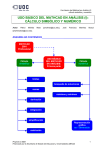

![Descargar - index [revista.cnic.edu.cu]](http://vs1.manualzilla.com/store/data/006273898_1-89efab09a622fdfc6ec934b030e2e15f-150x150.png)