1
airFiber™ User Guide
Product Verification
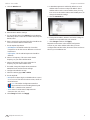
The airFiber Configuration Interface will verify whether a
product is genuine or counterfeit.
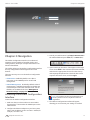
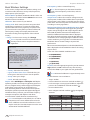
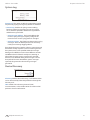
For a genuine airFiber AF24, the airFiber Configuration
Interface will display a Genuine Product logo in the lower
left corner of the screen.
Chapter 3: Navigation
Each page also contains network administration and
monitoring tools:
• “Align Antenna” on page 35
• “Discovery” on page 36
• “Ping” on page 36
• “Traceroute” on page 36
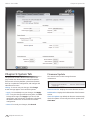
For any product that is not an official Ubiquiti product, the
airFiber Configuration Interface will display a counterfeit
warning. Please contact Ubiquiti at [email protected]
regarding this product.
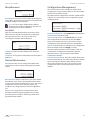
Note: For product models introduced prior to 2012,
the airFiber Configuration Interface will NOT display
any logo in the lower left corner of the screen.
Interface Tabs
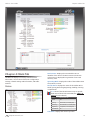
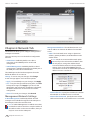
The airFiber Configuration Interface contains six main
tabs, each of which provides a web-based management
page to configure a specific aspect of the airFiber AF24.
This User Guide covers each tab with a chapter. For details
on a specific tab, refer to the appropriate chapter.
• Main The “Main Tab” on page 19 displays device
status, statistics, and network monitoring links.
• Wireless The “Wireless Tab” on page 22 configures
basic wireless settings, including the wireless mode, link
name, frequency, output power, speed, RX gain, and
wireless security.
• Network The “Network Tab” on page 25 configures
the management network settings, Internet Protocol (IP)
settings, management VLAN, and automatic IP aliasing.
• Advanced The “Advanced Tab” on page 27
provides more precise wireless interface controls,
including advanced wireless settings and advanced
Ethernet settings.
• Services The “Services Tab” on page 28 configures
system management services: Ping Watchdog, Simple
Network Management Protocol (SNMP), servers (web,
SSH, telnet), Network Time Protocol (NTP) client,
Dynamic Domain Name System (DDNS) client, system
log, and device discovery.
• System The “System Tab” on page 32 controls
system maintenance routines, administrator account
management, location management, device
customization, firmware update, and configuration
backup. You can also change the language of the web
management interface.
Ubiquiti Networks, Inc.
18