1
airFiber™ User Guide
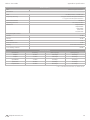
Security AES-128 is enabled at all times.
Version Displays the airFiber Configuration Interface
software version.
Uptime This is the total time the device has been running
since the latest reboot (when the device was powered up)
or software upgrade. The time is displayed in days, hours,
minutes, and seconds.
Date Displays the current system date and time. The
date and time are displayed in YEAR-MONTH-DAY
HOURS:MINUTES:SECONDS format. The system date and
time is retrieved from the Internet using NTP (Network
Time Protocol). The NTP Client is enabled by default on
the Services tab. The airFiber AF24 doesn’t have an internal
clock, and the date and time may be inaccurate if the
NTP Client is disabled or the device isn’t connected to the
Internet.
Duplex Displays Full Duplex or Half Duplex. Full‑duplex
mode allows communication in both directions
simultaneously. Half-duplex mode allows communication
in one direction at a time, alternating between
transmission and reception.
TX Frequency Displays the current transmit frequency.
The airFiber AF24 uses the radio frequency specified to
transmit data.
RX Frequency Displays the current receive frequency.
The airFiber AF24 uses the radio frequency specified to
receive data.
Chapter 4: Main Tab
TX Capacity Displays the potential TX throughput, how
much the airFiber AF24 can send, after accounting for the
modulation and error rates.
RX Capacity Displays the potential RX throughput, how
much the airFiber AF24 can receive, after accounting for
the modulation and error rates.
CONFIG MAC Displays the MAC address of the CONFIG
port.
CONFIG Displays the speed and duplex of the CONFIG
port.
DATA Displays the speed and duplex of the DATA port.
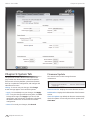
Chain 0/1 Signal Strength Displays the absolute power
level (in dBm) of the received signal for each chain.
Changing the RX Gain on the Wireless tab does not affect
the Signal Strength values displayed on the Main tab.
However, if “Overload” is displayed to indicate overload
condition, decrease the RX Gain. See “RX Gain” on
page 23 for more details about RX Gain and overload
condition.
Internal Temperature Displays the temperatures inside
the airFiber AF24 for monitoring.
Remote Chain 0/1 Signal Strength Displays the absolute
power level (in dBm) of the received signal for each chain
of the remote airFiber AF24.
Remote Power Displays the maximum average transmit
output power (in dBm) of the remote airFiber AF24.
Regulatory Domain Displays the regulatory domain
(FCC/IC, ETSI, or Other), as determined by country
selection.
GPS Signal Quality Displays Global Positioning System
(GPS) signal quality as a percentage value on a scale of
0-100%.
Distance Displays the distance between the airFiber
radios.
Latitude/Longitude Based on GPS tracking, reports the
device’s current latitude and longitude. Clicking the link
opens the reported latitude and longitude in a browser
using Google Maps™ (http://maps.google.com).
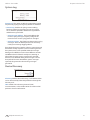
Current Modulation Rate Displays the modulation rate:
• 6x (64QAM MIMO)
• 4x (16QAM MIMO)
• 2x (QPSK MIMO)
• 1x (QPSK SISO)
• ¼x (QPSK SISO)
Altitude Based on GPS tracking, reports the device’s
current altitude relative to sea level.
Synchronization airFiber uses GPS to synchronize the
timing of its transmissions. By default, this option is
disabled.
If Automatic Rate Adaptation is enabled on the Wireless tab,
then Current Modulation Rate displays the current speed
in use and depends on the Maximum Modulation Rate
specified on the Wireless tab and current link conditions.
(See “RX Gain” on page 23 for more details about RX
Gain and overload condition.)
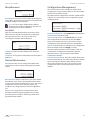
Remote Modulation Rate Displays the modulation rate
of the remote airFiber AF24:
• 6x (64QAM MIMO)
• 4x (16QAM MIMO)
• 2x (QPSK MIMO)
• 1x (QPSK SISO)
• ¼x (QPSK SISO)
Ubiquiti Networks, Inc.
20