1
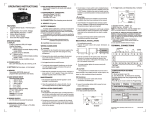
CONFIGURATION SCHEME (parameter setting)
To enter configuration: Press
Key press
&
Key press
Display
1. To Lock setpoint
12. To select Audible Alarm
Press
SETPOINT
Unlock
Press
+ /
Lock
2. To select Resolution
Factory setting: 1
for 1 second)
+
/
to change value
7. To select Display Offset
(Display
-19.9 to 20.0
+
/
to change value
8. To select Restart time
delay
RESOLUTION
(Display
Press
+ /
(Display
MODE
Cool mode
Press
+ /
Heat mode
4. To select High Alarm
Factory setting: 100OC
+
/
(Display
for 1 second)
HIGH
ALARM
SP to 100OC
SP to 99OC
(for 0.1resolution)
/
to change value
5. To select Low Alarm
(Display
DEFROST
TIME
Press
O
-50OC to SP
-19 C to SP
LOW
ALARM
(for 0.1resolution)
+
/
to change value
Factory setting: 00min
00 to 99 min
+
/
10. To select Defrost
Frequency
to change value
Factory setting: C
/
Press
00 to 99 units
+
/
11. To select Defrost
Frequency unit
DEFROST
FREQUENCY UNIT
Temp.
Hysteresis
UNIT
Press
+ /
Heater
mode
Celsius
Fahrenheit
14. To select Sensor Break
(Display
for 1 second)
Sensor
Break
Relay OFF
Press
+ /
10 min OFF,
4 min ON
(Off first)
15. Press
to select Reset all
At display = 5, reset all to Factory setting value
Note: Reset all function to be used prior to changing
input (to realign related parameters)
(Display
Cooler
(Relay)
OFF
for 1 second)
RESET ALL
No reset
Press
+
No reset
Press
+
No reset
Press
+
No reset
ON
Cooler
ON
Factory setting: 0
to change value
Time
2. Display Offset adjustment: This function is used to
adjust the display value in cases where it is necessary for
display value to agree with another recorder or indicator, or
when the sensor cannot be mounted in correct location.
3. Defrost mode: The unit has two modes of defrost Auto and Manual. The Auto mode can be set by
programming required defrost frequency between 0 and 99
(Hr / Min / Sec). The defrost frequency excludes the defrost
time. To enable Manual defrost press key continuously for
4 sec. Defrost is valid only for cool mode. During defrost
relay remains OFF for a period = Programmed defrost time.
Defrost once enabled can be disabled only at power ON.
Defrost is disabled if Defrost frequency = 0 or Defrost time =
0.
4. Restart time delay: This parameter is used to protect
the compressor from restarting in a short period of time and
can be set between 0 to 99 minutes.
Example: If this parameter is set at 2 mins, the relay will cut
off at the set temperature, but will not restart for a minimum of
2 mins, even if the differential is achieved earlier.
Factory setting: Hours
NOTE : This parameter will be prompted only if
Defrost time (DFT) > 0
(Display
1) ON/OFF control action (for cooler) : The relay is ‘OFF'
up to a temperature equivalent to SETPOINT + HYST and
‘ON' above this temperature. As the temperature of the
system drops, the relay is switched ‘OFF' at SETPOINT.
Hysteresis: The difference between the temperature at
which relay switches ‘ON’ and at which relay switches ‘OFF’
is the hysteresis or dead band.
set point
Factory setting: 1
for 1 second)
DEFROST
FREQUENCY
Press
+ /
Press
+ /
O
13. To select Units
NOTE : This parameter will be prompted only if
Defrost time (DFT) > 0
Factory setting: -50 OC
for 1 second)
Enable
for 1 second)
(Display
(Display
Press
+ /
to change value
9. To select Defrost time
for 1 second)
Mute
00 to 99 min
Press
Factory setting: Cool
Factory setting: 00
for 1 second)
RESTART
TIME
3. To select Control mode
+
Continuous operation of above makes update speed faster in 3 stages after 7 seconds.
Range: From user programmed Low alarm (LA) to High alarm (HA).
Resolution: 1 / 0.1 programmable.
Default: 0 OC
for 1 second)
Audible
Alarm
Factory setting: 0.0
for 1 second)
DISPLAY
OFFSET
Press
(Display
Factory setting: Mute
Programming Set Point
A) To view set point : Press key
B) To increase / decrease set point : Press
USER GUIDE :
0.1 to 9.9
for 1 second)
+
(Display
Factory setting: 0
(Display
Description
Display
NOTE: Not prompted for 20A relay models
for 1 second)
HYSTERESIS
Press
Factory setting: 0.5
Description
(Display
Press
Key press
for 3 seconds
6. To select Hysteresis
Display
Description
for 1 second)
Hours
Minutes
Seconds
Press
+
Press
+
&
key.
No reset
All reset
After configuration setting:
Press
5. Alarm acknowledgement : To acknowledge the
alarm, press
for 3 secs to exit programming mode
NOTE: No keys pressed in programming mode allows
to quit automatically from programming after 1 min
(Specifications subject to change as development is a
continuous process)
Selec Controls Pvt. Ltd., India
(Formerly Selectron Process Controls Pvt. Ltd.)
Tel:91-22-28476443, Fax:91-22-28471733,
Website: www.selec.com
E- mail: [email protected].
Operating/1005/CH403/OP161-V03B
Page 2 of 2.