1
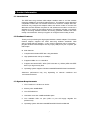
2.2 Manage A Basic Network Connection
Before You Start
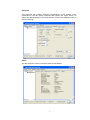
In the following instruction for making a network connection, we use the utility we
provided to configure your wireless network settings.
1. Double click the
icon on your desktop to start the utility.
2. Make sure the ‘Windows Zero Config’ checkbox is unchecked.
The setup utility (RaUI) will launch, and begin to scan for all wireless access
points automatically.
Ad-Hoc Mode
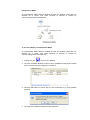
An Ad-Hoc mode wireless network connects two computers directly without the
use of a router or AP. It is also know as a peer-to-peer network. For example, we
can install this wireless adapter to two computers respectively. The
communication between the two computers is an Ad-Hoc mode network.
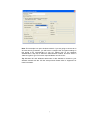
To use this adaptor in Ad-Hoc mode
1. Double click the
icon on your desktop.
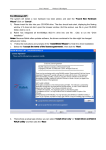
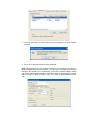
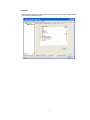
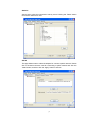
2. Click the ‘Available Network’ button to scan available wireless network
adaptors. Double click on the network adaptor that you are going to connect
to.
8

![User Manual - [ [ [ ANSEL ] ] ]](http://vs1.manualzilla.com/store/data/005966842_1-ae62d22d0a4b66fbc237bfe063bfcd99-150x150.png)