1
3
Configuring the AP
Configuring the IP address of your computer
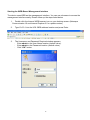
In order to manage with AP, you have to configure the IP addresses of your computer to be
compatible with this device.
Note:
1. The default network setting of the device:
IP address:
10.0.0.1
Subnet Mask:
255.0.0.0
2.
3.
In the following TCP/IP configuration guide, the IP address “10.0.0.2 ” is assumed to be
your IP address. Please DO NOT choose 10.0.0.1 for the IP address (10.0.0.1) has
been set as the default IP for this device.
The following TCP/IP configuration guide uses windows XP as the presumed operation
system.
Procedures to configure IP addresses for your computer
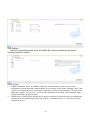
1. If you are in Classic Start menu view, click StartÆSettingsÆControl PanelÆNetwork
Connections.
If you are in Start menu view, click StartÆControl PanelÆ Network Connections.
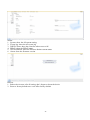
2. Double click “Local Area Connection”
13