1
Chapter 3 Provisioning
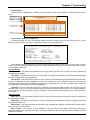
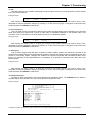
<2> Link Loss Alarm : This toggle can be used to user program the alarm so that it is active in the event of any UTP or Fiber link loss
condition. The Alarm Relay must also be enabled.
Setting example: ----------------------------------------------------------------------------<0> Disable
<1> Enable
<Esc> Exit
This setting will be applied immediately. Later, remember to store the parameter changes by pressing 's' on the
main menu page. If changes are not stored, they will be lost when the PHB-200 is powered off.
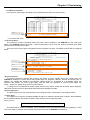
<3> Power Failure Alarm : This toggle can be used to user program the alarm so that it is active in the event one of two redundant power
supplies suffers a loss of power. The Alarm Relay must also be enabled.
Setting example: ----------------------------------------------------------------------------<0> Disable
<1> Enable
<Esc> Exit
This setting will be applied immediately. Later, remember to store the parameter changes by pressing 's' on the
main menu page. If changes are not stored, they will be lost when the PHB-200 is powered off.
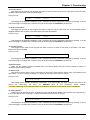
<4> Fan Failure Alarm : This toggle can be used to user program the alarm so that it is active in the event of fan failure. The Alarm
Relay must also be enabled.
Setting example: ----------------------------------------------------------------------------<0> Disable
<1> Enable
<Esc> Exit
This setting will be applied immediately. Later, remember to store the parameter changes by pressing 's' on the
main menu page. If changes are not stored, they will be lost when the PHB-200 is powered off.
<System Functions> There are two system functions available here; the 'Device Reset' and the 'Factory Default' functions. A
description of the settings follows.
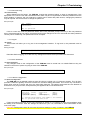
<5> Device Reset : This function can be used to force a soft reboot of CPU and a reset of all the switch chips. The operator must
reply with a 'y' to force a restart. Pressing 'n' or [ESC] will exit this function with no change.
Setting example: ----------------------------------------------------------------------------<Y> Yes <N> No <Esc> Exit
This setting will be applied immediately. Remember, if you have made any other changes, they need to be
saved first. Rebooting will bring the PHB-200 back to the previously saved settings.
CAUTION: Rebooting the unit will block traffic on all channels for about 15 seconds as the unit re-initializes.
<6> Factory Default : This function can be used to return all settings to their original factory default. The operator must reply with a 'y'
to force the default action. Pressing 'n' or [ESC] will exit this function with no change.
Setting example: ----------------------------------------------------------------------------<Y> Yes <N> No <Esc> Exit
This setting will be applied immediately. Later, remember to store the parameter changes by pressing 's' on the
main menu page. If changes are not stored, they will be lost when the PHB-200 is powered off.
21