1
OWNERS MANUAL
Version 1.0
Safety information
1.
2.
3.
4.
5.
6.
7.
8.
9.
10.
11.
12.
13.
14.
15.
16.
Read these instructions.
Keep these instructions.
Heed all warnings.
Follow all instructions.
Do not use this item near moisture.
Clean only with dry cloth.
Do not block any of the ventilation openings. Install in accordance with the
manufacture’s instructions.
Do not install near any heat sources such as radiators, stoves or other items (including
amplifiers) that produce heat.
Do not defeat the safety purpose of the polarised plug. The wide blade is provided for
your safety. If the provided plug does not fit into the item or the mains socket, consult
an electrician for replacement.
Protect the power cord from being walked on or pinched particularly at plug, convenience
receptacles, and point where they exit from the item.
Only use attachments/accessories specified by the manufacturer.
Use only with a stand, tripod, bracket or table suitable for support.
Unplug this item during lightning storms or when unused for long periods of time.
Refer all servicing to qualified service personnel. Servicing is required when the item has
been damaged in any way, such as power supply cord or plug is damaged, liquid has
been spilled or objects have fallen onto the item, the item has been exposed to rain or
moisture, does not operate normally, or has been dropped (Note: Accidental or cosmetic
damage is not covered by the items 12 month warranty)
Please keep the unit in a safe environment.
Do not store anything on top of the item
DO NOT OPEN
RISK OF ELECTRIC SHOCK
CAUTION: To reduce the risk of electric shock, do not
remove any cover. No user-serviceable parts inside. Refer
servicing to qualified service personnel only.
The lightning flash with arrowhead symbol within the equilateral triangle is intended to
alert the user to the presence of un-insulated “dangerous voltage” within the product’s
enclosure that may be of sufficient magnitude to constitute a risk of electric shock.
The exclamation point within the equilateral triangle is intended to alert the user to the
presence of important operation and maintenance (servicing) instructions in the
literature accompanying this appliance.
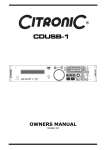
CITRONIC CDUSB-1
Main Features:
1 x USB front and 1 x USB rear inputs which can be read by both players simultaneously
Single front load CD player with 20 seconds anti-shock protection
MP3/WAV compatible from CD or USB (ID3 tags)
IR Remote control operation
Auto Cue
Single/Continuous playback
+10 Track skip search
Pitch control and pitch display
High quality easy read LCD display
Easy-to-use folder and file search
Jog wheel for frame search
Selectable elapsed, remain and total remain time display
Seamless loop with fine tune adjustment
Instant start (sound is produced immediately when the play button is pressed)
Pitch controlled ±4, 8, 16%, ±100% (CDDA)
Pitch lock function
Auto/Manual tap BPM
19” rack mountable
Accessories
1
1
1
1
x
x
x
x
UK power cable
EU power cable
Remote control
Instruction manual
General Checks and Advice
1)
Before switching off the power ensure there is no CD in the draw, the disc tray is fully
closed and the LCD display reads “NO DISC”.
2)
Installation
3)
•
Place the unit on a flat surface or mount in a secure rack case.
•
The CD unit will work normally when it is mounted when the front panel is within
15° of the vertical plane. If tilted excessively discs may not be loaded properly.
Also ensure the head unit at a similar to the one shown below for the best visual
results.
•
Be sure the player is mounted in a well ventilated area and is not exposed to direct
sunlight, high temperatures or high humidity.
•
Keep the unit as far away as possible from TVs and tuners as the unit may cause
undesirable interference to these devices.
Compact Discs
•
•
•
•
•
•
•
•
•
DO NOT allow fingerprints, oil or dust to get on to the surface of the disc.
If the disc is dirty, wipe it clean with a soft dry cloth.
DO NOT use benzene, white spirit, electrostatic-proof chemical or silicone-treated
cloths to clean discs.
Always handle discs carefully to prevent damaging the surface; in particular when
removing a disc from its case or returning it.
DO NOT bend the disc.
DO NOT enlarge the hole in the centre of the disc.
DO NOT write on the printed side of the disc with hard tipped implements such as a
pencil or ball point pen as it could effect playback.
Condensation will form if a disc is brought in to a warm area from a colder one.
DO NOT attempt to dry the disc with a hair dryer etc.
General Functions and Controls
2
1
20
3
19
21
22
4 5 6
7
8
9
10
18 17 16 15 14 13 12 11
23
24
1.
DISC TRAY – This tray is used to load and unload a compact disc into the drive mechanism.
The tray is opened and closed by pressing the OPEN/CLOSE BUTTON. Never attempt to
force the disc tray open or close when the power is turned off.
2.
USB PORT 1 (FRONT) – Insert a USB mass storage device for playing MP3 files.
3.
OPEN/CLOSE (Transport Tray Open / Close) – This button is used to open and close
the disc tray. NOTE: When a disc is loaded, the tray will not open unless the unit is in
PAUSE or CUE mode.
4.
SOURCE SELECT BUTTON – This button lets you toggle between the CD tray and USB
port 1 and 2. The selection is indicated by LEDs.
5.
TIME BUTTON - The button will switch the time value described in the TIME METER
between ELAPSED playing time, TRACK remaining time and TOTAL remaining time.
6.
SGL/CTN BUTTON - This function allows you to choose between single track play or
continuous track play (all tracks in order with no pause between). This function also
operates in RELAY mode. With this button you can switch auto cue on and off, by holding
the button down for 2 seconds.
7.
LCD DISPLAY – The high quality LCD display gives a clear indication of all the functions
as they occur (see LCD display section for more details).
8.
TRACK / FOLDER KNOB - This knob has four functions:
a. You can use it to select the next or previous track/folder by turning the knob
forwards or backwards.
b. Holding down and turning the knob forwards or backwards will rapidly skip through
the tracks/folders on your CD/USB by 10 tracks per click.
c. Press track knob to read the ID3 tags on the file name. Switch between: File name
/ Title name / Artist / Bit rate on the LCD display.
d. Hold this knob and press Tap BPM button to start or stop RECORD function.
When recording the LED will flash which recording device is activated.
9.
TAP BUTTON - This button is used for manual BPM. When in manual BPM mode, tap this
button to the beat of the current track.
10.
PITCH SLIDER - This slider is used to adjust the playback pitch percentage. Move the
slider down to speed up the music and move the slider up to slow the music down.
11.
PITCH BEND BUTTONS – The speed rises while the “+button” is pressed and returns to
the original pitch when the button is released. The speed drops when the “–button” is
pressed and returns to the original pitch when the button is released. These buttons can
be used to synchronise the beats of 2 tracks.
12.
PITCH (KEY) LOCK BUTTON - This button turns on or turns off the PITCH LOCK
function. This function allows you to use the PITCH SLIDER to speed up or slow down
playback speed without altering the tonal pitch of the track.
13.
PITCH RANGE BUTTON - Press the button to choose pitch percentage adjustment.
±4%, ±8%, ±16%, and ±100%. (Note: 100% does not work with MP3 music)
14.
SEARCH BUTTONS – These search buttons allow you to quickly scan forwards and
backwards through the track. The search speed will actively change depending on how
long you hold down the button.
15.
FOLDER BUTTON – Use the FOLDER button to switch between FOLDER and TRACK (see
search options above - 8. “TRACK KNOB” When the LED is lit the player is in FOLDER
search mode when it is not lit it is in TRACK search mode.
Hold the FOLDER button down for 2 seconds to activate REPEAT function
a. REPEAT on: In continuous mode, all the tracks in the current folder will play track by
track until the repeat function is inactive.
In single mode, the current track will repeat play until the repeat function
is inactive.
b. REPEAT off: all the tracks in the USB device will play in the normal mode.
16.
PLAY/PAUSE BUTTON – Pressing the PLAY/PAUSE button once will instantly start the
track. Pressing this button again will PAUSE the current track.
17.
CUE BUTTON – Can be used in a number of ways:
a. Pressing the CUE button during playback immediately stops the current track and
returns the music to the last set cue point.
b. In pause mode pressing and holding the CUE button plays the track from the last
set CUE point. Releasing CUE button will return the track to the last set CUE point.
c. Pressing and holding the Cue will start the track. If PLAY/PAUSE button is pressed
during this time the track will continue to play when CUE button is released.
18.
SEAMLESS LOOP BUTTONS:
a. IN BUTTON – Pressing the IN button sets a CUE POINT without music interruption.
This button is also used to set the starting point of a SEAMLESS LOOP.
b. OUT BUTTON - This button is used to set the ending point of a LOOP. A LOOP is
started by pressing the IN button to select the starting point and the OUT button to
set the LOOP ending point. The LOOP will continue to play until the OUT button is
pressed once again.
c. RELOOP BUTTON - If a SEAMLESS LOOP has been made, but the player is not
actively in SEAMLESS LOOP mode.
i. Pressing the RELOOP button will instantly reactivate the seamless loop
mode. To exit loop, press the OUT button. LOOP will appear in the LCD
display when the RELOOP function is available.
ii. You can fine tune the SEAMLESS LOOP by holding the RELOOP button and
using the jog wheel to set the exact OUT point.
19.
JOG WHEEL – The JOG WHEEL can be used to pitch bend during playback and be used
to frame search in pause mode.
20.
POWER SWITCH - This switch is used to control the unit's main power.
21.
POWER CONNECTOR - This is the main power connection. Only use the supplied power
cord. Use of any other power connections may result in severe damages to the unit.
22.
USB PORT 2 (REAR) – A secondary port to insert your USB mass storage device for
playing MP3 files.
23.
AUDIO OUT R & L BALANCED XLR - These XLR connectors send audio left and right
analog mono output signal. Use these jacks to send a balanced signal to a mixer or amplifier.
24.
AUDIO OUT R & L RCA - These jacks send a left and right analog mono output signal. Use
these jacks to send standard audio to a mixer or receiver. The red colored jack represents the
right channel output and white jack represents the left channels output.
LCD Display
1
4
3
2
5
6
7
8
9
17
16
15
14
13
12
11
10
1.
CUE - This indicator will glow when the device is in CUE mode. It will flash every time a
new CUE point is set.
2.
FOLDER INDICATOR – Indicates the current folder number selected.
3.
TIME BAR INDICATOR – The flashing bar shows either the elapsed time or remaining
time of the track. The bar will being to flash when the track is about to end.
4.
BPM STATUS – This will indicate if the AUTO BPM counter is active.
5.
BPM METER – Show the BPM value of the currently playing track.
6.
PITCH METER – Shows the percentage of the track’s pitch.
7.
PITCH LOCK SYMBOL – When highlighted the PITCH LOCK button is active.
8.
LOOP INDICATOR – Indicates if a loop has been set and can be activated by pressing
the RELOOP button.
9.
RELOOP INDICATOR – Indicates if LOOP is active.
10.
AUTO CUE STATUS – Indicates if AUTO CUE is activated (“AUTO CUE”). Press and hold
SGL/CTN at least 1 second to turn the AUTO CUE function on and off.
11.
TIME DISPLAY – Indicates the time of the chosen time mode in either minutes, seconds
and frames.
12.
MP3 INFORMATION INDICATOR – Indicates the current name of the folder and the
sampling rate.
13.
TIME MODE – Indicates the elapsed time of a track playing (“ELAPSED”), the remaining
time of a track (“REMAIN”) or the remaining time of the entire disc (“TOTAL REMAIN”).
Change between these modes with the Time button.
14.
REPEAT INDICATOR – Indicates whether the unit is in repeat play mode.
15.
SINGLE INDICATOR – Indicates whether the play mode is set to single (“SINGLE”) or
continuous mode (no display).
16.
TRACK INDICATOR – Indicates the number of the currently playing track.
17.
PLAY/PAUSE INDICATOR – Indicates the device play mode (“ “)or if the player is in
pause mode (“ “)
Remote Control:
1
7
8
2
9
10
11
3
12
4
5
6
13
14
15
16
1.
OPEN/CLOSE – Used to open and close the disc tray.
2.
CUE – Used to instantly return to the last set CUE POINT.
3.
SEARCH BUTTONS – Used to quickly scan backward & forward through a track.
4.
TRACK BUTTONS – Used to scan backwards & forward between tracks.
5.
FOLDER BUTTONS – Used to scan backward & forward between folders on a USB
device to find the desired folder.
6.
VOLUME CONTROL BUTTONS – Used to adjust the volume of the integrated amplifier.
7.
SOURCE SELECT – Used to toggle between input sources; CD, USB 1 or USB 2
8.
SEAMLESS LOOP BUTTONS – Used to set a loop and reactivate the LOOP mode.
a. IN – Set the CUE point
b. OUT – Set the out point or exit loop
c. RELOOP – Press to re activate the loop
9.
PLAY/PAUSE – Used to cause the operation to change from play to pause or from
pause to play.
10.
STOP – Used to stop playback.
11.
SGL/CTN – Used to change the play mode between Single and Continuous.
12.
REPEAT – Used to activate/deactivate repeat mode.
13.
PITCH BUTTONS – Used to adjust the playback pitch percentage when the PITCH
function is activated.
14.
KEY LOCK – Used to activate/deactivate key lock mode.
15.
RECORD – Used to activate/deactivate record mode.
16.
MUTE – Used to activate/deactivate the mute function.
Internal Menu
Hold TIME BUTTON for 3 seconds to enter the internal menu.
Turn TRACK KNOB to scroll through the different menus and press the TRACK KNOB to enter the
corresponding submenu.
Turn TRACK KNOB to change the submenus and press TIME BUTTON to memorise your settings in any
operating mode and exit the menu.
1.
Playlist – Normal / Title/ Artist / Album/ Genre
2.
Sleep Time – No sleep, 5~120 min
3.
Line Setup – MODE= 1~3(Line mode)
Dis=0.5~12.0 sec. (LINE NAME start/stop time adjustment)
Run=50~2000 msec. (LINE NAME move time adjustment)
4.
Bit rate – Display ON/OFF
5.
REC. USB – Select the recording device between USB1 and USB2.
The default setting is USB1.
6.
REC. Bitrate – Select the REC. Bitrate between 32000,40000,48000,56000,64000,80000,
96000,112000,128000(defaults),160000,192000,224000,256000,320000
7.
Version – CON:XX (Control version)
DSP:XX (DSP version)
SER:XX (Servo version)
8.
Load Default – Press TRACK Knob to enter load defaults. (LCD displays “Load OK”.)
9.
Exit & Save – Exit & Save setting to next power on (LCD displays “Saving”.) Press the
TRACK knob to fast exit & save in any operating mode.
NOTE:
•
SLEEP TIME: The CD player automatically shuts off the transport and laser after about 15
minutes when in pause or cue mode). This extends the life of your motor drive and laser.
During sleep mode the display shows the word “SLEEP”. To wake up the player, just press
the cue or play button, the display turns to normal and is ready to receive instructions.
You can enter the Sleep Time menu to adjust sleep time, range is 5~120 minutes.
•
SAVE: PITCH ON/OFF, PITCH RANGE, SGL/CTN, AUTO CUE, TIME MODE, KEY LOCK,
DISPLAY/RUN TIME, BIT RATE, REPEAT MODE, PLAYLIST, SLEEP TIME, LINE SETUP.
•
DEFAULTS: PITCH (ON), PITCH RANGE (8%), PLAY MODE(CTN), AUTO CUE(ON), TIME
MODE (REMAIN), KEY LOCK(OFF), BIT RATE(Disp. ON), REPEAT MODE (OFF), PLAYLIST
(NORMAL), SLEEP TIME (15 min), LINE SETUP(model 1), DISPLAY(1 sec),RUN
TIME(150msec)
Data Management
DATABASE BUILDER:
Database management software for the CDUSB-1 enables you to search for your files by Title,
Artist, Album and Genre.
Installation: Refer to the following figures for installing database management software on your
computer.
Download available at www.citronic.com
STEP 1: Click next >
STEP 2: Click next >
STEP 3: Click Install
STEP 4: Processing
STEP 5: Click finish
The database builder will scan the music on your USB device and create files which can be read
by the CDUSB-1. You can then easily search for the songs you want alphabetically by; song title,
album title, artist name, genre etc without having to rearrange your folders.
Scan and create: Refer to the following figures to process scanning and creating database.
NOTE: For Vista users please right click the icon and select “RUN AS ADMINISTRATOR”
STEP 1: Select the desired USB
hard drive and click build
STEP 2: Processing
STEP 3: Complete
NOTE: Please re-create the database builder whenever you change the contents of your USB
device.
PLAYLIST OPERATION:
1.
Hold the TIME button down for 3 seconds to enter the internal menu and turn TRACK
knob to search PLAYLIST.
2.
Turn the Track knob to select “Normal/ Title/ Artist/ Album/ Genre” (for USB only). And
press the Time button again to memorize your setting and exit the menu.
Use FOLDER button to switch to Folder mode, EG: to select “Artist”
1.
Hold and turn the TRACK knob, or hold the TRACK knob and turn outer jog wheel, you
can select the folder you like by first letter of Artist, and the Artist alphabet is arranged
in order( A, B, C….in order)
2.
Turn the TRACK knob or hold the TRACK knob and turn inner Jog wheel to select next
“Artist”.
Use FOLDER button to switch to Track mode.
Turn the TRACK knob or hold the TRACK knob and turn Jog wheel to select the desired track.
Specification
1.
2.
GENERAL SECTION
PRODUCT
CDUSB-1MKII
POWER SOURCE
AC100 - 240V, 50/60Hz
POWER CONSUMPTION
13W
DIMENSIONS
482mm (W) X 270.5mm (D) X 88.8 mm (H)
WEIGHT:
Main Unit: 4.1 Kg
AUDIO CHARACTERISTICS
(CD TEST DISC: TCD-782 & TCD-781; USB TEST FORMAT: MP3, 128KBPS;
LOAD=100KΩ)
ITEM
TYPICAL
LIMIT
CONDITION
CD:
2V +/-0.5dB
2V +/-1dB
1KHz, 0dB
(TCD782,TRK2)
USB:
2V +/-0.5dB
2V +/-1dB
WITHIN 0.2dB
WITHIN 1dB
CD:
17-20KHz +/-0.4dB
17-20KHz +/-1dB
USB:
17-16KHz +/-0.2dB
17-16KHz +/-1dB
-20dB +/-0.2dB
-20dB +/-1dB
16KHz,-20dB
(TCD782,TRK2/14)
93dB
85dB
1KHz, 0dB
(TCD782,TRK2/9/11)
CD:
0.008%
0.015%
USB:
0.007%
0.015%
126dB
90dB
85dB
80dB
92dB
88dB
8.22dB (2V) ±0.5dB
8.22dB (2V) ±1dB
(1) OUTPUT LEVEL
(2) CHANNEL BALANCE
1KHz, 0dB
(TCD782,TRK2)
1KHz, 0dB
(TCD782,TRK2)
(3) FREQUENCY RESPONSE
0dB OUTPUT
(TCD782,TRK2/3/7)
0dB OUTPUT
(TCD781,TRK1/4/16)
(4) DE-EMPHASIS
CD:
(5) CHANNEL SEPARATION( x 2)
CD, USB:
(6) THD+N ( x 1)
1KHz, 0dB
(TCD782,TRK2)
1KHz, 0dB
(TCD782,TRK2)
(7) S/N ( x 2)
CD:
USB:
1KHZ, 0dB
(TCD782,TRK2/8)
1KHZ, 0dB
(TCD782,TRK2/8)
(8) DYNAMIC RANGE ( x 2)
CD:
(9) XLR OUTPUT LEVEL ( x 2)
NOTE: *1: WITH 20KHz LOW PASS FILTER.
*2: WITH 20KHz LOW PASS FILTER, "IHF-A" WEIGHTED.
1KHz, -60dB
(TCD782,TRK18)
1KHz, 0dB
(TCD782,TRK2)
3.
CD SEARCHING TIME: (TEST DISC: TCD-792)
TYPICAL
LIMIT
(1) SHORT ACCESS TIME
2Sec
4Sec
PLAY NEXT TRACK
(2) LONG ACCESS TIME
4Sec
6Sec
TRACK 1 TO 20,20 TO 1
TYPICAL
LIMIT
CONDITION
(1) INTERRUPTION
1mm
0.7mm
TCD-725
(2) BLACK DOT
1mm
0.6mm
TCD-725
(3) FINGER PRINTS
75um
65um
TCD-725
(4) ECCENTRICITY
140um
140um
TCD-712 W/O TRACK JUMP
1mm
0.5mm
TCD-731R
ITEM
4.
CD PLAYABILITY:
ITEM
(5) VERTICAL DEVIATION
5.
CONDITION
MP3 FORMAT:
Disc Format
USB Format
MP3 Format
Disc Writing Method
Applicable file extensions
mp3. MP3. mP3. Mp3
ISO9660
Max. 63 characters
Joliet
Max. 63 characters
CD-ROM sector format
mode-1 only
Max. number of Folders
255
Max. number of files
Max. 999 files (* note #1)
File System
FAT 12/16/32
Applicable file extensions
mp3. MP3. mP3. Mp3
Max. number of Folders
999
Max. number of files
Max. 999 files
MPEG 1 Layer 3 standard (ISO/IEC
11172-3), which provides for single
channel (‘mono’) and two-channel
(‘stereo’) coding at sampling rates of
32, 44.1 and 48kHz.
32/40/48/56/80/96/112/128/160/192/224
/256/320 kbps
Xing/VBRI VBR
MPEG 2 Layer 3 standard (ISO/IEC
13818-3), which provides for similar
coding at sampling rates of 16, 22.05
and 24 kHz.
32/40/48/56/64/80/96/112/144/160 Kbps
Xing/VBRI VBR
MPEG 2.5 Layer 3 standard, which
provides for similar coding at
sampling rates of 8, 11.025 and 12
kHz.
32/40/48/56/64/80/96/112/144/160 Kbps
Xing/VBRI VBR
Disc at Once and Track at Once
Multi Session
Note #1: max.255 files each folder
If the 1st session is CDDA, you can
playback Only CDDA track, If the 1st
session is MP3, you can playback only MP3
file.
FOR MORE INFORMATION ON CITRONIC PRODUCTS VISIT
WWW.CITRONIC.COM