1
GB
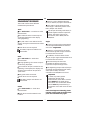
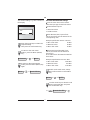
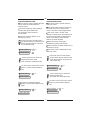
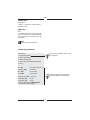
Sub menu Nominal value
The nominal value is greater than the
minimum value and smaller than the
maximum value!
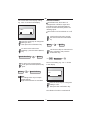
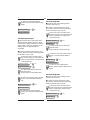
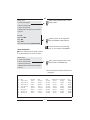
Sub menu Maximum value
The maximum value is greater than
the nominal value!
When the maximum value is reached,
the red LED lights up and the buzzer
sounds.
When the nominal value is reached,
the green LED lights up permanently and
the buzzer sounds.
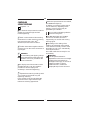
The input must be either a relative (%)
or absolute (e.g. N·m) value.
The setting is documented.
Input must always be an absolute
value, e.g. in "N·m".
The setting is documented.
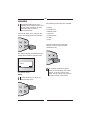
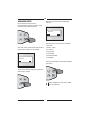
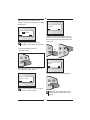
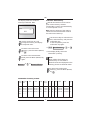
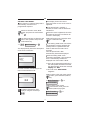
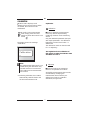
In the main menu "Preset Limits",
use the arrow keys to select the sub
menu "Maximum value" and press
the confirmation key.
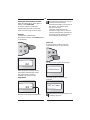
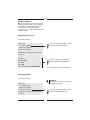
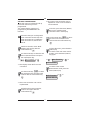
In the main menu "Preset Limits",
use the arrow keys to select the sub
menu "Nominal Value" and press
the confirmation key.
Preset-Limits
=>
✓
Nominal Value
=>
✓
C
=>
Preset-Limits
=>
✓
Maximum Value
=>
✓
C
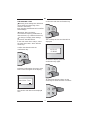
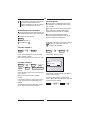
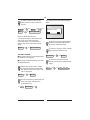
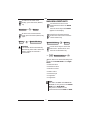
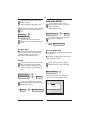
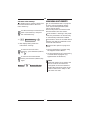
Use the arrow keys to select the
required maximum value.
Then press the confirmation key.
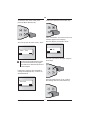
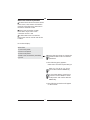
To return to the main menu "Preset
Limits", press the Menu (Return)
key.
To return to the main menu "Preset
Limits", press the Menu (Return)
key.
Maximum Value
=>
=>
C
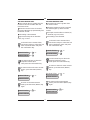
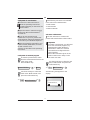
Use the arrow keys to select the
required nominal value.
Then press the confirmation key.
Nominal Value
C
M
R
=>
=>
M
R
=>
Preset-Limits
Preset-Limits
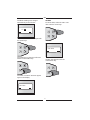
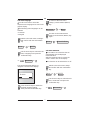
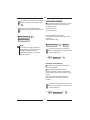
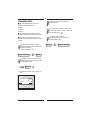
To return to the measurement
mode, press the Menu (Return) key
again.
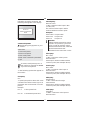
To return to the measurement
mode, press the Menu (Return) key
again.
Preset-Limits
=>
M
R
Preset-Limits
=>
Preset 0.0 Nm
Preset 0.0 Nm
20
=>
M
R
=>