1
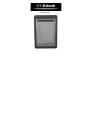
Chapter 2 - Introduction to Parts of the Ebook
1.
Indicator Light
2.
Power Button: Long press 2s to turn on/off
3.
Refresh Button:
Refresh the screen when there is ink on the back of the screen.
4.
Direct Access Buttons
The function is different in different interface;
5.
Return key;
6.
Page up key;
7.
Page down key;
AV-605 V01