1
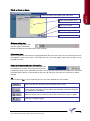
Actions on a certificate
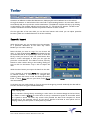
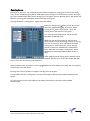
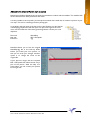
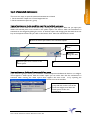
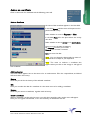
Click on the name of a certificate and the following menu will
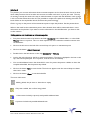
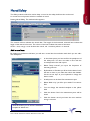
Endorse Certificate
the name of the certificate appears in the blue field.
In the field Signed: add the name of the person who
performed the survey.
Select whether it concerns Flag state or Class.
In the field Place: fill in the place where the survey
was done.
Select whether it was an Annual or an Intermediate.
Here you enter the date of visitation.
By Executed you fill in your initials.
Remark: you can enter comment.
Save you store the data.
Note: You can change the date quickly by means of
the vertical arrow keys on your keyboard.
that certificate.
Note: The menu to endorse a certificate also
appears when you click on the orange or red light of
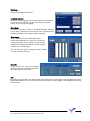
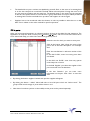
Additional survey
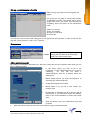
The menu which appears here is the same as for an endorsement. Fill in the required data, and Marad
will store that in the history.
History
With this you call for the history of the selected certificate.
Edit
Here you can alter the data of a certificate. It is the same menu as for adding a certificate.
Remove
With this you remove a certificate, together with its history.
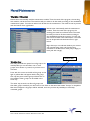
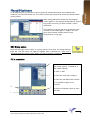
Renew a certificate
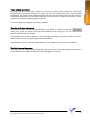
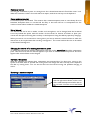
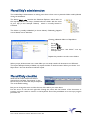
When a certificate is at the end of its term, you click the orange light and a similar menu will appear.
Here you can register the Renewal, so it is not necessary to remove the old one.
Users manual maintenance software Marad Lite version 3.63
21