1
Your Remote Receiver
5
Your Remote Receiver
This section includes details of:
The built-in front panel remote receiver (see section 5.1)
How to connect the external remote receiver (see section 5.2)
5.1 Identifying the Built-in Infrared Receiver
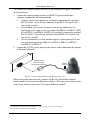
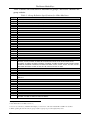
Most Kramer switchers1 include a built-in front panel remote receiver that is
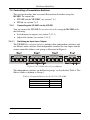
located to the left of the power switch, as Figure 2 illustrates:
IR Receiver
LED
Figure 2: Built-in Remote Receiver
5.2 Connecting the External Infrared Receiver
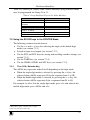
When your RS-232 controlled Kramer switcher has no built-in front panel
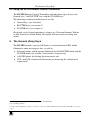
remote receiver, you can use the external remote receiver1 (see Figure 3). The
external remote receiver includes an attached RS-232 cable with a 9-pin D-sub
connector, and a 12V DC power socket.
Caution – No operator-serviceable parts inside unit.
Warning – Use only the Kramer Electronics input power
wall adapter that is provided with this unit2.
Warning – Disconnect power and unplug unit from wall
before installing or removing device or servicing unit.
1 Some switchers do not have a built-in remote receiver. For these units, an external remote receiver may be connected to the
switcher. When ordering an RC-IR2 remote control transmitter, a separate order must be made for an external remote receiver
2 For example: model number AD2512C, part number 2535-000251
5