1
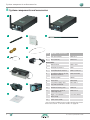
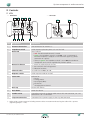
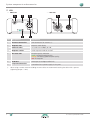
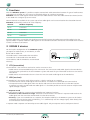
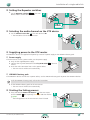
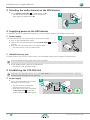
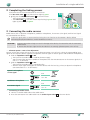
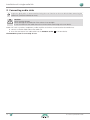
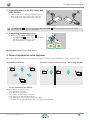
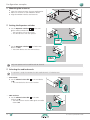
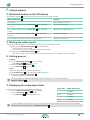
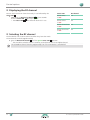
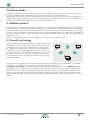
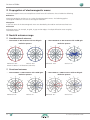
Contents A About this document 3 Designations3 Symbols on the device and packaging 3 Symbols in the documentation 4 Safety instructions 4 B System components and accessories 6 Controls 7 XTX7 XRX8 C Functions 9 Starting the linking process Supplying power to the repeater Supplying power to the XRX receivers Completing the linking process 19 19 19 19 Dual channel or stereo transmission with repeater 20 Mounting the antennas 20 Setting the Repeater switches 20 Selecting the audio channels 21 Supplying power to the XTX master 21 Starting the linking process 22 Supplying power to the repeater 22 Supplying power to the XTX slave and XRX receivers22 Completing the linking process 22 F Control options 23 Mute/Link button on the XTX device 23 Muting the audio signals 23 Linking process 23 10 Displaying the audio signal level 23 Mounting the antennas 10 Displaying the RF channel 24 Setting the Repeater switches 11 Selecting the RF channel 24 Selecting the audio channel on the XTX device 11 G Antenna Guide 25 Supplying power to the XTX master Power supply XIRIUM X battery pack 11 11 11 Radiation pattern 25 Diversity technology 25 Starting the linking process 11 Antenna selection 26 Selecting the audio channel on the XRX devices 12 Recommended antenna/cable combinations 26 Supplying power to the XRX devices Power supply XIRIUM X battery pack 12 12 12 Alignment27 Establishing the XTX-XRX link Power supply 12 12 Completing the linking process 13 Connecting the audio sources 13 Connecting audio sinks 14 E Configuration examples 15 XIRIUM X devices XTX (transmitter) XRX (receiver) D Installation of a single radio link 9 9 9 Multiple mono or stereo transmission 15 Mounting the antennas 15 Setting the Repeater switches 15 Selecting the audio channels 16 Supplying power to the XTX master 16 Starting the linking process 16 Supplying power to the XTX slaves and XRX receivers17 Completing the linking process 17 Mono transmission with repeater Mounting the antennas Setting the Repeater switches Selecting the audio channels Supplying power to the XTX master 2 17 18 18 18 19 Propagation of electromagnetic waves 28 Neutrik antenna range Omnidirectional antennas Directional antennas 28 28 28 H After operation 29 Discontinuing operation and disassembly 29 Transport29 Storage29 Care and cleaning 29 Servicing and repair 29 Disposal29 I Operation from the computer 30 Installing the XIRIUM X Companion 30 System requirements 30 Download30 Installing the software 30 Using the XIRIUM X Companion Starting the program Software structure 31 31 31 User Manual | 2014/09 BDA 420E