1
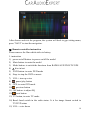
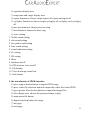
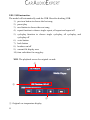
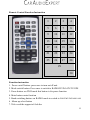
16) AUDIO: to switch Chinese/English
17) 0-10+ digits: to choose channels in the radio/TV status, choose specified
items in the DVD status
18) RPT: repeat function, you can choose all repeat or title repeat in the status
of DVD
19) TITLE: to back to DVD title
20) Zoom: to zoom in or zoom out. In the DVD status, to process zoom x2, x3,
x4, x1/2,x1/3, zoom off
21) GOTO: to show dvd playing problems
22) A-B: to slow down the DVD playing
23) Set up: to setup the DVD
24)
,to move up the selected menu
25) Angle: to adjust the playing angel
26) ROOT: DVD repertoire adjustment
27) , move the selected menu to the left
28) ENT: confirm button
29)
move the selected menu to the right
30) ROM
31) INFO: DVD repertoire slide
32)
move down the selected menu
33) PIC: Bluetooth shortcut
34) SUB-T: DVD caption setting
35)
the previous episode
36)
the next episode
37) MENU: to back to DVD menu
38) Exit
Ⅻ. IPOD instruction
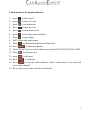
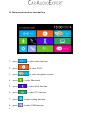
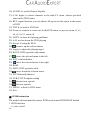
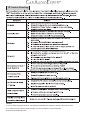
The model will automatically turn to IPOD mode when IPOD/IPONE docked
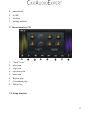
1. IPOD interface
1) voice on/off
20