1
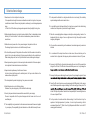
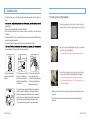
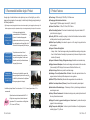
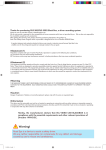
4. Installation Guide #For the safety, be sure to check the following items before installation and then install it in order. # the installation. #Clean up the window glass where to attach the blackbox. #Check the power terminal and the video-out terminal of blackbox in advance before installation. #If the lens of blackbox is set to be upward, the product may not work properly (GPS receiving and event continuous generation) #To secure the optimum image quality, keep the front window clean at all times. # may be degraded. Therefore, keep the lens clean at all times. 1. Apply the double-sided tape to the holding deck of blackbox. 2. Select the place on the front window not to interfere the driver's view and attach the blackbox. Insert the SD card into the product. 3. Connect the jack of power cable to the main body of product and squeeze the power cable along the A pillar(pillar beside the driver's seat). 4. Connect the power cigar jack and then start the engine to check if the version is displayed on the segment window of blackbox. (When adjusting the blackbox angle, it is better to connect the video-out terminal to the display of navigator and then adjust the angle while looking at the present image. Power connection using cigarette lighter power cable. 10 ... Lukas Blackbox Ă&RQWLQXRXV3RZHU&DEOH,QVWDOODWLRQ 2SHQWKHIXVHER[LQVLGHRIWKHYHKLFOHFKRRVHWKHFRQQHFWLRQ SRLQWWRFRQQHFWWKHFRQWLQXRXVSRZHUVXSSO\ZLUHDQG$&&ZLUH )LUVWSXOORXWWKHIXVHFLJDUHWWHOLJKWHUDXGLRHWFWRFRQQHFWZLWK WKHUHG$&&ZLUHDQGLQVHUWWRJHWKHU ý/RFDWLRQRI$&&SRZHUVXSSO\PD\GLIIHUGHSHQGLQJRQWKHYHKLFOH 3XOORXWWKHIXVHHPHUJHQF\ODPSLQGRRUODPSWDLOODPSHWFWR FRQQHFWZLWKWKH\HOORZ%ZLUHYROWDJHDQGLQVHUWWRJHWKHU ý/RFDWLRQRI%SRZHUVXSSO\PD\GLIIHUGHSHQGLQJRQWKHYHKLFOH ý&RQQHFWFRQWLQXRXVSRZHUZLUHV%$&&WRRXWSXWSDUWRIIXVHWR HQDEOHQRUPDORSHUDWLRQ When you install, make sure that you park the vehicle in a safe place then turn the ignition off. For the accurate installation, we recommend user to have technical support for assistance. User’s Manual ... 11