1
Opticon
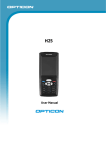
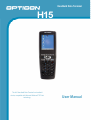
H15
User Manual
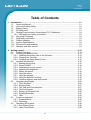
Table of Contents
1. Introduction ................................................................................................................ 1-1
1.1. About this Manual.............................................................................................. 1-1
1.2. User and Product Safety ................................................................................... 1-2
1.3. Battery Safety .................................................................................................... 1-2
1.4. CE Statement .................................................................................................... 1-3
1.5. Federal Communication Commission (FCC) Statement .................................... 1-4
1.5.1. LED and Laser Safety Information ............................................................... 1-5
1.6. Recycling & Disposal......................................................................................... 1-5
1.7. Regulatory Information ...................................................................................... 1-5
1.8. Product Labeling................................................................................................ 1-6
1.9. System Specifications........................................................................................ 1-8
1.10. Environment and durability. ............................................................................... 1-9
1.11. Warranty and after service................................................................................. 1-9
2. Getting started.......................................................................................................... 2-10
2.1. Product Overview ............................................................................................ 2-11
2.2. Charging the Battery Pack............................................................................... 2-13
2.2.1. Installing the battery pack in the Terminal .................................................. 2-13
2.2.2. Charging the Terminal ................................................................................ 2-15
2.2.3. Charging the Spare Battery Pack ............................................................... 2-15
2.3. Handling the terminal....................................................................................... 2-16
2.3.1. Starting the terminal ................................................................................... 2-16
2.3.2. Power ON/OFF .......................................................................................... 2-16
2.3.3. Calibrating the touch screen....................................................................... 2-17
2.3.4. Adjusting the brightness ............................................................................. 2-17
2.3.5. Muting the sound........................................................................................ 2-18
2.3.6. Using the stylus.......................................................................................... 2-18
2.3.7. Using the keypad ....................................................................................... 2-18
2.3.8. Using the Special Functions ....................................................................... 2-18
2.3.9. Combine Numeric and Shift modes............................................................ 2-19
2.4. Navigating the Display..................................................................................... 2-26
2.4.1. Time and Date............................................................................................ 2-26
2.4.2. Entering Data ............................................................................................. 2-27
2.4.3. The Task and Command bar ...................................................................... 2-27
2.4.4. The Soft Keypad......................................................................................... 2-28
2.4.5. Setting Up Wireless LAN............................................................................ 2-29
2.4.6. Reading Barcodes...................................................................................... 2-35
2.4.7. Help............................................................................................................ 2-36
2.5. Power management ........................................................................................ 2-36
2.5.1. Suspend Mode ........................................................................................... 2-36
2.5.2. Resuming ................................................................................................... 2-37
2.6. Resetting the Terminal ..................................................................................... 2-38
2.6.1. Soft (Warm) Reset...................................................................................... 2-38
2.6.2. Hard (Cold) Reset ...................................................................................... 2-38
iii