1
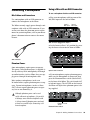
To use the Multi Button Function pane and
configure its parameters (example):
1 Launch Pro Tools.
2 Choose Track > New and create 1 Mono audio
track.
Press and Release Options
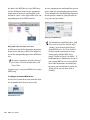
When you click on the Press and Release list, a
pop-up menu provides access to the following
options:
You need to have at least one track available in a session to use the Add Last Track
and Add Selected Track functions.
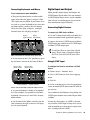
3 Choose Setup > Hardware.
4 From the Press and Release list, select
Start/Stop Record (the default).
5 From the Press and Hold list, select Add Se-
lected Tracks (the default).
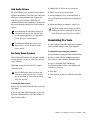
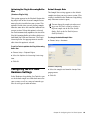
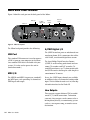
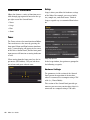
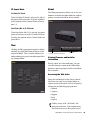
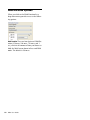
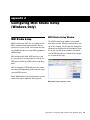
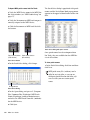
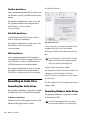
Multi button
Multi Button Function pane (Shown in Hardware Setup
dialog)
6 From the Hold Duration list, select 500 msec
(the default).
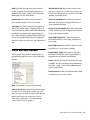
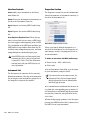
None No function is selected in this mode.
Add Last Track Adds the last track type that you
created in the session. Say you have created two
Audio tracks in a session. It will add another
mono Audio track.
Add Selected Track Adds whatever tracks that
you have selected in a session. Say you have selected two Audio tracks in a session. It will add
another two Audio tracks.
Cursor to Next Marker Each time the button is
pressed and released, the transport will locate to
the next marker location.
7 Go to the Edit Window and select the track
you just created.
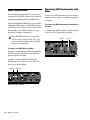
8 Press and hold the Multi button for 500 msec,
then release. A new track is added in Record Enable mode.
9 Press and immediately release the Multi but-
ton. The track begins recording.
This is just one example of how easy it is to use
the Multi button if you want to quickly throw
down tracks and record. But you can personalize
the Multi button settings to fit any audio workflow that works for you.
56
Mbox User Guide
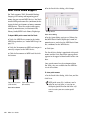
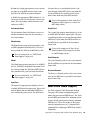
Cursor to Previous Marker Each time the button
is pressed and released, the transport will locate
to the previous marker location.
Start/Stop Playback Each time the button is
pressed and released, it starts/stops playing back
the session.
Start/Stop Record Each time the button is
pressed and released, it starts/stops recording.
Loop Playback Toggle Each time the button is
pressed and released, the Loop Playback mode is
toggled between enabled and disabled.