1
SPECsfs2008 User’s Guide Version 1.0
The Visual Studio workspace files are also provided should one need to rebuild the Windows executables.
The workspace files are located in the src/win32 subdirectory. Building SPECsfs2008 can be done with
Visual Studio 2005.
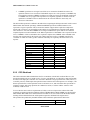
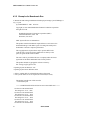
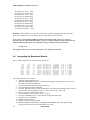
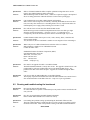
The following is a list of the vendors and their respective operating system levels for which the benchmark
workloads have been pre-compiled and included with the benchmark distribution.
NFS workload:
IBM Corporation
AIX 5.3 TL05
FreeBSD
FreeBSD 5.4
Sun Microsystems, Inc.
Solaris10
Redhat Inc.
RHEL3 and RHEL4
Apple Computer Corporation
Mac OSX (Tiger, and Leopard)
Microsoft Corporation
Windows XP, and Vista
CIFS workload:
FreeBSD
FreeBSD 5.4
Sun Microsystems, Inc.
Solaris10
Redhat Inc.
RHEL3 and RHEL4
Apple Computer Corporation
Mac OSX (Tiger, and Leopard)
Microsoft Corporation
Windows XP, and Vista
4.3
Using the SFS Manager
This section briefly describes the usage of the Java-based Manager provided with the SPEC System File
Server (SFS) SPECsfs2008 suite. The manager is used to run the benchmark. The results obtained from
multiple data points within a run are also collected in a form amenable for ease of use with other result
formatting tools.
This section does not cover the complete Client-Server environment setup in detail. It touches only the
portions currently handled by the manager. For information on how to set up and run the SFS suite the
reader is advised to refer to the section on configuring the SFS environment above.
A new Java-based manager program exists to handle the execution of the SPECsfs2008 benchmark. The
manager replaces the shell scripts that had been used by previous versions of the benchmark. The new
21
SPECsfs2008