1
Chapter 9. Building Schedules
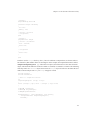
If you have an object subclassed from Activity, you can tell it to make the simulation run, stop,
terminate, or respond to a number of other commands. Swarm programs are designed hierarchically, so
that if you tell an activity from one level to stop, you stop all lower levels of the simulation as well. Many
Swarm programmers do not come face-to-face with the Activity class because it sits behind the scenes.
The control panel, in particular, allows users to start and stop their simulations, and all the while the
Activity class objects are behind the scenes, doing the actual work.
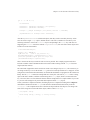
It is easy to "grab" the activity object of a given Swarm. The method which returns the activity of a
Swarm is getActivity. If one needs to tell the object modelSwarm to stop, for example, then the
command:
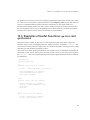
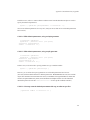
[[modelSwarm getActivity] stop];
will get the job done. This first grabs that object’s activity, and tells that activity to stop. To make that
object start up again, it can be sent the run message.
The ability to start, stop, and terminate an activity is particularly handy when designing a program that
repeats a Swarm experiment. These methods are used in the Swarm tutorial’s "SimpleExperBug2" model
as well as the "RepeatingHeatbugs" application that is available at the Swarm ftp site.
9.6. Dynamic Scheduling
The schedules described so far are of a particular static sort. Each agent, or each agent in a list, is told to
execute some action at some particular time. What if the simulation is designed so that the activation of a
certain agent is conditional on events within the model? The need to create a flexible schedule gives rise
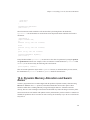
to an important feature of Swarm that is referred to as a dynamic schedule. The Mousetrap application
is a fully worked out example that shows the power of dynamic scheduling.
The idea behind dynamic scheduling is so simple that one can be in danger of confusing it by explaining
it too much. Simply put, the strategy is as follows. First, create an object from the Swarm Schedule class.
Don’t put any actions in the schedule, just let it sit there in the buildActions method, doing nothing
(yet). Second, write a method that tells that schedule to add things that are to be executed at particular
times. It is as simple as that.
The concept is quite simple, but, as the Mousetrap application illustrates, it can be quite complicated in
the implementation. The simplest possible dynamic scheduling project of which we are aware was made
available in the package Swarmfest99-demos (in the swarm ftp site, it should be available in the
users-contrib/anarchy section). The application is called simpleObserverBug-growth. It begins
with the familiar exercise from the Swarm tutorial and then models the regeneration of the food supply.
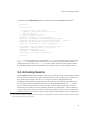
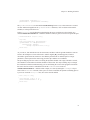
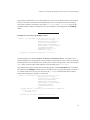
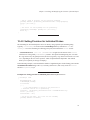
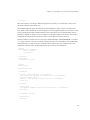
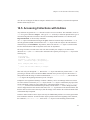
In the simpleObserverBug-growth example, the ModelSwarm.m file has all of the usual ingredients.
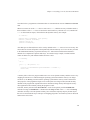
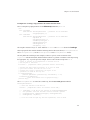
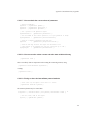
The dynamic schedule is created in the buildActions method, like so:
growthSchedule = [Schedule createBegin: self];
71