1
Submitting a PBS Job
2.1.2
Chapter 2
Where and How Your PBS Job Runs
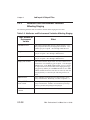
Your PBS jobs run on hosts that the administrator has designated to PBS as execution hosts.
The PBS scheduler chooses one or more execution hosts that have the resources that your job
requires.
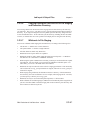
PBS runs your jobs under your user account. This means that your login and logout files are
executed for each job, and some of your environment goes with the job. It’s important to
make sure that your login and logout files don’t interfere with your jobs; see section 2.4.2,
“Setting Up Your UNIX/Linux Environment”, on page 13.
2.1.3
The Job Identifier
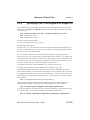
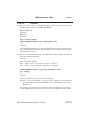
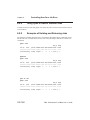
After you submit a job, PBS returns a job identifier. Format for a job:
sequence_number.servername
Format for a job array:
sequence_number[].servername.domain
You’ll need the job identifier for any actions involving the job, such as checking job status,
modifying the job, tracking the job, or deleting the job.
The largest possible job ID is the 7-digit number 9,999,999. After this has been reached, job
IDs start again at zero.
2.1.4
Your Job s Shell Script(s)
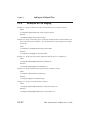
When PBS runs your job, PBS starts the top shell that you specify for the job. The top shell
defaults to your login shell on the execution host, but you can set another using the job’s
Shell_Path_List attribute. See section 2.3.3.1, “Specifying the Job’s Top Shell”, on page 18.
Under UNIX/Linux, if you do not specify a shell inside the job script, PBS defaults to using /
bin/sh. If you specify a different shell inside the job script, the top shell spawns that shell
to run the script; see section 2.3.3.2, “Specifying Job Script Shell or Interpreter”, on page 19.
Under Windows, the job shell is the same as the top shell.
PBS Professional 13.0 Beta User’s Guide
UG-9