1
Table of Contents
Table of Contents
Table of Contents .................................................................................................................................3
Part I: User’s Guide ........................................................................................... 5
Chapter 1
Introducing the PLA4211......................................................................................................................7
1.1 Overview .............................................................................................................................................7
1.2 Expand Your Network with the PLA4211 .............................................................................................7
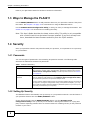
1.3 Ways to Manage the PLA4211 ............................................................................................................8
1.4 Security ...............................................................................................................................................8
1.4.1 Passwords .................................................................................................................................8
1.4.2 Setting Up Security ....................................................................................................................8
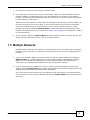
1.5 Multiple Networks ................................................................................................................................9
Chapter 2
Installing the Utility.............................................................................................................................10
2.1 Overview of the Installation Process .................................................................................................10
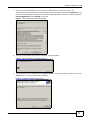
2.2 Installing the Utility ............................................................................................................................10
2.3 Low Power Mode ..............................................................................................................................12
Part II: Technical Reference............................................................................ 15
Chapter 3
The RESET/ENCRYPT Button............................................................................................................17
3.1 RESET/ENCRYPT Button Overview .................................................................................................17
3.2 Set Up a HomePlug AV Network with ENCRYPT .............................................................................17
3.3 Setting Up Multiple Networks ............................................................................................................19
3.4 RESET/ENCRYPT Button Behavior .................................................................................................21
Chapter 4
The Configuration Utility....................................................................................................................22
4.1 Overview ...........................................................................................................................................22
4.1.1 Powerline Network Security .....................................................................................................22
4.1.2 Device Access Key (DAK) .......................................................................................................23
4.2 Starting the Configuration Utility ........................................................................................................23
4.3 Configuration Screen .......................................................................................................................24
PLA4211 User’s Guide
3