1
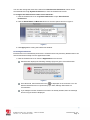
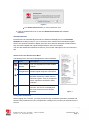
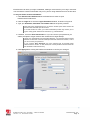
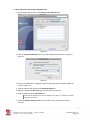
iPassConnect Help The iPassConnect help explains basic iPassConnect options, procedures and other features. It also contains a troubleshooting section with a basic discussion of the most common issues that could arise when using iPassConnect. To get help in iPassConnect: 1. Click iPassConnect Help in the iPassConnect menu. Alternately, click the ‘?’ button on the iPassConnect Preferences dialog box to display the help page corresponding to the displayed tab. Troubleshooting This section addresses some of the common user issues which may arise during normal operation. Further support questions should be directed to your local helpdesk in the first instance. Difficulty Connecting to the Access Point Make sure you have good signal strength. Weak or intermittent signals are a primary source of connection failure. If the signal strength is less than 4 bars then try to move closer to the access point, if possible. Your preferred access point may be offline or otherwise temporarily unavailable, even though the SSID is still being broadcast. Try another access point in the area if you experience repeated login errors. Verify whether the venue is actually an iPass hotspot - sometimes an Internet provider will use a network name that is the same as one of the providers that is part of the iPass network, but is not iPass enabled. Use a browser to check whether you are being redirected to a provider login page. Authentication Issues Ensure your username, domain and password are correct. Note that these fields are normally case-sensitive. The authentication server may be down or offline or your iPass user account may have been disabled by your corporate helpdesk. Check with your IT Help Desk if you see repeated login failures at different venues, particularly if you are sure your username and password are correct. If you save your corporate credentials in iPassConnect, remember to update your login information following a change in your Windows or email password. iPass login usually takes only a few seconds but in some circumstances, login can take over a minute. — E N D O F D O C U M E N T — i P a s s C o n n e c t 3 . 2 f o r Ma c - U s e r ' s G u i d e Version 1.3, December 2009 2009 iPass Inc. Page 18 1