1
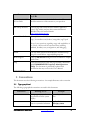
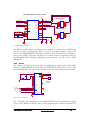
DCLK)
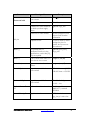
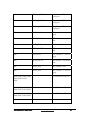
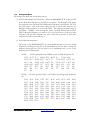
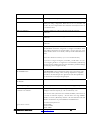
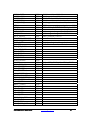
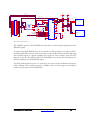
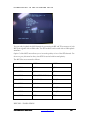
DCLK is generated from a 16.0 Fundamental crystal. Supported
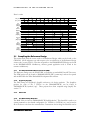
frequencies:
32
52
72
96
136
176
256
336
464
624
34
54
74
100
140
184
264
336
480
640
36
56
76
104
144
192
272
344
496
656
38
58
78
108
148
200
280
352
512
672
40
60
80
112
152
208
288
368
528
688
42
62
82
116
156
216
296
384
544
44
64
84
120
160
224
304
400
560
46
66
86
124
164
232
312
416
576
48
68
88
128
168
240
320
432
592
50
70
92
132
172
248
328
448
608
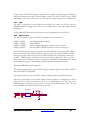
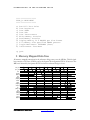
(3) Change Text Editor – This options allows the user to select a text editor to use (the
default editor is notepad).
(4) FPGA Stuffing Information – This option will display the type of FPGAs that are
stuffed on the DN8000K10PCIE.
(5) MCU Firmware Version – This option will display the MCU Firmware version in the
log window.
(6) BOARD/SPARTAN Version – This option will display the Board Version along with
the Spartan (Config Fpga) Version.
2
Updating the Firmware
Dini Group may release firmware bug fixes or added features to the DN8000K10PCIE. If a
firmware update is released you will need to
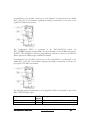
There are two firmware files that Dini Group may release, the first is a Micro controller (MCU)
software update that is stored in a flash memory. This update can be accomplished easily from
within the USBController application.
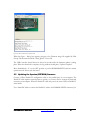
The second update that may be required is a Spartan FGPA core update. The configuration data
for the Spartan FPGA is contained in a Xilinx configuration PROM. This update can be
accomplished with the Xilinx JTAG programming program, iMpact.
2.1 Updating the MCU (flash) firmware
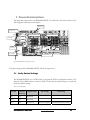
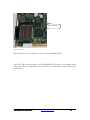
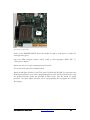
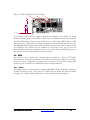
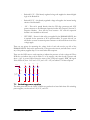
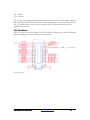
To protect against accidental erasure, the MCU firmware cannot be updated unless the board is
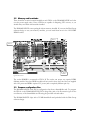
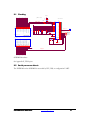
put in firmware update mode during power-on. Find Switch block 1 on the DN8000K10PCIE.
DN8000K10PCIE User Guide
www.dinigroup.com
35