1
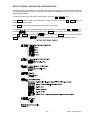
SETUP OPTIONS - PROJECTOR CONFIGURATION
After the projector is switched on, the projector will reset automatically and then the display will show
the DMX start address (if you have already set the DMX start address and saved it, the screen will
display the last setting).
To set or browse through the various Setup Options, press the UP or DOWN button.
Press ENTER button to save your modification or enter sub-option. Press the UP or DOWN button to
modificate the setting values.
Press FUNC button to exit current option and to return to pre-option.
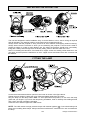
For example, if you want to set digit display brightness 100%, you should press UP or DOWN button
to select
(digit display brightness). Press ENTER button to enter value setting (sub-option),
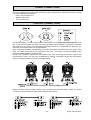
press UP or DOWN button to get
FUNC button to return to
(100%), then press ENTER button to save and press
. So you successfully set the digit display brightness 100%.
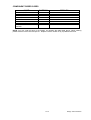
SETUP OPTIONS TABLE
7/12
Design 150 manual.doc