1
WOODexpress
RUNET software
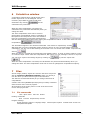
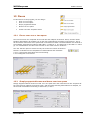
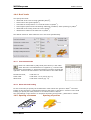
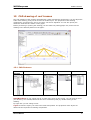
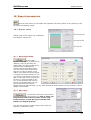
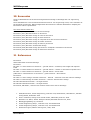
specified. If you give the roof height the roof pitch is obtained, otherwise, if you give the roof pitch
the roof height is obtained.
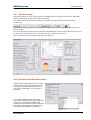
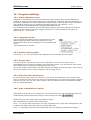
You can specify dimensions at the nodal points (intersection of element axis) or the total
dimensions. Select what dimensions you are giving.
You can also choose if you want the truss to be extended at left and right ends with cantilever
elements or if you want an asymmetric roof..
14.2 Element cross sections
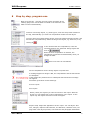
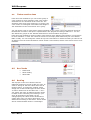
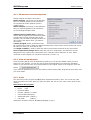
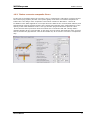
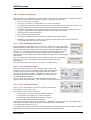
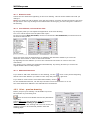
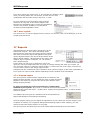
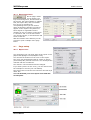
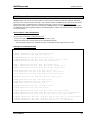
For the elements of the truss you specify the cross section
dimensions. The elements of the same cross section are
grouped according to the most common sizes in different
countries, EN1313-1. The cross section is rectangular with
width B and height H. The dimensions of the cross section
are in [mm].
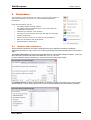
In the program there are included user defined groups of
timber sections for the truss elements and the purlins. The
user can define two(2) groups for timber sections for truss
elements and two (2) groups for purlins. From
[parameters/timber sections] you can select the group of timber sections you want to appear in the
design of roofs.
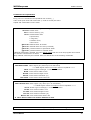
14.2.1 Reduction of timber sections
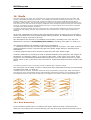
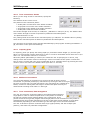
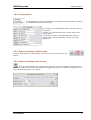
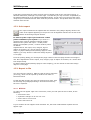
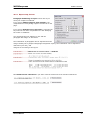
Specify the cross sections of the elements used in the
truss. If the timber of the trusses are old, damaged or
suffered from deterioration, you can specify a reduction
of cross section in %.
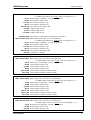
14.3 Roof secondary structure
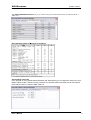
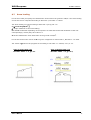
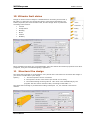
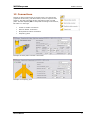
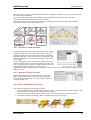
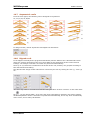
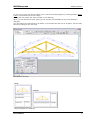
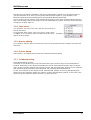
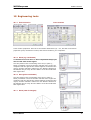
You can select between three types of roofing.
•
Roof consisting of purlins and timber finishing on top. The finishing may be rafters laid on top
of the purlins. The tiles are laid on top of the finishing.
•
Roof consisting of purlins and no rafters on top. The tiles are laid on top of the purlins.
•
Roof with the timber finishing (rafters) nailed directly on the roof truss.
User’s Manual
10