1
Introduction
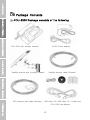
Package Contents
could
or strong detergents to clean it. Wipe it
violate
smoothly with a soft cloth.
devices.
Receiving / Making Calls
regulations
and
regarding
may
radio
If the phone, battery, charger, or any
device’s
accessory does not function properly,
moving
parts
and
prevent
proper operation.
take it to your nearest Authorized Service
Center. The personnel there will assist
Use only the supplied or an approved
you,
replacement
service.
antenna.
Unauthorized
and
if
necessary,
arrange
for
antennas, modifications or attachments
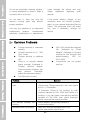
Common Problems
Thuraya terminal is undocked
FDU-2500 should be switched
properly.
ON.
Thuraya terminal not in “SAT
Adapter” message on Thuraya
Only” mode.
terminal for few seconds and
Thuraya terminal is switched
power/charging
OFF.
FDU-2500)
There is no enough satellite
Connections are not proper
signal strength (indicated in
and firm.
Thuraya
terminal
(indicated
by
“Fixed
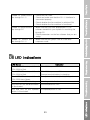
LED
display.
There should be minimum two
bars
present.
Otherwise,
adjust the antenna properly).
The SIM card is invalid.
Problem
Unable
Solution
to
make/receive
calls
- Check the PIN Code.
- Dial through Thuraya terminal if OK, then check
the RJ-11 connection.
- If Extension Phone is not working, try with
Auxiliary Handset of FDU-2500 and confirm it’s
working. If you can make a call with the auxiliary
handset of FDU-2500, then check Extension
phone, else call the service provider.
The auxiliary handset not
Fax Message
damage the phone
Do not paint it. Paint can clog the
Getting Started
Installation Instructions
Do not use chemicals, cleaning solvents,
working
Speakerphone not working
- Check whether the auxiliary handset is
connected properly.
- Make sure that the speakerphone is ON.
- Select appropriate volume level.
22
on