1
4. SYSTEM TEST, ADJUSTMENT AND SETTING
Calling up the System Test
Level 2
1. If the power is on, turn it off.
NOTE
Release the Feed/Mark key immediately after the instrument starts
printing. If you continue to hold the Feed/Mark key for more than 15
seconds, the instrument recognizes that the Feed/Mark key is shortcircuited and prints the system information “Error 05” at the end of
printing.
+
+
2. Press the Power key while pressing the Feed/Mark and Auto/Manual keys
together. Hold the Feed/Mark and Auto/Manual keys until the instrument begins
to print the system test procedure, relationship between the input number and its
corresponding key name on the operation panel and system test number list as
shown below. The Test level 2 is called up and the instrument is in standby
mode for entering the system test number.
To cancel printing the following information, press the Start/Stop key.
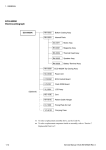
Printout
System Test Screen
Service Manual ECG-9620
4.3