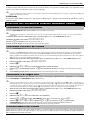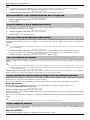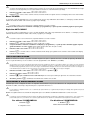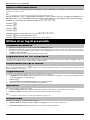
1
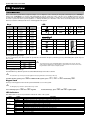
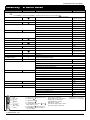
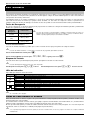
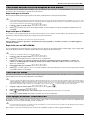
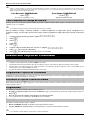
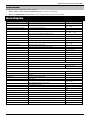
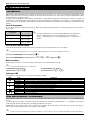
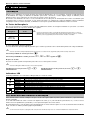
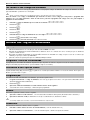
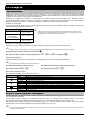
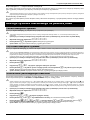
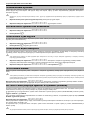
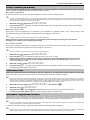
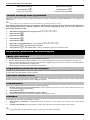
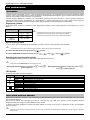
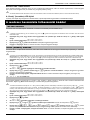
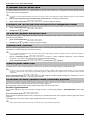
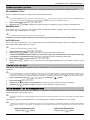
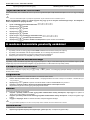
Premier Elite Series User Guide EN. Overview Introduction Users of the alarm system will be assigned a unique 4, 5 or 6 digit User code, and may be assigned a Proximity Tag or a SmartKey™. Codes, Tags & SmartKey™ are used to arm and disarm the system. Some User codes can also access additional options such as, system tests and omitting zones. Keypads will be installed throughout the premises, usually one at each entry/exit door. The keypads are used to perform all of the system operations i.e. Arming, Disarming etc. Most User codes can be used at any keypad on the system. However, Local Users will only be able to use certain keypads on the system. Keys LED ICONS UK English = English = = = = = = = = = = = = = = = = = SmartKey™ Buttons = Power = Armed/Info = Omit = OK Power = Arm = = Ready = Service LED's Function = Ready = Status Part Arm Part Arm Disarm Arm Disarm The Keypad Emergency Keys In case of emergency, the alarm system can provide three immediate emergency alarms by pressing and holding two specific keys for two seconds. Emergency Alarm Panic Alarm (PA) Press Keys & & & Fire Medical The emergency keys can be enabled/disabled for each keypad on the system. The Panic alarm can be programmed for either audible or silent operation. The Panic alarm can be programmed for either instant or delayed operation The Keypad Quick Arm Keys The ‘Quick Arm’ keys allow the system to be armed without having to enter a User code first. The ‘Quick Arm’ keys will only work if the keypad has been programmed to allow arming in this way. To FULL arm the system, press Keypad Lock .To PART arm the system, press , or followed by . The keys on the keypad can be locked to prevent unwanted access to the system. The Emergency keys will NOT operate with the keys locked. To Lock the keys press and together. To Unlock the keys, press and together again. LED Indicators Five LED indicators have been provided to indicate the status of the system. LED Power Service Ready Info. Omit 2 Status On Flashing On Off On Off Flashing On Off On Off Meaning AC mains is present on the control panel AC Mains is not present, the control panel is running on the standby battery The system requires attention, contact your installer The system does NOT require attention All zones are secure and the system is ready to be armed One or more zones are active The system has zones (with the ‘Force Omit’ attribute) that are active The system is armed (can also be programmed for other indications) The system is unarmed (can also be programmed for other indications) One or more zones are omitted No zones are omitted INS556-2