1
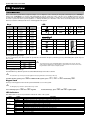
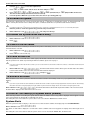
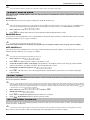
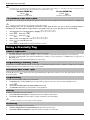
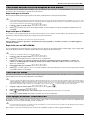
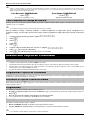
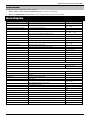
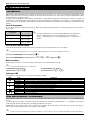
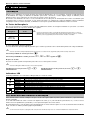
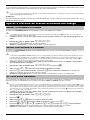
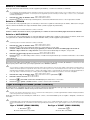
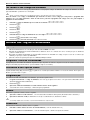
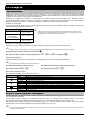
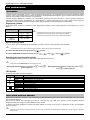
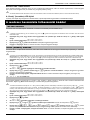
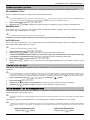
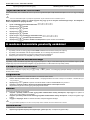
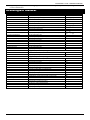
Premier Elite Series User Guide Zone Faults During Arming Before attempting to arm the system, ensure that the premises are secure (all doors and windows closed etc.) and the Ready light is on. If an attempt is made to arm the system with any zones active (e.g. door ajar, open window, etc.) the internal sounders will bleep repeatedly (fault tone) and the display will show the zones that are active. The fault tone will stop and the exit tone will resume when all zones are secure. If it is necessary to leave a zone open then it must be omitted (see page 7 for details). If an active zone cannot be secured then it may be ‘in fault’, in this case contact the alarm company immediately. Arm Fail - Failing to Arm If the exit procedure is started and zones are still ‘Active’ at the end of the exit procedure, an Internal alarm will occur (internal sounders only) and the strobe light on the external sounder will flash. If this occurs the arm fail must be cleared and the zone in fault identified before the system can be armed (see page 4 for details on clearing an Arm Fail). The Ready LED To help prevent faults during arming a Ready light has been provided, see table above for details on how the Ready LED operates. Operating the Alarm System using a code To FULL Arm the System The system is FULL Armed when ALL zones are ON (not omitted). Your Installer may have programmed the system so that it can be set by just pressing , if this is the case then there is no need to enter the User code below. 2. Enter a valid User code 3. Press 4. Leave the premises When the system has armed the exit tone will stop 1. Ensure that the premises are secure (all doors and windows closed etc.) and the Ready light is on to arm. The exit tone will sound To PART Arm the System The system is PART Armed, when ONE OR MORE zones have been left OFF (omitted) i.e. the landing or a bedroom. 1. 2. 3. 4. 5. The system is only Part Armed when zones are omitted using the ‘Part Arm’ procedure (omitting zones manually (see page 5 for details) is not classed as Part Arming). The bottom line of the display is programmable for each Part Arm. Your Installer may have programmed the system so that it can be Part Armed by just pressing , or followed by , if this is the case then there is no need to enter the User code below. Ensure that the premises are secure (all windows and doors not being omitted are closed) and the Ready light is on Use keys - to select the required Part Arm Press to arm normally or press to arm silently The exit tone will sound (if silent arm has not been selected) Leave the protected area When the system has armed, the exit tone (if sounding) will stop Enter a valid User code Press To ARM Individual Areas If the system has been split up into separate areas of protection i.e. Area 1 = House, Area 2 = Garage, Area 3 = Shed etc. These areas can be individually selected for FULL or PART arming as required. - (the key can also be used to select an area followed by or ). On the 640 there are 4 Area - key to select an Area Group (1-4) Only areas that exist on the system can be selected. (A ‘Star’ means the area can be selected and a ‘Dot’ means the area cannot be selected). Pressing will select/deselect all areas, pressing will toggle between the first 8 areas and the second 8 areas (where applicable). Areas are selected by using keys groups, each with 16 Areas, these can be selected by pressing the 1. Ensure that the premises are secure (all windows and doors not being omitted are closed) and the Ready light is on 2. Enter a valid User code 3. Press INS556-2 3