1
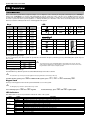
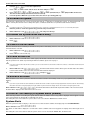
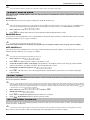
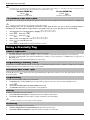
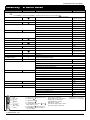
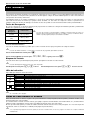
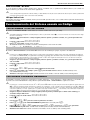
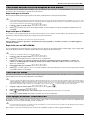
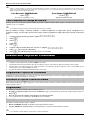
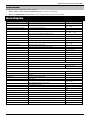
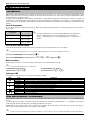
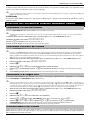
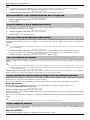
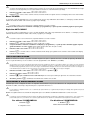
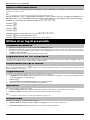
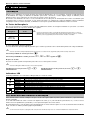
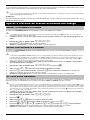
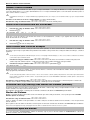
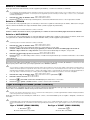
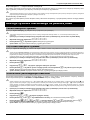
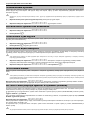
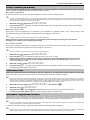
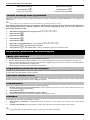
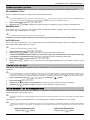
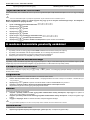
Premier Elite Series User Guide SmartKey™ & Quick Guide Operation SmartKey™ Keypad Action For all SmartKey™ operations the SmartKey™ should be powered on by pressing and holding To Full Arm the System for 4 seconds Enter a valid User code Press Yes (or press Chime to arm silently) To Part Arm the System Enter a valid User code Press Part Select Required Part Arm Press Yes (or press Chime to arm silently) To Arm Individual Areas Enter a valid User code Press Area Select Required Area using keys 1 - 8 Press Yes (or press Chime to arm silently) To Disarm the System Enter a valid User code Press Yes (if the entry mode was not started) To Cancel the Exit Mode Enter a valid User code Press Yes To Clear an Arm Fail Enter a valid User code Press Reset To Silence an Alarm To Reset After an Alarm Enter a valid User code Enter a valid User code To Anti-code Reset , or or - or Press Reset To Engineer Reset or Contact Your Installation Company Enter a valid User code Press Reset Contact Your Alarm Receiving Centre Quote 4-digit code shown on display Enter 4-digit code given by Receiving Centre Press Yes To Omit Zones Enter a valid User code Press Omit Enter Zone Number(s) Press Omit to toggle omit status on/off Press Menu when finished Press Yes to Arm Turn Chime On/Off Press Chime Once to Turn ON To Change User Code Enter a valid User code Press Chime Again to Turn OFF Press Menu followed by Yes Press 2 followed by Yes Enter a new 4, 5 or 6 digit User code Press Yes to accept Press Reset to return to the normal display S martKey s tatus LE D AR M PAR T AR M DIS AR M POWE R (hold 4 s ecs ) Alarm s tatus LE D’s DIS AR ME D PAR T AR ME D AR ME D BUTTONS 1. To turn on press and hold for 4 secs 2. To Arm press 3. To Part Arm press 4. To Disarm press 5. To activate Panic Alarm press and hold together for 4 secs 6. To turn off press and hold for 4 secs 7. The SmartKey™ will power off after 20 secs of no activity ALARM STATUS LED's Green LED on = Disarmed Orange LED flashing = Part Arming Orange LED on = Part Armed Red LED Flashing = Arming RED LED on = Armed All 3 LED's flashing together = Alarm All 3 LED's cycling = Panic Alarm … STATUS LED Green LED on = Connection Red LED on = No connection © TEXECOM LTD. 2012 INS556-2 7