1
User Guide
VirusBuster Professional 2005
VirusBuster Professional 2005
TABLE OF CONTENTS
HARMFUL MALWARES............................................................................................................................ 4
About computer viruses…....................................................................................................................... 4
Virus infection symptoms........................................................................................................................ 5
Keep computer virus free ........................................................................................................................ 5
VIRUSBUSTER PRODUCTS..................................................................................................................... 6
Product range ........................................................................................................................................... 6
The scan engine ....................................................................................................................................... 8
VIRUSBUSTER PROFESSIONAL 2005 ................................................................................................... 9
Minimal system requirements ................................................................................................................. 9
Installation............................................................................................................................................... 10
Normal installation ................................................................................................................................ 10
Installation with parameters .................................................................................................................. 18
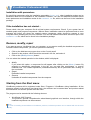
If the installation has not started… ....................................................................................................... 18
Remove, modify, repair.......................................................................................................................... 18
Starting from the Start menu ................................................................................................................. 18
System tray ............................................................................................................................................. 19
Pop-up windows ..................................................................................................................................... 20
Buy, registration, activation .................................................................................................................. 21
Buy ....................................................................................................................................................... 21
Registration........................................................................................................................................... 21
Activation .............................................................................................................................................. 22
User interface.......................................................................................................................................... 23
The interface’s structure ....................................................................................................................... 23
How to test virus scanning engine ....................................................................................................... 25
The structure of the virus protection.................................................................................................... 26
Shield....................................................................................................................................................... 26
Settings................................................................................................................................................. 26
Simple settings ................................................................................................................................. 26
Advanced settings ............................................................................................................................ 27
Scan areas............................................................................................................................................ 28
Statistics ............................................................................................................................................... 29
Content filter ........................................................................................................................................... 30
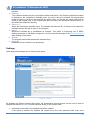
Settings................................................................................................................................................. 30
Simple settings ................................................................................................................................. 30
Advanced settings ............................................................................................................................ 31
Scanning options .................................................................................................................................. 32
Statistics ............................................................................................................................................... 33
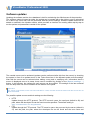
Software updates.................................................................................................................................... 34
Creating a new task .............................................................................................................................. 35
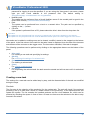
Products............................................................................................................................................ 35
Scheduling ........................................................................................................................................ 36
Update sources................................................................................................................................. 38
Task’s name ..................................................................................................................................... 39
Summary .......................................................................................................................................... 40
Modifying an update task...................................................................................................................... 40
Starting an update task......................................................................................................................... 41
Prepare ............................................................................................................................................. 41
Data query ........................................................................................................................................ 42
Product selection .............................................................................................................................. 43
Download.......................................................................................................................................... 44
2
VirusBuster Professional 2005
Download summary .......................................................................................................................... 44
Installation......................................................................................................................................... 45
Summary .......................................................................................................................................... 46
Scanner ................................................................................................................................................... 48
Tasks .................................................................................................................................................... 48
Create new task................................................................................................................................ 49
Modifying a scanning task ................................................................................................................ 53
Starting a scan...................................................................................................................................... 54
Quick scan .............................................................................................................................................. 54
MS Office protection .............................................................................................................................. 55
Simple settings ..................................................................................................................................... 55
Advanced settings ................................................................................................................................ 56
MS Outlook protection ........................................................................................................................... 58
VirusBuster console settings ................................................................................................................ 58
Settings............................................................................................................................................. 58
Scan settings .................................................................................................................................... 60
Settings in the MS Outlook client.......................................................................................................... 61
General settings................................................................................................................................ 61
Scan settings .................................................................................................................................... 61
MS Outlook resident protection settings ........................................................................................... 62
Scan e-mails ..................................................................................................................................... 62
Quarantine module................................................................................................................................. 64
Items ..................................................................................................................................................... 64
Settings................................................................................................................................................. 65
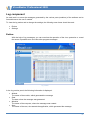
Log component....................................................................................................................................... 67
Entries .................................................................................................................................................. 67
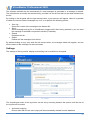
Settings................................................................................................................................................. 68
Administration ........................................................................................................................................ 70
Access settings..................................................................................................................................... 71
General settings.................................................................................................................................... 71
Sending mails ......................................................................................................................................... 73
Virus scanning methods........................................................................................................................ 75
Heuristics ................................................................................................................................................ 75
Actions .................................................................................................................................................... 75
Windows, messages .............................................................................................................................. 77
Virus scan window ................................................................................................................................ 77
Virus scan window during a scanning task and during a manual scan............................................. 78
Virus scan window during a quick scan ............................................................................................ 78
Message window .................................................................................................................................. 78
Recognizing a virus infection ............................................................................................................ 78
Warning ............................................................................................................................................ 80
Frequently Asked Questions................................................................................................................. 81
General ................................................................................................................................................. 81
Installation............................................................................................................................................. 81
Content filter ......................................................................................................................................... 82
END USER AGREEMENT ....................................................................................................................... 84
CONTACT ................................................................................................................................................ 85
3
VirusBuster Professional 2005
HARMFUL MALWARES
About computer viruses…
Spreading of the malware programs and increasing of the infections can be important security questions
for any computer user. In the following lines you can find a summary review of the malicious programs,
their operation and spreading.
Generally, the 'virus' expression means a computer program which endanger the data stored on the
computer and/or the system’s operation. Similar to a biological virus, the computer variant is also able to
multiply itself and usually attaches to an executable file to be spread. When they are isolated (for
example in an archived file) and they can't operate you can feel secure, they are harmless in such a
case. But if they escape from the archives and become active they can be dangerous and perform
considerable devastation in computer systems.
The malicious programs named 'viruses' in everyday language can be divided into groups by their
activity and spreading methods.
There are so-called boot viruses which spelt the greatest danger among viruses till the middle of
nineties. They try to infect the computer's boot sector which control the boot processes. These viruses
can be activated at computer's boot time and although they are disappearing, it is worth mentioning
them.
The majority of today's known viruses is put among program viruses. But surveying their rate in all the
known active viruses, this leading role can't be stated. These viruses infect the DOS' .com, .exe, the
Windows' NewEXE and the Windows95/NT's portable .exe formats. The program viruses' greater part
insert their own code at the end of the program files and modify those to be started automatically when
the host program is executed.
The macro viruses have appeared for just some years, but better and better invade our privacy. Their
main target to infect Microsoft Office package's documents in which macros can be used. These
documents are sent in e-mails frequently so the spreading of this kind of viruses is growing.
That viruses belong to the script viruses - as their name shows - are not spreading in binary code form
but in source codes. For this reason anybody can modify easily the collected virus making a new variant
of the original malware.
One of the viruses' subtype is the so-called worm viruses (worms). Several of them spreading in e-mail
and try to exploit the possibilities of computer networks spreading from machine to machine using
falsified sender address. Besides the waste of time spent on "handling" these e-mails, the worms can
overload computer systems.
As the Internet became more popular, the number of e-mail viruses started to grow slowly and they are
the top of the viruses at present. They spreading themselves in e-mails, sometimes in more hundred
instances utilized the mailer programs or mailer servers. These infected mails can be recognized by their
attachment which is the virus itself. The life cycle of the today's viruses accelerated. A typical mail virus
is spreading fast after it is released, but practically it disappears in a short time thanks to the frequently
updated virus databases.
Trojan programs also belong to the computer malwares. These are not able to spread without help and
they always have some kind of hidden harmful routine to exploit the system vulnerabilities. As they can't
spread themselves, you can get them in e-mails or by downloading the Internet. Based on their
functionality there are different trojan programs.
The backdoors viruses opens a backdoor on the attacked computer providing clear way into the system.
The dialer programs change the dial-up Internet connection. They connect to a remote Internet provider
instead of the local one increasing the user's telephone bill.
The password stealing programs try to collect the user's encoded files and the passwords found in the
4
VirusBuster Professional 2005
memory and send them in a specified e-mail address.
You can see that the protection is reasonable for the viruses' wide incidence and their various form. The
justification of antivirus applications is not a question for today in the area of computer security.
Virus infection symptoms
Infection symptoms strongly depend on the propagated virus' properties. The following list contains some
common symptoms you can experience:
•
•
•
•
•
•
•
•
•
•
•
•
Different problems on the computer (for example: file copy problems)
The computer often stops or restarts itself.
Getting messages from your mail partners that they are receiving infected mails from you.
The computer running slower than usual.
Less free memory is available than before.
Menu items, functions or whole applications disappear.
Program’s opening takes longer than before while configuration was unchanged.
The size of the files increased seemingly without any reason.
Some viruses simply display a message box to inform the infection.
The date of the files changed.
Unable to access drives.
Strange graphical forms are displayed on the screen.
Keep computer virus free
Several viruses begin harmful activities in the world a day to start their attacks against the users and
antivirus solutions with renewed effort. Because of the fast spreading the viruses are able to infect the
unsuspicious users' computer in a short time.
If users devote their energies to prevention too they get back their efforts repelling a serious virus attack.
Keep in mind, observing security requirements you can avoid data losing or other serious problems.
Some tips how you can keep your computer infection-free:
•
•
•
•
•
•
•
•
•
•
•
•
Make virus scanning on data that get into system from external device.
Use resident virus protection.
Update the antivirus software's virus database as frequently as it is possible.
Files attached to e-mails must be handled as potential contingency.
Set user accounts using various authority levels.
Importance of shared directory handling! Make access rights and permissions for different users.
Use only official applications.
Use firewall against outside intrusions.
Get files from reliable source.
Protect your own password information.
Scan the whole system for viruses if infection symptoms are experienced.
Do not make available your computer stored important data for anybody.
Users can defend themselves against viruses using reliable and up-to-date antivirus applications.
5
VirusBuster Professional 2005
VIRUSBUSTER PRODUCTS
Product range
VirusBuster product collection provides comprehensive IT security and antivirus solutions for the
personal and enterprise users.
Desktop protection
•
•
The primary aim was to create a product, which suits the special needs of home users when
creating VirusBuster Personal. The program can not only be operated easily, but its performance
is equivalent to the version’s, which has been developed for Windows workstations.
VirusBuster Professional provides comprehensive protection for every workstation. Besides the
resident file protection, it protects everyday work and e-mails by integrating into Microsoft Office
applications and detects removes all harmful programs arriving from the Internet either while
browsing or e-mailing.
Fileserver protection
•
•
VirusBuster for Windows Servers and VirusBuster for NetWare Servers provide resident
protection for the data, systems and the everyday work of the users, optimized to the increased
data traffic of servers.
The VirusBuster for Samba Servers ensures comprehensive virus protection for Samba
fileservers.
Mailserver protection
•
•
VirusBuster MailShield for SMTP was designed to be a mail system independent product, which
can be easily integrated and flexibly configured to establish a comprehensive line of defense for
any company's e-mail traffic against viruses and spam.
VirusBuster MailShield for GroupWise provides continuous protection by filtering the e-mail traffic
for viruses and other malicious codes and spam. The product can be installed as a module of
VirusBuster for NetWare Servers.
6
VirusBuster Professional 2005
Management system
•
VirusBuster Central Management Solution provides a real and comprehensive central controlling
and monitoring option on Windows networks. With the help of CMS, corporate networks can have
a suitable up to date protection, which requires a minimal level of maintenance.
Our antivirus products contain the new VirusBuster virus scan engine providing that the latest
improvements, technologies and functions to be available for users using any of our antivirus products.
7
VirusBuster Professional 2005
The scan engine
All of our products are based on VirusBuster's scan engine, which has an outstanding
performance. The engine also uses heuristic analysis to detect harmful programs.
Thanks to its platform- and operating system independent scanning methods it
effectively scans for all known viruses, worms, trojans, scripts, macro viruses and
other harmful codes on any system even in compressed files. To improve the
scanning of these files, the engine uses emulation techniques.
Main features:
•
•
•
•
•
•
•
•
•
•
•
•
•
•
•
•
•
•
•
•
•
•
•
•
•
•
Heuristic analysis
High-speed scanning
Processor/PC emulation technologies if it is possible
99% of the scan engine is platform independent (the remaining 1% is the platform dependent
parts' implementation)
Flexible virus database architecture: any new file types can be built into the database
Usage of independent scanning technologies
Daily virus database updates
Processor-/platform-independent virus database and scan engine technology
Operating system independent file type recongizer and parser
Native scanning in .tar, .gz, .bzip2, .zip, .rar, .arj, .ace, .chm, TNEF, ms cab archives and in install
shield cab files
Native scanning in files compressed with diet, upx, aspack, pecompact and fsg (other .exe
packed files extracted with emulation technology)
Scanning in embedded archives to any level (depends on system resources)
Scanning for viruses, worms, trojans and other harmful codes
Detecting and removing spywares and adwares
Information about IWORMs that can be removed by deleting the whole mail
Scanning in many executable files
Scanning in Microsoft Word, Excel, PowerPoint, Access and Project files
Scanning in embedded OLE objects
Scanning in the new Office 2003 XML format
Scanning in HTML, Java script, ActiveX and Visual Basic Script (VBS) files
Scanning in other scripting language files, like Unix / Linux shell scripts
Scanning in Windows Help files (HLP)
Scanning in LNK and PIF files
Built-in MIME parser for scanning e-mails, mailboxes and MHT files
Supporting the following encoding methods: BinHex 4.0, Base64, Quoted-printable, UUEncode
Native scanning in Outlook Express mailboxes
8
VirusBuster Professional 2005
VIRUSBUSTER PROFESSIONAL 2005
The number of viruses and other threats, which arrive from the Internet is growing rapidly every day,
therefore the effective protection of home users' and companies' workstations is crucial. A possible
infection can not only cause loss of data, but the time and money spent on recovery can be a serious
loss for the company and users.
VirusBuster Professional provides comprehensive protection for every workstation. Besides the resident
file protection, it protects everyday work and e-mails by integrating into Microsoft Office applications and
detects removes all harmful programs arriving from the Internet either while browsing or e-mailing.
The integrated Office module in VirusBuster Professional is a plug-in protection, which scans documents
and messages after decryption, but before execution inside MS Office (Word, Excel, PowerPoint,
Outlook, Access) applications. When using Professional, the encrypted document or e-mail can only be
viewed by the sender and the recipient and there is no central gathering, decryption and scanning so as
to protect your privacy.
Main features:
•
•
•
•
•
•
•
•
•
•
•
•
Effective protection for your computer against viruses
Easy to use, wizard style user interface
Advanced user interface for experienced users
Task oriented operation
Manual, automatic and scheduled scanning
Resident protection with pre-defined protection levels
Task oriented, modular updates
Intelligent quarantine for infected files
Resident protection integrated into MS Office applications to protect everyday work
E-mail protection integrated into MS Outlook
Supports Windows Security Center
Daily virus database updates
Minimal system requirements
The following system requirements must be available to execute the program:
•
•
•
•
Windows 95/98/Me/NT/2000/XP operating system
Intel Pentium (or compatible) processor at 400 MHz
64 MB memory of RAM
20 MB of free hard disk space
•
•
•
Internet Explorer 5
In case of using Windows 9x/Me/NT4: version 6.0 of msvcp60.dll, msvcrt.dll, mfc42.dll, mfc42u.dll
In case of using Windows 95: Windows Sockets 2
(For more information about these requirements please read the readmeen.txt file could be
found in the installation kit)
9
VirusBuster Professional 2005
Installation
Please make sure, that your computer is virus free before installing the software! The anti-virus software
can only operate properly if it was installed on a virus free computer. Perform a virus scan on the
computer with the help on VirusBuster Scanners 2005’s latest version, which can scan the whole system
for viruses in a fast and easy way.
Note!
If an anti-virus software is already installed on the computer, it has to be removed before installing VirusBuster. If
an older version of VirusBuster is installed on the computer, it should be removed as well!
The product’s installation package is available in two versions:
•
•
Self-extracting compression (winprof.exe), which contains the whole product package. After
having executed the above file, the installation package will be decompressed and the installation
will be started.
Uncompressed version, installation can be initiated by starting setup.exe.
On the installation disk, the installation packages can be found at the following paths (’X’ = CD drive):
•
•
Compressed: ’X’:\vbuster\zips\winprof.exe
Uncompressed: ’X’:\vbuster\windows\prof\setup.exe
Normal installation
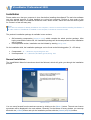
The InstallShield Wizard’s instructions should be followed, which will guide you through the installation
process.
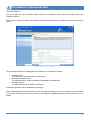
Welcome screen
You can move forward from the welcome screen by clicking on the |Next >| button. The end user licence
agreement will be displayed in the next window. Generally, on the bottom of every window, you can step
back with the |< Back| button and quit the installation process with the |Cancel| or |Exit| buttons.
10
VirusBuster Professional 2005
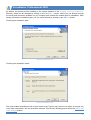
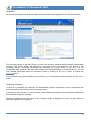
Displaying and accepting the license agreement:
End user license agreement
Please overview the agreement and select the |Yes| button, if you accept the term and conditions and
would like to continue the installation process. If you do not accept the terms and conditions of the above
agreement, choose the |No| button, which will terminate the installation process and exit the InstallShield
Wizard.
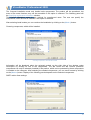
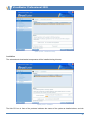
The next window contains information about the product:
Information panel
You can step forward with the |Next >| button, and specify the installation path.
11
VirusBuster Professional 2005
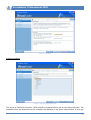
By default, the product will be installed on the system partition in the Program files\VirusBuster\
directory, which can be changed by clicking on the |Browse…| button, where you can browse through
the drives and directories available on you computer and choose the needed path for installation. After
having selected the installation path, you can move forward by clicking on the |Next >| button.
Choosing the installation path:
Specifying the installation path
Choosing the installation mode:
Choosing the installation mode
The most suitable installation mode in most cases is the Typical, and if there is no reason to choose one
of the other two options, this one should be selected. This time the following panel will be the SMTP mail
client settings window.
12
VirusBuster Professional 2005
The Compact installation mode only installs basic components. The product will be operational, but
some of the extra functions may not be accessible if this option is selected. The following panel will
be:Specifying registration information window.
The Custom installation mode is only advised for experienced users. The user can specify the
components, which should be installed, if this option is selected.
After selecting install modes you can continue the installation by clicking on the |Next >| button.
Choosing components, which will be installed:
Choosing components, which will be installed
Information will be displayed about the selected module on the right side of the window under
Description by clicking on one of the components. The MS Office and MS Outlook protection
components can only be selected (installed) if the product, which can be protected by these components
is installed on the computer. After selecting the needed components, you can move forward by clicking
on the |Next >| button. Display of the following panels depends on the selected components.
SMTP mailer client settings:
SMTP mailer client settings
13
VirusBuster Professional 2005
The settings of the Mailer component can be specified in this window. This component is responsible for
the message sending functions of the product. For more information about settings should be specified
on this panel see the chapter Sending mails. These settings can be specified in the software as well,
after installation. Click on |Next >| button to continue. If you have select the Typical mode before, you
will be navigated to the Specifying registration information window.
Using the Central alert function, it is possible to ”control” the log messages created by the program.
Please select one of the available options to set Central alert!
Central alert setting
The program is able to send notifications to a specified e-mail address – for example to the system
administrator – on log messages created by the program to inform about the system operation.
The settings of the updater can be modified in the Update settings window:
Update task settings
14
VirusBuster Professional 2005
Update tasks will update the anti-virus software in given periods so that your protection is always
effective and up-to-date, therefore creating default update tasks is advised. By default, the product
contains tasks for the automatic update of the virus database and the software itself. You can step
forward by clicking on the |Next >| button, to set the update source. If you don’t want to create on of the
default tasks, a warning window will inform you about the importance of regular updates, and you can
only move forward to the Registration data panel after accepting this window.
Specifying the update source:
Select one of the HTTP or FTP server types or use the Local/network path option (in this case, please
specify the update source). The automatic software and virus database updates will try to update
software components from the source specified here. These settings can be specified or modified later in
the product.
Update source settings
15
VirusBuster Professional 2005
Specifying registration information:
Registration information
The software can be registered during the installation process by typing the user name and the
registration key in the appopriate fields. The software can be installed without registration by selecting
the Register later option and by clicking on the |Next >| button. Detailed information about this topic can
be found in the Buy, register, activate section.
Choose Desktop icon:
Add shortcut to desktop
If you would like a VirusBuster shortcut to be displayed on the Desktop, please check this option!
16
VirusBuster Professional 2005
Starting the installation:
Starting the installation
Finally, you can overview the settings and components, which will be used during the product’s
installation.
The files’ copying will be started by clicking on the |Next >| button.
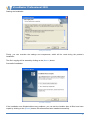
Successful installation:
Successful installation
If the installation was finished without any problems, you can exit the installer after all files have been
copied by clicking on the |Finish| button, the software has been installed successfully.
17
VirusBuster Professional 2005
Installation with parameters
By specifying parameters after the installation executable (setup.exe), other installation modes can be
accessed, which are not available on the installation interface. You can find detailed information about
these parameters and installation modes in the readmeen.txt file, which can be found in the installation
package.
If the installation has not started…
Please check, that your computer fits all minimal system requirements. Check, if your system has all
needed system and program components. Without these, installation cannot be performed and an error
message will inform you about the needed system component, which should be present in your
computer before installing the anti-virus software. You can find detailed information about this topic in the
readmeen.txt file, which can be found in the installation package.
Remove, modify, repair
If you want to remove VirusBuster from you computer, or you want to modify the installed components or
reinstall installed components, you have to perform the following:
•
•
•
Click on the Add/remove program icon on the Control panel!
Search for the product, which should be removed in the list, and select it.
Click on the |Modify/remove| button!
You can select the needed operation in the window, which is displayed:
•
•
•
Modify
If you select this option, a component list will appear after clicking on the |Next >| button. By
selecting or deselecting components in the list, you can add new components, or remove
installed ones. The needed operations (installation/removal) will be performed after clicking on
the next button.
Repair
Reinstalls installed components.
Remove
Uninstalls all installed components from the computer.
Starting from the Start menu
VirusBuster products will be registered under Start / Programs / VirusBuster during installation. All the
shortcuts related to the product are placed here, the software can be started here and product-related
documentation can also be opened from this menu.
The program can be started with the following shortcut:
•
VirusBuster 2005 Console
The products’ general comprehensive wizard-based graphical user interface, through which the
installed components can be accessed.
Note
In case of installing several different VirusBuster products, individual products can be started with this shortcut
jointly.
18
VirusBuster Professional 2005
There are shortcuts for documentation (Help), which contains detailed information about the usage of
products and their operation.
The installed components and functions can not only be controlled from the comprehensive interface, but
can be started individually from the VirusBuster Components directory, if the VirusBuster console is not
running. If one of the components was not started from the console, it cannot be accessed from it until it
has not been stopped.
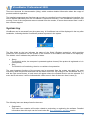
System tray
VirusBuster can be accessed from the system tray. A VirusBuster icon will be displayed in the tray after
installation, indicating that the VirusBuster product is present in the system.
VirusBuster icon on the system tray
The little shield on the icon indicates the status of the Shield (Resident protection), which provides
continuous virus protection for the system (if this function is not installed, the shield is not displayed).
The shield’s colour indicates the protection’s status:
•
•
Green
The Shield is active, the computer is protected against viruses (if the product is registered or is in
a trial period).
Grey
The Shield is not functioning, there is no resident virus protection.
The most important functions of the program can be accessed from the system tray easily, the most
commonly used components and tasks can be started from here. By clicking on the VirusBuster icon (1)
with the right mouse button, a local menu will appear where the needed function can be selected. If a
menu has a sub-menu, it will be indicated with a little arrow in front of the menu item’s name (2).
VirusBuster icon on the system tray – local menu
The following items are always listed in the menu:
•
Registration
This menu item contains all function related to purchasing or registering the software. Detailed
information about this topic can be found under the Buy, registration, activation section.
19
VirusBuster Professional 2005
•
Support
This menu item contains three items, which are the following:
Help
The installed products’ documentation files can be accessed here.
Contact us
With the help of this function you can send an e-mail to VirusBuster about the product, if the
Mailer component is installed (detailed description under the Mail sending section).
Information
Opens VirusBuster’s home page.
After registering the software or during the trial period, the most important installed components and the
available scanning or update tasks can be accessed from the menu. The VirusBuster Console can be
started by clicking twice on the menu with the left mouse button.
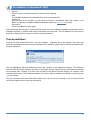
Pop-up windows
Through the little information boxes – pup-up windows – displayed above the System Tray users get
quick and immediate information about the status of the antivirus system and events occurred during the
program operation.
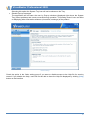
Pop-up window
The title highlighted with bold characters shows the „sender” of the displayed message. The message
informs users about this module’s operation or message. Certain cases there is a button placed between
the message lines. Clicking on it users can navigate to the offered function directly (for example if the
message warns user of virus database update, the action could be started immediately by clicking on the
|Update| button).
The pop-up window will close itself after a while, users can also do it by clicking on the |X| button placed
on the right-upper corner of the pop-up window.
20
VirusBuster Professional 2005
Buy, registration, activation
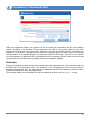
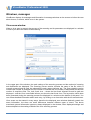
Not registered product – warning window
The installed anti-virus software can be used for 30 days with full functionality after the first installation.
During this ’Trial period’ the user can access all functions and settings and all virus removal functions are
available. The software is a full functionality virus protection during this period, the only difference
between the registered and the trial version is that it regularly warns the user in a message window
(when starting components), that it is a trial period and the software can be registered using several
methods. Several options are available: the product can be purchased, registered or activated or – only
during the trial period – the |Continue| button can be used to start the software (and to postpone buying,
registration, activation). The |Exit| button will close the program.
Buy
The buying function is available in the pop-up window by clicking on the |Buy …| button. The software
redirects the user to VirusBuster’s home page, on which the product can be bought online – this is an email based license order – and the user will receive the registration information, which can be used for
registering the product.
Registration
The product can be used with full functionality for 30 days after installation, this is the trial period. After
this period, the software cannot be used without registering it with a valid registration key. The panel,
where the program can be registered can be opened by clicking on the |Register …| button on the popup window or by accessing this function from the VirusBuster icon’s menu in the system tray.
On the registration panel, the product, which is needed to be registered can be selected from the
Product’s name: drop-down menu (several products can be installed on one computer at the same time).
The registration information must be typed in the User name: and Registration key: fields accordingly.
Then the software can be registered by clicking on the |Register| button, if valid registration information
was supplied and the date of expiry will be displayed on the panel. A green line will appear with
Registered written on it.
21
VirusBuster Professional 2005
Not registered product – registration window
When the registration expires, the product can be used with full functionality until the next software
update. According to the products’ license agreement, the right to use product updates is only valid
during the license period!. According to this, the product can only be updated after the registration has
expired, if a new license is bought and the software is registered again. If a new license is not bought
and the product is not registered again, an update will cease all functionality. The above is not valid for
the virus database, the database can be updated without any limitations, but the vendor will not provide
any guarantee for the software’s compatibility with the new database updates.
Activation
During the activation process, the user can request the product registration key (3x5 characters) with the
activation key (3x4 characters) online. The activation is not the registration itself, but the process of
acquiring the registration key. The beginning of the registration period will be the day of activation and is
valid for the period set in the license agreement.
The activation panel can be accessed in a pop-up window by clicking on the |Activate …| button.
22
VirusBuster Professional 2005
User interface
VirusBuster products have a unified appearance, which provides a comprehensive control interface for
the programs. The installed products can be started with the same program icon (Starting from the Start
menu), all of the installed components are available on the joint user interface.
Important!
If the user logged into the system without administrator rights (low level user) then most of the settings will not be
available for this user on the user interface!
VirusBuster products have a wizard-based user interface, on which the user can modify the settings of
the product easily. The functions’ settings can be modified step-by-step with the help of the detailed
description on each settings panel.
The settings of the protection components on the wizard-based interface can be modified on two levels,
which are the following:
•
•
Simple user interface
This interface is for beginner users. Only the basic settings are listed, only the most important
parameters can be modified. The protection can be suited to the user’s needs with the pre-set
settings combinations.
Advanced user interface
This interface was designed for experienced users. All settings are available on this interface and
the system can be totally customized for unique needs.
You can switch between the two interfaces with the |Simple| – |Advanced| buttons on the bottom of
each settings panel.
Important!
In case of switching from the Advanced user interface to the Simple user interface, there may be some settings,
which cannot be associated with any of the settings combinations on the simple interface. In this case – if the
switching is done – all the settings modified on the advanced interface will be lost and will be replaced with a
settings combination, which can be displayed on the simple interface.
The interface’s structure
VirusBuster’s user interface can be displayed by starting it from the Start menu with the VirusBuster
Console shortcut. On this interface, the needed settings can be modified, a virus scan can be started,
messages can be sent, etc. with the help of menus and panels.
After having started the console, the Main page will appear, which contains basic information about the
program. You can overview the status and version numbers of the installed VirusBuster products and the
most important components. The virus database’s update can be started by clicking on the |Update|
button. You can overview the status of the Shield and the version of the virus database. The used icons
and their meaning:
Service active / In case of the virus database: the database is newer than 7 days, it is
up to date.
The service is stopped / In case of the virus database: The database is older than 7
days
The service is not installed / In case of the virus database: virus database error.
23
VirusBuster Professional 2005
You can overview the settings of each component with menus (3) on the console. By clicking on one of
the menus, the component’s options, settings will be displayed on the settings panel (6). In this case, the
sub menus of the selected component will be displayed in the menu (3), with the help of which you can
access other functions and settings of the component or you can see the step you are currently at in a
multi-step settings process. You can return to the Main page by clicking on the navigation panel’s (2)
house icon. Each step of the navigation can be accessed with the right and left arrows.
Wizard-based user interface
The structure of the interface:
1
2
3
4
5
Header
The window’s header, VirusBuster logo.
Navigation panel
Navigation through the selected menu items and the panels. You can access the previously
viewed panel(s) and menu(s) with the left arrow and you can access the last step, from which you
have stepped back with the right arrow. You can access the main page by clicking on the house
icon. The lock symbol shows if the main options are changeable or not (Administration).
Menu
You can access the settings panels of the installed components with the menu items.
Exit
You can exit the program anytime by clicking on the |Exit| button.
Panel control buttons
24
VirusBuster Professional 2005
6
7
On most of the settings panels there are several buttons to help the settings process or to start a
process, with the help of which you can switch between the simple and advanced user interfaces,
go through a settings process or start the selected task.
Settings panel
The settings panel of the component, option or operation, which was selected in the menu (3) is
displayed here. This is the panel, on which settings can be modified and tasks can be added or
started.
Help
You can view help in connection with the active panel’s settings.
How to test virus scanning engine
In order to see what happens, when our virus scanning engine finds an infected file, you can use the
EICAR (European Institute of Computer Anti-virus Research) Standard Anti-virus Test file, which
naturally is not a virus, but is detected by our engine as if it were. To create a file that contains the
EICAR sequence, type the following string and save it in a file having a .COM extension (like
EICAR.COM):
X5O!P%@AP[4\PZX54(P^)7CC)7}$EICAR-STANDARD-ANTIVIRUS-TEST-FILE!$H+H*
To check the operation of the virus scanning engine, perform a virus scan on the created file, or execute
the file if the resident protection (Shield) is active. If the engine is operating correctly, the result of the
scan or the execution will be a warning window.
Note
If executed, this small COM file will display the "EICAR-STANDARD-ANTIVIRUS-TEST-FILE" message, and will
exit.
25
VirusBuster Professional 2005
The structure of the virus protection
VirusBuster products consist of modules, the program’s components form the virus protection together.
We will overview the operation and the structure of each component on the following pages.
Shield
This component provides resident protection against viruses. Its main task is to scan for viruses and
remove them in the background. The component scans files when they are accessed (when writing or
reading the file). The Shield’s settings can be modified on the following panels:
•
•
•
Settings
Scan areas
Statistics
Settings
The protection’s settings can be modified on the Settings panel. It can be configured in a matter of
seconds on the simple user interface, or in detail on the Advanced panel, which can be displayed by
clicking on the |Advanced| button.
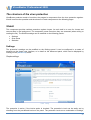
Simple settings
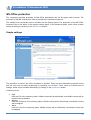
Shield - settings
The protection is active, if the Active option is checked. The protection’s level can be easily set by
choosing from the pre-defined levels on the panel. The protection levels are a combination of settings,
26
VirusBuster Professional 2005
which can be displayed by switching to the Advanced panel.
Protection levels and their settings:
•
•
•
•
High
Uses the Full virus scanning option, high heuristics, killable viruses will be disinfected, nonkillable viruses will be moved to the quarantine.
Medium
Uses the Extensive virus scanning option, medium heuristics, killable viruses will be disinfected,
non-killable viruses will be skipped.
Weak
Uses the Fast virus scanning option, no heuristics, killable viruses will be disinfected, non-killable
viruses will be skipped.
Custom settings
This option cannot be selected, it will be enabled if such a combination of settings is created on
the Advanced panel, which is not present in any of the pre-defined levels.
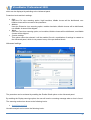
Advanced settings
Shield - Advanced settings
The protection can be activated by enabling the Enable Shield option on the Advanced panel.
By enabling the Display warnings option, the user will receive a warning message when a virus is found.
The scanning method can be set to the following levels:
•
Quick/Extensive/Full
Heuristic analysis can be set to the following levels:
27
VirusBuster Professional 2005
•
Disabled/Normal/Strong
The description of the Virus found settings can be found in the Scanner section.
Available actions when a virus is found:
•
Kill/Skip/Rename/Move to quarantine/Delete
Available secondary actions and actions for heuristic detections:
•
Skip/Rename/Move to quarantine/Delete
Scan areas
On this panel those file types can be set, on which virus scanning should be performed and those paths,
which should not be scanned.
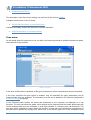
Shield – Scan areas
If the Scan all files option is enabled, all file types (extensions) will be scanned when they are accessed.
If the Scan specified file types option is enabled, only the specified file types (extensions) will be
scanned when they are accessed. The extensions can be set as detailed in the Scanner component’s
Extension settings paragraph.
In the Excluded paths window the drives and directories on the computer are displayed in a tree
structure. The user can select the paths, which should not be protected and files under these paths will
not be scanned when they are accessed. A plus sign indicates, if a directory has sub-directories. The
plus sign will be changed to a minus sign if the directory is open and its sub-directories are displayed. A
directory can be opened by clicking on its name once, or on the plus sign once. If the checkbox in front
28
VirusBuster Professional 2005
of the directory is selected, the files in the directory will not be scanned. The directory’s opened or closed
status is very important when selecting checkboxes, as if it is open, its sub-directories will be scanned. If
it is closed, the selection will be applied to all sub-directories recursively. Directories, which have been
selected recursively are marked with an asterisk (*).
If your computer is a member of a network, you can add network shares to exclude by clicking on the
|Network…| button. You have to select the desired path in the appeared window then click on the |Add|
button. The selected path will be added to the existed ones.
There are three option for selecting a directory:
•
•
•
Black check in the square
The selected directory and all its sub-directories are selected and the files in these will not be
scanned when they are accessed.
No black check in the square, the directory’s name is bold
There is a sub-directory in the directory, which is checked. The files in this directory will not be
scanned when they are accessed.
No black check in the square, the directory’s name is not bold
Neither the directory, nor any of its sub-directories are checked, all files in these directories will
be scanned when they are accessed.
Statistics
Comprehensive information about files scanned by the Shield and the detected infections. The last found
virus’s name and the path where it was found are also displayed on the panel.
29
VirusBuster Professional 2005
Content filter
VirusBuster’s content filtering feature provides protection for clients against Internet-borne malicious
programs. The content filtering components analyse network communication and scan the data traffic of
protocols known by them.
Improtant!
You can use the Content filter with restrictions by the following protocols:
IMAP protocol: Content filter doesn’t operate in case of clients which cut and download the mail into pieces.
Multi-threading communication to the server is also not supported (e.g. The Bat!).
HTTP protocol: Content filter doesn’t scan for viruses in case of multi-thread downloading (in case of several
downloading managers).
All protocols: Content filter doesn’t scan files over 2 MBytes.
Filtering settings can be found on the following panels:
•
•
•
Settings
Scanning options
Statistics
Settings
The module’s general settings can be modified on the simple panel, or the advanced panel, which
provides a wider range of settings by clicking on the |Advanced| button.
Simple settings
The Content filter can be switched on or off for each protocol. The protection can be activated by clicking
on the Enabled checkbox on the needed protocol’s panel.
Content filter - Settings
30
VirusBuster Professional 2005
•
•
•
Mail filtering
Provides virus protection for POP3, IMAP and SMTP mail forwarding protocols’ e-mail traffic. By
clicking on the |Settings| button, the protected protocols can be chosen on a new panel. The
panel can be closed by clicking on the |Back| button.
Browser (HTTP) filtering
Analyses and protects data traffic on the HTTP protocol.
File transfer (FTP) filtering
Provides virus protection for data traffic on the FTP protocol. Currently the analysis of inbound
(download) data traffic is supported.
Advanced settings
The communication protocols communicate with the external device through various ports. The settings
of the virus protection for this data traffic can be modified on this panel. The protocols, which should be
scanned and the trusted network addresses (from which data traffic will not be scanned) can be set here.
Content filter - Settings
You can select the protocol type, which should be scanned from the Protocol drop-down menu. After
having selected the protocol, please specify the port number in Protected ports (the port numbers,
through which you would like to scan the selected protocol’s data traffic). This can be performed by
typing the needed value in the text field, then adding it with the |Add| button. You can delete values from
the list by selecting the needed value and clicking on the |Delete| button. If you want to protect the
selected protocol on all existing ports, please enable the Scan all ports option (this can cause major
network load). If you select All protocols from the Protocol drop-down menu, then all protocols will be
scanned on the ports set for this value.
31
VirusBuster Professional 2005
You can add IP addresses to protocols selected from the drop-down list in Trusted IP addresses, from
which data traffic will not be scanned. If an appropriate IP address is typed in the text field, it can be
added with the |Add| button to the trusted addresses’ list and they can be deleted later by selecting them
from the list and clicking on the |Delete| button. Like in the above case, the system will handle all IP
address as trusted, which were set for the value selected in All protocols in case of all protocols.
In case of default settings, the system will scan the data traffic of protocols on the most common ports.
Scanning options
The settings of virus scanning can be modified on this panel.
Content filter – Scanning options
The scanning method can be set on the following levels:
•
Fast/Extensive/Full
Heuristic analysis can be set on the following levels:
•
Off/Medium/High
The description of Virus found settings can be found in the Scanner section!
The available actions when a virus is found are the following:
•
Kill/Move to quarantine/Skip/Delete
Available secondary actions and settings in case of a heuristic detection:
•
Move to quarantine/Skip/Delete
32
VirusBuster Professional 2005
By enabling Interactive communication the software will prompt for user interaction every time there is an
incident, and offers the set actions by defaults. If this option is disabled, the set actions will be
automatically performed on the infected file.
If the Scan compressed files option is enabled, the program will scan for viruses in all compressed files.
Important!
In case of HTTP and FTP traffic scanning if you choose Delete or Move to quarantine actions, in addition to
performing the specified action (deleting or moving the file to the quarantine) the specified file (its name and
extension) will not be deleted from the original download target path, only its content will be replaced with a text
message informing you about the action taken. If you try to run executable files created by this method (filled
with text information) an error message will be returned because the system is not able to run false executable
files (files filled with text).
Statistics
The comprehensive statistics sheet contains the results of the analysis of the set protocols’ data traffic
and incidents.
The content can be updates by clicking on the |Refresh| button.
33
VirusBuster Professional 2005
Software updates
Updating the software and the virus database is vital for maintaining the effectiveness of the protection.
The software update is based on tasks: the update can be started with a few clicks or can be scheduled
for a date or an event and it will be performed with the pre-set settings. Software update tasks can be
added or modified in the Updater module, which provides an interface for creating tasks step-by-step to
set the options and parameters needed for the update.
Updater
The needed source can be activated (updates can be performed after this from the source) by checking
the square in front of an update source in the Tasks menu item in the Allowed update sources settings.
After this the source can be selected when adding a new task or modifying one. Information about a
source is displayed next to its name, these can be modified by clicking on the |Source settings …|
button. In this window, the settings for each source can be modified. The settings of the item selected
from the drop-down list can be modified on the bottom of the panel.
Important!
If a source is inactivated, which has been selected for a task, the task cannot be started until the source has not
been reactivated.
The possible update sources and their settings are the following:
•
•
HTTP
Update through the HTTP protocol. The HTTP server’s name, the used port (default is 80) and
path, where the descriptor file can be found must be specified. The default setting is:
www.virusbuster.hu:80/pub2005
FTP
Update through the FTP protocol. The FTP server’s name, the port used by the server (default is
21) and the path, the path, where the descriptor file can be found and the user name and
34
VirusBuster Professional 2005
•
•
•
password for logging in must be specified. If you are using the ’Anonymous’ user name, please
type you own e-mail address in the password field. The default setting is:
[email protected]:21/pub2005
NetWare path
The update can be performed from a Novell NetWare server if the needed path is typed in the
field in UNC format (\\servername\sharename).
Path
The update can be performed from a local or a network drive. The path can be specified by
clicking on the |…| button.
CD drive
If the update is performed from a CD, please select the drive’s letter from the drop-down list.
Important!
The update can only be performed from a local or a network path, if the user is logged in to the domain!
The update can only be performed from a Novell NetWare network path if the user is logged in to the server!
New tasks can be added or existing ones can be viewed, modified, started or the stopped on the bottom
of the panel. In the first column of the task list, the tasks’ name is displayed, then the date of the last start
and the date of the next start or the trigger event. The last column indicates, if the task is stopped.
The following operations can be performed by clicking on the appropriate buttons on the bottom of the
panel:
•
•
•
•
•
|New task|
For creating a new task and specifying its settings.
|Modify|
For modifying the settings of a selected task.
|Delete|
For deleting a selected task.
|Start|
For running a selected task.
|Suspend|
For suspending the selected task: the task cannot be started and will not start until it is authorized
again.
Creating a new task
The settings for a new task can be added step by step, and the characteristics of the task can modified
during the steps.
Products
The first step is the selection of the product(s) for the update task. The task will check if the selected
product(s) are up to date and if there is a newer version of the product(s), it will download them and
update the system. The list contains the installed products and the virus database file, which can be
selected by checking the square in front of them. At least one item must be selected to be able to step
forward in the wizard.
35
VirusBuster Professional 2005
Updater – selecting products
Scheduling
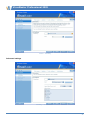
The starting of the update process can be scheduled on this panel by specifying the needed date or an
event as a trigger.
The update task will be started and performed using the user privileges of the user profile set in the
User: field. The password needed for logging in can be specified by clicking on the |Password …|
button.
Simple settings
The following periods can be selected to schedule the starting of a task:
•
•
day(s)/week(s)
A number can be specified here and the software will start the update every x days or weeks. On
the required date, the task will be started when the user login to the system and the network is
on-line. If the task starting was not successful, the program will always try starting the task in
every login time until it could be performed successfully.
manual start
The task must be started by the user manually. The task can be started after it has been
selected.
36
VirusBuster Professional 2005
Scanner - Scheduling
Advanced settings
Scheduling – advanced interface
37
VirusBuster Professional 2005
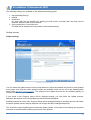
The following settings are available on the detailed scheduling panel:
•
•
•
•
day(s)/week(s)/hour(s)
manual
scheduled
An exact date can be specified for starting the task (hours, minutes) then the days can be
selected, when the task must be started.
every quarter-hour / every half-hour
The task will be started at the set periods on the selected day(s).
Update sources
Simple settings
Scheduling, advanced interface
You can select the update source from the drop-down list, where the software will check for new updates
at the given time. Only the active update sources are available, which can be set on the Updater’smain
panel under Allowed update sources. The settings of the update sources can be modified globally by
clicking on the |Settings …| button.
If you check in the Progress dialog will be displayed setting, you can follow the update process,
otherwise the task will run in the backgroung without window displayed.
Enabling Interactive mode, if the Progress dialog will be displayed setting is checked, the user can follow
the whole update process step-by-step and can change the task’s settings temporarily.
The Computer restart disable option controls the system restart. If you check in this setting, the computer
will never be restarted after update process have been finished.
38
VirusBuster Professional 2005
Important!
Please do not disable computer restart unless you have a relevant reason to do it, because there may be
changes performed during the update process that need computer restart to be activated. If it is disabled, it is
possible that the computer's resident protection may not be activated and your computer will not be protected!
Advanced settings
Update sources, advanced interface
The above options can be all found on the advanced interface and it is possible to specify the Updater’s
network handling with the Network access setting.
If the Continuous network connection is selected, the started task will not try to create a network
connection and if the network cannot be accessed it will generate an error. If the Establish network
connection for updates option is selected (if the network connection is not available continuously e.g. in
case of a dial-up connection) the task will create a network connection and will terminate it if the task is
performed if the connection was established by the program. The second option activates the Network
connection settings where you can select the needed network profile from a drop-down list and specify
the appropriate password.
Task’s name
To specify a name for the task, type the needed name in the field. You can refer to the needed task on
the Tasks panel’s Tasks list window with this name in the future. It is not possible to add two tasks with
the same name and the \ (backslash) character cannot be used in the task’s name.
39
VirusBuster Professional 2005
Summary
The settings specified during the steps above can be overviewed on this panel. If the settings are
correct, the task’s settings can be saved by clicking on the |Finish| button. You can step back to the last
settings panel by clicking on the |Back| button. You can jump back to the Updater’s main panel by
clicking on the |Cancel| button and all settings will be lost (the new task will not be created or
modifications will not be saved).
Modifying an update task
When modifying a task, the same steps are present like in the case of adding a new task.
•
•
•
•
•
•
Summary
You can overview the settings of the task.
Products
You can modify the list of products, which should be updated (Products panel).
Scheduling
You can modify the scheduling of the task (Scheduling panel).
Update source
You can select a new update source for the task (Update source panel).
Task name
You cannot modify the task’s name. This setting identifies the task which is being modified.
Summary
A summary of the modified settings (Summary panel).
40
VirusBuster Professional 2005
Starting an update task
An update task – according to its settings – can be started at a specified time (scheduled) or can be
triggered by an event (system startup) or the user can start it manually.
The steps of the update task can be overviewed if it is interactive – this can be specified when adding
the task or modifying its settings on the Update sources panel.
The operation of the tasks can be automatized during any step if you select the Automatic operation
option on the bottom of the panels. In this case the product will automatically perform the steps of the
update and you can overview a summary of the update process on the Summary panel.
When the update process starts, the program gathers the version information of products and
components and then compares these to the information stored on the specified update source and if an
update is needed (new versions are available on the update source) then it downloads these to the
computer and the updates the programs and modules.
During interactive operation the update process can be followed and the results will be displayed on the
Summary panel.
Prepare
The main settings of the update task are displayed here.
Important!
It is possible to modify the settings before running the task, which will be valid temporarily for the started task!
Update process - information
The Updater will try it update the products which are displayed in the Products window. The list has two
41
VirusBuster Professional 2005
columns, the first contains the product’s name, the second contains its size (in MBs). In front of the items
displayed in the first column there are check squares, with the help of which you can disable the
products, which should not be updated.
On the bottom of the panel, the most important program settings are displayed, the update source can
be modified by clicking on the |Settings …| button. The setting for each source can be modified in the
window, which appears.
After the task ahs been ended, the program will restart the computer if needed. If the Restart computer
option is enabled, the computer will be restarted in all cases.
You can step forward to the next panel by clicking on the |Next| button and you can terminate the update
by clicking on the |Cancel| button.
Data query
During this step the Updater gathers information about the selected items from the update source. The
items selected for update are displayed in the upper window and the bottom of the window contains
information about the status of the data query.
Update process – data query
The Current process status bar indicates the status of information gathering. You can overview the
download speed, the update source and the path for the download, where the information files are stored
temporarily.
If a problem occurs, you can view detailed information about the problem’s cause by clicking on the
|Next| button to access the Summary panel. If the update process was performed without any problems,
you can proceed by clicking on the |Next| button to the next panel, or step back by clicking on the |Back|
button or terminate the update process by clicking on the |Cancel| button.
42
VirusBuster Professional 2005
Product selection
You can modify the list of products, which need to be updated on this panel in the upper side in the
Products window.
The product’s version number, size and the estimated download time is displayed next to the product’s
name.
Update process – Product selection
The following information is displayed in the bottom in the Download section:
•
•
•
Download size
The size of the selected program components.
Estimated download time
The estimated time, which is needed to download all components.
Download speed
The estimated speed of the files’ download.
Automatic operation can be enabled by selecting it.
After the download has been finished, you can proceed by clicking on the |Next| button to the next panel,
or step back by clicking on the |Back| button or terminate the update process by clicking on the |Cancel|
button.
43
VirusBuster Professional 2005
Download
On the top of the panel, the products which will be downloaded are displayed in the Products window.
Update process - Downloading
The little green arrow on the little CD icon in front of the products indicates which product is downloaded
currently. The current status and information about this product is displayed in the bottom in the
Download section. Successful downloads are indicated by a green check on the icon. The red
exclamation mark indicates, that there was a problem during the download. If a problem occurs, you can
view detailed information about the problem’s cause by clicking on the |Next| button to access the
Summary panel.
If the download was performed without any problems, you can proceed to the next panel with the |Next|
button.
Download summary
In case of a successful file download, the downloaded program components can be overviewed with
their sizes and version numbers on the summary panel.
In the bottom of the window, you are informed, that the selected programs’ and components’ updates will
be performed during the next step.
Below the update source, the status of the computer restart is displayed and you can also switch to
automatic operation by enabling it.
44
VirusBuster Professional 2005
Update process – Download summary
Installation
The selected and downloaded components will be installed during this step.
Update process - Installation
The little CD icon in front of the products indicates the status of the update as detailed above, and teh
45
VirusBuster Professional 2005
status bar indicates the update’s current status on the bottom of the panel.
When updating, the program stops its running applications while the installation is performed and new
versions are updated. This can take several minutes!
You can only step forward if the update has been finished or a problem has occurred.
Summary
The last step of the update process is the summary, which informs you about the successful update or
the problems, which have occurs. The process can be ended by clicking on the |Finish| button.
Update process – Summary, successful update
Successful update
In case of a successful update, the new version numbers of the updated applications and the date of the
update are displayed at the top of the window. Statistics are displayed in the bottom of the window: the
time needed for performing the task, the transferred data size.
If automatic restart was set, the panel will contain a status bar, which indicates the one minute long
period, after which the computer will be restarted. It is possible to terminate the restart or to restart the
computer immediately.
Update with problems
If a problem has occurred, you can read detailed information about the problem and its possible
resolution on the bottom of the panel.
46
VirusBuster Professional 2005
Update process – Summary, update with problems
By selecting the Mail to VirusBuster and clicking on the |Finish| button, you can send a notification about
the problem to VirusBuster, which will be analyzed by our staff and you will be notified about the
problem’s possible resolution.
If you want to send an e-mail, its content and settings can be viewed by clicking on the |View problem
report| button. This panel contains the address of the sender and the recipient, the report.zip file
which will be attached to the mail and which can be viewed by clicking on the |Browse …| button. This
compressed file contains files, which are needed for finding and analyzing the problem.
47
VirusBuster Professional 2005
Scanner
This component performs all virus scanning tasks and provides manual virus scans. Task-oriented
operation lets the user perform scans according to one of the set tasks, in which the scanning method
and other options are pre-set therefore scanning is possible at once without having to determine
individual settings for the scan. Scanning tasks’ settings can be modified in the Tasks menu, manual
scans can be started using the Start scan function.
Tasks
Default and user-defined scan tasks can be displayed, started or modified on the Tasks panel.
Scanner - Tasks
The available tasks are displayed in the Tasks window. There are only three default tasks in this window,
these are the following:
•
•
•
Scan only read-only removable drives
Scan writable removable drives
Scan local hard drives
On the right side of the panel in the Tasks windows, the main settings of the selected task are displayed.
This information cannot be modified here.
48
VirusBuster Professional 2005
The tasks’ type is indicated by the icons in front of them, the following icons are used:
The task is triggered by an event (system startup).
The task is started manually by the user.
The task is scheduled, it is started at a set time of periodically.
By clicking on the following buttons, the following options are available:
•
•
•
•
|Add task|
Creates an individual scan task with the defined scan settings.
|Modify|
Modifies the settings of the selected task.
|Delete|
Deletes the selected task.
|Start|
Starts the selected task.
The window’s description, which displays the process of scanning can be found in the Virus scan
window section.
Create new task
By clicking on the |Add task| button, a wizard-style interface will appear, where settings for the new task
can be defined step-by-step with detailed descriptions. You can move forward by clicking on the |Next|
button. Adding the new task can be stopped by clicking on the |Cancel| button. The settings can be
easily defined on the simple settings panels, or can be adjusted in detail by clicking on the |Advanced|
button.
Scan areas – selecting the drives, which will be scanned
Simple settings
By selecting the needed drive-types, you can define which drives should be scanned. The Next button
will only be active if at least one type is selected. The following settings are available:
•
•
•
Removable disks
Removable disks could be removed easily from the computer. For example: Floppy disk,
CD/DVD ROM.
Local hard drives
The local hard drives are the computer’s built in fixed disk drives.
Network drives
The network driver are remote storing drives that could be used through network. They are not a
part of your local computer physically.
49
VirusBuster Professional 2005
Scanner – scan areas
Advanced settings
Scanner – scan areas, advanced interface
The drives or individual directories, which should be scanned can be set on the Advanced panel. The
available drives and directories on the computer are displayed in the Scan areas window. A plus sign
50
VirusBuster Professional 2005
indicates, if a directory has sub-directories. The plus sign will be changed to a minus sign if the directory
is open and its sub-directories are displayed. A directory can be opened by clicking on its name once, or
on the plus sign once. If the checkbox in front of the directory is selected, the files in the directory will be
scanned. The directory’s opened or closed status is very important when selecting checkboxes, as if it is
open, its sub-directories will not be scanned. If it is closed, the selection will be applied to all subdirectories recursively. Directories, which are selected recursively are marked with an asterisk (*).
If your computer is a member of a network, you can add network shares to scan by clicking on the
|Network…| button. You have to select the desired path in the appeared window then click on the |Add|
button. The selected path will be added to the existed ones.
Settings – specifying the scanning method
Simple settings
Scanner - settings
When selecting the scanning In default extensions the scanner only scans in file types, which are set by
default. These are detailed in the Extension settings section.
All files can be scanned by selecting the In all files option. In this case, all files will be scanned
regardless of their extensions.
On the next panel, the method of scanning and disinfection and the scanner’s other settings can be
adjusted by choosing from the pre-defined scanning methods. These methods are a set of settings,
which can be displayed by using the Advanced panel.
•
Quick scan
Uses the Fast scanning method, no heuristics, all viruses will be Skipped. The process is
automatic, no user interaction is needed. The set actions will be performed on infected files.
51
VirusBuster Professional 2005
•
•
Interactive scanning and removal
Uses the Extensive scanning method and Medium heuristics, killable viruses will be Killed, nonkillable viruses will be Quarantined. User interaction is needed when a virus is found, the set
actions should be confirmed.
Automatic disinfection
Uses the Full scanning method, Medium heuristics, killable viruses will be Killed, non-killable
viruses will be Quarantined. The process is automatic, no user interaction is needed, the set
actions will be performed on infected files.
Advanced settings
Scanner – settings, advanced panel
If the Scan all files option is enabled, all file types (extensions) will be scanned. If the Scan files with
specified extension(s) option is enabled, only files with extensions specified by the user will be scanned.
The default values can be modified by clicking on the |Extensions …| button.
•
Extension settings
The following file types will be scanned by default:
- Jet engine files
- Table files
- Compressed files
- Document files
- Power Point files
- Program files
- Script files
Individual files can be set to be scanned or not to be scanned. For this, the Files to be scanned or
the Files not to be scanned options should be enabled and the needed file types should be
52
VirusBuster Professional 2005
specified in the given fields (e.g. *.rxx). Special characters can be used (e.g. *.qwe, *.?ab).
The program will scan all compressions if the Scan compressions option is enabled. If the Scan memory
option is enabled, it will start the scanning by checking the contents of the memory, and then the
specified scan areas.
The scanning method can be set on the following levels:
•
Quick/Extensive/Full
Heuristics can be set on the following levels:
•
Disabled/Normal/Strong
You can specify the actions, which will be performed (automatic mode), or which will be suggested
(interactive mode) when a virus is found on the Virus found settings panel. The selected primary action
can be set in the Virus found option. If this cannot be performed (e.g. the virus cannot be killed), then the
secondary action, which is set at the In case of unsuccessful disinfection option will be performed or
suggested. When a virus is found, all actions can be performed on the file except for Kill, therefore it is
not needed to set a secondary action, if the set value is other than Kill in case of the primary action. You
can set an action for heuristic detections.
The available actions when a virus is found:
•
Kill/Skip/Rename/Move to quarantine/Delete
Available secondary actions and actions in case of a heuristic detection:
•
Skip/Rename/Move to quarantine/Delete
If Interactive communication is enabled, the software prompts the user for interaction in case of every
incident and the set actions will be displayed by default. If this option is not enabled, the set actions will
be automatically performed on the infected files.
Scheduling panel – setting the time for starting the scan
The scheduling of a scanning task – the beginning of a virus scan – can be easily done on this panel.
You can select the needed frequency or a specific date or event from the various scheduling options.
The settings on this panel are the same as described in the Updater section’s Scheduling chapter.
Task’s name
To specify a name for the task, please type the name in the appropriate text field. A name must be
specified, otherwise the task cannot be added.
After having pressed the |Finish| button, the scanning task with the specified settings will be created and
you can refer to it in the list window of the Tasks panel with its name. It is not possible to create two
tasks with the same name, and the \ (backslash) character cannot be used in the task’s name.
Modifying a scanning task
Modification consists of the same steps and settings, which are used during adding a task.
•
Modification of the scan area
53
VirusBuster Professional 2005
•
•
•
You can modify the target areas of the selected scanning task (Scan areas panel).
Settings – specifying the scanning method
You can modify the settings of the scanning task (Settings – specifying the scanning method
panel).
Scheduling
It is possible to modify the scheduling settings (Scheduling panel).
Task’s name
The task’s name cannot be modified as this is the only settings, that can identify a task. You can
return the Tasks panel by clicking on the |Finish| button.
Starting a scan
If you don’t want to add a task for scanning, but want to run a simple virus scan, you can specify the
needed settings in the Start scan menu. After having selected the menu item, it is important to specify
scan areas before starting the scan. After this, the scanning can be started immediately by clicking on
the |Scan button| in the bottom of the window (in this case, parameters, which have not been specified
will be handled with their default value). The following settings are available for the configuration of the
manual scan:
•
•
•
Scan areas
First, the drives must be specified, which should be virus scanned. The panel’s function and
settings are the same as detailed in the section describing adding a new task on the Scan areas
panel.
Settings
You can set, which file types should be scanned and you can specify the actions, which will be
performed when a virus is found. The panel is the same as detailed in the section describing
adding a new task under Settings.
Start scan
You can overview major scan settings on this panel, and start the scan by clicking on the |Start|
button. The description of the scan window, which indicates the status of the scan can be found
in the Scan window section.
Quick scan
The scanning of files and folders can not only be started from the user interface and the system tray, but
from anywhere in the windows system with the help of local menus. In My Computer, you can scan a
whole drive or in the Explorer you can scan a whole directory or just one file.
By clicking with the right mouse button on the needed item (drive, folder or file), a local menu will appear,
on which the Scan with VirusBuster option must be selected to start scanning the selected item(s). The
description of the scan window, which indicates the status of the scan can be found in the Scan window
section.
54
VirusBuster Professional 2005
MS Office protection
The component provides protection for MS Office applications and the file types used by these. The
protection of the MS Outlook mail client is provided by a separate component.
The settings of the protection can be modified on the Settings panel. The properties of the MS Office
protection can be set either on the simple settings panel, or the advanced panel, which offers a wider
variety of settings by clicking on the |Advanced| button.
Simple settings
MS Office protection – Simple settings
The protection is active if the Active checkbox is checked. There are three alternative protection levels
and the level can be easily determined by choosing one of them. These levels are default sets of
settings, which can be modified individually by clicking on the |Advanced| button.
Protection levels:
•
•
•
High
Uses the Full virus scanning option, killable viruses will be disinfected, non-killable viruses will be
moved to the quarantine.
Medium
Uses the Extensive virus scanning option, killable viruses will be disinfected, non-killable viruses
will be skipped.
Weak
Uses the Fast virus scanning option, killable viruses will be disinfected, non-killable viruses will
be skipped.
55
VirusBuster Professional 2005
•
Custom settings
This option cannot be selected, it will be enabled if such a combination of settings is created on
the Advanced panel, which is not present in any of the pre-defined levels.
Advanced settings
MS Office protection – Advanced settings
By clicking on the checkboxes next to an applications name on the Advanced panel in the Protected
applications window, the application will become protected residently. Unchecked applications will not be
protected.
The communication between the software and the user and its level can be set with the Communication
level options:
•
•
•
Automatic operation
The protection will automatically perform the set actions and disinfection without user interaction.
Display warning message
The protection will automatically perform the set actions and will notify the user about them.
Interactive communication
A notification will appear if a virus is found, and the user can decide about the action, which
should be performed (by default, the software will offer the actions according to the protection
settings).
The description of Virus found settings can be found in the Scanner section! The available actions when
a virus is found are the following:
•
Kill/Skip/Rename/Move to quarantine/Delete
56
VirusBuster Professional 2005
Available secondary actions and settings in case of a heuristic detection:
•
Skip/Rename/Move to quarantine/Delete
57
VirusBuster Professional 2005
MS Outlook protection
This component provides protection for the MS Outlook mail client. It scans all inbound messages
according the settings and provides continuous protection. The component’s settings can be modified on
the VirusBuster console, but for full configuration, the module integrated into the MS Outlook client
should be reviewed as well.
VirusBuster console settings
The settings can be modified on the following panels:
•
•
Settings
Scan settings
Settings
The protection’s settings can be modified on the Settings panel. The MS Outlook protection’s properties
can be either modified on the simple settings panel or the advanced panel which contains more detailed
options by clicking on the |Advanced| button.
Simple settings
MS Outlook védelem - Beállítások
The protection is active if the Active checkbox is checked. There are three alternative protection levels
and the level can be easily determined by choosing one of them. These levels are default sets of
settings, which can be modified individually by clicking on the Advanced button.
58
VirusBuster Professional 2005
The protection levels and their meaning is the same as described in the section MS Office protection
module section.
Advanced settings
MS Outlook protection – Advanced settings
If the Allow opening infected mail option is enabled (the checkbox is checked), it is possible to view the
contents of e-mails in the client, which have an infected attachment. If this option is not enabled, the
content of e-mails containing an infected attachment cannot be viewed.
The description of Virus found settings can be found in the Scanner section! The available actions when
a virus is found are the following:
•
Kill/Skip/Rename attachment/Move to quarantine/Delete attachment
Available secondary actions and settings in case of a heuristic detection:
•
Skip/Rename attachment/Move to quarantine/Delete attachment
59
VirusBuster Professional 2005
Scan settings
On this panel, scan settings and fine tuning options can be modified.
MS Outlook protection -Scan settings
By enabling Interactive communication the software will prompt for user interaction every time there is an
incident, and offers the set actions by defaults. If this option is disabled, the set actions will be
automatically performed on the infected file and the user will not be notified.
By enabling the Scanning in compressed files option, the software will scan compressed files for viruses.
If the Automatic scanning at startup option is enabled, the protection will initiate a virus scan every time
MS Outlook is started, and performs a virus scan on every new, unscanned e-mail.
60
VirusBuster Professional 2005
Settings in the MS Outlook client
The settings can be found in MS Outlook’s Tools/Options menu on the MS Outlook protection tab.
General settings
The panel contains general settings and basic information.
Log
By clicking on the |View log| button, the VirusBuster Log component will appear, where log messages
can be overviewed.
Functionality
The communication level of the protection can be set here:
•
•
Interactive mode
If this option is chosen, the software will prompt the user for further instructions if a virus is found.
Automatic operation
The software does not ask for user interaction and performs actions according to the settings.
Registration
The status of registration is displayed on this part of the panel. By clicking on the |Registration| button,
a registration window will appear, where the needed VirusBuster product can be selected and registered
with the registration data.
Virus database
The virus database’s version number and date. Information can be updated by clicking on the |Refresh|
button.
Scan settings
User-initiated scans can adjusted here (including the automatic scanning at startup).
Scan options
•
•
Automatic scanning at startup
By enabling this option, the software will scan all messages, which have not been scanned
before every time Outlook is started.
Scanning in compressed files
If this option is enabled, the software will scan compressed files.
Virus found settings
The description of Virus found settings can be found in the Scanner section! The available actions when
a virus is found are the following:
61
VirusBuster Professional 2005
•
Kill/Skip/Rename attachment/Move to quarantine/Delete attachment
Available secondary actions and settings in case of a heuristic detection:
•
Skip/Rename attachment/Move to quarantine/Delete attachment
MS Outlook resident protection settings
If the Resident protection is enabled, the software will perform a scan every time a mail is accessed
(reading, writing). The following virus scanning options are available:
•
•
•
•
Scanning in compressed files
If this checkbox is checked, the software will scan compressed attachments.
Open infected mail
If this option is enabled, the software will not let the user open the mail, if it has an infected
attachment.
Open infected attachment
If this option is enabled, the software will not let the user open the attachment, if it is infected.
Attach infected file
If this checkbox is checked, the software will not let the user attach an infected file to an e-mail.
Controlled operations:
•
•
•
•
•
Received mails
If this option is enabled, the software scans all inbound messages.
Sent mails
If this option is enabled, the software scans all outbound messages.
Opened mails
If this option is enables, the software scans all opened e-mails.
Modified mails
If this option is enabled, the software scans all modified e-mails including re-sent e-mails.
Inserted attachments
If this option is enabled, the software scans all files (attachments) when they are inserted into emails.
In the Virus found settings part the same settings can be chosen as in the Scan settings panel’s Virus
found section.
Scan e-mails
By choosing the Tools/Full scan or Tools/Scan selected e-mails options in MS Outlook, all or the
selected e-mails can be scanned.
The window displayed during the scan contains the following information:
•
•
•
Virus scan information
The number of scanned e-mails, the number of found viruses, suspicious files, disinfected
attachments and the last found virus are displayed here.
Scanning information
Inform the user about the folder, where scanning is performed, the sender of the e-mail and
subject.
Log information
The list of found viruses is displayed here.
62
VirusBuster Professional 2005
When scanning is finished, the window will be automatically closed if there were no viruses found. If a
virus was found, the window can be closed by clicking on the |OK| button.
63
VirusBuster Professional 2005
Quarantine module
The component’s task is to store and process infected files, which cannot be disinfected according to the
settings. Quarantine settings can be modified on the following panels:
•
•
Items
Settings
Items
The Entries list provides information about all files, which are stored in the quarantine.
Quarantine - Entries
The following information is displayed in the quarantine window:
•
•
•
•
Name
The file’s original name
Original path
The original path of the file before it was moved to the quarantine.
Virus name
The name of the virus, which has infected the file.
Quarantine Date
The date, when the file was moved to the quarantine.
Several actions can be performed on the quarantined files, which can be activated by clicking on the
buttons on the bottom of the panel.
•
|Rescan|
The software performs an additional scan on the selected file(s) and removes the virus if it is
64
VirusBuster Professional 2005
•
•
•
•
•
possible.
|Restore|
The software restores the file to its original location and status, if the Restore infected files option
is enabled on the component’s Settings panel, but only if the file is infected, the original past
exists and there is no file on the path with the same name. If a file with the same name can be
found on the original path, or the original path does not exist, the quarantine restores the file to
the software’s temporary directory.
|Save as...|
Saves the file with the specified name. The software encodes the file, so that the virus cannot be
activated and the file can be sent to virus analysis.
|Send|
Sends the selected file to VirusBuster for analysis. This option is functioning only if SMTP
settings are proper in the Mailer component. You can send the message in the Mailer component
after clicking on the button.
|Delete|
The program permanently deletes the selected file(s).
|Refresh|
Refreshes the list of items in the quarantine.
Settings
Other quarantine settings can be found on this panel.
Quarantine - Settings
By enabling the Restore infected files option, the quarantine’s restore function can be used in case of
infected files and the |Restore| button becomes active on the Entries panel.
•
Automatic rescan after virus database has been updated
If the option is enabled, the software will rescan every file in the quarantine after every virus
65
VirusBuster Professional 2005
•
•
database update and removes all viruses, if it is possible.
Automatic killing of killable viruses
If this option is enabled, viruses, which can be disinfected after the virus database update will be
automatically removed from the files stored in the quarantine. This option can only be enabled, if
the Automatic rescan after virus database updates option is enabled.
Automatic restoration of disinfected files
If the option is enabled, the software will restore all files, which have been automatically
disinfected after a virus database update. This option can only be enabled, if the Automatic
rescan after virus database updates option is enabled.
Important!
It is not need to specify a path for the quarantine directory, the software will use the Quarantine sub-directory
in the installation directory.
66
VirusBuster Professional 2005
Log component
Its main task is to store the messages generated by the various parts (modules) of the software and to
forward these to the user if needed.
To view the log entries and to change the settings, the following menu items should be used:
•
•
Entries
Settings
Entries
With the help of log messages, you can overview the operation of the virus protection or reveal
the cause of possible error and view other program messages.
Log - Entries
In the Log entries panel, the following information is displayed:
•
•
•
•
Module
The name of the module, which generated the message
Date
The date, when the message was generated
Machine
The name of the computer, where the message was created.
User
The name of the user, who started the application, which generated the message.
67
VirusBuster Professional 2005
The software refreshes the list automatically if a new messages is generated or a message is deleted.
The refresh does not modify the selected entry, provided it is not the one that has just been deleted from
the list.
By clicking in the list panel with the right mouse button, a pop-up menu will appear, where it is possible
to switch the various fields of messages on or off, or to perform the following actions:
•
•
•
•
Save log…
Saves the content of the message to the desired file.
Send…
Sends message and log file to VirusBuster’s support staff. After having selected it, you can send
the message in the Mailer component’s window (if installed).
Reload
Refreshes the list.
Delete
Deletes !all! the messages from the list.
By double-clicking on any entry with the left mouse button, the message details will appear, and the
whole content of the message can be overviewed.
Settings
The settings of the log entries’ display and handling can be modified on this panel.
Log - Settings
The chronological order of the log entries can be set by choosing between the options, and the size of
the log file can be limited:
•
Automatic emptying
Entries older than the set value (days) will be automatically deleted from the database.
68
VirusBuster Professional 2005
•
Database size
A size limit for the log file can be set in Mbytes. The software will not exceed this size by deleting
old log entries.
69
VirusBuster Professional 2005
Administration
On the Administration panel, Administrators are allowed to lock the modification of the main settings, and
will be authorized to set some additional options to customize the program operation. Administrator can
set password to limit the access to the main settings of the application to ensure that only the authorized
users can modify the values of the important options and the Administrator settings.
There is a lock symbol on the Navigation panel to display the modification status of the settings. If the
lock is open (1) users can modify the all the settings of the application, if it is locked (2) the modification
is not possible (arrows show the two statuses of the symbol on the following pictures).
Clicking on the Administration menu, you have to enter your password – if it was specified before – to
access to the administrator panel and be able to modify the value of the locked options. Enter your
password into the Password field then click on the |OK| button to get the administration settings.
Enter password
If there is no password specified, all the settings could be modified by the users. Click on the |Set
password| button to set your Administrator password on the Access settings panel.
70
VirusBuster Professional 2005
Access settings
If password is not set for the product, only the |Set password| button is available on this panel to set
your password. After setting password, some important options’ modification will not be allowed using
the product without entering the specified password so that unauthorized users will not be able to
change important settings of the product.
If you set your administrator password, the following options will be available on this panel:
•
•
•
Change password
Logout
Delete password
Access settings
General settings
You can control the general operation of the product by enable/disable various functions.
The System Tray options allow you to customize the operation of the System Tray menu and the Pop-up
windows.
•
•
Disable System Tray menu
If you check this option the local menu of the System Tray icon will not be displayed even if right
clicking on the icon.
Disable System Tray icon
71
VirusBuster Professional 2005
•
Selecting this option the System Tray icon will not be shown on the Tray.
Disable Pop-up messages
The application will not warn the user by Pop-up windows (displayed right above the System
Tray) about problems and events occurred during operation. This setting doesn’t have an effect
on displaying other information windows (virus alerts, warnings) of the product.
General settings
Check the option in the Other setting group if you want to disable access to the Help file for security
reason! If you disable the Help, users will not be able to have the Help file displayed by clicking |Help|
button on the interface.
72
VirusBuster Professional 2005
Sending mails
It is possible to send a direct mail to VirusBuster from the program if you have a question or request.
The Mailer component can be accessed from the system tray (click on the VirusBuster icon with the right
mouse button and select the Support/Contact us option), or from the Log or Quarantine components.
Sending the log
When sending the log, or items selected from the quarantine, an information window will appear. On its
upper side, the sender’s data is displayed. These data, which are specified by the sender can be
modified – along with the SMTP settings – by clicking on the |Mailer settings …| button. The following
fields must be filled on the panel (specifying appropriate SMTP settings is vital for the operation of the
Mailer):
•
•
•
•
SMTP server
Name of the server which delivers the e-mails, usually this name is given by the ISP (Internet
Service Provider) or it is the name of the Exchange server (this information can be found in the
mailer client settings /Outlook, Thunderbird, etc./ or you can ask your system administrator or
ISP).
Port number
The port number of the mail server (25 in most cases).
User name
This name will be displayed in the mail you sent us as 'sender'
E-mail address
This is your e-mail address the response will be sent for.
73
VirusBuster Professional 2005
In the center of the panel in the Mail information section, the header of the mail, which will be sent is
displayed, but it cannot be edited. The recipient is VirusBuster’s support division. Under this, the mail’s
subject and the attached files are displayed: in case of sending the log, the name of the attached log file,
in case of sending quarantined files, a referrer to the attached files. You have to fill the Comments text
field in which you can describe your problem, write your questions and comments.
You can send the e-mail by pressing the |OK| button, or terminate the process by clicking on the
|Cancel| button.
74
VirusBuster Professional 2005
Virus scanning methods
The virus scanning engine is able to scan for and detect viruses according to the set methods/levels. It is
possible to choose the needed scanning method in the components in the software. The following levels
are available:
•
•
•
Quick
Only scans those parts of the file, which are most likely to contain a virus and does not detect
viruses, which can only be detected by using a major amount of system resources (e.g. Excel
FORMULA viruses).
Extensive
Optimized scanning method, which detects all viruses registered in the virus database and scans
those parts of the file, which are most likely to contain a virus.
Full
Detects all viruses registered in the virus database and scans the whole file, even those parts,
where viruses are not likely to be found.
Heuristics
During the heuristic analysis, the software tries to detect codes and programs, which have virus-like
characteristics but are not registered in the virus database. If such a suspicious file is found, the user is
notified. The following levels of heuristic analysis are available:
•
•
•
Disabled
No heuristic analysis.
Normal
The depth of the analysis is limited, the possibility of false positives is low, but the chance of
detecting unknown viruses is not too high.
Strong
The chance of detecting unknown viruses is higher, but there is a higher possibility of false
positives.
Actions
In case of a virus infection, several actions can be performed on the infected file. The following actions
are available:
•
•
•
•
•
Kill
Removes the virus from the infected file, the file will be disinfected and restored to its original
status.
Move to quarantine
Moves the file to the quarantine directory. Viruses moved to the quarantine are not functional,
they are not dangerous for the system.
Skip
No action is performed on the infected file.
Delete
Deletes the infected file permanently.
Rename
Renames the extension’s first letter to v in the infected file.
The following actions can be performed on e-mail attachments:
75
VirusBuster Professional 2005
•
•
Delete attachment
Deletes the infected attachment from the e-mail.
Rename attachment
Renames the extension’s first letter to w in the infected attachment.
76
VirusBuster Professional 2005
Windows, messages
VirusBuster displays its messages and information in message windows on the screen to inform the user
about viruses, or events, which occur in the system.
Virus scan window
When a virus scan is started, the process of the scanning and its parameters are displayed in a window
to inform you about the status of the scanning.
Virus scan window
In the upper part of the window, the main settings of the scanning process and the method of scanning
and disinfection are displayed. The Scanning process section contains the name of the file, which is
currently scanned and its path, the elapsed time and a status indicator bar. The Scan statistics section
contains the number of scanned files, the number of infected files, the number of disinfected files and the
number of suspicious files. The Last found virus – where the last found infected file and its path are
displayed – and the Virus name fields informs you about the last found virus. The log entries, which have
been generated during the scanning process are displayed in a window at the bottom of the panel. You
can access detailed information about each entry, by clicking on an item twice with the left mouse button.
Virus scans can be started in many ways, therefore the displayed scan windows basically contain the
same information, but there are some differences between different types of scans. The above
mentioned general information types are always displayed in the window, other displayed settings and
buttons depend on the starting method of the virus scanning process.
77
VirusBuster Professional 2005
Virus scan window during a scanning task and during a manual scan
In case of these scanning methods, the virus scan window is not displayed as a separate window, but on
the console interface. Above basic information, several buttons are available to control the scanning
process:
You can terminate scanning by clicking on the |Cancel| button to return to the scanning Tasks.
During the scanning:
•
•
|Stop|
You can stop the scanning any time during the process. After having stopped the process, those
buttons will become available, which are displayed when the scanning has been finished.
|Pause|
If the scanning is paused, the process will be stopped, but not permanently. You can continue
scanning by clicking on the |Continue| button.
After the scanning:
•
•
•
|Rescan|
Restarts the scanning task.
|Save as …|
Saves the virus scan’s log entries to a log file.
|Add| (Only in case of Manual scanning!)
The scan with the adjusted settings can be saved as a scanning task, which can be started later
by only one clicking on a button. You need to set Scheduling and Task’s name to be able to
create the new task.
Virus scan window during a quick scan
In case of a quick scan, a window will appear which informs the user about the status of the scan. By
enabling the Automatically close the window after the operation option at the bottom of the panel, the
scan window will be automatically closed after the scanning has been finished. This can also be
performed by clicking on the |Finish| button. The scanning process can be terminated by clicking on the
|Stop| button.
Message window
The program uses message window to display information about virus incidents, the effects of
operations started by the users or other functionality problems, which occur in the system.
Recognizing a virus infection
During the virus scan, if a file is infected, the program will display a message window.
Infection types:
•
•
•
Infected - killable
The virus scanning engine has found an infected file, which can be disinfected.
Infected – non-killable
The virus scanning engine has found a virus in the file, but has no information in its database
about the method of disinfection.
Suspicious
78
VirusBuster Professional 2005
The virus scanning engine has found a virus-suspicious file. The means, that the file contains
code, or a code segment, which indicates the presence of a virus. You can read detailed
information about this topic in the Heuristics section.
The virus found window can be displayed during the operation of the following modules:
•
•
•
•
•
Scanning task, during a quick scan
If the Shield is active (not interactive)
MS Office protection
MS Outlook protection
Rescanning of quarantined files
Individual Virus found settings can be assigned to all of these modules and the method of disinfection
can be set for the found viruses for each module separately.
Virus found window
At the top of the window the icon and the name of the module is displayed, which has sent the message.
This informs you, which module has found the virus. The red bar in the middle informs you about the
type of the infection and above it, you will receive information about the method of disinfection and
possible further activities. Below the red bar, the infected file’s name and its path are displayed and next
to it – if this information is available, the found virus’s name can be found.
In the bottom of the interactive panel, there are buttons, with the help of which you can specify actions.
The |Skip| (leaves the infected file in its current form), |Cancel| (stops the scan) buttons are always
available and you switch to automatic operation with the |No interaction| button, which means that you
will not receive further messages about incidents and action set in the current module’s Virus found
settings will be performed on the infected files. The suggested – default – action in case of killable
viruses is kill, in case of a non-killable virus and heuristics it is move to quarantine. Different buttons may
appear if different settings are specified in the module’s Virus found settings. In this case the program
offers both the selected and the default action.
The program can only send a warning message about incidents, which are reported by the Shield
module, infections will be handled as set in the module’s Virus found settings section.
By clicking on the |X| button in the top right corner of the window, the Skip action will be performed on
the current incident.
79
VirusBuster Professional 2005
By enabling the Do not display this warning again option, the system will not notify you about found
viruses of this type and the set actions will be performed on the same type of virus incidents.
Warning
These messages provide information about changes and effects or results of an operation which have
been initiated by a user.
Warning message
This window is similar to the virus found window. At the top of the window the icon and the name of the
module is displayed, which has sent the message. The orange bar contains the message itself and you
can read a detailed description in the details window, which can be viewed by clicking on the arrow on
the right side of the Details bar.
The |OK| button is for confirming the message and the operation will be continued. If there is a |Cancel|
button on the panel, you can delete the execution of the started task.
80
VirusBuster Professional 2005
Frequently Asked Questions
General
•
I have a valid license for the obsolete version of VirusBuster. Could I use these data (user
name, registration key) for VirusBuster 2005?
Yes.
Your existing registration data are available for the VirusBuster 2005 products as well. The new,
version 2005 product will be registered as long as the registration data are valid.
•
Are automatic virus database and program version update functions available in the
product?
Yes.
When you are installing the product, two default update tasks will be registered (if you don't
disable them). The virus database update task will be performed every day, the program version
update task will be performed weekly by default. Make sure that your network connection are
available and your firewall does not block the network connect to the update (source)
server/location establishing by the updater module.
•
Does the product protect against spywares and adwares?
In most cases, these programs are downloaded from legal web sites or installed together with
legal products with user assistance. The VirusBuster recognizes those adwares/spawares which
spread by non-legal way or cause more inconvenience to the user.
These programs usually integrate into the Internet Explorer browser, their wrong removal may
cause more trouble than their presence in the system. They are detected as non killable
applications by the VirusBuster. To remove them usually users are recommended to uninstall
these programs by the official 'Add/Remove Programs' service of the Windows.
•
Could I upgrade the old version product up to version 2005?
If you have an old version (not 2005) product installed on your system, you could NOT upgrade it
by the built in update tasks. You have to download the version 2005 package then install it
manually.
The new version will uninstall your existed version during the installation process and keeps the
registration data.
•
What is the difference between activation and registration?
Users having activation key (3x4 characters) can activate the product through e-mail or SMS.
The registration key (3x5 characters) will be sent to the specified e-mail address or phone
number by SMS after activating according to the way you start the activation.
Users having registration key can registrate the product directly by entering the regitration key
and user name.
•
I can’t modify the value of some settings… Why?
Probably there is an administrator password set for the product that restricts the modification of
some settings. If you enter (or delete) the administrator password, the settings will be allowed to
change again.
Solution:
Click on the Administration module found in the left side of the GUI and enter the valid password!
Installation
•
Installer stops and displays the following message e.g: "...msvcp60.dll not found...".
81
VirusBuster Professional 2005
If one or more redistributable system files are missing or damaged and you get similar error
message please use the 'VirusBuster Redist Installer and Checker' package to recover needed
files.
See the readmeen.txt file found in the installation package for more information.
•
What should I do when 'Incompatible version of the RPC stub. Setup will now terminate.'
error message appears when the installation started?
If Office 2000 or an Office 2000 component is installed on your computer, obtain and install the
Office 2000 Service Release 1a (SR-1a). For information about how to do so, please visit the
following Microsoft Web site:
http://www.microsoft.com/downloads/details.aspx?displaylang=en&FamilyID=AF6C8D03-763345B4-AB96-795EE656F2A2
If Office 2000 or an Office 2000 component is NOT installed on your computer, obtain and install
the 'Mcrepair.exe' tool. To do so, please visit the following Microsoft Web site, save the
'Mcrepair.exe' file to the desktop and run 'Mcrepair.exe':
http://download.microsoft.com/download/msninvestor/patch/1.0/win98/en-us/mcrepair.exe
Restart your computer after you have installed 'Mcrepair.exe'.
•
I receive the following error message when installing:"Error 1607: Unable to install
installShield Scripting Runtime".
This is due to a missing entry in the registry that is usually created when installing
ISScript.msi in a previous installation of probably another product.
To resolve the issue you need to register a file called IDriver.exe
- Open Windows Explorer and navigate to the following location:
C:\Program Files\Common Files\InstallShield\Driver\7\Intel 32
- Go to the Start menu > Run command
- Drag the file IDriver.exe to the run command window
- Type the /regserver parameter after IDriver.exe and select |OK|.
- Try to install the application again
Content filter
•
Which applications (clients) are totally compatible with Content filter?
You can use the Content filter service for several client application. The following applications are
operating with the Content filter without any problem:
Browsers:
Internet Explorer 6.0
Opera 7.54
Mozilla FireFox 1.0
Netscape 7.2
FTP clients:
Total Commander 6.0
Far
Mailing clients (POP3, IMAP, SMTP):
Outlook
Outlook Express
Mozilla Thunderbird
The Bat (except IMAP)
Netscape
Pegasus Mail
82
VirusBuster Professional 2005
The above mentioned applications had been tested with the Content filter. Of course, you can
use other applications as well with the Content filter but the correct operation is not guaranteed in
case of using untested applications.
Content filter is also available for downloading managers if they use only one thread to download
data!
•
What should I do, if the Content filter is not working when I am using Netscape?
If the Quick launch function is enabled in the browser (Edit/Preferences/Advanced/’Enable quick
launch’ is enabled), you have to exit Netscape after having installed VirusBuster and restart it, so
that the Content filter can operate and scan the traffic of Netscape.
Solution:
To exit Netscape, please quit Netscape with the help of the quick launch icon in the system tray.
After you have closed the Netscape window, click on the icon with the right mouse button and
choose ’Exit Netscape’ in the menu.
83
VirusBuster Professional 2005
END USER AGREEMENT
THIS SOFTWARE END USER LICENSE AGREEMENT ("EULA") IS A LEGAL AGREEMENT BETWEEN YOU AND
VirusBuster Ltd. READ IT CAREFULLY BEFORE COMPLETING THE INSTALLATION PROCESS AND USING THE
SOFTWARE. IT PROVIDES A LICENSE TO USE THE SOFTWARE AND CONTAINS WARRANTY INFORMATION AND
LIABILITY DISCLAIMERS. BY INSTALLING AND USING THE SOFTWARE, YOU ARE CONFIRMING YOUR ACCEPTANCE
OF THE SOFTWARE AND AGREEING TO BECOME BOUND BY THE TERMS OF THIS AGREEMENT. IF YOU DO NOT
AGREE TO BE BOUND BY THESE TERMS THEN DO NOT INSTALL THE SOFTWARE.
IMPORTANT NOTICE TO USERS: THE SOFTWARE IS NOT FAULT-TOLERANT AND IS NOT DESIGNED OR INTENDED
FOR USE IN ANY HAZARDOUS ENVIRONMENT REQUIRING FAIL-SAFE PERFORMANCE OR OPERATION. THIS
SOFTWARE IS NOT FOR USE IN THE OPERATION OF AIRCRAFT NAVIGATION, NUCLEAR FACILITIES, OR
COMMUNICATION SYSTEMS, WEAPONS SYSTEMS, DIRECT OR INDIRECT LIFE-SUPPORT SYSTEMS, AIR TRAFFIC
CONTROL, OR ANY APPLICATION OR INSTALLATION WHERE FAILURE COULD RESULT IN DEATH, SEVERE PHYSICAL
INJURY OR PROPERTY DAMAGE.
1. Definitions
(a) "Educational Version" means a version of the Software, so identified, for use by students and faculty of educational
institutions only. "Home version" means a version of the Software, so identified, for use by individuals on a single computer at
home only. Educational and Home Versions may not be used for, or distributed to any party for, any commercial purpose.
(b) Henceforward VirusBuster Ltd. means VirusBuster Ltd. and (where interpretable) its suppliers and licensors, if any.
(c) "Not For Resale (NFR) Version" means a version of the Software, so identified, to be used to review and evaluate the
Software, only.
(d) "Software" means the VirusBuster Ltd. (R) VirusBuster(TM) software program supplied by VirusBuster Ltd. herewith, which
may also include documentation, associated media, printed materials, and online and electronic documentation.
2. License
This EULA allows you to:
(a) Install and use the Software on a single computer; OR install and store the Software on a storage device, such as a network
server, used only to run or install the Software on your other computers over an internal network, provided you have a license
for each separate computer on which the Software is installed or run from the storage device. A license for the Software may
not be shared or used concurrently on different computers.
(b) Educational and Home Version Only. If you have purchased a license for the Educational and/or the Home Version of the
Software, then you may install or store the Software on a storage device, such as a network server, used only to run or install
the Software on your other computers over an internal network for use by a total number of concurrent users not to exceed the
number of user licenses you have been granted; provided, you agree to implement reasonable controls to ensure that your use
of the Software does not exceed the number of licenses you have been granted. You agree that VirusBuster Ltd. may audit your
use of the Software for compliance with the EULA at any time, upon reasonable notice.
(c) Make one copy of the Software in machine-readable form solely for backup purposes. You must reproduce on any such copy
all copyright notices and any other proprietary legends on the original copy of the Software.
3. License Restrictions
(a) Other than as set forth in Section 2, you may not make or distribute copies of the Software, or electronically transfer the
Software from one computer to another or over a network.
(b) You may not decompile, reverse engineer, disassemble, or otherwise reduce the Software to a human-perceivable form.
(c) You may not sell, rent, lease, transfer or sublicense the Software.
(d) You may not modify the Software or create derivative works based upon the Software.
(e) You may not use the Software in automatic, semi-automatic or manual tools designed to create virus signatures, virus
detection routines, any other data or code for detecting malicious code or data.
(f) In the event that you fail to comply with this EULA, VirusBuster Ltd. may terminate the license and you must destroy all
copies of the Software.
4. Upgrades
If this copy of the Software is an upgrade from an earlier version of the Software, it is provided to you on a license exchange
basis. You agree by your installation and use of this copy of the Software to voluntarily terminate your earlier EULA and that you
will not continue to use the earlier version of the Software or transfer it to another person or entity.
5. Ownership
The foregoing license gives you limited rights to use the Software. VirusBuster Ltd. and its suppliers retain all right, title and
interest, including all copyrights, in and to the Software and all copies thereof. All rights not specifically granted in this EULA,
including International Copyrights, are reserved by VirusBuster Ltd. and its suppliers.
6. LIMITED WARRANTY AND DISCLAIMER
(a) LIMITED WARRANTY. VirusBuster Ltd. warrants that, for a period of ninety (90) days from the date of delivery (as
evidenced by a copy of your receipt) that the physical media on which the Software is furnished will be free from defects in
84
VirusBuster Professional 2005
materials and workmanship under normal use.
(b) NO OTHER WARRANTY. EXCEPT AS SET FORTH IN THE FOREGOING LIMITED WARRANTY, VirusBuster Ltd. AND
ITS SUPPLIERS DISCLAIM ALL OTHER WARRANTIES, EITHER EXPRESS OR IMPLIED, OR OTHERWISE INCLUDING
THE WARRANTIES OF MERCHANTABILITY AND FITNESS FOR A PARTICULAR PURPOSE. ALSO, THERE IS NO
WARRANTY OF NONINFRINGEMENT, TITLE OR QUIET ENJOYMENT. IF APPLICABLE LAW IMPLIES ANY WARRANTIES
WITH RESPECT TO THE SOFTWARE, ALL SUCH WARRANTIES ARE LIMITED IN DURATION TO NINETY (90) DAYS
FROM THE DATE OF DELIVERY. No verbal or written information or advice given by VirusBuster Ltd. its dealers, distributors,
agents or employees shall create a warranty or in any way increase the scope of this warranty.
7. Exclusive Remedy
Your exclusive remedy under Section 6 is to return the Software to the place you acquired it, with a copy of your receipt and a
description of the problem. VirusBuster Ltd. will use reasonable commercial efforts to supply you with a replacement copy of the
Software that substantially conforms to the documentation, provide a replacement for defective media. VirusBuster Ltd. shall
have no responsibility if the Software has been altered in any way, if the media has been damaged by accident, abuse or
misapplication, or if the failure arises out of use of the Software with other than a recommended hardware configuration.
8. LIMITATION OF LIABILITY.
NEITHER VirusBuster Ltd. NOR ITS SUPPLIERS SHALL BE LIABLE TO YOU OR ANY THIRD PARTY FOR ANY INDIRECT,
SPECIAL, INCIDENTAL OR CONSEQUENTIAL DAMAGES (INCLUDING DAMAGES FOR LOSS OF BUSINESS, LOSS OF
PROFITS, BUSINESS INTERRUPTION OR THE LIKE), ARISING OUT OF THE USE OR INABILITY TO USE THE
SOFTWARE OR THIS EULA BASED ON ANY THEORY OF LIABILITY INCLUDING BREACH OF CONTRACT, BREACH OF
WARRANTY, TORT (INCLUDING NEGLIGENCE), PRODUCT LIABILITY OR OTHERWISE, EVEN IF VirusBuster Ltd. OR ITS
REPRESENTATIVES HAVE BEEN ADVISED OF THE POSSIBILITY OF SUCH DAMAGES AND EVEN IF A REMEDY SET
FORTH HEREIN IS FOUND TO HAVE FAILED OF ITS ESSENTIAL PURPOSE.
9. Basis of Bargain
The Limited Warranty, Exclusive Remedies and Limited Liability set forth above are fundamental elements of the basis of the
agreement between VirusBuster Ltd. and you. VirusBuster Ltd. would not be able to provide the Software on an economic basis
without such limitations.
10. Consumer End Users Only
The limitations or exclusions of warranties and liability contained in this EULA do not affect or prejudice the statutory rights of a
consumer, i.e., a person acquiring goods otherwise than in the course of a business.
11. General Provisions
The internal laws of Hungary shall govern this EULA. This EULA contains the complete agreement between the parties with
respect to the subject matter hereof, and supersedes all prior or contemporaneous agreements or understandings, whether oral
or written. All questions concerning this EULA shall be directed to VirusBuster Ltd.
VirusBuster and VirusBuster logo are trademarks or registered trademarks of VirusBuster Ltd. in Hungary and/or other
countries. Other marks are the properties of their respective owners.
CONTACT
This manual provides comprehensive information on operational of our virus protection product. If you
have any additional questions about it or would like to share your experience or proposals with us do not
hesitate to contact us! Turn to us with confidence, your demands and remarks will be respected.
Address VirusBuster Ltd.
Budapest 1116,
Vegyesz u. 17-25.
Hungary
Phone
Fax
Web
E-mail
(+36) 1 382-7000
(+36) 1 382-7007
www.virus-buster.com
[email protected]
[email protected]
Last update: 26-04-2005
85