1
CaseCenter 2.4 User's Guide
Contents
Disclaimer....................................................................................................................................4
Character Types and Symbols.......................................................................................................6
Terms and Abbreviations..............................................................................................................7
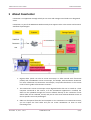
1 About CaseCenter.....................................................................................................................8
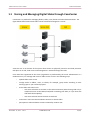
1.1 Storing and Managing Digital Slides through CaseCenter.......................................................10
1.2 Accessing a Slide......................................................................................................................11
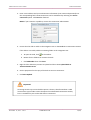
1.3 Uploading a Slide to a CaseCenter...........................................................................................11
2 Connecting to CaseCenter........................................................................................................13
2.1 Connecting through Pannoramic Viewer.................................................................................13
2.2 Logging in to CaseCenter through CaseViewer........................................................................13
2.3 Logging in to CaseCenter through the Web Interface.............................................................13
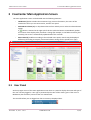
3 CaseCenter Main Application Screen.......................................................................................16
3.1 User Panel................................................................................................................................16
3.1.1 Managing a CaseCenter User Account...........................................................................................................18
3.1.2 Changing a User Password.............................................................................................................................18
3.2 Menu Options..........................................................................................................................19
4 Slides and Folders....................................................................................................................20
4.1 Folder Tree Panel.....................................................................................................................20
4.1.1 Folder Color Markings....................................................................................................................................21
4.1.2 Folder operation buttons...............................................................................................................................21
4.2 Slide Attributes and Process Options.......................................................................................25
4.2.1 Slide attributes...............................................................................................................................................25
4.2.2 Slide actions....................................................................................................................................................28
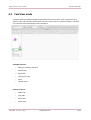
4.3 CaseView mode.......................................................................................................................35
5 Teleconsultation......................................................................................................................36
5.1 Overview of Teleconsultation..................................................................................................36
5.2 Requirements and Privileges for Hosts in a Teleconsultation Session.....................................36
5.3 Joining a Teleconsultation Session...........................................................................................37
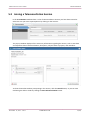
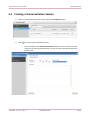
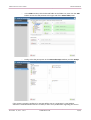
5.4 Creating a Teleconsultation Session.........................................................................................38
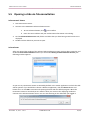
5.5 Opening a slide via Teleconsultation.......................................................................................40
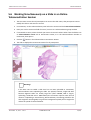
5.6 Working Simultaneously on a Slide in an Online Teleconsultation Session.............................41
6 Slide Sharing............................................................................................................................43
7 Search in CaseCenter Server....................................................................................................44
November 11, 2013 – Rev. 1
3DHISTECH Ltd.
2(49)