1
OPERATION
4.2.2 Input of a number password
On the matrix field V9H0 any number between 0000 and 9999 can be input (negative
numbers can not be set).
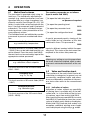
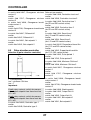
After selecting the matrix field (direct selection via ENTER, see also 4.2.10) the number
0000 appears on the display, with the units
digit flashing. It can be altered using the
keys ▲ and ▼. The tens digit is selected with
the key ❮ and can again be altered using the
keys ▲ and ▼. This procedure can be continued up to the last digit. If a mistake is
made during the input you can return to the
units digit with the key ❮.
Operating the ENTER key causes the instrument to accept the value which has been input. The display returns to 0000.
If a wrong value has been input it is possible
to repeat the input procedure by pressing
the ENTER key again.
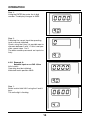
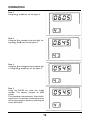
The input of a number password is explained in Section 4.2.7 example 1.
4.2.3 Input of values
When inputting values other than number
passwords it must be noted that the range of
values is limited and is generally set to particular default values. This leads to certain
special features for otherwise similar input
sequence:
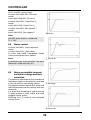
a) After selecting the matrix field the display
shows the default setting (factory settings
or previous setting by the user).
b) Decimal point and negative sign can appear on the display.
c) When attempting to input a value outside
the value range of the parameter, pressing the ENTER key is followed by the display flashing the limit which the input has
exceeded upwards or downwards. The
input is taken as unsuccessfully completed and can be restarted by pressing the
ENTER key again.
d) When the input has be completed successfully (after pressing ENTER) the edited value remains steady on the display
without flashing.
Example 2 (Section 4.2.8) explains the input
of a value.
4.2.4 Selection from given alternatives
Several matrix fields permit a selection from
given possibilities (software switch). After
the matrix field has been selected the display flashes the symbol for the default alternative (a figure or alphanumerical characters
such as "no"). The keys ▲ and ▼ can be
used to display all other possible settings
which can be entered by pressing the ENTER key. The symbol of the selected alternative then appears steady on the display
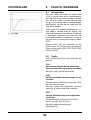
without flashing. The matrix fields V9H2,
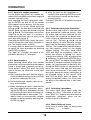
V1H2 and V0H3 are exceptions; when selected, they display a flashing "no" which
changes to a flashing "YES" on pressing the
▲ and ▼ key. On pressing the ENTER key in
the case of V9H2, the display flashes BUSY
for about 15 seconds and then changes to a
steady "no" (see Example 3 in Section 4.9.2).
During the BUSY phase it is not possible to
leave this matrix field and the instrument
must not be switched off. If the supply fails
during this phase the factory setting has to
be accepted initially. In the case of V0H3
and V1H2 the BUSY does not appear, the
display immediately shows "no". In all cases
the entry of the required data is then completed.
4.2.5 Activating a procedure
The matrix fields which come under this
heading are V0H1 "Calibration of cell constant" and V1H1 "Experimental evaluation of
temperature coefficient" which are described in detail in Section 6.
4.2.6 Matrix fields not in use
In the case of matrix fields not being used
the display "_ _ _ _" is shown.
12