1
INSTALLATION
1.
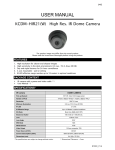
Open the packet and select the location where you would like to install the dome camera. Take the mounting
bracket off the dome camera.
2.
Slightly drill the supplied three screws into the three round holes on the mounting bracket and rotate the
bracket clockwise until the screws are wedged into the narrower chase. Tighten the fixing screws to secure
the mounting bracket to the ceiling.
3.
Drill a hole in the middle circle and let the power and video line go through.
4.
Mount the dome body onto the mounting bracket and rotate it until it clicks to secure. Adjust the camera to
the correct position and test the dome camera to make sure it is working properly.