1
TABLE OF CONTENTS
1. Introduction .............................................................................................................. 1-1
1.1 Overview.............................................................................................................. 1-1
1.2 G.Loop Description.............................................................................................. 1-1
1.3 System Interfaces ................................................................................................. 1-1
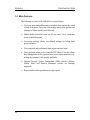
1.4 Main Features....................................................................................................... 1-2
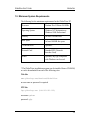
1.5 Minimum System Requirements .......................................................................... 1-3
1.6 Scope of User's Guide .......................................................................................... 1-4
2. Installation ................................................................................................................ 2-1
2.1 General................................................................................................................. 2-1
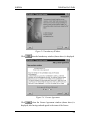
2.2 GlobalView Software Installation ........................................................................ 2-1
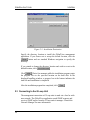
2.3 Connecting to the G.Loop Unit ............................................................................ 2-4
2.4 Starting the GlobalView Application ................................................................... 2-5
2.5 Daylight Savings Time Setting............................................................................. 2-5
3. Getting Started with GlobalView......................................................................................... 3-1
3.1 Operating Conventions......................................................................................... 3-1
3.1.1 Window Controls.......................................................................................... 3-1
3.1.2 Command Buttons ........................................................................................ 3-3
3.1.3 Context-Sensitive Menus.............................................................................. 3-3
3.1.4 Changing the GUI Look & Feel ................................................................... 3-3
3.2 The GlobalView Main Window........................................................................... 3-4
3.2.1 The Tree View.............................................................................................. 3-5
3.2.2 Graphical Depiction of the Hierarchy........................................................... 3-6
3.2.3 The Selected Object ..................................................................................... 3-6
3.2.4 Restoring the Tree View............................................................................... 3-6
3.2.5 The Log Window.......................................................................................... 3-6
3.3 Saving the Existing Configuration ....................................................................... 3-7
3.4 Loading an Existing Configuration ...................................................................... 3-7
3.4.1 The Autoload Option.................................................................................... 3-8
3.5 Setting the Operation Mode ................................................................................. 3-8
3.6 Exiting GlobalView ........................................................................................... 3-10
i