1
Management Operations
GlobalView User's Guide
4.1.1 Renaming a Site
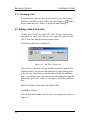
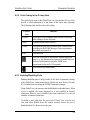
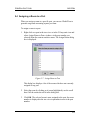
To rename a site, click on it three times in the tree view. The cursor is
positioned inside the site name and the site icon changes to
. Type in
the new name and press <Enter> to register the name change.
4.2 Adding a New G.Loop Unit
Ö
Ö
To add a new G.Loop Unit, select File New G.Loop Unit from the
main menu. Or, select a site in the tree view, right click and select Add
New G.Loop Unit from the context sensitive menu.
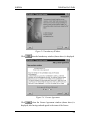
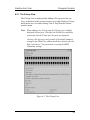
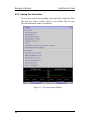
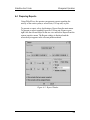
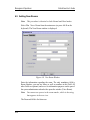
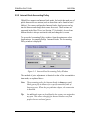
The following dialog box is displayed.
Figure 4-2. Add New G.Loop Unit
Select the site to which the G.Loop should be assigned to from the Site
pulldown field. If you arrived at this dialog box by right clicking a site
in the tree view, then that site is already selected in the Site pulldown
field. If you did not select a site (and arrived at this dialog box from the
main menu), the first site in the tree view appears in the Site pulldown
field.
Enter the IP address of the unit in the Enter IP field.
Click OK to confirm.
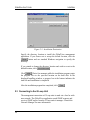
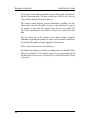
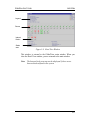
After entering the IP number, the G.Loop View is displayed as shown in
Figure 4-3.
4-2