1
USER'S MANUAL
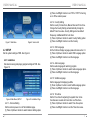
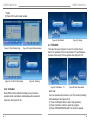
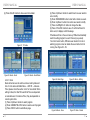
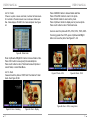
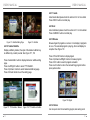
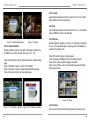
4.2.1.7 Auto Scan
Auto Scan erases the database first, and scans default
frequency and bandwidth by Country Setting. Please check
the section 3.2. and 3.2.1. for more detail.
(1) Press <RED> button to start Auto Scan.
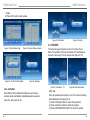
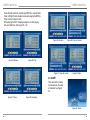
4.2.1.8 Manual Scan
Manual Scan adds the scanning results into database,
it doesn't erase any database. But user has to know the
Frequency and Bandwidth for scanning. If user scans
the same Frequency and Bandwidth more then once, the
programs will be duplicated. Please check the section 3.2. and
3.2.2. for more detail.
(1) Press <GREEN> button to start Manual Scan.
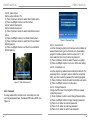
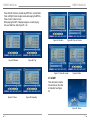
4.2.2 TV Setup
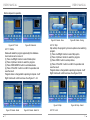
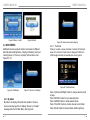
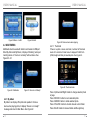
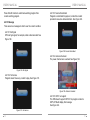
Setup the display mode for TV. See Figure 11.
USER'S MANUAL
(1) Press <Up/Do wn> button to select TV Format option.
(2) Press <Left/Right> button to set format.
4.2.2.2 TV Mode
Set PAL, NTSC or AUTO for display. AUTO will switch PAL or
NTSC by program content. This setting should be matched
with user‘s TV.
(1) Press <Up/Down> button to select TV Mode option.
(2) Press <Left/Right> button to set mode.
4.2.2.3 OSD Transparency
Set the On Screen Display transparency. 1 is the most diaphanous.
(1) Press <Up/Down> button to select OSD Transparency option.
(2) Press <Left/Right> button to set transparent value.
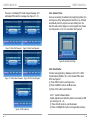
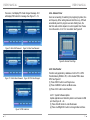
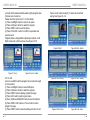
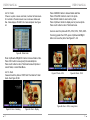
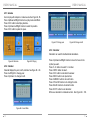
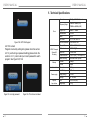
4.2.2.4 Banner Display Time
Set Banner displays time. Banner doesn't disappear when
setting "Always". It displays at
watching program. See Figure 12.
(1) Press <Up/Down> button to select Banner Display Time option.
(2) Press <Left/Right> button to set the time.
Figure 11. TV Setup Page
4.2.2.1 TV Format
Set display format for watching program, such as 4:3 LB, 4:3
PS, 16:9 LB, 16:9FIT.
10
Figure 12. Banner
11