1
15 USER'S MANUAL
USER'S MANUAL
1. Introduction
This meter is simple and convenient for getting the terrestrial
signal so that you can install the antenna easily to get more
stronger terrrestrial singal.
2. Front Panel
15
1
2
3
6
4
5
7
8
9
16
2
10
11
12
13
14
17
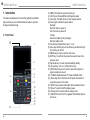
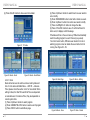
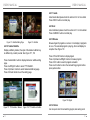
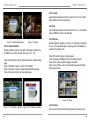
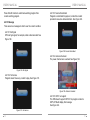
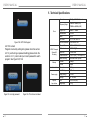
(1) AERIAL IN: Antenna input connection port
(2) LCD Screen: Shows MENU and Programs clearly
(3) Lock Light: This light will be on when signal is locked.
(4) Power Light: Indicate the power status.
Normally:
Red: the meter is power on
Dim: the meter is power off
Charge:
Green: the battery is being charged,
Red: the battery is full.
(5) Function Key: Made of four keys, F1—F4.
(6) Arrow Key and OK key:Use the Arrow key to select the right
item, OK key to confirm.
(7) MENU Key:To enter or exit the main menu.
(8) EXIT Key: To exit from the present menu and move to the
previous menu
(9) Numerical Key: To enter numerical settings directly.
(10) B. Light Key: Turn on or off the LCD screen
(11) MUTE key:Press once to turn the sound off and press it
again to restore the sound
(12) TV/Radio: Switch between TV mode and Radio mode
(13) Power Key:To turn the meter on/off, press and hold for 2
seconds to power on the meter.
(14) INFO:To see program information of the selected channel
(15) Power: To switch on/off the battery power
(16) Charge port:To connect with the charger cord.
(17) USB Port:Connect to PC to upgrade Or Read Mp3, picture
and movie
3