1
TUT/NOKIA
LAIKA USER GUIDE
Laika project:
http://www.cs.tut.fi/~laika/
26.10.2005
21 (26)
v. 1.5
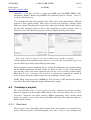
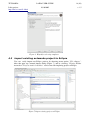
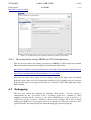
Figure 14. Items for making Debian package
4.9
Installing Debian package to real device
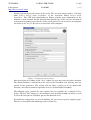
There are lots of different methods to install Debian package to Nokia 770. The package must be first transferred to N770 (or mem card). Transferring methods are WLAN, Internet connection through mobile phone, bluetooth, memory card and USB (adv users). After transferring the Debian package to N770 (or mem card) the package can be installed from control panel. Start Application installer and locate the package by browsing the files. The Application installer recognizes the package and it can be installed. The installer tells if the package was completely installed.
NOTE: Installing debian package created with dpkg option requires super user privilidges. 4.10
Toolbar buttons
4.10.1
X-Windowing
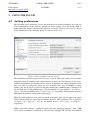
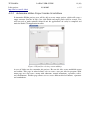
4.10.1.1 Start X
Start X button starts the X server and viewer. The start commands are defined in Setting preferences chapter 4.1. If the X server includes the viewer then only one command is needed in preferences page. Ultimately if X server does not start when the button is pressed the preferences should be checked. Some X programs need to be run inside Scratchbox, so the checkbox should be enabled if using such software.