1
ENG
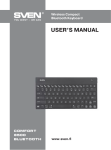
Wireless Compact
Bluetooth Keyboard
6.TROUBLESHOOTING
Problem
The keyboard is not
working.
Solution
1. Make sure the connected Bluetooth dongle is not damaged and the
Bluetooth feature is on.
2. Check the batteries charge level. Replace them with new ones if necessary.
3. Repeat the Bluetooth connecting procedure.
4. If there are several Bluetooth sources connected, make sure the connection speed is enough.
5. Return to default settings by pressing Esc and K buttons simultaneously.
6. It’s recommended that you address your nearest service center.
If none of the above methods can solve the problem, please seek professional advice at your
nearest service center. Never attempt to repair the product yourself.
7. TECHNICAL SPECIFICATIONS
Parameter, measurement unit
Number of keyboard keys
Number of shortcut buttons
Keyboard layout
Value
80
19 Fn
Rus/Eng/Ukr
OS compatibility
Cyrillic letters color
IOS, MacOS, Windows, Android 3.0 and higher
blue
Interface
Error-free running time
Bluetooth 3.0
at least 20,000,000 strokes
Coverage range
Power source
Dimensions (W × H × D), mm
up to10 meters
2 AAA batteries
208 × 19 × 84
Weight, g
Color
103
black
Notes:
• Technical specifications given in this table are supplemental information and cannot give
occasion to claims.
• Technical specifications are subject to change without notice due to the improvement of
SVEN production.
4