1
Matsushita Electric Works Fire & Security Technology AB
MEW00228
Rev: 2
14.2.1.5
EBL512 Operating Instructions V2.1.x
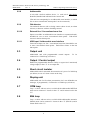
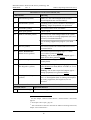
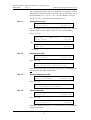
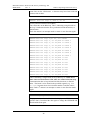
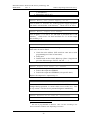
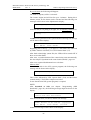
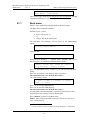
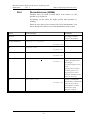
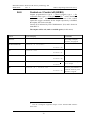
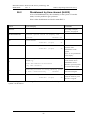
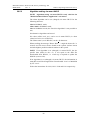
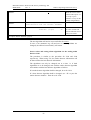
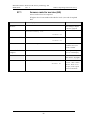
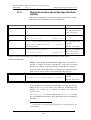
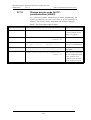
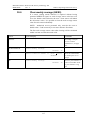
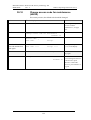
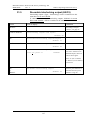
Re-enable zone (X5)
ZONE: 123
Re-enable zone
LAST: 789
No.:003
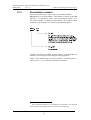
ACCEPT? X5
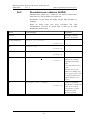
ZONE: 123
LAST: 789
Re-enable zone: ZZZ
No.:003
ACCEPT?
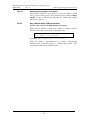
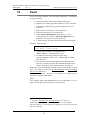
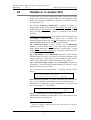
Press "A". E.g.:
This is a list of disabled zones. Scroll to or write the wanted zone
number and press "A". If more zones are to be re-enabled, repeat the
procedure.
14.2.1.6
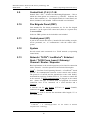
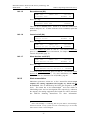
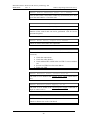
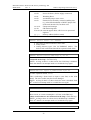
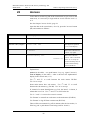
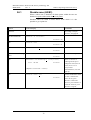
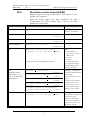
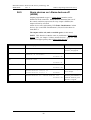
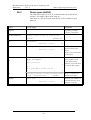
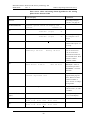
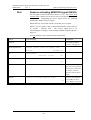
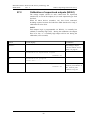
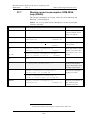
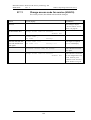
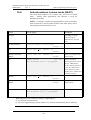
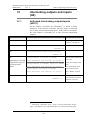
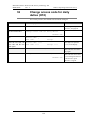
Control on/off (X6)
ZONE: 123
Control on/off
LAST: 789
No.:003
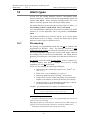
ACCEPT? X6
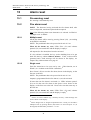
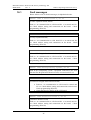
Press "A". E.g.:
ZONE: 123
LAST: 789
Control on (=1) or off (=0)? 1
No.:003
ACCEPT?
To activate Control off, press "0" and "A". (To activate Control on,
press "1" and "A".). For more information, see chapter "Control on /
Control off (H2/B8), page 79.
14.2.1.7
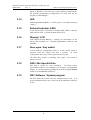
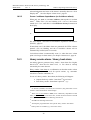
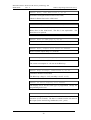
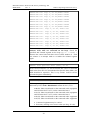
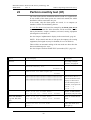
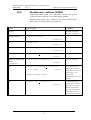
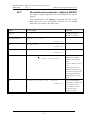
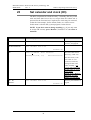
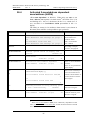
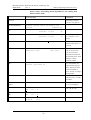
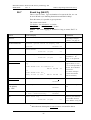
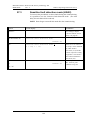
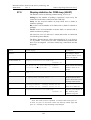
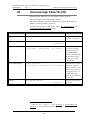
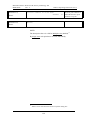
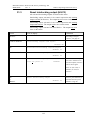
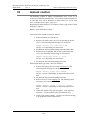
Alarm devices on/off (X7)
ZONE: 123
LAST: 789
Alarm devices on/off
No.:003
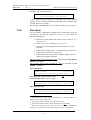
ACCEPT? X7
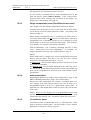
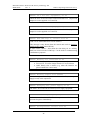
Press "A". E.g.:
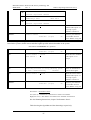
ZONE: 123
LAST: 789
Alarm devices on(=1) off(=0)? 1
No.:003
ACCEPT?
To activate Alarm devices off, press "0" and "A". (To activate Alarm
devices on, press "1" and "A".). For more information, see chapter
"Alarm devices on / Alarm devices off (H2/B9), page 80.
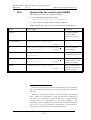
14.2.2
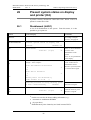
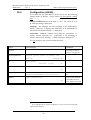
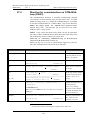
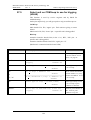
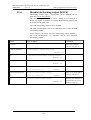
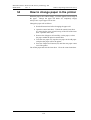
Alert annunciation
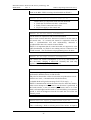
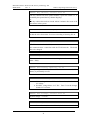
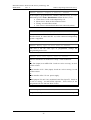
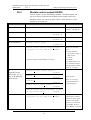
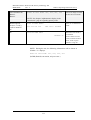
Indications, print-outs, actions etc. as for a normal fire alarm except
output(s) for routing equipment (fire brigade tx), which will not
be activated. This is indicated by the LED "Fire brigade tx delay"
(L16). The alarm has to be acknowledged35 and reset within an
acknowledge time and an investigation time respectively, otherwise
the output(s) for routing equipment (fire brigade tx) will be activated.
See EBL512 Planning Instructions for more information.
35
LED "Acknowledge" is indicating that the push button "Acknowledge"
has been activated. A busy system can cause a time delay (up to 10 seconds)
before the fire alarm is acknowledged.
37