1
Panasonic Eco Solutions Nordic AB
MEW01361 Rev: 3
Operating Instructions TLON Manager V2.0.x
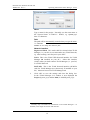
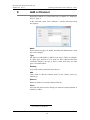
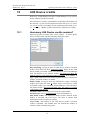
Name
Type a name for the project. Normally, use the same name as
the "System Name" in Win512 / WinG3, e.g. System_xyz.
Max. 23 characters.
Path
The path will be automatically created when you type the name,
i.e. C:\lm\db\
NOTE! Do not change this data base path!
Network interface
Engineered Mode This mode shall be selected when TLON
Manager (i.e. your PC) is not connected to any TLON Network,
e.g. when creating a new Project in your office.
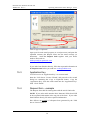
LON1 This is the TLON USB Network interface for TLON
Manager 2.0 installed on your PC.9 Select this interface
(LON1) when you shall connect TLON Manager (i.e. your PC)
to a TLON Network.
PCCLON1 This is the TLON Network interface (PCMCIA
card) for TLON Manager 1.x (shown only if installed on your
PC). Must not be used for TLON Manager 2.0.
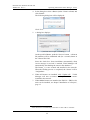
2.
Click "OK" to save the settings and close the dialog box.
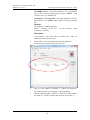
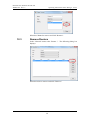
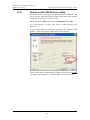
In the "TLON Manager 2.0" window is now displayed the
Project (System_xyz) and the Path (C:\lm\db\System_xyz):
9
Normally only one interface is installed but if also TLON Manager 1.x is
installed, LON1 might be used for that interface.
12