1
3. Call Functions
Making and Answering
Calls
3 To call the number, press
Making Calls
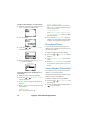
1 Press Names.
1 Key in the phone number including the area
code.
To edit a number on the display, press
to
move the cursor to the right and
to move
it to the left. Press Clear to delete the character to the left of the cursor.
2 Press
to call the number.
3 Press
to end the call (or to cancel the
call attempt).
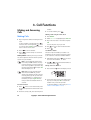
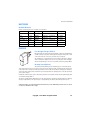
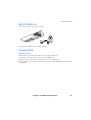
Normal position: Hold the phone as you would
any other telephone with the antenna pointed
up and over your shoulder.
NOTE: If you accidentally select phone
line 2 and your SIM card does not support this function, you cannot make any
calls. You can get back to phone line 1 by
pressing and holding
and press OK
when the display is clear.
number.
.
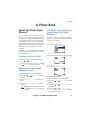
Making a Call Using the Phone Book
2 When Search is highlighted press Select.
3 Key in the first letter of the name and press
OK.
You can skip this step if you wish.
4 Use
and
5 Press
.
to reach the desired name.
Last Number Redial
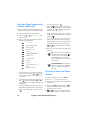
The last ten phone numbers you called or attempted to call are stored in the phone’s memory. To redial one of these last-dialled numbers:
1 With display clear, press
once to access
the list of the last-dialled numbers.
2 Use
or
to reach the desired number or
name then press
.
Calling Your Voice Mailbox
1 Press and hold
when the display is clear.
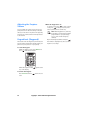
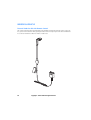
NOTE: When you are using the phone
with the car kit CARK-91, you can
switch from handsfree mode to privacy
mode by picking up the optional external handset HSU-1. To switch back to
handsfree, first press Options and
then put down the handset within 15
seconds.
International Calls
1 Press
twice for the international prefix
(+ character replaces the international access
code).
2 If the phone asks for the voice mailbox number, key it in and press OK. You obtain this
number from your service provider.
To edit this number at a later time, see ‘Voice
mailbox number (Menu 1-8-2)’.
2 Enter the country code, area code and phone
14
Copyright © 2004 Nokia. All rights reserved.