1
User Manual
8.3: COPY AND PASTE
MIX FEATURES > COPY AND PASTE
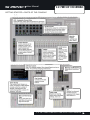
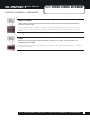
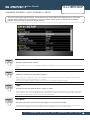
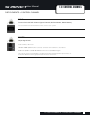
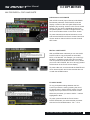
DSP Channel COPY-PASTE
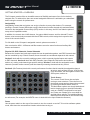
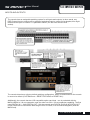
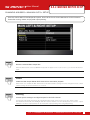
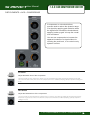
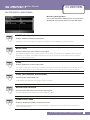
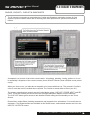
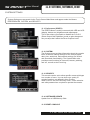
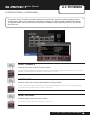
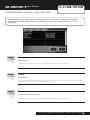
With a DSP channel (Input Channel or Mix/Matrix
Bus Master) selected, COPY PASTE mode will
display a version of the ACS (with GEQ for Bus
Masters). By touching sections in this Touch Screen
display you can remove individual sections from
the paste operation. To select a single section only,
touch and hold that section in the Touch Screen.
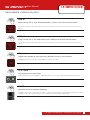
To paste channels and channel selections, touch
and hold the PASTE-hold Touch Screen button and
choose another channel with its Control Channel
SEL button.
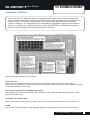
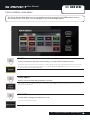
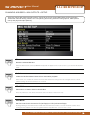
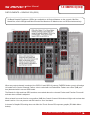
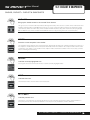
Mix Bus COPY-PASTE
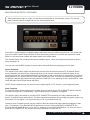
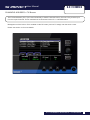
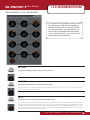
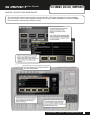
With a tOTEM button selected you can use COPY
PASTE mode to copy and paste an entire MIX,
MTX, or FX Bus Mix. For example, you could copy
the MIX 1 contribution levels from all Input Channels and paste those levels as a MIX 2 mix). When
you touch COPY PASTE, the mix to be copy-pasted
will be shown in the Touch Screen display.
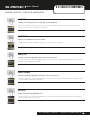
To paste a Bus mix, touch and hold the PASTE-hold
Touch Screen button and choose another Bus mix
via with the tOTEM buttons.
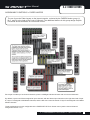
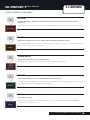
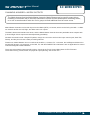
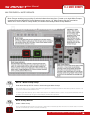
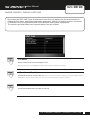
FX COPY-PASTE
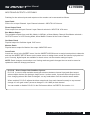
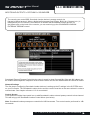
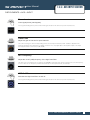
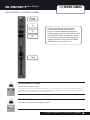
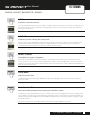
To copy and paste settings between the four
Lexicon processors, start by pressing the round
FX button while in COPY-PASTE mode. This will
display the four processors in the Touch Screen.
Select the processor you want to COPY - it will be
highlighted in blue.
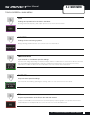
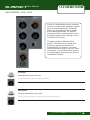
To paste, press and hold the Touch Screen
PASTE-hold button, the select another processor
with the four FX tOTEM buttons - FX 1 - FX 4.
8.3: MIX FEATURES > COPY AND PASTE