1
Creative technology made by rbr
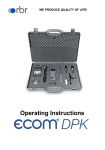
Operating Instructions
rbr-Computertechnik GmbH, Am Großen Teich 2, 58640 Iserlohn
Content
Page
1. Application and components
3
2. Design ecom-NL
4
3. Connection of components
5
4. Initialisation
4.1. Power supply
4.2. Accumulator loading
4.3. Clock set
6
6
6
5. Numerical indication
5.1. Freezing measurement values
5.2. Min. / Max. measurement values
5.3. Printout measurement values
5.4. Zeroing pressure sensor
5.5. Contraste and display backlit
8
8
9
9
9
6. Control programmes
6.1. Setup
6.2. Preliminary check
6.3. Main check
6.4. Usability check
10
11
12
13
7. Set clock
16
8. Internal instrument settings
8.1. Switch on/off key beep
8.2. Pressure Auto -> 0 by start
8.3. Display damping
8.4. Pressure unit
16
17
17
18
9. View service info
18
10. Technical data ecom-NL
19
Page 2
ecom-DPK
1. Application and components
By works at gas pipes please respect
the legal safety instructions!
The ecom-DPK easies tightness tests at gas pipes networks. Besides draught and
gas pressure measurements, preliminary and main checks as well as leakage volume
determination according to DVGW-TRGI can be performed. The following
components belong to the ecom-DPK set:
Standard
3 connection hoses
each 1.2 m long with
quick-fitting
ecom-NL
Handy differential
pressure instrument
with automatic check
programmes
Conic test stopples
1/2“ - 3/4“ and
3/4" – 1 1/4",
for usability and
pressure tests
Compressed-air
pump
for build-up of test
pressure in gas pipe
One-pipe counter cap
with swivel nut R 2"
and quick fittings for
usability and pressure
tests
Crosspiece with
safety valve
for flexible connection
by various measurement duties
Option
Gas leak
detector
ecom-GSK
for identification of
leakages also to hardly
accessible installations
thanks to swan-neck
ecom-DPK
High-pressure test
stopples
3/8“ to 1/2“ and
3/8“ to 3/4“
with quick-fitting
Infrared
thermal printer
for documentation
of test results
Page 3
2. Design ecom-NL
Pressure connections
Pmax = 1500 hPa
IR interface
(for HP printer)
Graphic
display
Cursor keys
Function keys
(current function is
shown on display)
Connection
loading unit
Confirmation
key
ON/OFF key
Page 4
ecom-DPK
3. Connections
Please connect the components as shown on below plan.
Connection hose
(Pump - Crosspiece)
Select „+“ connection
ecom-NL
Compressedair pump
Connection hose
(ecom-NL - Crosspiece)
Safety valve
Crospiece
Connections for:
Conic test stopple
or
One-pipe counter pipe
or
High-pressure test
stopple
ecom-DPK
Connection hose
(Gas system Crosspiece)
Page 5
4. Initialisation
4.1. Power supply
The ecom-NL is powered by 3 batteries or 3 accumulators.
The following types can be used to operate the instrument:
-Battery 1,5 V AA (Mignon)
-Accu
1,2 V AA NiCd (nickel cadmium)
-Accu
1,2 V AA NiMh (metal hydride)
Open the battery compartment and insert the batteries.
Be careful to ensure proper polarity. If using the
rechargeable battery type, it will be necessary to fully
charge the batteries prior to initial use (approx. 4 hours).
The voltage of the batteries is monitored by the NL and
will indicate a low battery condition by approx. 3.3 V by
beeping and flashing a signal on the LCD display. If the
voltage sinks (approx. 3 V) so the ecom-NL will
automatically switch off.
Accu warning
4.2. Accu loading
The battery charging procedure is monitored by the
ecom-NL. Once connected to AC power, the instrument
switches on. During the charging procedure, a BATTERY
indicator will be shown on the LCD display. Once the
battery is fully charged, the BATTERY indicator on the
display will blink. It is possible to operate the ecom-NL
on AC power during the charging procedure by pressing
the <ON> button. The loading switch identifies batteries
and the instrument shows „No accu“ by connection of
the loading socket.
4.3. Setting clock
The internal clock and the internal RAM memory of the
ecom-NL are buffered via a condensator. If the instrument
is not alimentated during more than approx. 10 minutes,
so the recorded information on these fields get lost. Before
using the ecom-NL for the first time, adjust the internal
clock and delete the internal RAM memory.
Page 6
ecom-DPK
Press <ON> to switch on the ecom-NL.
The instrument displays the following:
<ON>
Clock set
Delete RAM
Press OK to continue!
<F2>
- Press twice the <OK> key and the measurement value
menu will be displayed.
- Press <F2> (wrench symbol) to call up the menu „Instrument settings“.
- With the cursor keys <UP/DOWN> scroll until the menu
point <Set clock>.
- Press <OK> to activate.
(Select)
<OK>
Date and time can be set as follows:
1. Select with the cursor keys <RIGHT/LEFT> the position
to be changed (corresponding field blinks).
2. Adjust the correct numbers with the cursor keys <UP/
DOWN>.
(Select)
<OK>
(Adjust)
3. Press <OK> to confirm correct date and time settings.
ecom-DPK
Page 7
5. Numerical indication
<ON>
Caution: If „Pressure Auto -> O by start“ is set on
„YES“, so the internal pressure sensor should be
flown with pressure first after the switch-on of the
instrument, as they are zeroed during said switch-on
procedure.
<OK>
After switch-on, the specifications of the pressure sensor
will be displayed: denomination, measurement range and
connection seizure (+/-). Press <OK> to access to the
measurement value menu. Different functions can be
called up with the function key <F1>. The current seizure
of the other function keys (<F2> - <F4>) is shown on the
display. Press one time <F1> to display the functions
„Hold“, „Min/Max“ and „Print“.
5.1. Freezing of measurement value
<F1>
- Press <F2> (Hold) to „freeze“ that measurement value
displayed at the time the key is pressed (active function
= Hold indication blinks).
- Press again <F2> (Hold) to quit the „freezing“ and the
current value will be displayed.
<F2> (Hold)
5.2. Minimal / Maximal mesurement values
<F3> (Min/Max)
With <F3> (Min/Max) the determined minimal and maximal values since unit´s switch-on (or deleting via „CLR“)
can be called up.
- Press one time <F3> (Min/Max) to view the lowest
determined value (Min/Max blinks).
- Press <F2> (CLR) to delete the minimal value (new
scanning begins).
- Press again <F3> (Min/Max) to view the highest value
(Min/Max blinks).
- Press <F2> (CLR) to delete the highest value (new
scanning begins).
- Press one more time <F3> (Min/Max) to quit the menu.
Page 8
<F2> (CLR)
<F3> (Min/Max)
<F2> (CLR)
<F3> (Min/Max)
ecom-DPK
5.3. Measurement values printout
Press <F4> (Print) to transmit the current measurement
values via the infrared interface to the HP printer (option).
Condition hereto is a troublefree connection (direct sight)
between the sending diode at the front of the instrument
and the receiving diode of the printer. The distance
between both instruments should not exceed 40 cm (1.3
foot), otherwise a troublefree transmission is not
warranted at any time.
5.4. Zeroing the internal pressure sensor
<F4> (Print)
----------------------------------ecom-NL
----------------------------------Date
Time
05.10.01 12:12:50
----------------------------------∆P
0.0 (hPa)
----------------------------------min
max
∆P
-0.1
0.1 (hPa)
----------------------------------rbr Computertechnik
Am Grossen Teich 2
58640 Iserlohn
Tel. 02371-9455
<F1>
Please remember not to flow the pressure sensors with
pressure during the zeroing procedure.
Basing on the previous function seizure, the functions
„∆P-> 0“, „LUMI“ and „Light“ are displayed after pressing
<F1>. As the difference pressure sensor can drift because
of its sensitivity in the zero point, it is possible to reset the
zero point.
- Press <F2> (∆P->0) to activate the function for zero
point correction of the internal pressure sensor.
- Press <F3> (∆P1) to zero the value of the pressure
sensor.
- Press <F2> (ESC) to quit the menu.
5.5. Contraste adjustment and lighting
The graphic display of the ecom-NL can be adjusted to
different visual conditions. The contraste can be adjusted
in 5 steps (each key pressing = one step) while pressing
<F3> (LUMI). Additionally the backlighting of the display
can be activated while pressing <F4> (Light).
ecom-DPK
<F2> (∆P->0)
<F3> (∆P1)
<F2> (ESC)
<F3> (LUMI)
<F4> (Light)
Page 9
6. Check programmes
1. Use only air or inert gas for check !
2. Respect the „Technical Rules for
Gas installations“!
Call up the pre-programmed measurement routines
„Preliminary Check“, Main Check“ and „Usability Check“
in the menu <F3> (PROC).
Parameters to each measurement routine can be adjusted
in the menu „Setup“..
6.1. Setup
Scroll with <UP/DOWN> until the menu <Setup>. Press
<OK> to activate the menu. The following parameters
can be adjusted for the corresponding measurement
routine:
<F3> (PROC)
<OK>
Preliminary Check
- Stabilisation time (1 - 10 min, default: 1 min)
- Measurement time (10 - 120 min, default: 10 min)
- Test pressure (900 - 1200 hPa, default: 1000 hPa)
Main Check
- Stabilisation time (1 - 10 min, default: 1 min)
- Measurement time (10 - 120 min, default: 10 min)
- Test pressure (90 - 160 hPa, default: 110 hPa)
Usability check
- Stabilisation time (1 - 270 min, default: 1 min)
- Measurement time (10 - 240 min, default: 10 min)
- Test pressure (20 - 160 hPa, default: 50 hPa)
- Max. operation pressure (10 - 100 hPa, default: 20 hPa)
- Air pressure (800 - 1200 hPa, default: 1013 hPa)
Each parameter can be adjusted the same way:
1. Select the parameter with <UP/DOWN>.
2. Press <OK> to activate.
<OK>
3. Use the cursor keys <RIGHT/LEFT> to select the
position to be changed (corresponding field blinks).
Page 10
ecom-DPK
4. Adjust the correct figure using <UP/DOWN>.
5. Press <OK> to confirm the corrrected value.
6.2. Preliminary check
(Select)
The preliminary check acc. to DVGW – TRGI Process
Instructions G 600 by pipes (operation pressure up to
100 hPa) is registered as a measurement routine in the
ecom-NL.
<OK>
(Adjust)
Proceed as follows:
1. Close the conduit with a suitable adapter (test stopple,
high-pressure stopple or one-pipe counter cap).
<OK>
2. Connect the components a described in chapter 3.
3. Scroll with <UP/DOWN> until the menu „Preliminary
check“. Activate with <OK>-Taste.
4. With the compressed-air pump create the pre-adjusted
test pressure (the unit beeps as soon as the pressure
level is achieved).
5. Interrupt the connection to the air pump (switch-off the
ball valve).
„Build up pressure“
„Wait for stabilisation“
6. Wait for stabilisation time (if the pressure remains in
the range „test pressure +/- 10% during stabilisation time,
so the measurement time will start).
7. Once the measurement time is over, the result is
displayed and can be sent to the IR printer (option) thus
pressing <F2> (Print) .
8. If the menu „Preliminary Check“ is selected again, so
the result can be called up with <F1> (as long as the
ecom-NL is on) or a new measurement can be started
with <OK>.
ecom-DPK
„Prel. check is running“
<F2> (Print)
Page 11
6.3. Main Check
The main check acc. to DVGW – TRGI Process
Instructions G 600 by conduits (operation pressure up to
100 hPa) is registered as a measurement routine in the
ecom NL. Proceed as follows:
<OK>
1. Close the conduit with a suitable adapter (test stopple,
high-pressure stopple or one-pipe counter cap).
2. Connect the components a described in chapter 3.
„Build up pressure“
3. Scroll with <UP/DOWN> until the menu „Main Check“.
Activate with <OK>-Taste.
4. With the compressed-air pump create the pre-adjusted
test pressure (the unit beeps as soon as the pressure
level is achieved).
„Wait for stabilisation“
5. Interrupt the connection to the air pump (switch-off the
ball valve).
6. Wait for stabilisation time (if the pressure remains in
the range „test pressure +/- 10% during stabilisation time,
so the measurement time will start).
7. Once the measurement time is over, the result is
displayed and can be sent to the IR printer (option) thus
pressing <F2> (Print) .
„Main check is running“
<F2> (Print)
8. If the menu „Main Check“ is selected again, so the
result can be called up with <F1> (as long as the ecomNL is on) or a new measurement can be started with
<OK>.
Page 12
ecom-DPK
6.4. Usability Check
The usability check acc. to DVGW – TRGI Process form G 624 by conduits is
memorised as a measurement routine by the ecom-NL. The calculation of the leak
rate happens automatically according to the following equation and corresponds
herewith to the procedure of the DVGW-TRGI Process Form G 624:
VB = V/TM * ((PA + P1)/(PA + P2)-1) * PB/P1 * f
with: VB
V
TM
PA
P1
P2
PB
f
= Gas leak volume in operation state (l/h)
= Pipe content in litres
= Measurement duration in hours
= Barometre stand in hPa
= Test pressure at meas. beginning in hPa
= Test pressure at measurement end in hPa
= Maximal gas operation pressure in hPa
= Factor for consideration of gas type
Proceed as follows:
1. Close the conduit with a suitable adapter (test stopple,
high-pressure stopple or one-pipe counter cap).
2. Connect the components as described in chapter 3.
<OK>
3. Scroll with <UP/DOWN> until the menu „Suitability/
Leak rate“. Activate with <OK>.
4. The pipe volume to be checked (V) is needed for the
calculation of the leak rate. The ecom®-NL offers two input
possibilities:
<F1> (ADD)
<F3> (CLR)
a. Direct input of pipe volume after having pressed
<F1> (ADD) (by repeated input the value will be
added).
(Select)
<OK>
ecom-DPK
(Adjust)
Page 13
b. The ecom-NL will portionally calculate the pipe
volume basing on the diameter and the length for
thread pipe acc. to DIN 2440 (middle heavy):
- Press <F2> (CAL).
- Use <UP/DOWN> to select the pipe diameter (1/2“
to 4“) and confirm with <OK>.
<F2> (CAL)
<F3> (CLR)
- Select pipe length with the the cursor keys and
confirm with <OK>.
- The volume for thread pipe acc. to DIN 2440 (medium
heavy) will be calculated and added.
(Adjust)
<OK>
- Repeat procedure until all pipes sections are
registered.
5. Quit the volume input with <OK>.
6. The maximal operation pressure adjusted in the setup
(PB) will be displayed. If need be, the value can be
changed using the cursor keys. Confirm the value with
<OK>.
7. The air pressure (PA) adjusted in the setup is displayed.
If need be, the value can be changed using the cursor
keys. Confirm with <OK>.
(Select)
<OK>
(Adjust)
<OK>
(Select)
<OK>
(Adjust)
(Select)
<OK>
Page 14
(Adjust)
ecom-DPK
8. Use <UP/DOWN> to select the used gas type (f) and
confirm with <OK>. The following gas types are recorded
with their respective factors:
Natural gas
Air
City gas
Propane
Butane
Hydrogen
9. With the compressed-air pump create the pre-adjusted
test pressure (the unit beeps as soon as the pressure
level is achieved).
10. Interrupt the connection to the air pump (switch-off
the ball valve).
(Adjust)
<OK>
„Build up pressure“
„Wait for stabilisation“
11. Wait for stabilisation time (if the pressure remains in
the range „test pressure +/- 10% during stabilisation time,
so the measurement time will start).
12. Once the measurement time is over, the result is
displayed and can be sent to the IR printer (option)
pressing <F2> (Print) .
13. If the menu „Usability Check“ is selected again, so
the result can be called up with <F1> (as long as the
ecom-NL is on) or a new measurement can be started
with <OK>.
ecom-DPK
„Usab. check is running“
<F2> (Print)
Page 15
7. Clock set
- Scroll with <UP/DOWN> until the menu point <Set
clock>.
- Press <OK> to activate. Date and time can be adjusted
as follows:
<OK>
1. Select with <RIGHT/LEFT> the position to be changed
(corresponding field blinks).
2. Adjust the correct figures using <UP/DOWN>.
3. Confirm with <OK>.
(Select)
<OK>
(Adjust)
8. Internal instrument settings
Further instrument settings can be performed in the menu
<Internal>. Press <OK> to access this menu.
<OK>
8.1. Key beep on/off switch
- With the cursor keys <UP/DOWN> scroll until the menu
point <Key beep>.
- Activate with <OK>.
- With the cursor keys <RIGHT/LEFT> modify the
adjustment (YES or NO).
- Confirm with <OK>.
Page 16
(Select)
<OK>
ecom-DPK
8.2. Pressure Auto -> 0 by start
The ecom NL normally zeroes the internal pressure
sensor during switch-on (adjustment „YES“). If the
instrument is to remain connected to a pressure source,
so this adjustment can be modified.
- Scroll with the cursor keys <UP/DOWN> until the menu
point <Pressure auto -> 0 by start>.
- Press <OK> to activate.
- Use the cursor keys <RIGHT/LEFT> to modify the
adjustment (YES or NO).
- Confirm the modification with <OK>.
<OK>
(Select)
<OK>
8.3. Display damping
The display damping can be adjusted to various measurement duties. 7 damping steps can be selected (1 = no
damping; 7 = high damping). Additionally the damping
steps 3 - 7 enable the selection of a damping progression.
This means:
<OK>
not progressive:
by massive pressure changes the display does not react
faster than by small pressure changes
low progressive:
by massive pressure changes the display reacts somewhat faster than by small pressure changes.
(Select)
<OK>
high progressive:
by massive pressure changes the display reacts much
faster than by small pressure changes.
- To change the adjustment, scroll with the keys <UP/
DOWN> until the menu point <Damping>.
- Press <OK> to activate.
- Adjust the desired damping step using the cursor keys
<RIGHT/LEFT>.
- Press <OK> to confirm.
ecom-DPK
Page 17
8.4. Pressure measuring unit
The measuring unit of the internal pressure sensor can
be changed. The following units are selectable:
Hectopascal
Centimetre water column
Millimetre mercury column
Pound per square inch
Inch water column
Inch mercury column
hPa
cmH2O
mmHg
PSI
“H2O
“Hg
For modification:
<OK>
(Select)
<OK>
- Scroll with the cursor keys <UP/DOWN> until the menu
point <Pressure unit>.
- Press <OK> to activate.
- Use the cursor keys <RIGHT/LEFT> to adjust the
desired unit for the pressure sensor.
- Press <OK> to confirm.
- Press <F2> (ESC) to quit the menu <Internal>.
9. View service information
- Use the cursor keys <UP/DOWN> to scroll thru until the
menu point <Service>.
- Press <OK> and an info window will be opened in which
the address and phone number of the competent service
centre as well as the instrument version (e.g. rbr-ECOM
V1.4) will be displayed.
<OK>
<F2> (ESC)
<F3> (HOME)
Page 18
ecom-DPK
10. Technical Data ecom-NL
Power supply:
- Battery: 3 x 1,5 V AA (Mignon)
- or accu:3 x 1,2 V AA NiCd (nickel cadmium)
- or accu:3 x 1,2 V AA NiMh (metal hydride)
- Internal loading unit
- Connection via 1.3 mm hollow plug
- Loading current approx. 500 mA
Power consumption:
- With backlit approx. 90 mA
- Without backlit approx. 45 mA
- Operation time depending on used power supply
Display:
- Graphic display
- Resolution 128 x 64 pixel
- Window approx. 43 x 28 mm
Operation:
(menu-monitored)
- 4 cursor keys
- 1 confirmation key
- 4 function keys
- 1 ON/OFF key
Differential pressure
measurement:
- Pressure range +/- 1500 hPa (mbar)
Resolution:
0.1 hPa
Accuracy:
< 3% of measurement value
Internal clock:
- Adjustment via menu and keyboard
- Buffer accu for battery change only (approx. 1 minute)
Dimensions (LxWxH): Approx. 170 x 75 x 35 mm
Weight:
Complete approx. 300 g
Ambient temperature: 0 bis 50 °C
ecom-DPK
Page 19
DECLARATION OF CONFORMITY
The company:
rbr-Computertechnik GmbH
Am Großen Teich 2
D-58640 Iserlohn
hereby declares under sole responsability that the product:
ecom-NL
consisting of:
basic unit, handheld radio sensors, PC radio interface, radio module
satisfy all technical regulations applicable to these products within the scope of the
Directives 73/23/EEC, 89/336/EEC and 99/5/EC:
EN 300 220-1,-3
EN 301 489-1,-3
EN 60950
All essential radio tests have been carried out.
Manufacturer contact:
rbr-Computertechnik GmbH
R & D Department
Tel.: (49) (0) 2371-9455 Fax.: (49) (0) 2371-40305
Iserlohn, 01.06.2003
Michael Reckermann
Managing Director
Subject to technical changes
12.2004
rbr Computertechnik GmbH
Am Großen Teich 2
D-58640 Iserlohn (Sümmern)
Telefon: +49 (0) 23 71 - 9 45-5
Telefax: +49 (0) 23 71 - 4 03 05
Internet: http://www.rbr.de
eMail: [email protected]
ecom-DPK
Page 20