1
6 Set up with the display and adjustment module
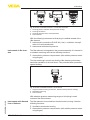
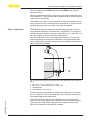
For an adjustment with pressure, simply enter the actual measured
value indicated at the bottom of the display.
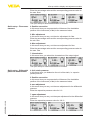
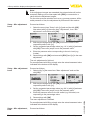
Setup - span adjustment,
differential pressure
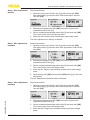
Proceed as follows:
1. Select with [->] the menu item "Span adjustment" and confirm
with [OK].
2. Edit the mbar value with [OK] and set the cursor to the requested
position with [->].
3. Set the requested mbar value with [+] and store with [OK].
The span adjustment is finished.
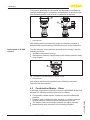
For an adjustment with pressure, simply enter the actual measured
value indicated at the bottom of the display.
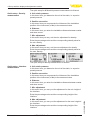
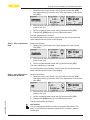
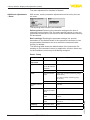
Setup - Distance, density
Proceed as follows:
1. Select the menu item "Setup" with [->] and confirm with [OK].
Now select with [->] the menu item "Distance" and confirm with
[OK].
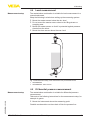
2. Edit the sensor distance with [OK] and set the cursor to the
requested position with [->].
3. Set the requested distance with [+] and store with [OK].
The adjustment of the distance is hence finished.
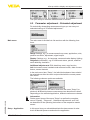
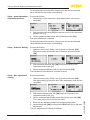
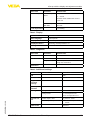
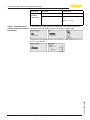
Setup - Min. adjustment,
density
Proceed as follows:
1. Select the menu item "Setup" with [->] and confirm with [OK].
Now select with [->] the menu item "Min. adjustment" and confirm
with [OK].
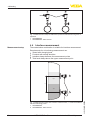
2. Edit the percentage value with [OK] and set the cursor to the
requested position with [->].
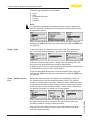
4. Enter the min. distance suitable for the percentage value.
5. Save settings with [OK] and move with [ESC] and [->] to the max.
adjustment.
The min. adjustment for density is finished.
34
VEGABAR 82 • Slave sensor for electronic differential pressure
45050-EN-131011
3. Set the requested percentage value with [+] and save with [OK].
The cursor jumps now to the density value.