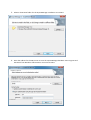
3. Select a destination folder for the ImportManager installation. Press Next.
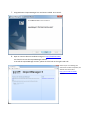
4. Enter the address for the SQL server to store the ImportManager database. Enter Login ID and
Password if not Windows Authentication is used. Press Next.