1
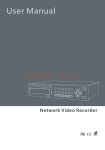
Network Video Recorder User Manual
Table of Contents
Chapter 1 Product Introduction ..................................................................................... 1
1.1 Overview ............................................................................................................. 1
1.2 Main Features ..................................................................................................... 1
1.3 Special Instructions ............................................................................................. 5
1.4 Convention .......................................................................................................... 5
Chapter 2 Getting Started ............................................................................................... 6
2.1 Open-package Check .......................................................................................... 6
2.2 Install Hard Drive ................................................................................................. 6
2.3 Front Panel Description ....................................................................................... 7
2.4 Rear Panel Description........................................................................................ 8
2.5 Control with Mouse .............................................................................................. 9
2.5.1 Connect Mouse .......................................................................................... 9
2.5.2 Use Mouse ................................................................................................. 9
2.6 Power On/Off ..................................................................................................... 10
2.6.1 Power On ................................................................................................. 10
2.6.2 Power Off ................................................................................................. 10
2.7 Login .................................................................................................................. 11
Chapter 3 Menu Setup Guide ....................................................................................... 12
3.1 Menu Item Functionality .................................................................................... 12
3.1.1 Live Preview ............................................................................................. 13
3.1.2 E-Zoom .................................................................................................... 14
3.1.3 PTZ Control .............................................................................................. 14
3.1.4 Live Playback ........................................................................................... 15
3.2 Configuration Management ............................................................................... 15
3.2.1 Basic Configuration .................................................................................. 16
3.2.1.1 System ............................................................................................. 16
3.2.1.2 Date & Time ..................................................................................... 17
3.2.1.3 DST ................................................................................................. 18
3.2.2 Live Configuration .................................................................................... 18
3.2.2.1 Main Monitor .................................................................................... 18
3.2.2.2 Preview the permissions .................................................................. 19
iii