1
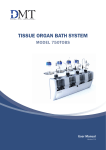
Tissue Organ Bath System
Model 750TOBS
with Data acquisition software
User Manual
Version 2.2
Tissue organ bath system Model 750TOBS
Tissue Organ Bath System - Model 750TOBS
User manual
Trademarks
PowerLab® and LabChart® are registered trademarks of ADInstruments Pty Ltd. The names of specific
recording units, such as PowerLab 4/25, are trademarks of ADInstruments Pty Ltd.
Pentium is a registered trademark of the Intel Corporation. Windows, Windows 95, Windows 98,
Windows ME, Windows NT, Windows 2000 and Windows XP are registered trademarks of Microsoft
Corporation. All other trademarks are the properties of their respective owners.
DMT reserves the right to alter specifications as required.
This document was, as far as possible, accurate at the time of printing. Changes may have been made to
the software and hardware it describes since then. New information may be supplied separately.
This documentation is provided with the DMT
Tissue organ bath system – Model 750TOBS– Version 2.2
No part of this document may be reproduced by any means without the prior written permission of
DMT A/S.
Copyright © 2008 DMT A/S
DMT A/S
Skejbyparken 152
DK-8200 Aarhus N
Denmark
Tel.: +45 87 41 11 00
Fax: +45 87 41 11 01
www.dmt.dk
[email protected]
[email protected]
DMT - Asia
Everwin Gardens
Rm 502, Block B
521 Wanping Nan Lu
Shanghai 200030
China
Tel: + 86 (0) 21 64869685
Fax: + 86 (0) 21 64280591
www.dmt-asia.com
[email protected]
[email protected]
DMT-USA, Inc.
1201 Peachtree Street
400 Colony Square, Suite 200-630
Atlanta, GA 30361
USA
Tel.: +1 770 612 8014
Fax: +1 678 302 7013
www.dmt-usa.com
[email protected]
[email protected]
User manual 750TOBS
Trademarks
Introduction
The vertical organ bath with its double walled glass chamber is the traditional experimental setup that has been used extensively to investigate the physiology and
pharmacology of smooth muscle (vascular and non-vascular) and other tissue preparations, through measurement of contractile force while bathed in an appropriate
physiological solution or buffer at 37oC. The advantages in these studies is that the
preparation can be subjected to pharmacological agents while excluding the influence
of systemic processes that occur in intact animals. The results of these organ bath
systems are generally more consistent, reproducible and lend themselves for screening and the measurement of concentration response curves (CRCs)
The most common application of the organ bath assay are in cardiovascular research,
using isolated aorta rings, heart tissue (papillary muscle) or arteries. In studying
gastro-intestinal effects, preparations of ileum and colon are often used, but also
gastric antral muscle and sphincter may be studied. Respiratory effects can be
studied in isolated tracheal rings, phrenic diaphragm preparations, pulmonary arterial
smooth muscle and even lung parenchyma. Other smooth muscle preparations that
are used in organ bath research are urinary bladder, penile (corpus cavernosum)
muscle strips and prostate.
Because of these inherent qualities and the versatility in use, the basic organ bath
design has seen little change over the last few decades. Nonetheless, there are
some practical drawbacks e.g. they take much bench space, use circulating water
by causing temperature delays and gradients, are tough to clean, hard to automate,
and non GLP compliant. To remedy these limitations DMT has now redesigned
the organ bath system for the new millennium using the latest developments in
material, computer and tissue engineering. We took away the heating by water,
replaced it by very fast air heating, made the chambers disposable or reusable after
cleaning, added automated control of filling, emptying and gassing by an embedded
microprocessor and provide digital output of force and complete computer control of
the instrument. All of this in a box that takes up a quarter of the space of a traditional
system.
The modular design allows up to four individually mounted tissues to be studied
simultaneously and independently per system. Moreover, multiple systems can be
linked together (USB connection) for high throughput screening (HTS) and up to 16
units can easily be run by a single person. The convenient compact bench-top design
of the DMT’s organ bath system can be placed in any existing laboratory environment
while gaining back valuable bench top space.
Tissue organ bath system Model 750TOBS
Safety
DMT Tissue organ bath system 750TOBS has been designed for use only in teaching
and research applications. It is not intended for clinical or critical life-care use and
should never be used for these purposes: nor for the prevention, diagnosis, curing,
treatment, or alleviation of disease, injury, or handicap.
• Do not open the unit: the internal electronics pose a risk of electric shock.
• Do not use this apparatus near water.
• To reduce the risk of fire or electric shock, do not expose this apparatus to
rain or moisture. Objects filled with open liquids should not be placed on the
apparatus.
• Do not block any ventilation openings. Install in accordance with the
manufacturer's instructions.
• Only use secure industry standard connectors and tubing for pressure and
vacuum connections. Faults, defects and mistakes due to wrong connections
void warranty. We are not accountable for results and mistakes due to
inappropriate pressure or vacuum hookup.
• Do not install near any heat sources such as radiators, heat registers, stoves,
or other apparatus that produce heat.
• Only use attachments and accessories specified by the manufacturer.
• Unplug this apparatus during lightning storms or when unused for long
periods of time.
• This apparatus must be grounded.
• Use a three-wire grounding-type cord similar to the one supplied with the
product.
• Do not defeat the safety purpose of the polarized or grounding-type plug.
A polarized plug has two flat blades, one being wider than the other. A
grounding type plug has two blades and a third (round) grounding pin. The
wide blade or the third prong is provided for your safety. If the provided plug
does not fit into your outlet, consult an electrician for replacement of the
obsolete outlet.
• Be advised that different operating voltages require the use of different types
of line cord and attachment plugs. Check the voltage in your area and use the
correct type. See the table below:
Voltage
Line plug according to standard
110–125 V
UL817 and CSA C22.2 No. 42.
220–230 V
CEE 7 page VII, SR section 107-2-D1/IEC 83, page C4.
240 V
BS 1363 of 1984. Specification for 13A fused plugs and switched and unswitched socket outlets.
Protect the power cord from being walked on or pinched: particularly at power plugs
and the point where they connect to the apparatus.
Refer all servicing to qualified service personnel. Servicing is required when the
apparatus has been damaged in any way; such as, the power-supply cord or plug
is damaged, liquid has spilled onto or objects have fallen into the apparatus, the
apparatus has been exposed to rain or moisture, does not operate normally, or has
been dropped.
User manual 750TOBS
Safety
EMC / EMI
This equipment has been tested and found to comply with the limits for a Class
B Digital device, pursuant to part 15 of the FCC rules. These limits are designed
to provide reasonable protection against harmful interference in residential
installations. This equipment generates, uses and can radiate radio frequency
energy and, if not installed and used in accordance with the instructions, may cause
harmful interference to radio communications. However, there is no guarantee that
interference will not occur in a particular installation. If this equipment does cause
harmful interference to radio or television reception (which can be determined by
monitoring the interference while turning the equipment off and on), the user is
encouraged to correct the interference by one or more of the following measures:
• Reorient or relocate the receiving antenna.
• Increase the separation between the equipment and receiver.
• Connect the equipment into an outlet on a circuit different to that which the
receiver is connected to.
• Consult the dealer or an experienced radio/TV technician for help.
Approvals
Complies with the EMC standards:
EMC 89/336/EEC: EN 61326-2-6:2005
EN 61000-3-2.
Certified with the safety standards:
Directive 2006/95/EC: EN 61010-1:2001
EN 61010-1/Corr.1:2003
EN 61010-1/Corr.1:2003
EN 61010-2-101:2003
Tissue organ bath system Model 750TOBS
Certificate of Conformity
DMT A/S, Skejbyparken 152, 8200 Aarhus N., Denmark,
hereby declares its responsibility that the following product:
DMT Tissue Organ Bath System –
Model 750TOBS, Version 2.2
is covered by this certificate and marked with CE-label conforms
with the following standards:
EN 61010-1:2001
EN61010-1/Corr.1:2003
EN 61010-1/Corr.1:2003
Safety requirements for electrical equipment for
measurement, control, and laboratory use Part 1: General requirements.
EN 61010-2-101:2003
Safety requirements for electrical equipment for
measurement, control and laboratory use - Part 2101: Particular requirements for in vitro diagnostic
(IVD) medical equipment.
EN 61326-2-6:2005
Electrical equipment for measurement, control and
laboratory use - EMC
requirements - Part 2-6: Particular requirements - In
vitro diagnostic (IVD) medical equipment.
With reference to regulations in the following directives: 2006/95/EC, 89/336/EEC
User manual 750TOBS
Certificate of Conformity
About this manual
This manual contains a complete list of procedures describing how to install, maintain
and get started using the Tissue organ bath system – Model 750TOBS - Version 2.2
Chapter 1 provides an overview of the construction and basic features of the Tissue
organ bath system.
Chapter 2 describes step-by-step how to setup a complete Tissue organ bath
750TOBS system including accessories.
Chapter 3 is a complete manual to the Interface. The chapter describes in detail the
construction of the software and how to use all the features of the Tissue organ bath
system.
Chapter 4 is a description of everyday handling of Tissue organ bath and the different
kinds of mounting views available. It also contains procedures describing general as
well as daily maintenance of the Tissue organ bath unit; e.g. weight calibration of the
force transducers and cleaning instructions.
Chapter 5 is a list of equipment needed to setup a complete Tissue organ bath
system. The chapter also contains a list of accessories and spare parts available.
Appendices contain various additional information about, Software installation,
Service, Shipping instructions, Buffer recipes, System specifications and Fuse
changing.
Tissue organ bath system Model 750TOBS
Contents
Trademarks . ................................................................................................... 3
Introduction..................................................................................................... 4
Safety............................................................................................................... 5
EMC / EMI....................................................................................................... 6
Approvals......................................................................................................... 6
Certificate of Conformity................................................................................ 7
About this manual.......................................................................................... 8
Contents.......................................................................................................... 9
Unpacking the Tissue organ bath system.................................................... 11
Chapter 1 - System Overview....................................................................... 12
1.1 Tissue organ bath front panel................................................................. 12
1.2 Tissue organ bath rear panel.................................................................. 13
1.3 Tissue organ bath unit............................................................................. 14
Chapter 2 - Setting-up.................................................................................. 15
2.1 The Complete Tissue Organ bath system 750TOBS ............................. 15
2.2 Setting up step by step ........................................................................... 15
Chapter 3 - User software............................................................................ 16
3.1 The Software program............................................................................. 16
3.2 The 750TOBS-Software User Interface.................................................. 16
3.2.1 Connect to 750TOBS:.......................................................................................... 16
3.2.2 The Main window................................................................................................. 17
3.2.3 Drop down menus................................................................................................ 20
3.2.3.1 File menu........................................................................................................... 20
3.2.3.2 Setup menu....................................................................................................... 21
3.2.3.3 Fill/Empty calibration....................................................................................... 22
3.2.3.4 Pressure............................................................................................................ 22
3.2.3.5 Heating plate temperature............................................................................... 22
3.2.3.6 Temperature difference.................................................................................... 23
3.2.3.7 Analog output.................................................................................................... 23
3.2.3.8 Weight calibration data.................................................................................... 23
3.2.3.9 Wash.................................................................................................................. 24
3.2.3.10 Flow calibration............................................................................................... 24
3.2.3.11 Mode select.................................................................................................... 25
3.2.3.12 Weight calibration........................................................................................... 28
3.3.1 View....................................................................................................................... 28
3.4.1 Wash..................................................................................................................... 29
3.5.1 The Dataview area:.............................................................................................. 29
3.5.2 Reading data........................................................................................................ 29
3.5.3 Comments tab...................................................................................................... 30
3.5.4 Viewing comments............................................................................................... 31
3.6.1 Transfer data to the Datapad.............................................................................. 32
3.6.2 Export a Datapad file to an Excel worksheet...................................................... 33
3.6.3 Export a Data file to an Excel worksheet............................................................ 34
3.4.2 About..................................................................................................................... 35
3.4.3 Register................................................................................................................. 35
User manual 750TOBS
Contents
Chapter 4 - The Tissue organ bath unit....................................................... 36
4.1 The first weight calibration..................................................................... 36
4.2 Calibration of force transducer............................................................... 36
4.3 Tissue chamber handling........................................................................ 37
4.3.1 Adjusting the transducer..................................................................................... 38
4.5 Tissue organ bath maintenance............................................................. 40
4.6 Tissue organ bath cleaning..................................................................... 40
Chapter 5 - Tissue organ bath accessories and spare parts..................... 41
5.1 General Tissue organ bath equipment................................................... 41
5.2 Tissue organ bath system accessories.................................................. 42
Chapter 6 - Terms of warranty..................................................................... 43
Appendix 1 - Service check.......................................................................... 44
Appendix 2 - Shipping instructions............................................................. 45
Appendix 3 - System specifications ........................................................... 46
Appendix 4 - Fuse changing......................................................................... 47
Appendix 5 - Software installation ............................................................... 48
Appendix 6 - VCP – Driver installation........................................................ 50
Appendix 7 - Buffer recipes........................................................................... 53
7.1 Buffer recipes........................................................................................... 53
7.1.2 Physiological saline solution (PSS)...................................................................... 53
7.1.3 KPSS...................................................................................................................... 55
Appendix 8 - 750TOBS controller................................................................ 57
8.1 The 750TOBS-Software User Interface.................................................. 57
8.1.1 Connect to 750TOBS:........................................................................................... 57
8.2.1 The Main window................................................................................................. 57
8.2.2 Drop down menus................................................................................................ 58
8.2.2.1 Setup menu....................................................................................................... 58
8.2.2.2 Fill/Empty calibration....................................................................................... 59
8.2.2.3 Pressure............................................................................................................ 59
8.2.2.4 Heating plate temperature............................................................................... 59
8.2.2.5 Temperature difference.................................................................................... 60
8.2.2.6 Analog output.................................................................................................... 60
8.2.2.7 Weight calibration data.................................................................................... 60
8.2.2.8 Wash.................................................................................................................. 61
8.2.2.9 Flow calibration................................................................................................. 61
8.2.2.10 Mode select.................................................................................................... 62
8.2.2.11 Weight calibration........................................................................................... 64
8.3.1 View....................................................................................................................... 65
8.4.1 Wash..................................................................................................................... 65
8.4.2 About..................................................................................................................... 66
8.4.3 Register................................................................................................................. 66
10
Tissue organ bath system Model 750TOBS
Unpacking the Tissue organ bath system
Please take a few minutes to carefully inspect your new Tissue organ bath system for
damage, which may have occurred during handling and shipping. If you suspect any
kind of damage, please contact us immediately and we will take care of the problems
as quickly as possible. If the packing material appears damaged, please retain it until
a possible claim has been settled.
We recommend that you store the packing material for any possible future transport
of the Tissue organ bath system. In case of transport and the original packing
material is unavailable, please contact DMT Sales Department for advice and packing
instructions.
After unpacking your new Tissue organ bath system, please use the following list to
check that the system is complete:
• 1 x Tissue organ bath
• 4 x Chamber units (20 ml).
• 4 x 1000ml Schott Duran Bottles incl. special designed screw caps
• 4 x Tissue holders L= 70 mm /hooks
• 1 x Tube Kit
• 1 x Calibration Kit (including marked tissue bath (20 ml) and 5 gram weight)
• 1 x USB cable
• 1 x Power cord*
• 5 meter cable air + clamps
• 2 x 7 mm fasteners
• Grease
• 1 x user manual
• PC Acquisition software
* The shape of the AC plug varies by country; be sure that the plug has the right
shape for your location
User manual 750TOBS
Unpacking the Tissue organ bath system
11
Chapter 1 - System overview
1.1 Tissue organ bath front panel
Mounted to the lid inside the bottles:
A constant flow shunt or a fill/empty shunt
Micrometer positioner
Perfusion buffer inlet
Transducer
Tissue chamber
Power indicator
Sample holder
Oxygenation/CO2regulator
Chamber door
Glass presenec indicator
Figure 1.1 Tissue organ bath front panel
12
Tissue organ bath system Model 750TOBS
1.2 Tissue organ bath rear panel
Communication indicator
USB connection
Analogue recorder output
115-230V/50-60Hz
automatic voltage selector
ON/OFF switch
Power connector
Suction connection for vacuum pump
Pressure inlet, max 10bar/145psi
Figure 1.2 Tissue organ bath rear panel
User manual 750TOBS
Chapter 1
13
1.3 Tissue organ bath unit
Chamber detector
Tissue chamber
Air heating
Sample holder
(lower part shown)
Figure 1.3 Tissue organ bath unit
NOTE: The chamber detector registers when the tissue chamber is placed. If the
chamber is placed correctly the blue indicator lamp will be lit and the Tissue
organ bath will work.
Knob for dismounting chamberdisc and temperature probe
Glass indicator
On: Glass mounted
Off: Glass removed
Oxygenation
/CO2 regulator
Temperature probe
Oxygenation
/CO2 tubing/pipe
Perfusion buffer inlet
Suction tube/pipe
Figure 1.3a Tissue organ bath unit
NOTE: Regarding the Oxygenation/CO2 regulator: The regulators need to be
greased at least twice a year. Also make sure that the regulators are turned at
regular intervals to prevent them from getting stuck. Use the grease that came
with the system.
14
Tissue organ bath system Model 750TOBS
Chapter 2 - Setting-up
2.1 The Complete Tissue organ bath system 750TOBS
CS200 Current stimulator
(optional)
Organ bath rear panel
Connection to
O2/CO2 supply
Vacuum pump
(optional)
USB connection
Power supply
O2
Organ bath front panel
Suction bottle
(optional)
Figure 2.1 Complete Tissue organ bath system
PC data acquisition &
software
2.2 Setting up step-by-step
1. Oxygen/CO2 supply:
The oxygen/CO2 supply is attached to the pressure inlet on the back of the organ
bath. After connecting the main gas supply the regulators can adjust the inlet
into each chamber. Turning the regulator clockwise increases the oxygen/CO2
supply, turning it counter clockwise decreases it.
Pressure inlet: Min. 2 bar (200 kPa, 29 PSI)
Max 8 bar (200 kPa, 116 PSI)
2. Suction connection:
The system has built-in suction manifold with separate valves that allows each
chamber to be drained individually. After connecting your suction device to the
outlet on the back of the Tissue organ bath, all chambers or an appropriate
chamber will be drained by activating the Fill & Empty Control (see 3.2.2)
When using a vacuum pump use around 11 L/min
NOTE: Please be aware of local regulations and codes for hookup to (house)
vacuum systems. A VacuShield is recommended and local regulations may
require shielded non-glass (Nalgene) bottles and reservoirs to be used to
collect waste.
NOTE: When draining the chambers using the automatic suction function,
please press the appropriate Fill & Empty control for an additional 3-5 sec.
after the chamber appears to be empty. This will prevent “leftovers” from used
solutions being retained in the tubing and valves.
User manual 750TOBS
Chapter 2
15
Chapter 3 - User software
Chapter 3 is a complete manual for the Tissue organ bath Data acquisition software.
The chapter contains a step-by-step description of how to navigate in the software
and how to use the special features of the Tissue organ bath system. If the user only
wishes to use the 750TOBS Controller program please see Appendix 8, p. 57.
A software installation guide can be found in Appendix 5.
3.1 The Software program
The 750TOBS-Software is generic to the Tissue organ bath application and gives the
software a particular flexibility which users may find helpful in organizing their work.
The software is used to control and acquire data from the 750TOBS.
The 750TOBS-Software provides many ways of displaying data:
•The grid and the colors of the dataview are changeable.
•The windows can be resized
•Expanding or contracting the X- and Y-axis can be done to meet the needs of the user
•Showing all four channels or just one channel.
There are three tabs:
1. The dataview tab, showing the data collected from the four force transducers.
2. The comments tab showing a log of all user actions done on the four chambers.
3. The Data Pad tab, showing user chosen data from the dataview.
The acquired data, comments and the Data Pad, can be exported to an Excel
Worksheet for further processing.
3.2 The 750TOBS-software User Interface
The first time the DMT Tissue organ bath is turned on, the VCP drivers must be
installed as described in Appendix 6.
3.2.1 Connect to 750TOBS:
Setup->Connect to 750TOBS: The connection to the 750TOBS is automatic.
When the connection is performed, the
message “Connected: COMx” is displayed in
the status bar in the bottom left corner of the
program window. If the connection fails, the
message display is: “Not connected”.
In case the connection fails try connecting by
clicking on ‘Setup->Connect’. If the connection
fails again, check if the USB cable is mounted
correctly and 750TOBS is turned on.
If two 750TOBS are connected to one PC use
both programs. Always connect 750TOBSSoftware A before 750TOBS-Software B.
16
Tissue organ bath system Model 750TOBS
3.2.2 The Main window
Data view tab
Dataview toolbar
Drop down menus
Visible data
Chamber controls
Statusbar
All data
Activate an axis by left clicking on it. The activated axis is marked by a black rectangle. The axis can now be scrolled or zoomed using the scroll or zoom tool.
Arrow keys, PageUp, PageDown, Home and End buttons can also be used on an
active axis.
Figure 3.1 The Tissue organ bath User Interface
DataView toolbar
X
View all
Resume to the end of the datasheet
X+
Increase X axis
Scroll
X
Decrease X axis
Zoom
Y
-
View all
Select: Activate to select comments in
Y
Increase Y axis
the dataview. To view a comment hold the
Y+
Decrease Y axis
cursor above a comment line, left click and
-
Go to the beginning of the file
Go to the beginning, one page at a time
Go to the beginning, 1/10 page at a time
Go to the end of the file
Go to the end, one page at a time
Go to the end 1/10 page at a time
Undo up to the last 10 zoom actions
Start/Stop recording
Choose sample rate
a new window will open showing data from
the selected comment.
Cursor: The cursor is moved by holding the
left mouse button while moving the mouse.
There are several options for reading data.
Right clicking on the cursor opens an options menu.
Full screen
Upper half (when 2 programs are open at
the same time)
Lower half (when 2 programs are open at
the same time)
User Manual 750TOBS
Chapter 3
17
Zoom selection of data in the Data view:
An easy way of selecting data in the Data View is by dragging the mouse over the
area while holding down the Alt key (X-axis) and the left mouse button or the shift key
(Y-axis in the one channel view only) or the Alt+shift (X- and Y-axis in the one channel
view only).
Zoom in on the X-axis:
Four and one channel view
Alt + left mouse button
Zoom in on the Y-axis:
One channel view only
Shift + left mouse button
Zoom in on the X-axis and Y-axis:
One channel view only
Alt+Shift +left mouse button
18
Tissue organ bath system Model 750TOBS
Tissue chambers controls
Fill chamber
If Auto is
checked, the
chamber is filled
up with the
programmed
amount of ml.
Otherwise the
chamber is filled
until the ‘fill up’
button is clicked
again.
Empty chamber
Pressure is activated/
deactivated by clicking
the ‘off’ button below or
on the progress bar.
Red: The pressure is off.
Blue: The pressure is on
Zero force
Green: The chamber
is in place.
Red: The chamber
is missing or not
positioned correctly.
When the reservoir
bottles are refilled
or filled for the first
time, write the volume
in the bottle in the
window that pops-up.
If All is
checked, the activation
of ‘Fill’, ‘Empty’, ‘Zero’,
‘Pressure’ and ‘Fill
of chamber 1’ will
be applied to all the
chambers.
User manual 750TOBS
Chapter 3
19
3.2.3 Drop down menus
3.2.3.1 File menu
New:
Create a new file to begin a Data acquisition
Open:
Open an exciting file
Save:
Save the file
Save Data view to file:
Several image formats are supported for
saving static images of the Data view.
This is useful for exporting the image
for use in an external reporting tool, or
for other uses where a “snapshot” of
the chart is needed. Supported image
formats are:
• Enhanced Metafile Format (EMF)
• Windows Bitmap (BMP, RGB Encoded)
• Independent JPEG Group Format (JPEG, JPG)
• Portable Network Graphics Format
(PNG, 16 million colors)
Export Data file to Excel worksheet:
See section 3.6.3
Export Data pad to Excel worksheet:
See section 3.6.2.
Export Data view to clipboard:
Same as Save Data view to file, except
that the image is placed in the clipboard,
and can be imported in any program
using the paste command CTRL+V.
Print->Print Data view:
the Data view on the default printer.
Prints
Print->Print comments:
Prints the comments on the default printer.
Print->Print Data pad:
Prints the Data pad on the default printer.
20
Tissue organ bath system Model 750TOBS
Auto backup:
Opens a new
window where auto
Backup is set.
3.2.3.2 Setup menu
Connect to 750TOBS:
Connect or disconnect
the 750TOBS
750TOBS parameters:
See sections 3.2.3.3 to
3.2.3.12
Force units: Choose
between mN or gram
User Interface: There are two
choices:
1. Controller. (described in Appendix
8. It is used when another software
package is used for acquisition.)
2. Acquisition & Controller.
Chambers: The window can also appear
by double clicking on the Y-axis.
Y-axis setting
Y-axis’ color
Axis and Grid: The window can also
appear by double clicking on the X-axis.
Change the settings for ‘Set. Temp’.
and ‘Volume’ in a choosen chamber.
X-axis’ color
If ‘All’ is checked, the changes will
be applied to all four chambers. (In
X-axis setting
Constant Wash Mode, the Volume
setting is changed to Flow, and units
to ml/min)
Comments setup: Up to 20 default comments can be saved. The window
can also appear by double clicking on the ‘Comments input field’.
User manual 750TOBS
Chapter 3
21
3.2.3.3 Fill/Empty calibration
Setup->750TOBS parameters
->Fill/Empty calibration
The amount of fluid filling the tissue chamber is time regulated.
Calibration of each chamber is
performed with the marked tissue
chamber provided with the calibration kit (20 ml).
Adjust the numbers of each tissue
chamber until the amount of fluid
is correct, the numbers indicates
msec/ml.
If the amount of fluid is to small, the number (msec/ml) must be higher. If the amount
of fluid is to high the number (msec/ml) must be lower.
3.2.3.4 Pressure
Setup->750TOBS parameters->Pressure
Adjustment and on-line reading of pressure. This setting is normally not changed.
Actual pressure
‘Act. Pressure’ provides an on-line reading of the actual pressure in the reservoir bottles.
Set pressure
To set or reset the target pressure
(0.01- 0.999 Bar).
(Default: 0.400)
Update
‘Update’ provides an on-line reading of the actual pressure.
NOTE: When the pressure is reset press the small button that appears to the right
of the Set Pressure Input field.
If the pressure is changed, the flow must be calibrated again, as described in
paragraph 3.2.3.10
3.2.3.5 Heating plate temperature
Setup->750TOBS parameters->Heating plate temperature
Adjusts the temperature on the heating plate, on which the reservoir bottles are
placed. The temperature here is chosen to be higher than the bath temperature
to avoid gas formation in the lines and to correct for cooling during refilling of the
chambers.
‘Set Temperature’ is used to set the set temperature
of the heating plate for the reservoir bottles. (Default:
39°C).
The Set Temp. is updated when clicking the OK button.
NOTE: To minimize the heating time one can benefit
by pre-heating the buffer to 35°C before filling the
reservoir bottles for the first time in the day.
22
Tissue organ bath system Model 750TOBS
3.2.3.6 Temperature difference
Setup ->750TOBS parameters->Temperature difference
Adjustment between the actual temperature and target
temperature.
The Set temperature and Actual temperature may not
be equal due to the ambient temperature in the lab. It is
possible to compensate this with this setting.
Example: If the Set.Temp for Chamber 1 is 37.0°C and the
actual temperature measured in Chamber 1 is 36.2°C .
The Difference Setting for Chamber 1 must be 0.8.
3.2.3.7 Analog output
Setup ->750TOBS parameters-> Analog output
The output is from 0.0 to 2.5 Volt. (Resolution is 0.61 mV). In
this window the span can be adjusted.
In the example above the span is set to 110 mN . The output
is 0.0 Volt, if the force is -10 mN and 2.5 Volt if the force is
100 mN.
The internal sample frequency is 20 Hz on each channel. Any
digital filtering in your data acquisition software, must be set
above 20 Hz.
If the setting Direct output is choosen the settings above is not used. The output is
then routed directly from the transducer :
Offset: 2.5 Volt
Output: +/-300µV/mN
If Direct output is used the signal is not filtered and the output is only limited by the
transducers response time, it is approximately 10 mS.
3.2.3.8 Weight calibration data
Setup ->750TOBS parameters->Weight calibration data
A read out of the Force calibration data. (Only
for internal use, if there are some problems with
a transducer).
User manual 750TOBS
Chapter 3
23
3.2.3.9 Wash
Setup ->750TOBS parameters
->Wash
Programming of the wash
sequence.
The wash sequence works by
overflow.
In the example to the right the
wash sequence is set to:
Wash 4 sec. every 1 min. 2
times, then wash 3 sec. every
1 min. 5 times.
If ‘next wash’ is not checked, there will only be one wash
3.2.3.10 Flow calibration
Setup ->750TOBS parameters->Flow calibration
Before this calibration is performed, the low flow shunt supplied in the calibration
kit must be mounted on the tubing inside the reservoir bottle. Calibration of flow in
Constant Wash mode is performed by the marked Tissue chamber provided with the
calibration kit (5ml), (Optional for the 750TOBS, please contact DMT for purchase).
On the Tissue chamber there are two marks used for the calibration. The calibration
is done one chamber at the time.
1. Turn off oxygenation.
2. Choose the chamber to calibrate.
Click Start flow.
3. When the surface of the fluid reaches the bottom
mark on the calibration tissue
chamber, click the Start Measure
button.Check this by looking at the
line at eye level and look for the
5ml
bottom of the fluid meniscus to reach
0ml
the line!
4. When the surface of the fluid reaches
the top mark on the calibration tissue
chamber, click the Stop Measure
button.
5ml
0ml
24
Tissue organ bath system Model 750TOBS
5. Click the OK button. Flow calibration for the chosen
chamber is now finished.
Repeat step 1-5 for all the chambers.
3.2.3.11 Mode select
Setup ->750TOBS parameters-> mode ->
The 750TOBS has two different wash modes. Constant wash and Fill/empty.
The classic way of
changing solution in an
organ bath system is
to drain the entire bath
and refilling it with fresh
buffer via a Fill/empty
routine. The advantage
of this method is that the
concentration of drug
declining fast especially if
this is repeated 3 times or
more. The 750TOBS can
do this automatically via
the wash menu and the
buffer comes from the pre-heated buffer reservoir in the system. Therefore compared
to the classic approach, washing is easy, convenient and fast. A disadvantage of this
fill/empty method is that the tissue is briefly suspended in air, without nutrients and
stimulation, when used, needs to be suspended.
When the fill/empty mode is selected go to Setup->Chamber 1-4 or double click on
the chamber’s y-axis to adjust the settings.
User manual 750TOBS
Chapter 3
25
A second new method
in the 750TOBS is to
perform a constant
wash at a preset flow
rate. In the 750TOBS
the fresh warm buffer
from the reservoir
is filled from below
and excess buffer is
evacuated from the
overflow on the top.
The flow rate can be
programmed from
0.5 - 5.0 ml/min . Although it may take a little more time to completely wash any
drugs away, the advantages are that the tissue is never in air, stays in warm buffer
and stimulation, if used, does not need to be interrupted. The user is encouraged
to try both methods and based on own judgment determine what is best for the
experimental conditions.
When the Constant wash mode is selected go to Setup->Chamber 1-4 or double
click on the chamber’s y-axis to adjust the settings.
26
Tissue organ bath system Model 750TOBS
Important: When the mode is changed, the shunt inside the bottle must be
changed too.
The Constant wash mode requires the Constant flow shunt and Fill/Empty mode
requires the Fill/Empty flow shunt.
Important: Make sure that the pressure is OFF before changing the shunts.
A warning noting that the pressure is turned off, is
shown when the mode is changed.
Constant flow shunt
(Hypodermic needle 0,4 x 40mm)
Fill/Empty flow shunt
Accessories, please contact DMT for purchase.
User manual 750TOBS
Chapter 3
27
3.2.3.12 Weight calibration
By activating Setup ->750TOBS parameters->
Calibrate transducers -> Chamber X a message
appears as shown to the right.
Place the 5g weight on the transducer. Wait until
the relative force reading is stable. Click OK.
The force applied on the force transducer should
mimic the stretch created by the contraction of a
mounted ring preparation.
3.3.1 View
The Dataview can be set to display all four channels or one single channel.
Enable ‘comments’ to see where
comments have been added.
See Paragraph 3.2.3.2.
Double click
Double click
Double click
Double clicking on the channel will also result in shifting between one or four
channels
Double clicking on the Fprce value will open the ‘Weight calibration’ window.
28
Tissue organ bath system Model 750TOBS
3.4.1 Wash
Number of washes left in
the sequence
Start washing
Stop washing
Shortcut to the setup
window
3.5.1 The Dataview area:
3.5.2 Reading data
Activate the Cursor button . A line and a box with the readings will appear on the
datasheet. Move the cursor by holding the left mouse button while moving the mouse
along the curve.
The automatic data scrolling on the X-axis is stopped, when the Select Button
the Cursor button
has been activated.
The automatic scrolling is started again by activating the Resume button .
Change the channel on which the
data is read by right clicking on the
cursor line
or
Change the style on which the data
is read by right clicking on the cursor
line
User manual 750TOBS
Chapter 3
29
3.5.3 Comments tab
Adding comments to the Dataview
During the data acquisition, comments can be added eg. when the force is zeroed
or when a drug is added. A dashed line on the datasheet indicates where a comment
has been added. The dashed line can be made invisible by removing the check mark
next to ‘Comments’ in the ‘View’ dropdown menu.
To add a comment: Choose which channel the comment has to belong to. Click on the
‘Add’ button - choose a default comment or write a new comment in the text box.
Important: Comments can only be added when acquisition is started.
Click on ‘Add’ to save a
comment.
Choose which channel to
comment on (0= all channels)
30
Write or choose a default
comment.
Double clicking on the comment
input field opens the ‘Comments
Setup’. 20 default comments can
be stored here.
Tissue organ bath system Model 750TOBS
3.5.4 Viewing comments
All added comments can be seen in the comment sheet when clicking on the
‘Comments tab’. By double clicking on a comment, the view changes to the
Dataview tab, to the place where the comment was added. The dashed line will
flash for 5 seconds.
Experimental notes
A comment can also be seen in the Dataview area:
Choose the select tool and hold the cursor above a comment line. Left click
and a new window opens with data for the selected comment.
User manual 750TOBS
Chapter 3
31
3.6.1 Transfer Data to the Datapad
A specific data area in the channel can easily be transferred to datapad.
Select the data to be transferred by holding the CTRL key while dragging the mouse
over the area where the data needs to be collected. When the left mouse button is
released a ‘Transfer to datapad’ window appears. Click ‘Yes’.
The data can now be found in the ‘DataPad’ tab
CTRL + left mouse button + drag
Double Click on the line and the view will change
to the Dataview tab with the selected values
centred in the window
The chosen data from the Data view is transferred to the Data Pad as:
Comment:
Chamber: Min.:
Max.:
Mean:
STD:
SEM:
Samples:
Start time:
End time:
32
The comment is the nearest comment to the left of the transferred data.
The chamber where the data is captured from.
The minimum value of the transferred data.
The maximum value of the transferred data.
The mean value of the transferred data.
The Standard Deviation of the transferred data.
The Standard Error of Means of the transferred data.
The number of samples in the transferred data.
The start time of the transferred data.
The end time of the transferred data.
Tissue organ bath system Model 750TOBS
3.6.2 Export a Datapad file to an Excel worksheet
All the Data from the DataPad can be exported to a *.750 file format (choose text, txt
format in excel) that can be opened in an Excel Worksheet.
Open the *.750 file in a Microsoft Excel worksheet.
User manual 750TOBS
Chapter 3
33
3.6.3 Export a Data file to an Excel Worksheet
All the Data from the Dataview can be exported to a *.750 file format that can be
opened in an Excel Worksheet.
Click here to open the
Export settings dialogue
File->Export Data File to Excel Worksheet-> Save, opens
a standard Save file dialogue window. Give the file a
name and click save.
In the dialogue box,
the resolution of the
data is defined. In this
example every 5th.
datapoint is saved as
an average value of 5
datapoints.
Open the *.750 file in a Microsoft Excel worksheet.
The data in column A is in a data/time format used in Microsoft Excel. It can be
formatted in the following way: Mark column A, right click, choose Format Cells,
choose the Number tab, choose Time. Now it is possible to chose time format.
Note: To show the data/time correct in column A, it is important that the setting
under Control panel->Regional options->General is set to English.
34
Tissue organ bath system Model 750TOBS
3.4.2 About
In the About box, software, firmware and hardware ID, for the
750TOBS is shown. There are also links to DMT support and website.
3.4.3 Register
If you want to register the software, click Register and your Web browser will open. It
is now possible to register at DMT´s website.
User manual 750TOBS
Chapter 3
35
Chapter 4 - The Tissue organ bath unit
Chapter 4 contains a complete explanation of how to calibrate and maintain the
Tissue Organ Bath units to ensure the equipment is always performing to the highest
standard.
4.1 The first weight calibration
Prior to the shipment of the Tissue organ bath
750TOBS system, it has gone through two days of
continuous testing including a final weight calibration.
However in order to ensure that the Tissue organ bath
is working at highest performance, DMT recommends
that a new weight calibration is performed before
starting to use the Tissue organ bath system. The
calibration is performed through the “calibration
menu” using the appropriate weight according to gain
setting. As default the system is set with a gain range
of -20/+200 mN and the calibration is performed
using a 5g weight. (fig. 4.1)
The weight calibration procedure is described in
detail in Section 3.2.2.12. Figure 4.1 Transducer
As a part of the general maintenance of the Tissue organ bath system, DMT
recommends that the organ bath is weight calibrated at least once every month. DMT
also recommends that the bath is weight calibrated every time the system has been
moved or has not been used for a long period of time.
36
Tissue organ bath system Model 750TOBS
4.3 Tissue chamber handling
The following is a description of how to handle the tissue chambers and the different
kinds of sample holders available.
Placing the glass:
1. Move the transducer upwards.
Make sure the sample holder is
free of the tissue chamber.
3. Place the pipe stub at the
bottum of the chamber inside
the chamber disc. Gently
place the pipe stub situated
on the side inside the heating
compartment.
2. Open the chamber door
Removing the glass: Carefully pull
the top of the chamber outwards a few
millimeters until the chamber is free to
move upwards.
User manual 750TOBS
Chapter 4
37
4.3.1 Adjusting the transducer
When tissue is placed in the sampleholder do a course adjustment on the tissue
holder to fit the tissue just between the holder and the transducer without stretching
it. With the tissue submerged in the buffer set the force to 0. Then use the
micrometer positioner to stretch the tissue to the disired resting tension.
Horizontal adjustment of
the transducer.
Turn the micrometer screw
clockwise to unlock the
transducer. When unlocked
it is possible to move the
transducer horizontially,
(With the other hand). Turn
counter clockwise to lock .
Course adjustment of the
lower tissue holder.
Turn the micrometer screw
clockwise to unlock the
transducer. When unlocked
it is possible to move the
tissue holder up, down,
left and right. Turn counter
clockwise to lock .
Vertical fine adjustment
and stretching the tissue.
Turn the micrometer
screw clockwise to lower
the transducer. Turn anti
clockwise to increase the
distance .
The marked line is the
lowest position of the
transducer. The highest
position is 20mm above
the line.
38
Tissue organ bath system Model 750TOBS
4.4 Sample holders
Figure 4.4.1 Triangle hooks.
Figure 4.4.4 Triangle hooks w/
stimulation electrodes (optional)
Figure 4.4.2 Closing clips (optional)
Figure 4.4.3 Pins (optional)
Figure 4.4.5 Triangle hooks w/circular
stimulation electrodes (optional)
User manual 750TOBS
Chapter 4
39
4.5 Tissue organ bath maintenance
The Tissue organ bath system is a very delicate and sophisticated piece of research
equipment. In order to keep it working at its best, DMT recommend that the following
sections are read carefully and that the instructions are followed at all times.
Important: It is VERY important that the tubing being used is the original
tubing from DMT. The quality, diameter and length are VERY important in
order to insure the correct draining and filling of the chamber.
4.6 Tissue organ bath cleaning
DMT strongly recommends that the tissue bath chamber and surroundings should be
cleaned after each experiment.
After a “normal” experiment use the following procedure to clean the tissue bath
chamber, tubing and tissue holders.
1. Turn Pressure OFF
2. Use clean Schott Duran bottles
3. Fill with distilled water
4. Turn Pressure ON
5. Rinse the silicone tubing with double distilled water by
activating the Fill & Empty Control several times.
NOTE: Only works when a tissue chamber is in place
Figure 4.6.1
Schott Duran bottle
Temperature probe
6. Change the tubing after use of unknown or toxic
chemicals, or if any kind of hydrophobic reagent has
been used.
7. Carefully dismount the tissue bath chamber and
perform a normal glass wash.
8. If aggressive solution or drugs have been used it is possible Figure 4.6.1a
to disconnect the temperature probe (Fig. 4.6.1a) and take Chamber disc and
out the chamber disc. Clean both with double distilled water, temp. probe
and dry with a paper towel.
Important Note:
In exceptional cases it may be necessary to demount the sample holders for
cleaning to make sure that all surfaces are cleaned.
40
Tissue organ bath system Model 750TOBS
Chapter 5 - Tissue organ bath accessories and spare parts
This chapter contains a complete list of equipment needed to setup an Organ bath
system. In addition the chapter contains a list of special Tissue organ bath 750TOBS
accessories and spare parts.
Besides the main focus on development and manufacturing, DMT has specialised in
offering our customers first class laboratory equipment needed for a lab operating a
tissue bath set up at very competitive prices. Please contact DMT Sales Department
for further product information and prices.
5.1 General Tissue organ bath equipment
This list contains a complete checklist of laboratory equipment needed when setting
up a Tissue organ bath system:
• Dissection stereo microscope
DMT recommends the Zeiss Stemi 2000 stereo microscope.
• Dissection scissors DMT Item # DS-1000
DMT recommends the Geuder G-19745 8 cm straight scissors.
• Dissection and mounting forceps DMT Item # DF-3000
DMT recommends the Dumont medical No 5 and 55 tip (0.10 mm x 0.06mm).
• Pipettes
DMT recommends CappAeroTM pipettes.
• Schott Duran glass bottle 1000ml (other bottles may not fit)
• Vacuum pump
DMT recommends a membrane vacuum pump having a suction volume of at
least 11 litres per minute.
• Dissection petri dish DMT Item # PD-2000
DMT recommends a ~9 cm glass Petri dish coated with a 5 mm Sylgard polymer
layer.
• Grease DMT Item # HVG-1000
User manual 750TOBS
Chapter 5
41
5.2 Tissue organ bath system accessories
This list contains a list of special accessories available for the Tissue organ bath
system – Model 750TOBS:
• ADI PowerLab data acquisition system
Including Chart data acquisition and analysis software.
• Standard PC system DMT Item # 80150
• Constant flow shunt kit DMT Item # 80150
• CS200 4 channel Current stimulator DMT Item # CS-200
5.3 Tissue organ bath 750TOBS system spare arts
This list contains a complete list of standard available spare parts for the Tissue
organ bath 750TOBS. For parts not listed in this Chapter or for special parts, which
may need to be custom made, please contact DMT for further information.
• Force transducer
• Calibration Kit
• Tissue bath chamber size 5 ml DMT Item # 75105
10 ml DMT Item # 75110
20 ml DMT Item # 75120
50 ml DMT Item # 75150
• Mounting hooks
- rings Pins - L-shape - 4 sets DMT Item # 75300
- rings (EFS) Pins - L-shape w stimulation electrodes - 4 sets DMT Item # 75310
- bladder Closing clips - 4 sets DMT Item # 75320
- bladder (EFS) Closing clips - 4 sets w stimulation electrodes DMT Item # 75330
- strips Triangle hooks (standard) - 4 sets DMT Item # 75340
- strips (EFS) - 4 sets Triangle hooks (standard) w stimulation electrodes - 4 sets
DMT Item # 75350
• Tubing kit DMT Item # 75400
42
Tissue organ bath system Model 750TOBS
Appendix 1 - Service Check
A Tissue organ bath system working at optimal performance is extremely important
for success. To make sure that our customers always are dealing with first class
Tissue organ bath systems, DMT offers a Service check at a very favourable price.
The Tissue organ bath system Service check includes a complete separation for
inspection of all mechanical and electronic parts. The Tissue organ bath is then
reassembled, adjusted and finally all electronic and mechanical parts are tested.
Please note that the service does not include replacement of transducers or any
other needed spare parts. Please contact DMT for information about prices.
User manual 750TOBS
Appendix 1
43
Appendix 2 - Shipping instructions
If the Tissue organ bath system needs to be returned for service or repair, please
read the following shipping instructions very carefully.
Before you start packing the Tissue organ bath system, please remember that you
are dealing with very delicate equipment and therefore care must be taken. DMT
recommends that each part of the system be wrapped individually (i.e. with bubble
wrap) and placed together in a large box (preferably the box you once received the
tissue bath system in). Place the wrapped items in the middle of the box and fill out
the surroundings with chips of expanded polystyrene.
Important:
Before closing the box, make sure that no enclosed items can be shaken around, as
transport by road or air from time to time is quite rough.
Address the box to:
DMT A/S
����������������
Skejbyparken 152
DK-8200 Aarhus N
�������
Denmark
Make sure that all four sides of the box are marked “fragile” or similar. Make an
indication on the top of the box that it contains goods returned for repair/service.
Customers outside the EC must further enclose a proforma invoice stating that the
box contains goods being returned for repair or service.
If arranging transportation through a courier, please keep in mind the high value of
the Tissue Organ Bath System and that a standard insurance provided by the courier
in most cases is insufficient to cover damage or loss of the system. In most cases an
additional insurance coverage is needed.
44
Tissue Organ Bath System Model 750TOBS
Appendix 3 - System Specifications
Specifications:
Chamber
Chamber size(s):
Chamber material:
Chamber heating:
Temp. range:
Temp. resolution:
Temp. stability:
Chamber suction:
Chamber aeration:
Chamber filling:
Chamber filling
method:
5, 10, 20 or 50 ml
Glass
Heated air circulation (built-in - patent pending)
<50°C
0.1°C
+/- 0.1°C
Manual or automatic via software
Individually via precision needle valve(s)
Manual / automatic via software
Drain/fill or constant wash
Transducer
Force range:
Output resolution: Transducer calibration:
+/- 200 mN
0.1 mN (using filtered signal)
Semi automatic (via software)
Reservoir
Reservoir volume:
Reservoir heating:
Inlet pressure:
Safety valve:
Temp. range:
Temp. resolution:
Temp. stability:
4 x 800 ml
Electronically (built-in)
Min. 2.0 bar - max 8.0 bar
10 bar
<50°C
0.1°C
+/- 0.2°C
Analogue output(s):
Data communication:
Voltage:
4 x BNC / 2.5V FS (filtered signal) USB (2.0)
110 - 240V / 50 - 60 Hz
User manual 750TOBS
Appendix 3
45
Appendix 4 - Fuse changing
The main fuse of the Tissue organ bath system is placed inside the power inlet on the
750TOBS. If the fuse blows it is easily changed using the following procedure.
Important:
When a fuse blows and needs to be changed, it is imperative that the replacement
fuse is equal to the one blown.
The 750TOBS system uses: T2A / 250V, 6.3 x 32 mm
DMT recommends that both fuses in the fuse block are changed at the same time, as
it can be difficult to determine which fuse is blown.
To replace the fuses:
1. Use a small screwdriver to open the voltage selector block.
2.
Remove the red fuse block.
3.
Remove the existing fuses.
4.
Insert the new fuses.
5. Replace the fuse block back into the voltage selector block
Note: ensure that the correct voltage for your country is displayed.
Voltage selector
block
Red Fuse Block
Fuse
46
Tissue organ bath system Model 750TOBS
Fuse
Appendix 5 - Software installation
Insert the 750TOBS installation CD, to install the 750TOBS Control program.
Normally the sofware installation will start automatically. If this does not happen, run
the program “setup.exe” from the CD. The following is a description of the installation
procedure:
Click ”Next”.
Accept the terms and click ”Next”.
The program is ready to be
installed, click “Install”
User manual 750TOBS
Appendix 5
47
The 750TOBS Control program is
now installing from the CD.
Click “Finish”. The control
program is now ready to use.
Start the program from the icon
on the Desktop, or via Start->All
Programs->DMT ->750TOBS
folder.
48
Tissue organ bath system Model 750TOBS
Appendix 6 - VCP – Driver installation
The first time the 750TOBS is
connected to the PC, the VCP
drivers must be installed. They
are on the CD delivered with
750TOBS. To install VCP drivers
for 750TOBS under Windows XP
follow the instructions below.
When the USB cable is plugged
into the back of 750TOBS for the
first time, this window will open:
Choose “No, not this time”, and
click “Next”
Select “Install from a list or
specific location (Advanced)” as
shown below and then click “Next
User manual 750TOBS
Appendix 6
49
Select “Search for the best driver
in these locations” and enter
the file path in the combo-box
(C:\VCP Drivers” in the example
below) or browse to it by clicking
the browse button. Once the file
path has been entered in the box,
click next to proceed.
If Windows XP is configured to
warn when unsigned (non-WHQL
certified) drivers are about to be
installed, the following screen will
be displayed. Click on “Continue
Anyway” to continue with the
installation. If Windows XP is
configured to ignore file signature
warnings, no message will
appear.
The following screen will be
displayed as Windows XP copies
the required driver files.
50
Tissue organ bath system Model 750TOBS
Windows should then display
a message indicating that the
installation was successful.
Click “Finish” to complete the
installation. This has installed
the serial converter. The COM
port emulation driver must
be installed after this has
completed.
After clicking “Finish”, the
Found New Hardware Wizard
will continue by installing the
COM port emulation driver. The
procedure is the same as that
above for installing the serial
converter driver.
Now the 750TOBS Controller
Software can be opend, and
connected to 750TOBS as
described in paragraph 3.2.1.
User manual 750TOBS
Appendix 6
51
Appendix 7 - Buffer recipes
7.1 Buffer recipes
NOTE: The Schott Duran bottles should not be filled up with more than 800 ml of
solution.
NOTE: To minimize the heating time one can benefit by preheating the buffer to
35o C before filling the reservoir bottles.
7.1.2 Physiological Saline Solution (PSS)
1x PSS (1000ml):
Solution 1.
Chemical
NaCl
KCl
MgSO4 - 7H2O
KH2PO4
MW (g/mol)
58.44
74.56
246.48
136.09
Conc. (mmol/l)
118.99
4.69
1.17
1.18
Conc. (g/l)
6.954
0.350
0.289
0.161
Solution 2.
Chemical
CaCl2 - 2H2O
MW (g/mol)
147.02
Conc. (mmol/l)
2.50
Conc. (g/l)
0.368
Solution 3.
Chemical
NaHCO3
EDTA
Glucose
MW (g/mol)
84.01
372.24
198.77
Conc. (mmol/l)
25.00
0.03
5.50
Conc. (g/l)
2.100
0.010
1.091
1. Dissolve the chemicals in 100 ml double distilled H2O as three individual
solutions as described in the table above. Gently heat solution 3 to dissolve the
EDTA.
2. Solution 1 is added to a graduated bottle and the bottle is filled with double
distilled H2O to a final volume of 500 ml.
3. Solution 3 is added to the graduated bottle, which afterwards is filled with
additional double distilled H2O to a final volume of 850 ml.
4. Aerate the solution with carbogen (95% O2 + 5% CO2) for about 20 minutes.
5. Solution 2 is added and the graduated bottle is filled with additional double
distilled H2O to reach the final volume of 1000 ml. Continue the carbogen
bubbling until the pH of the buffer solution reaches 7.4.
52
Tissue organ bath system Model 750TOBS
25x Concentrated PSS (1000ml)
Solution 1
Chemical
MW (g/mol)
NaCl
58.44
KCl
74.56
CaCl2 - 2H2O
147.02
Conc. (mmol/l)
118.99
4.69
2.50
Conc. (g/l)
173.850
8.750
9.200
Solution 2
Chemical
MgSO4 - 7H2O
KH2PO4
MW (g/mol)
246.48
136.09
Conc. (mmol/l)
1.17
1.18
Conc. (g/l)
7.225
4.025
Solution 3
Chemical
EDTA
MW (g/mol)
372.24
Conc. (mmol/l)
0.03
Conc. (g/l)
0.250
1 Dissolve the chemicals for solution 1 in about 800 ml double distilled H2O in a
1000 ml graduated bottle. Dissolve the chemicals for solutions 2 and 3 in 75 ml
double distilled H2O in individually cylinders. Gently heat solution 3 to dissolve
the EDTA.
2. Solution 2 and 3 is added to solution 1 and the graduated bottle is filled with
additional double distilled H2O to reach a final volume of 1000.0 ml.
Before use:
3. Dilute the 25 x PSS stock solution 1:25 using double distilled H2O.
4. Add
1.091 g/l Glucose
2.100 g/l NaHCO3
5. Aerate the solution with carbogen (95%O2 + 5%CO2) for at least 20 minutes. If
necessary wait further for the pH of the buffer to reach pH 7.4.
User manual 750TOBS
Appendix 7
53
7.1.3 KPSS
1 x KPSS (1000ml):
Solution 1
Chemical
KCl
MgSO4 - 7H2O
KH2PO4
Solution 2
Chemical
CaCl2 - 2H2O
Solution 3
Chemical
NaHCO3
EDTA
Glucose
MW (g/mol)
74.56
246.48
136.09
Conc. (mmol/l)
123.70
1.17
1.18
Conc. (g/l)
9.223
0.289
0.161
MW (g/mol)
147.02
Conc. (mmol/l)
2.50
Conc. (g/l)
0.368
MW (g/mol)
84.01
372.24
198.77
Conc. (mmol/l)
25.00
0.03
5.50
Conc. (g/l)
2.100
0.010
1.091
1. Dissolve the chemicals in approximately 100 ml double distilled H2O as three individual solutions as described in the table above. Gently heat solution 3 to dissolve the EDTA.
2. Solution 1 is added to a graduated bottle and the bottle is filled with double
distilled H2O to a final volume of 500 ml.
3. Solution 3 is added to the graduated bottle that is filled with additional double
distilled H2O to a final volume of about 850 ml.
4. Aerate the solution with carbogen (95% O2 + 5% CO2) for about 20 minutes.
5. Solution 2 is added and the graduated bottle is filled with additional double
distilled H2O to reach the final volume of 1000.0 ml. Continue the carbogen
bubbling until the pH of the buffer solution reaches 7.4.
54
Tissue organ bath system Model 750TOBS
25 x KPSS (�������
1000ml�)
Solution 1
Chemical
KCl
CaCl2 - 2H2O
MW (g/mol)
74.56
147.02
Conc. (mmol/l)
123.70
2.50
Conc. (g/l)
230.575
9.200
Solution 2
Chemical
MgSO4 - 7H2O
KH2PO4
MW (g/mol)
246.48
136.09
Conc. (mmol/l)
1.17
1.18
Conc. (g/l)
7.225
4.025
Solution 3
Chemical
EDTA
MW (g/mol)
372.24
Conc. (mmol/l)
0.03
Conc. (g/l)
0.250
1.Dissolve the chemicals for solution 1 in about 800ml double distilled H2O in a
1000 ml graduated. Dissolve the chemicals for solutions 2 and
2.3 in 75 ml double distilled H2O in individually cylinders. Gently heat solution 3 to
dissolve the EDTA.
3.Solutions 2 and 3 are added to solution 1 and the graduated bottle is filled with
additional double distilled H2O to reach a final volume of
1000 ml.
Before use:
4.Dilute the 25 x PSS stock solution 1:25 using double distilled H2O.
5.Add
1.091 g/l Glucose
2.100 g/l NaHCO3
6.aerate the solution with carbogen (95% O2 + 5% CO2) for at least 20 minutes. If
necessary wait for the pH of the buffer to reach pH 7.4.
User manual 750TOBS
Appendix 7
55
Appendix 8 - 750TOBS controller
Appendix 8 is the 750TOBS Software manual without the Data acquisition. This
software is used if the user prefers a different Data acquisition program.
8.1 The 750TOBS-Software User Interface
The first time the DMT Tissue Organ Bath is turned on, the VCP drivers must be
installed as described in Appendix 6.
8.1.1 Connect to 750TOBS:
Setup->Connect to 750TOBS: The connection to the 750TOBS is automatic.
When the connection is performed, the
message “Connected: COMx” is displayed in
the status bar in the bottom left corner of the
program window. If the connection fails, the
message display is: “Not connected”.
In case the connection fails try connecting by
clicking on‘Setup->Connect’. If the connection
fails again, check if the USB cable is mounted
correctly and 750TOBS is turned on.
If two 750TOBS are connected to one PC use
both programs. Always connect 750TOBSSoftware A before 750TOBS-Software B.
8.2 Control windows
8.2.1 The Main window
Drop down menus
Figure A8.1 The Tissue organ bath User Interface
56
Tissue organ bath system Model 750TOBS
Statusbar
Tissue chambers controls
Fill chamber
If Auto is
checked, the
chamber is filled
up with the
programmed
amount of ml.
Otherwise the
chamber is filled
until the ‘fill up’
button is clicked
again.
Empty chamber
Pressure is activated/
deactivated by clicking
the ‘off’ button below or
on the progress bar.
Red: The pressure is off.
Blue: The pressure is on
Zero force
Green: The chamber
is in place.
Red: The chamber
is missing or not
positioned correctly.
When the reservoir
bottles are refilled
or filled for the first
time, write the volume
in the bottle in the
window that pops-up.
If All is
checked, the activation
of ‘Fill’, ‘Empty’, ‘Zero’,
‘Pressure’ and ‘Fill
of chamber 1’ will
be applied to all the
chambers.
8.2.2 Drop down menus
8.2.2.1 Setup menu
Connect to 750TOBS:
Connect or disconnect
the 750TOBS
750TOBS parameters:
See sections 8.2.2.2 to
8.2.2.11
Force units: Choose
between mN or gram
User Interface: There
are two choices:
1. Only Controller.
2. Acquisition &
Controller. (Described
in Chapter 3).
User manual 750TOBS
Appendix 8
57
8.2.2.2 Fill/Empty calibration
Setup->750TOBS parameters
->Fill/Empty calibration
The amount of fluid filling the tissue chamber is time regulated.
Calibration of each chamber is
performed with the marked tissue
chamber provided with the calibration kit (20 ml).
Adjust the numbers of each tissue
chamber until the amount of fluid
is correct, the numbers indicates
msec/ml.
If the amount of fluid is to small, the number (msec/ml) must be higher. If the amount
of fluid is to high the number (msec/ml) must be lower.
8.2.2.3 Pressure
Setup->750TOBS parameters->Pressure
Adjustment and on-line reading of pressure. This setting is normally not changed.
Actual pressure
‘Act. Pressure’ provides an on-line reading of the actual pressure in the reservoir bottles.
Set pressure
To set or reset the target pressure
(0.01- 0.999 Bar).
(Default: 0.400)
Update
‘Update’ provides an on-line reading of the actual pressure.
NOTE: When the pressure is reset press the small button that appears to the right
of the Set Pressure Input field.
If the pressure is changed, the flow must be calibrated again, as described in
paragraph 3.2.3.10
8.2.2.4 Heating plate temperature
Setup->750TOBS parameters->Heating plate temperature
Adjusts the temperature on the heating plate, on which the reservoir bottles are
placed. The temperature here is chosen to be higher than the bath temperature
to avoid gas formation in the lines and to correct for cooling during refilling of the
chambers.
‘Set Temperature’ is used to set the set temperature
of the heating plate for the reservoir bottles. (Default:
39°C).
The Set Temp. is updated when clicking the OK button.
NOTE: To minimize the heating time one can benefit
by pre-heating the buffer to 35°C before filling the
reservoir bottles for the first time in the day.
58
Tissue organ bath system Model 750TOBS
8.2.2.5 Temperature difference
Setup ->750TOBS parameters->Temperature difference
Adjustment between the actual temperature and target
temperature.
The Set temperature and Actual temperature may not
be equal due to the ambient temperature in the lab. It is
possible to compensate this with this setting.
Example: If the Set.Temp for Chamber 1 is 37.0°C and the
actual temperature measured in Chamber 1 is 36.2°C .
The Difference setting for Chamber 1 must be 0.8.
8.2.2.6 Analog output
Setup ->750TOBS parameters-> Analog output
The output is from 0.0 to 2.5 Volt. (Resolution is 0.61 mV). The
span in this window can be adjusted.
In the example above the range is set to 110 mN . The output
is 0.0 Volt, if the force is -10mN and 2.5 Volt if the force is
100mN.
The internal sample frequency is 20Hz on each channel. Any
digital filtering in your data acquisition software, must be set
above 20Hz.
If the setting Direct output is choosen the settings above is not used. The output is
then routed directly from the transducer :
Offset: 2.5 Volt
Output: +/-300 µV/mN
If Direct output is used the signal is not filtered and the output is only limited by the
transducers response time, it is approximately 10 mS.
8.2.2.7 Weight calibration data
Setup ->750TOBS parameters->Weight calibration data
A read out of the Force calibration data. (Only
for internal use, if there are some problems with
a transducer).
User manual 750TOBS
Appendix 8
59
8.2.2.8 Wash
Setup ->750TOBS parameters
->Wash
Programming of the wash
sequence.
The wash sequence works by
overflow.
In the example to the right the
wash sequence is set to:
Wash 4 sec. every 1 min. 2
times, then wash 3 sec. every
1 min. 5 times.
If ‘next wash’ is not checked, there will only be one wash
8.2.2.9 Flow Calibration
Setup ->750TOBS parameters->Flow calibration
Before this calibration is performed, the low flow shunt supplied in the calibration
kit must be mounted on the tubing inside the reservoir bottle. Calibration of flow in
Constant Wash mode is performed by the marked Tissue chamber provided with
the calibration kit (5 ml). On the Tissue chamber there are two marks used for the
calibration. The calibration is done one chamber at the time.
1. Turn off oxygenation.
2. Choose the chamber to calibrate.
Click Start flow.
3. When the surface of the fluid reaches
the bottom mark on the calibration
tissue chamber, click the Start
Measure button.Check this by looking
at the line at eye level and look for the
bottom of the fluid meniscus to reach
the line!
5ml
0ml
4. When the surface of the fluid reaches
the top mark on the calibration tissue
chamber, click the Stop Measure
button.
5ml
0ml
60
Tissue organ bath system Model 750TOBS
5. Click the OK button. Flow calibration for the chosen
chamber is now finished.
Repeat step 1-4 for all the chambers.
8.2.2.10 Mode select
Setup ->750TOBS parameters-> mode ->
The 750TOBS has two different wash modes. Constant wash and Fill/empty.
The classic way of changing
solution in an organ bath
system is to drain the entire
bath and refilling it with
fresh buffer via a Fill/empty
routine. The advantage
of this method is that the
concentration of drug
declining fast especially if
this is repeated 3 times or
more. The 750TOBS can do
this automatically via the
wash menu and the buffer comes from the pre-heated buffer reservoir in the system.
Therefore compared to the classic approach, washing is easy, convenient and fast. A
disadvantage of this fill/empty method is that the tissue is briefly suspended in air,
without nutrients and stimulation, when used, needs to be suspended.
When the fill/empty mode is selected go to Setup->Chamber 1-4 to adjust the
settings.
User manual 750TOBS
Appendix 8
61
61
A second new method
in the 750TOBS is to
perform a constant
wash at a preset flow
rate. In the 750TOBS
the fresh warm buffer
from the reservoir
is filled from below
and excess buffer is
evacuated from the
overflow on the top.
The flow rate can be
programmed from
0.5 - 5.0 ml/min . Although it may take a little more time to completely wash any
drugs away, the advantages are that the tissue is never in air, stays in warm buffer
and stimulation, if used, does not need to be interrupted. The user is encouraged
to try both methods and based on own judgment determine what is best for the
experimental conditions.
When the Constant wash mode is selected go to Setup->Chamber 1-4 to adjust the
settings.
62
Tissue organ bath system Model 750TOBS
Important: When the mode is changed, the shunt inside the bottle must be
changed too.
The Constant wash mode requires the Constant flow shunt and Fill/Empty mode
requires the Fill/Empty flow shunt.
Important: Make sure that the pressure is OFF before changing the shunts.
A warning noting that the pressure is turned off, is
shown when the mode is changed.
Constant flow shunt
(Hypodermic needle 0,4 x 40mm)
Fill/Empty flow shunt
Accessories, please contact DMT for purchase.
8.2.2.11 Weight calibration
By activating Setup ->750TOBS parameters->
Calibrate transducers -> Chamber X a message
appears as shown to the right.
Place the 5g weight on the transducer. Wait until
the relative force reading is stable. Click OK.
The force applied on the force transducer should
mimic the stretch created by the contraction of a
mounted ring preparation.
User manual 750TOBS
Appendix 8
63
8.3.1 View
Hide/show the controller:
Click View->Slide Up to hide the controller.
Click View->Slide Down to show it again
8.4.1 Wash
Start washing
64
Tissue organ bath system Model 750TOBS
8.4.2 About
In the About box, software, firmware and
hardware ID, for the
750TOBS is shown. There are also links to
DMT support and website.
8.4.3 Register
If you want to register the software, click Register and your Web browser will open. It
is now possible to register at DMT´s website.
User manual 750TOBS
Appendix 8
65
Appendix 1 - Terms of warranty
Warranty
DMT A/S warrants to the original user that myograph systems manufactured by DMT
A/S will be free from defects in materials and workmanship for a period of three years
after the date of delivery. DMT A/S will repair or replace any defective part, subject to
the conditions, limitations and exclusions.
Exclusions
Force and pressure transducers, separately or part of myograph systems manufactured by DMT A/S, are disclaimed from any warranty.
Limitations
This warranty shall not apply to equipment subjected to accidental damage, improper
use, alteration, or deterioration.
Warranty on third-party products will be as determined by their respective manufacturer.
DMT A/S shall not be liable for consequential, incidental, special, or other direct or
indirect damages resulting from economic loss or property damage sustained by you
or any end user from the use of the products sold or services rendered hereunder.
Warranty returns
A “Return Material Authorisation” (RMA) number is required for all returns. This
number should be clearly indicated on all returned myograph systems.
Products damaged due to improper or inadequate packaging when returned for RMA
purposes are not granted warranty coverage.
66
Tissue organ bath system Model 750TOBS
DMT A/S
Skejbyparken 152
DK-8200 Aarhus N
Denmark
Tel.: +45 87 41 11 00
Fax: +45 87 41 11 01
www.dmt.dk
[email protected]
[email protected]
DMT - Asia
Everwin Gardens
Rm 502, Block B
521 Wanping Nan Lu
Shanghai 200030
China
Tel: + 86 (0) 21 64869685
Fax: + 86 (0) 21 64280591
www.dmt-asia.com
[email protected]
[email protected]
DMT-USA, Inc.
1201 Peachtree Street
400 Colony Square, Suite 200-630
Atlanta, GA 30361
USA
Tel.: +1 770 612 8014
Fax: +1 678 302 7013
www.dmt-usa.com
[email protected]
[email protected]